
PRD for AI Development: The Ultimate Guide to Best Practices
Introduction
You sit down with an AI coding assistant. You describe your app. It builds something that looks right but behaves wrong. You spend three days debugging what should have taken three hours to specify up front.
A PRD for AI Development is the document that prevents that loop. It tells the AI builder—human or machine—what to build, why it matters, and how success is measured. The question is not whether you need one. The question is how detailed it should be.
Gartner reports that only 1 in 50 enterprise AI investments delivers transformational value. Most fail not because the AI is bad, but because the input is vague. A PRD is the bridge between "I have an idea" and "my AI builds it right." If you're working with AI code generators, no-code platforms, or offshore developers who rely on written specs, the PRD is your contract with reality.
I've written PRDs for solo weekend builds and for teams shipping production SaaS. The difference is not the template—it's knowing what you can leave out. A solo founder using Cursor does not need the same PRD as a team briefing an agency. The right level of detail is the minimum that gets you to working software without rework. This guide shows you how to find that line for your specific app-building workflow.
The sections ahead break down what belongs in a PRD for AI Development, how much detail each component needs, and who should write what. If you are building with AI tools, this is the doc that determines whether your first build works or wastes a weekend.
Discover how detailed a PRD for AI development should be to guide app builders effectively.
Understanding PRDs
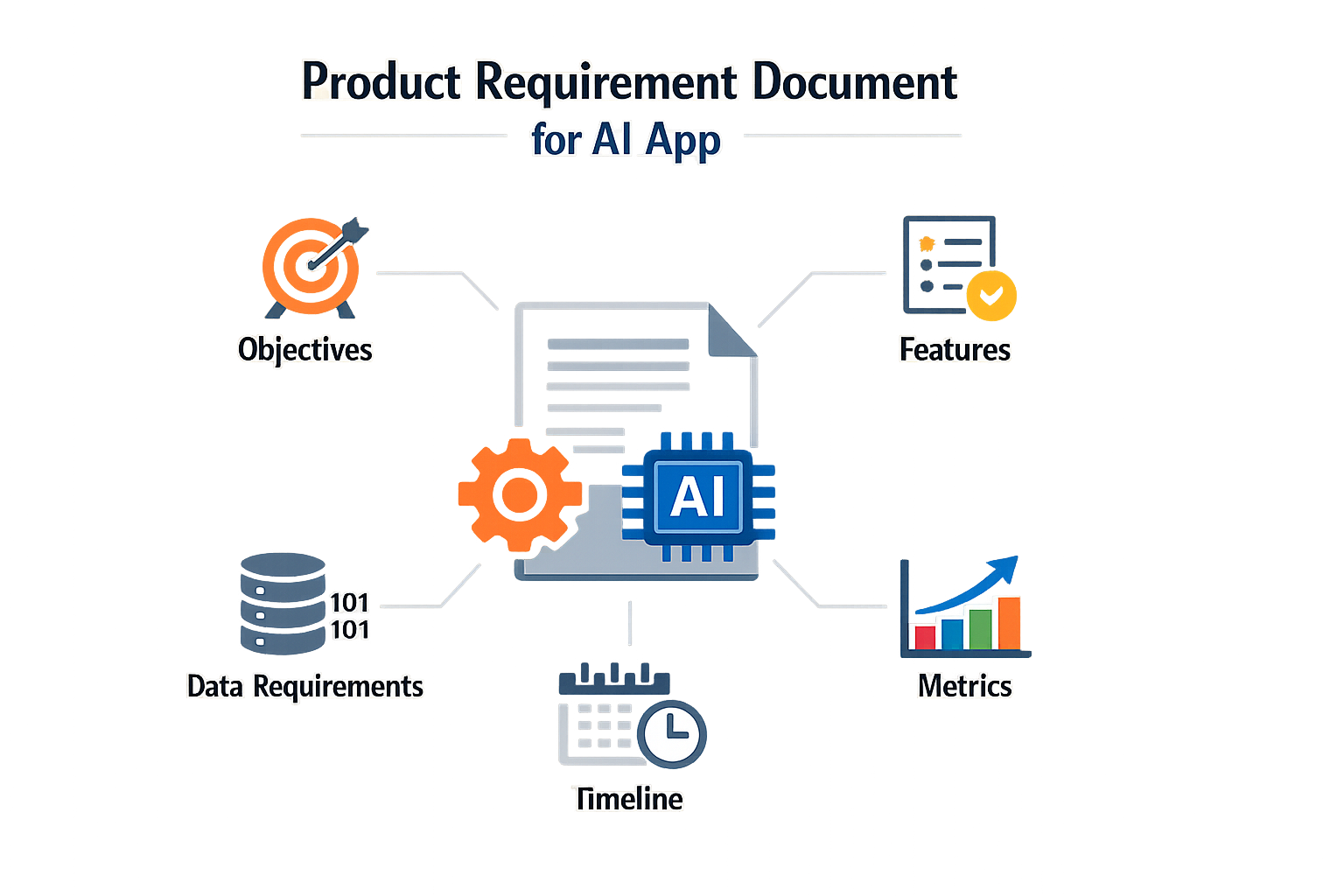
A Product Requirements Document (PRD) communicates the what and why of a product or feature. It ensures the whole team understands the goals and scope before anyone writes code. In AI development, where ambiguity kills velocity, the PRD is the shared contract between the person who knows what the app should do and the system that will build it.
Traditional PRDs ran 20–50 pages and lived in enterprise wiki graveyards. AI-era PRDs are shorter—typically one to three pages—because the builder is a code-generation model that reads instructions literally. The document defines what you are building, who it is for, and how it should work. No marketing fluff, no aspirational roadmaps. Just the spec.
Why AI Development Needs a Different Approach
AI code generators treat your PRD as a prompt. If you write "the app should feel intuitive," the model has no constraint to satisfy. If you write "the dashboard shows three cards: active users (last 7 days), revenue (MTD), and error rate (last hour)," the model has a target. Specificity determines output quality.
The PRD also sets boundaries. AI builders will happily generate features you didn't ask for if the spec leaves room. A clear PRD prevents scope creep at the generation stage, not during QA three weeks later.
Core Function in the Build Workflow
The PRD sits between ideation and implementation. What Is a PRD? A Plain-English Guide for Non-Technical Founders walks through the document's role in turning a concept into a buildable spec. In AI workflows, the PRD is often the only handoff artifact—there is no separate technical design doc because the model infers architecture from requirements.
A well-structured PRD answers four questions: what problem does this solve, who experiences the problem, what does success look like, and what are the functional boundaries. Everything else is optional.
Importance of Detail in a PRD
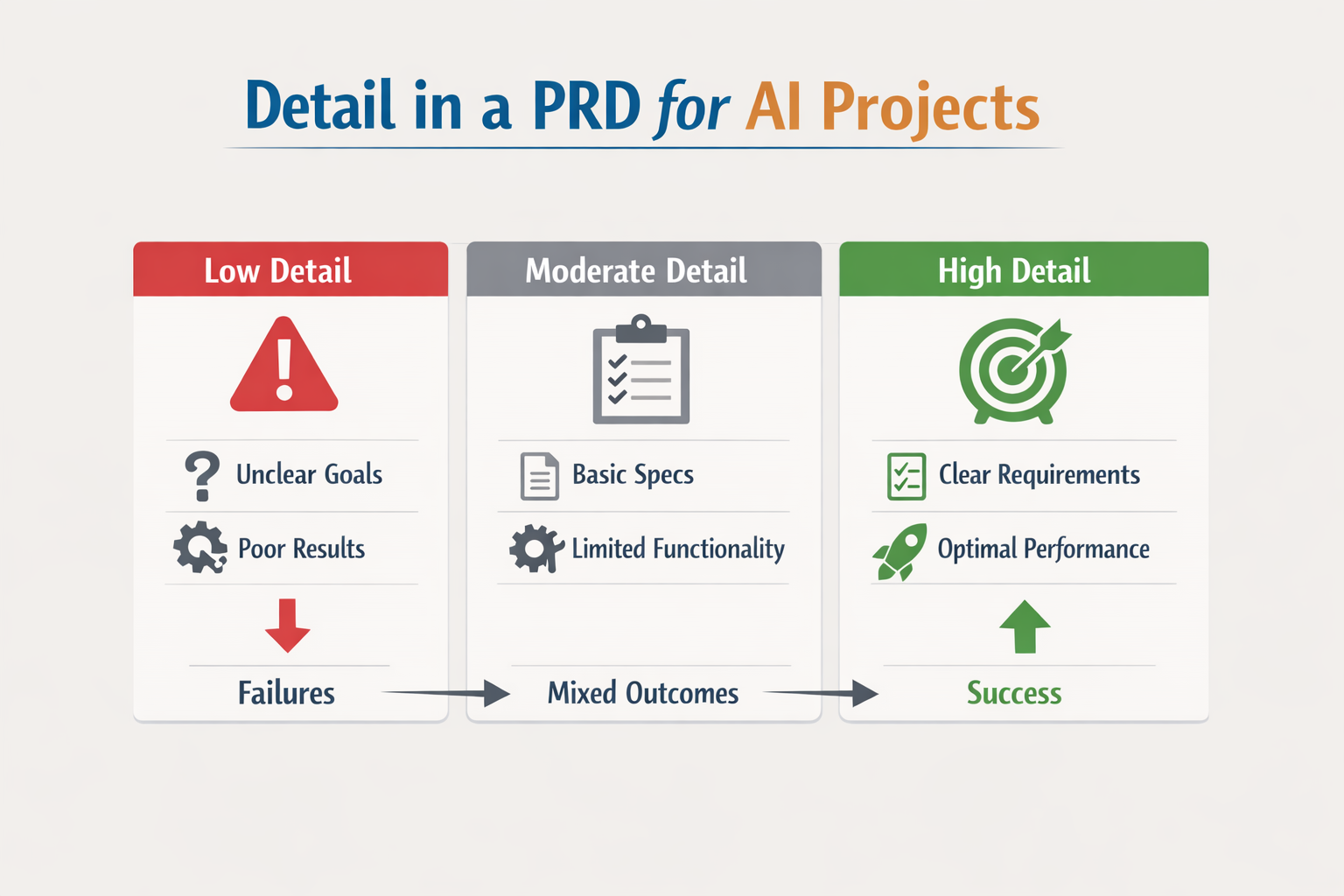
The level of detail in a PRD for AI development determines whether your builder—human or AI—can ship what you actually need. Vague specs produce vague results. Concrete specs produce concrete results. The difference shows up in the first build.
Why Specificity Matters for AI Builders
AI code generators interpret instructions literally. When you write "The UI should look nice," the AI picks defaults that may not match your intent. When you write "The dashboard should use a dark theme with frosted-glass effect cards," the AI has a target. Specificity eliminates guesswork.
This applies to every layer of the stack. If your PRD says "fast response times," the builder doesn't know if you mean 200ms or 2 seconds. If it says "API response under 500ms at p95," the builder knows the threshold and can instrument accordingly.
Detail Enables Tradeoff Decisions
AI features often involve model selection, latency budgets, and cost constraints. A detailed PRD includes evaluation criteria so you can compare options and make informed tradeoffs. Without evaluation criteria, you're guessing whether GPT-4 or Claude is the right fit for your use case.
Include evaluation criteria in your PRD to measure the feature's effectiveness, compare model options, and make informed tradeoff decisions. This is especially critical when you're choosing between speed, accuracy, and cost—three variables that rarely align.
For founders coming from a non-technical background, understanding what a PRD is helps clarify why this level of detail matters before you start writing.
Key Components of a PRD for AI Development
A PRD for AI development needs specific sections that traditional product docs often skip. Model configuration, fallback logic, and success metrics all belong in the spec before you write code. Missing any of these means your builder—human or AI—will guess, and guesses cost time.
Core Structural Sections
Start with the basics. Every PRD needs a problem statement, target user definition, and goals. For AI projects, add a section on success metrics that includes both user-facing outcomes and model performance thresholds. If your AI feature improves search relevance, define what "better" means in numbers—click-through rate, task completion time, or user retention. Vague goals produce vague features.
Include user stories that map to specific AI behaviors. "As a user, I want smart suggestions" is too loose. "As a returning customer, I want the system to surface my three most-purchased items when I open the app" gives your builder a testable outcome. User stories anchor the AI's job to real workflows.
AI-Specific Configuration Details
AI PRDs require technical parameters that don't appear in standard product specs. Document the model version, temperature setting, max token count, and whether the feature streams responses or returns them in a single batch. These aren't implementation details—they're product decisions that affect cost, speed, and user experience.
Fallback behavior matters more in AI features than anywhere else. Define what happens when the model fails, times out, or returns low-confidence results. A search feature might fall back to keyword matching; a content generator might show a cached example. Specify the fallback in the PRD so your builder doesn't improvise under deadline pressure.
Step 1
Define model parameters early
Before writing features, lock in which model you're using, what temperature range fits your use case, and how many tokens you'll allow per request. These choices ripple through cost projections and UX timing.
Step 2
Map fallback paths for every AI interaction
For each AI-driven feature, write one sentence describing what the user sees when the model is unavailable or returns unusable output. This forces you to think through failure modes before they're buried in code.
Metrics and Validation Criteria
Success metrics in an AI PRD split into two layers: user-facing outcomes and model performance. User-facing metrics might be task completion rate or time-to-answer. Model performance metrics include accuracy, latency, and cost-per-request. Both sets belong in the PRD because both determine whether the feature ships.
Define acceptable ranges, not single targets. A chatbot might need 90% accuracy on common queries and sub-2-second response time. If those thresholds aren't in the PRD, your team will debate them during QA when changing course is expensive. Write the thresholds early, test against them often.
If you're working through the planning stage and need a structured starting point, What Is a PRD? A Plain-English Guide for Non-Technical Founders walks through the baseline document structure before you layer in AI-specific sections.
Balancing Detail and Flexibility
The hardest part of writing a PRD for AI development is deciding where to stop. Too much detail and you're typing specs that will be obsolete in two weeks. Too little and the builder—human or AI—spins in circles guessing what you meant. The right balance depends on who's building and what changes fastest in your domain.
When to Lock Down Detail
Some parts of a PRD need precision. User flows that touch money, data privacy rules, or regulatory requirements should be spelled out step by step. If a feature has a known failure mode—like a payment retry loop or a webhook timeout—document the exact behavior. These are the parts where ambiguity costs real money or compliance risk.
Data schemas and API contracts also benefit from early detail. If you're integrating with external systems or storing user-generated content, define field types, validation rules, and error states up front. Changing these mid-build is expensive.
When to Stay Light
UI copy, layout tweaks, and aesthetic choices can wait. If you're working with an AI builder or a vibe-coding workflow, start with wireframes and placeholder text. Let the first version breathe before you commit to exact button labels or color schemes. The same goes for features you're not sure users will adopt—write a one-sentence hypothesis and leave room to pivot.
Internal logic that doesn't touch the user can also stay flexible. If you're building a recommendation engine or a content filter, describe the desired outcome and let the builder propose an approach. You can refine it after the first prototype.
The Problem-First Approach
Start with a problem hypothesis, not a template. Write two paragraphs: what's broken for the user, and what success looks like in measurable terms. Then list the constraints—budget, timeline, technical dependencies. This framing helps an AI builder (or a human one) fill in relevant requirements instead of generic boilerplate.
If you're using vibe coding workflows, this approach keeps you from over-specifying early. You describe the problem, generate a rough implementation, test it with real data, then tighten the spec where it matters.
Iterating Without Chaos
Flexibility doesn't mean no structure. Version your PRD. When you make a change, note why—link to the user feedback or the test result that prompted it. If you're working with an AI tool, keep a changelog so you can roll back bad decisions without losing the good ones.
Set a review cadence. For a new feature, revisit the PRD after the first working prototype and again before launch. For maintenance work, update it only when behavior changes or a new edge case appears.
Common Mistakes in PRD Creation
Most PRD failures come from treating AI features like deterministic systems. A traditional PRD describes fixed inputs and outputs — click button A, get result B. LLMs are stochastic. The same prompt can yield different outputs every time. If your PRD assumes repeatability, you've already lost.
Copying Templates Without Adapting
Using a standard software PRD template for AI products is the fastest way to waste a builder's time. Those templates assume logic flows, error states, and edge cases that behave predictably. AI models don't. You need sections that describe model behavior ranges, acceptable output variance, and fallback logic when the model hallucinates or refuses to answer.
Over-Specifying UI Without Defining Model Constraints
A common trap: pages of wireframes and pixel specs, zero lines about model temperature, token limits, or prompt structure. The builder ends up with a beautiful shell and no idea what the AI should actually do. Specify model parameters first. UI follows model capabilities, not the other way around.
Ignoring the Iteration Cycle
AI features require tuning. A PRD that treats the first build as final is setting up a rewrite. Plan for iteration windows: initial prompt testing, output evaluation, refinement cycles. Lock the success criteria, not the implementation path. If you need practical guidance on iterative builds, start with a flexible structure that expects revision.
Skipping Success Metrics
What does "good enough" look like? If the PRD doesn't define measurable thresholds — accuracy rate, response time, acceptable hallucination frequency — the builder ships when it runs, not when it works. Define pass/fail numbers before the first line of code.
The traditional PRD is dangerously inadequate for AI products.
Writing for Yourself, Not the Builder
You know what you want. The builder doesn't. Avoid insider jargon, assumed context, and "you know what I mean" placeholders. Every ambiguous sentence becomes a support ticket or a wrong guess. Write like the builder has never seen your product before — because they haven't.
Who Should Choose What Level of Detail?
The person writing the PRD owns the detail decision. If you are the founder, you decide. If you delegate to a product manager, they decide within the constraints you set. The builder — whether human or AI — does not get a vote on how much spec they receive.
This is not a collaborative negotiation. The PRD author looks at three variables: team capability, project risk, and iteration cost. A solo founder using Cursor writes less than a PM briefing an offshore dev shop. A healthcare app with compliance gates needs more than a weekend prototype. If changing a feature later costs you two weeks and $8,000, write more up front. If you can redeploy in ten minutes, write less.
What the Author Controls
You control scope, acceptance criteria, and edge cases. You decide whether "user login" means email/password or also OAuth, magic links, and account recovery flows. You decide whether the AI model needs to handle non-English input or can fail gracefully with a message. Every choice you defer becomes a guess by the builder, and builder guesses rarely match your mental model.
If you are working with an AI coding assistant, the detail level sets the ceiling on output quality. The assistant cannot infer your business rules. It will generate plausible code for the prompt you gave, not the product you imagined. Founders who treat PRDs as rough sketches get rough prototypes. Founders who specify measurable success criteria get testable features.
Team Experience Changes the Threshold
An experienced builder needs less hand-holding. A senior engineer who has shipped three SaaS products can fill gaps you leave. A junior developer or an AI agent cannot. If your team has domain expertise — they have built similar features before — you can write higher-level goals. If they are new to the domain, write the steps.
This does not mean you write code for them. It means you define the problem boundary clearly enough that they know when they have solved it. A vague PRD ("build a recommendation engine") forces the builder to guess at latency requirements, ranking logic, and fallback behavior. A clear PRD specifies those constraints without dictating implementation.
When to Add Detail Mid-Project
You can start lean and add detail when ambiguity blocks progress. If the builder asks the same type of question three times, that category needs more specification. If QA finds edge cases you did not consider, document the correct behavior and update the PRD. The document is not write-once; it evolves as you learn what the system actually needs to do.
The wrong move is adding detail to avoid all future questions. You cannot predict every edge case on day one. Write enough to start building, then fill gaps as they surface. The goal is forward motion, not exhaustive documentation.
Start your PRD by clearly defining the user problem being solved and why AI is a better solution than deterministic approaches.
For more on structuring your first product spec as a non-technical founder, see What Is a PRD? A Plain-English Guide for Non-Technical Founders.
Case Studies of PRD Usage in AI Development
Two patterns emerge when you look at teams shipping AI products: those who write structured PRDs see cleaner code output, and those who skip them end up rewriting prompts until the model gives up. The difference isn't philosophical—it's measurable in cycle time and defect rate.
Structured PRDs Improve AI Code Quality
Structured PRDs improve the quality of AI-generated code by providing clear guidance. When a code-generation model has explicit acceptance criteria, input/output schemas, and edge-case handling rules, it produces functions that pass unit tests on the first pass. Teams that document these details upfront spend less time debugging hallucinated logic and more time integrating working components.
The productivity gain shows up in collaboration velocity. A developer picking up a half-finished AI feature doesn't need to reverse-engineer intent from vague comments—the PRD already maps the decision tree. This is especially true in vibe coding workflows, where iteration speed depends on how quickly you can validate that the AI understood the ask.
Production Release Gates Require Explicit Criteria
One team adopted a hard rule: changes to the prompt or model that do not pass the evaluation criteria should not be released into production. This forced them to define "pass" in the PRD before writing a single line of code. They logged every model response against a test suite derived directly from the PRD's acceptance criteria.
The result: zero production incidents related to prompt drift over six months. When a new model version shipped, they re-ran the PRD-based eval suite and caught two regressions before deployment. The PRD became the source of truth for both the build and the gate.
The PRD became the source of truth for both the build and the gate.
This approach works because it treats the PRD as a contract, not a suggestion. If the model can't satisfy the contract, the feature doesn't ship—no exceptions, no "we'll fix it later." That discipline prevents the slow feature rot that kills AI projects after the demo phase.
Best Practices for Writing a PRD for AI Development
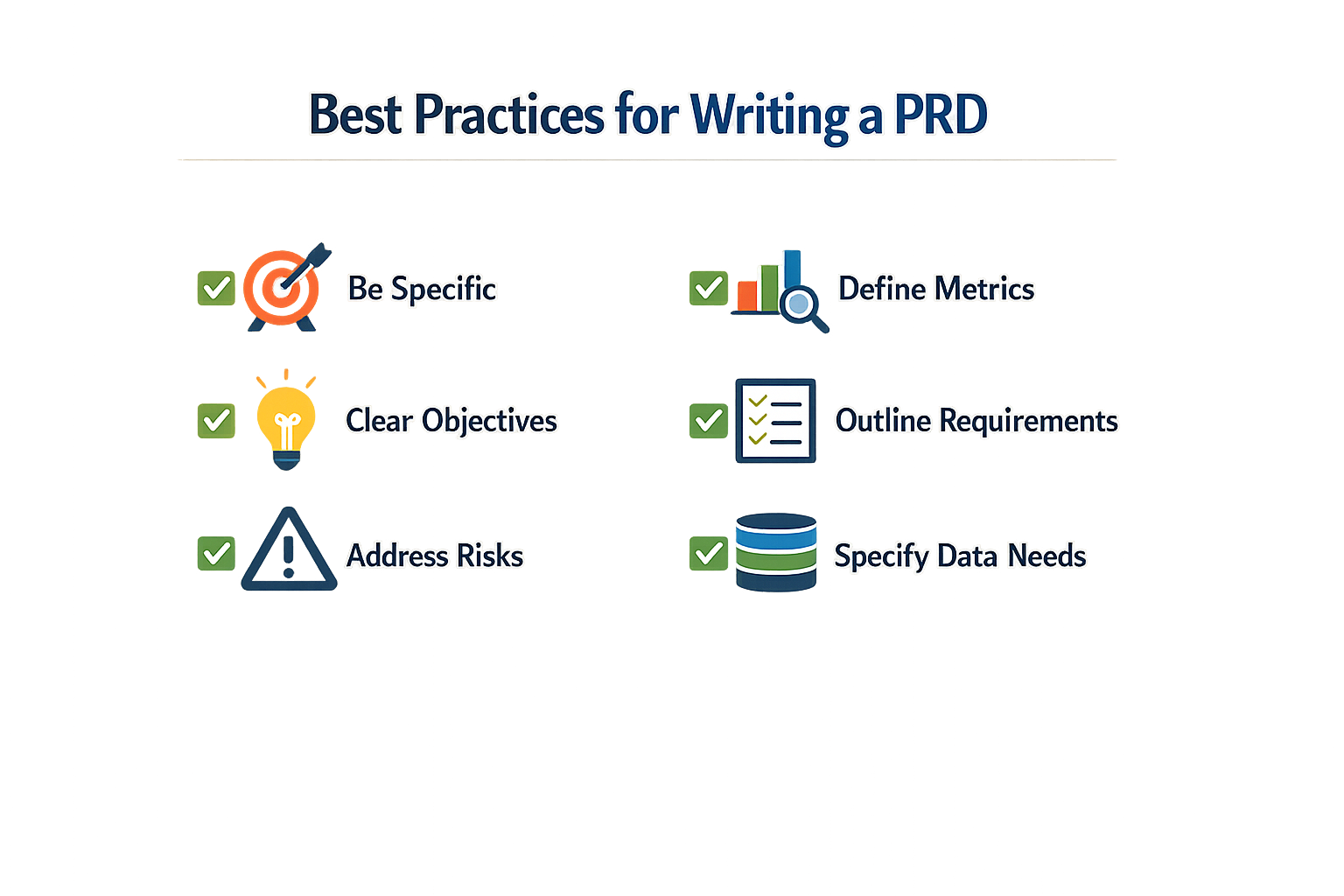
Writing a PRD for AI tooling is different from writing one for human developers. The machine reads literally. It doesn't infer context or forgive vague language. If your PRD is loose, the output will be loose.
Think Before You Prompt
Don't open the chatbot cold. Sketch the problem, the constraints, and the success state on paper first. The AI tool amplifies what you feed it—garbage in, garbage out. If you haven't clarified your own thinking, the PRD will reflect that confusion.
Use Clear Structure
AI parsers respond well to headings, bullets, and numbered lists. Break requirements into discrete blocks: user stories, constraints, edge cases, acceptance criteria. Each section should stand alone. When the AI sees "User Story 1" followed by "Acceptance Criteria," it knows how to map those pieces to code.
Avoid long paragraphs that blend multiple ideas. One paragraph, one concept. If a requirement spans three sentences, it probably belongs in a bullet list.
Make Success Measurable
Every PRD needs KPIs. If you can't measure it, you can't tell the AI what "done" looks like. Define thresholds: response time under 200ms, accuracy above 95%, zero data leaks in test runs. Numbers give the tool a target. Without them, you're asking it to guess.
If you cannot measure it, you cannot tell the AI what 'done' looks like.
For non-technical founders who are new to this process, What Is a PRD? A Plain-English Guide for Non-Technical Founders walks through the foundational structure before you layer in AI-specific requirements.
Separate Must-Haves from Nice-to-Haves
Label requirements as P0, P1, P2. AI tools don't prioritize on their own—they treat every line as equally important. If you bury a critical security constraint in the middle of a wishlist, the model might skip it. Put the non-negotiables at the top, in their own section, with clear "MUST" language.
Include Edge Cases and Error States
AI builders are optimistic. They assume the happy path. Your PRD must spell out what happens when the API times out, the user submits malformed input, or the database returns null. Write those scenarios explicitly: "If the payment gateway returns a 500 error, display message X and log event Y."
The more edge cases you document, the fewer surprises you'll hit in QA.
Conclusion
A PRD for AI development works when it's detailed enough to prevent hallucination but loose enough to let the builder adapt. The right level of detail depends on who's building: solo founders using AI tools need more structure than experienced teams with domain knowledge. Spec the data model, write out edge cases, and define success states explicitly. Leave implementation choices to the builder.
I've watched dozens of first-time founders start with a vague notion and end up debugging the same integration three times because the PRD didn't specify what "user profile" actually meant. The pattern holds: underspecified PRDs cost you cycles; overspecified PRDs cost you flexibility. Write enough to make the next decision obvious, then stop.
A PRD is the bridge between 'I have an idea' and 'my AI builds it right.'
Start with the components covered in this guide: problem statement, user stories, data requirements, and acceptance criteria. Iterate the document as you learn. If you're still figuring out where to begin, What Is a PRD? A Plain-English Guide for Non-Technical Founders walks through the fundamentals without jargon.
The best PRD is the one that gets your app built correctly the first time. Write it, test it against a small scope, then scale the detail level based on what broke. That's the cycle.
Related reading
Web App vs Mobile App: The Ultimate Guide to the Best Choice
Micro SaaS Ideas: 11 Best Solo Projects (Ultimate Guide)
Describe App Idea: The Ultimate Easy Guide for AI Development