Describe App Idea: The Ultimate Easy Guide for AI Development
Introduction
Having an app idea feels like holding a winning lottery ticket. The reality is less romantic. An idea without a clear description is just a feeling, and feelings don't compile into working software.
When you describe app idea components to an AI development tool, you're not pitching—you're specifying. The tool needs to know what buttons do, what data moves where, and what happens when things break. Vague descriptions produce vague code. Specific descriptions produce specific code. The gap between the two is the difference between a weekend prototype and three months of confusion.
The market doesn't care about novel ideas. It cares about solutions that work. I Have an App Idea: The Ultimate Simple Guide for Founders walks through the full journey, but this guide focuses on one critical gate: turning the concept in your head into words a machine can act on.
Most app ideas die in translation. The founder knows what they want, but the description skips critical details or buries them in abstraction. AI development tools amplify this problem: they'll build exactly what you describe, which means every gap in your description becomes a gap in your app.
This guide covers how to describe your app idea so that both humans and AI tools understand what you're building, why it matters, and what success looks like. No fluff, no theory—just the components that separate a buildable spec from a daydream.
Learn how to describe your app idea effectively for AI development and streamline the building process.
Why Clear Communication Matters
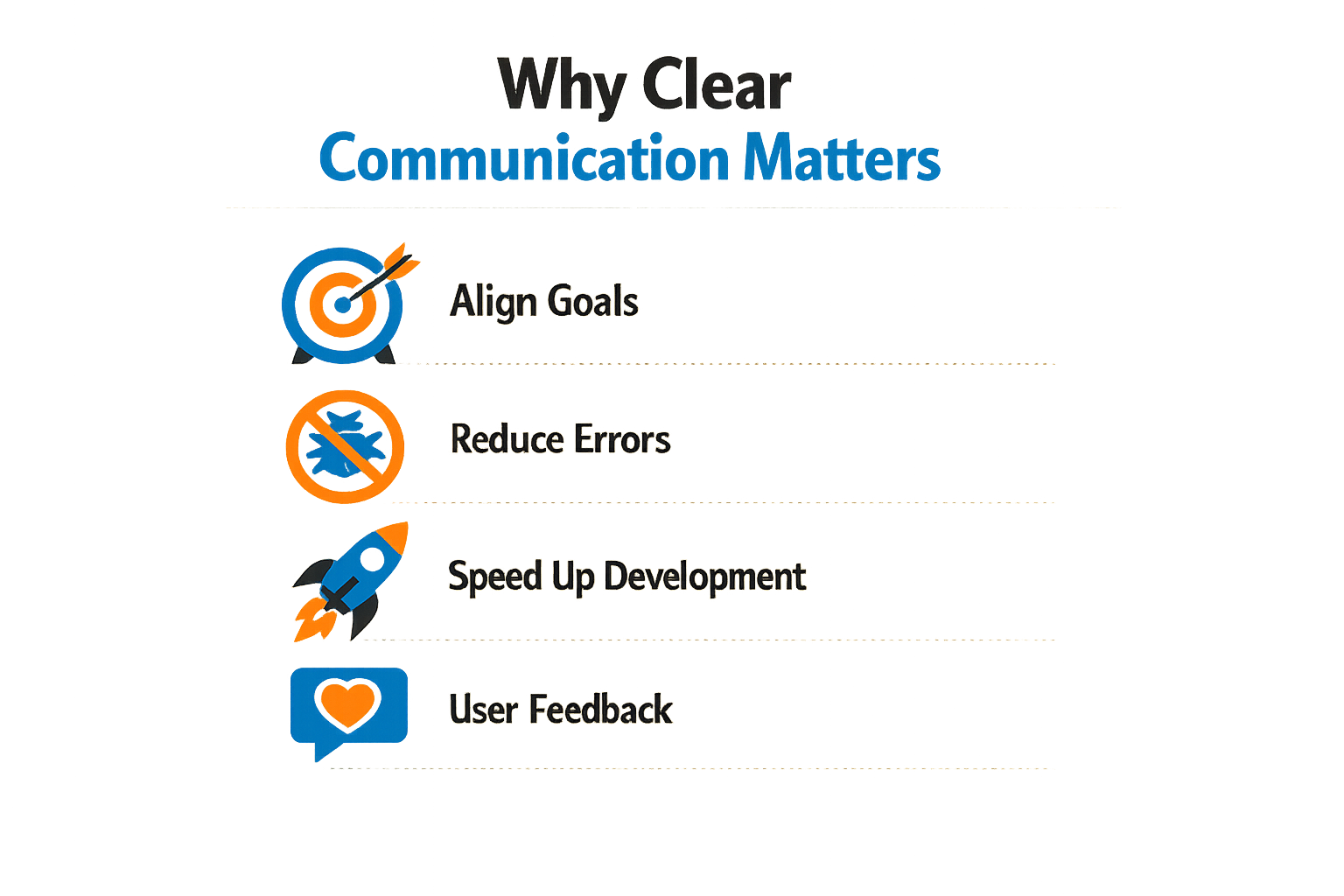
Most founders think the idea is 99% of the work. It isn't. The idea is the map; describing it clearly is what gets you from A to B without burning time on wrong turns. When you describe app idea details poorly, AI tools build what you said, not what you meant. The gap costs you days of rework.
The Intelligence-Speed Trade-Off
App creation in 2024 runs on idea quality, not coding skill. You win by solving a specific, high-value problem faster than the next person. If your description is vague—"a social app for dog owners"—you get a generic shell. If you specify "a shared walk scheduler with real-time location for urban dog owners who coordinate group walks," you get something testable in hours.
The bottleneck is not the builder. It's the time you spend clarifying what you actually want after the first build fails. Clear input on day one eliminates three rounds of "that's not quite right."
Alignment Beats Trends
Teams chase trends that don't fit user needs. A great description forces you to answer: who has this problem, why do they care, and what does success look like? If you can't answer those in two sentences, you're not ready to build. The I Have an App Idea: The Ultimate Simple Guide for Founders framework walks through this triage step by step.
The future of app creation is defined not by coding skill but by the intelligence and speed of ideas.
Misalignment shows up fast. You describe a feature set; the AI builds it; users ignore it. The fault isn't the tool—it's the gap between what you described and what the market needed. Describing your idea well means testing your assumptions before you write a line of code.
The Real Profitability Equation
Having an idea contributes maybe 10% to success. The other 90% is execution: building the right thing, for the right people, at the right time. Clear communication is execution. It turns a hunch into a spec, a spec into a prototype, and a prototype into something you can put in front of users by Friday.
When you describe app idea components with precision—target user, core workflow, success metric—you compress the feedback loop. You learn what works in days, not months. That speed advantage is the actual competitive edge.
Key Components of an App Idea
Every app idea needs four pieces before you hand it to a developer or AI tool: what it does, who uses it, why they care, and what makes it different. Miss one and you're building on assumptions.
Core Functionality
Start with the main action. Not the vision, not the ecosystem—the one thing users do. A budgeting app tracks expenses. A delivery app connects drivers to orders. If you can't say it in six words, you don't know it yet.
Define this before you touch features. The core determines everything downstream: tech stack, data model, user flow. AI code generators work best when the primary job is concrete.
Target Audience
Who opens this app daily? Demographics matter less than behavior. Are they solving a work problem or killing time? Do they pay for tools or expect free? Will they tolerate a learning curve?
Specificity here saves months. "Small business owners" is too broad. "Solo contractors who invoice 5–10 clients monthly and hate spreadsheets" gives you design constraints and feature priorities.
Unique Selling Proposition
What makes this worth building when alternatives exist? The answer isn't "better UX" or "AI-powered"—those are table stakes. It's the specific problem you solve that competitors ignore.
Your USP might be speed (5-second signup vs. 5-minute), focus (one job done well vs. feature bloat), or access (works offline, no account required). Write it as a single sentence. If it sounds like marketing copy, make it plainer.
Minimum Viable Feature Set
List the features required to solve the core problem—nothing else. An MVP delivers one complete workflow, not a fraction of ten workflows.
Most first-time founders overpack this list. If a feature isn't mandatory for the primary use case, it's version two. Ruthless cuts here mean you ship in weeks instead of quarters. For more on turning a clear idea into a buildable spec, see What Is a PRD? A Plain-English Guide for Non-Technical Founders.
| Component | What to Define | Common Mistake |
|---|---|---|
| Core Functionality | The one action users repeat | Listing 10 features instead of 1 job |
| Target Audience | Behavioral profile, not demographics | "Everyone who needs X" |
| USP | The specific gap you fill | Generic claims like "faster, better" |
| MVP Features | Minimum set for one complete workflow | Including nice-to-haves in version one |
These four components form the skeleton. Everything else—design, tech choices, roadmap—hangs on them. Get them wrong and you're iterating in the dark.
How to Describe Your App Idea
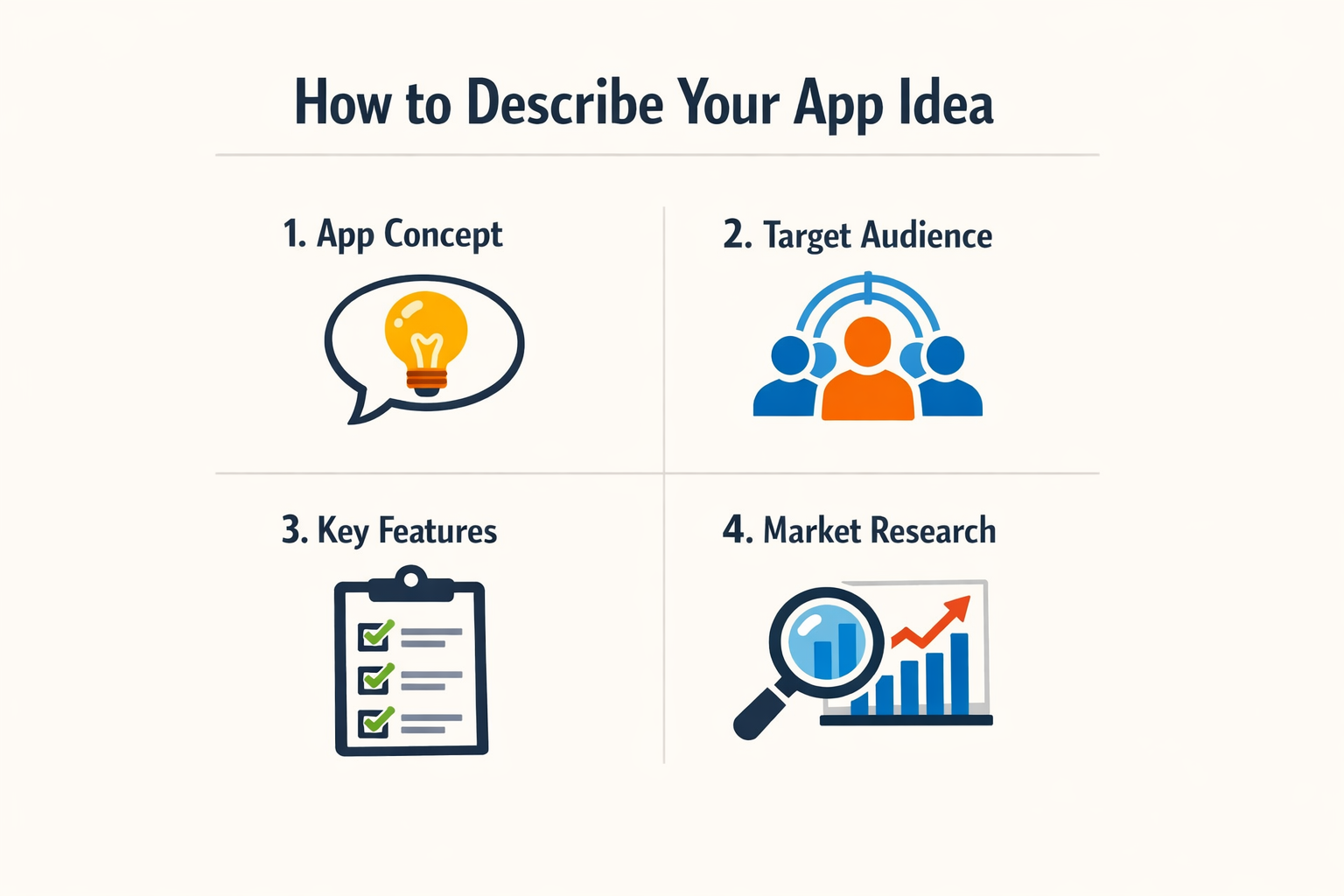
Describing your app idea to an AI tool is not a creative writing exercise. It's a specification problem. The clearer you are, the fewer rounds of rework you'll face.
Start with the Job to Be Done
Begin with one sentence: what does the user hire this app to do? Not features, not tech stack—just the core job. "Lets dog walkers schedule visits and invoice clients" is better than "a platform for pet care professionals." The AI needs a functional anchor, not a vision statement.
Once the job is clear, describe the user's current workaround. What spreadsheet, notebook, or manual process does this replace? That context tells the AI what data structures and workflows matter.
Break It into Testable Slices
List the app's functions as small, testable pieces. Each slice should be something you can validate in a single session. "User can add a new client with name, phone, and address" is a slice. "Comprehensive client management" is not.
Step 1
List core actions
Write down 3–5 things the user must be able to do on day one. Rank them. The AI will build what you describe first, so sequence matters.
Step 2
Describe the data
Name the objects your app tracks—clients, appointments, invoices—and the 3–4 fields each one needs. Skip the edge cases for now.
Step 3
Specify one happy path
Walk through a single end-to-end flow: user logs in, creates a record, views a list, edits it. One path, no branches. This gives the AI a concrete skeleton.
Short validation cycles turn plain-language ideas into clickable prototypes in days instead of weeks. The tighter your loop, the faster you learn what actually works.
Use Examples, Not Abstractions
Show, don't tell. Instead of "the app should be intuitive," say "when the user taps 'New Appointment,' a form appears with date, time, and client dropdown." Concrete examples eliminate ambiguity.
If you're stuck, describe a paper version. How would this work on index cards? That mental model usually surfaces the real structure. For more on turning manual processes into apps, see Turn Spreadsheet Into App: The Ultimate Easy First Build.
Clarify What You're Not Building
Explicitly state what's out of scope. "No payment processing in v1" or "No multi-user accounts yet." AI tools will add features if you don't fence them out. Constraints speed up delivery.
Common Pitfalls to Avoid
Most founders trip over the same handful of mistakes when they describe app idea concepts to AI tools or developers. The errors aren't subtle—they're structural. You either describe the problem your app solves, or you describe a feature list that sounds impressive but tells no one what the thing actually does.
Believing the Idea Is the Hard Part
Many people assume that having a great app idea is most of the work. It isn't. The idea is table stakes. Execution—building the right thing for the right people—is where products succeed or fail. When you describe app idea concepts as if the novelty alone guarantees success, you skip the planning that turns concepts into shippable products.
Chasing Trends Instead of Solving Problems
A single app idea can shape a product's trajectory, but only if it aligns with real user needs. Founders often pursue what's popular—AI features, blockchain integrations, social graphs—without asking whether their target users care. The result is a product that checks boxes on a pitch deck but solves nothing urgent.
When you describe your app, lead with the problem. If you can't articulate the pain point in two sentences, your idea isn't ready for AI tooling or a development brief.
Skipping the "Who" and the "Why"
Descriptions that omit the target user and the core job-to-be-done leave AI tools guessing. "An app for managing tasks" could mean anything—personal to-dos, construction job sites, clinical trial protocols. Each requires different data models, workflows, and success metrics. Without specificity, you get generic output.
Define who uses the app and what job they're hiring it to do. That clarity propagates through every downstream decision, from UI layout to database schema.
Overloading the First Version
Founders routinely describe app idea scopes that would take a team of ten engineers a year to ship. The instinct is to enumerate every feature that could exist, rather than the minimum set that proves the concept. AI code generators will happily scaffold all of it—then you're left with a codebase too large to debug and too complex to iterate.
The cheapest way to validate an idea is to ship the smallest version that lets one real user complete one real task.
Cut your feature list by two-thirds. If the app still solves the problem, you're closer to a working prototype. For practical frameworks on scoping first builds, see What Is a PRD? A Plain-English Guide for Non-Technical Founders.
Tips for Effective Communication
Clear communication turns vague ideas into buildable specs. Most founders lose time because they describe what they want in abstract terms—"user-friendly," "scalable," "modern"—instead of concrete behaviors. AI tools need specifics: which screen, which button, what happens next.
Start With One Screen
Describe a single interaction before you describe the whole app. Pick the screen where your user solves their core problem. Write three sentences: what the user sees, what they tap, what changes. If you can't describe one screen clearly, you can't describe ten.
Focus on verbs, not adjectives. "User taps 'Save' and sees a green checkmark" beats "intuitive save experience" every time.
Use Examples, Not Analogies
Saying "it's like Uber for dog walkers" tells an AI almost nothing. Instead, show the flow: "User enters their address, sees available walkers within 2 miles, picks one, confirms a 30-minute walk, pays $15." Concrete sequences beat metaphors.
If you must reference another app, point to a specific feature: "the swipe gesture from Tinder's card stack" or "the inline edit from Notion's text blocks." Name the interaction, not the brand.
Write the Failure Cases
Most descriptions cover the happy path and stop. Real apps need to handle errors. What happens if the user's payment fails? If the API times out? If they tap "Submit" twice? Writing two failure cases per feature forces you to think through edge behavior before the AI does.
Show, Don't Summarize
Instead of "the onboarding is simple," describe what the user does: "First screen asks for email. Second screen asks for name. Third screen shows three example posts. User taps 'Got it' and lands on the feed." Concrete steps reveal where your idea is clear and where it's still fuzzy.
One founder replaced a seven-screen tutorial with contextual tooltips and saw onboarding completion jump from 34% to 78%. The difference wasn't better design—it was describing exactly which tooltips appeared on which actions.
Keep a Running List of Assumptions
Every time you say "obviously" or "of course," you're making an assumption. Write it down. "Users obviously want push notifications" becomes "users receive a push when someone replies to their comment." The second version is testable; the first is a guess.
Your assumption list becomes your validation checklist. If you can't test an assumption in a weekend prototype, it's probably too big.
Describe Describe App Idea in Layers
Start with the user's goal in one sentence. Add the three-step flow. Then add the data model (what gets saved where). Then add the edge cases. Each layer adds detail without rewriting the previous one. This structure maps cleanly to how vibe coding tools expect input—you're building a PRD without realizing it.
If you can't add a layer without contradicting an earlier one, your idea has an internal conflict. Fix that before you write another word.
Examples of Good Descriptions
A good description solves the "what does it do" test in one sentence. The best app ideas land when someone can repeat them back to you without asking for clarification. Here are three examples that pass that test.
AI-Driven Micro-Habit Manager
This app uses machine learning to analyze your phone usage and find optimal times for specific habits. Instead of asking you to set arbitrary reminders, it watches when you're most likely to follow through — say, right after you close email — and prompts you then. The description works because it names the user action (building micro-habits), the method (ML analysis of phone patterns), and the outcome (better timing for prompts).
The best app ideas land when someone can repeat them back to you without asking for clarification.
AI Learning Companion
An AI Learning Companion adapts lessons and teaching methods to suit individual learning styles. It adjusts pacing, question difficulty, and explanation format based on how a student responds. The description is clear: it's tutoring software that personalizes itself. No jargon about neural nets or adaptive algorithms — just "it changes how it teaches based on how you learn."
Gamified Budgeting & Savings App
This app transforms personal finance management into an engaging experience by turning savings goals into challenges with rewards. Hit your weekly budget target, unlock a badge. Save an extra hundred, level up. The description works because it names the boring task (budgeting), the hook (gamification), and the user benefit (you actually want to open it). For a deeper look at structuring app ideas before you start building, see What Is a PRD? A Plain-English Guide for Non-Technical Founders.
All three examples share a pattern: they name the user, the problem, and the mechanism in under twenty words. That's the standard.
How AI Can Help in the Process
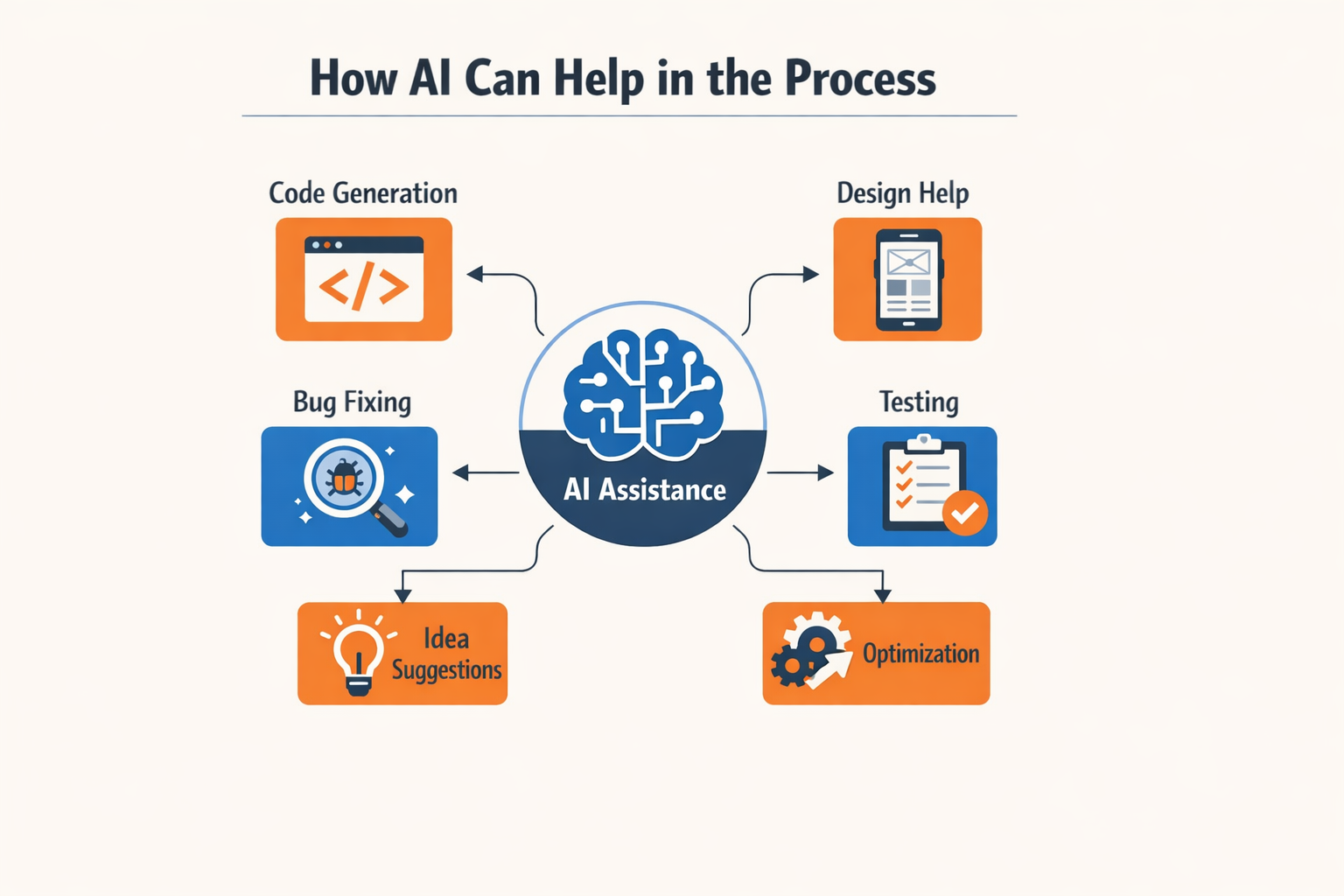
AI tools changed the economics of app building. You can now validate, refine, and prototype ideas without hiring a team or writing production code yourself.
Refining Your Description
AI helps you spot gaps in your thinking. Feed a rough description into a conversational model and ask it to identify missing pieces — user flows, edge cases, data requirements. The output shows you where your mental model is fuzzy. You iterate until the description holds up under questioning.
This process surfaces assumptions you didn't know you were making. A chatbot can't read your mind, so if the AI misunderstands your intent, your human collaborators will too.
Generating Prototypes Faster
Once your description is solid, AI code generators turn structured prompts into working interfaces. You describe screens, interactions, and data models in plain language. The tool outputs React components, API endpoints, or database schemas. You review, test, and refine.
The key is treating AI output as a first draft, not a finished product. The code runs, but it won't handle every edge case or scale gracefully without human review. If you're new to this workflow, vibe coding for beginners walks through the fundamentals.
Personalization and User Experience
AI enables personalization at a scale that was previously expensive. Apps can adapt content, recommendations, and interfaces based on user behavior without manual rule-writing. This creates tailored experiences that increase engagement.
The demand for smarter, faster apps continues to grow as emerging technologies like machine learning and improved connectivity raise user expectations. AI tools let solo founders compete on features that used to require data science teams.
When AI Doesn't Help
AI won't fix a bad idea or unclear goals. If you can't describe what problem you're solving and for whom, no tool will clarify that for you. The model outputs only what you put in, amplified. Garbage in, garbage out.
Use AI to accelerate execution once you know what you're building. It's a force multiplier, not a substitute for thinking.
Final Thoughts
The app economy will generate over $613 billion by 2026, but the winners won't be the ones who write the most code. They'll be the founders who describe app idea details clearly enough that AI tools can turn those descriptions into working software. If your idea document forces you to explain every edge case, every user path, every data dependency — you've already done the hard work.
Clear articulation is the new technical advantage. When you can describe your app idea in concrete terms — not just what it does, but who uses it, when, and why — you compress months of back-and-forth into a single specification. AI coding assistants execute instructions; they don't infer intent. The tighter your description, the fewer cycles you waste debugging misaligned outputs.
Most founders fail not because their idea is wrong, but because they never forced themselves to write it down in operational detail. The discipline of describing your app idea — user by user, screen by screen, decision by decision — is what separates a vague concept from a buildable product. What Is a PRD? A Plain-English Guide for Non-Technical Founders walks through the document structure that turns ideas into instructions.
The future of app creation is defined not by coding skill but by the intelligence and speed of ideas.
Start with a one-page description. Add the six components from earlier sections. Test it by handing it to someone unfamiliar with your domain and asking them to sketch the first screen. If they can't, your description isn't clear yet. Iterate until the document answers every question a builder would ask.
The tools are ready. The market is massive. The constraint is your ability to describe app idea mechanics in enough detail that an AI can build what you mean, not what you said.
Conclusion
Clear communication is the difference between an app that ships and one that stalls in revision loops. When you describe app idea details with precision—problem, user, workflow, constraints—you give AI tools and collaborators exactly what they need to execute. Vague descriptions produce vague outputs; specific descriptions produce shippable code.
The intelligence of your idea matters more than your coding ability. AI development tools amplify clarity, not wishful thinking. If you can articulate the problem your app solves and the steps a user takes to solve it, you're already ahead of most founders who start building without a plan.
Start small. Write three sentences: who uses this, what problem it fixes, what happens when they open it. That's enough to validate whether the idea has legs. Refine from there. The best app descriptions evolve through iteration, not perfection on the first pass.
If you're ready to move from idea to execution, What Is a PRD? A Plain-English Guide for Non-Technical Founders walks through the next step: turning your description into a structured plan that AI tools can build from.
The hardest part isn't the technology. It's deciding what to build and saying it out loud in a way that someone—or something—can act on. Do that, and the rest is just iteration.
Related reading
MVP Scope: The Ultimate Guide to Cutting Features the Easy Way