
AI App Builder: The Ultimate Guide to Choosing the Best One
Introduction
An AI app builder is a platform that uses artificial intelligence to help you create applications without writing most of the code yourself. These tools transform natural language descriptions or visual inputs into working software, handling everything from UI generation to backend logic.
I've watched founders waste months chasing AI tools that promised full autonomy, only to discover the output needed a developer anyway. The gap between demo and deployment is real. The tools work, but you need to know what you're buying.
The market now offers dozens of AI app builders, each optimized for different use cases. Some excel at rapid prototyping. Others generate production-grade code but require technical oversight. A few specialize in specific domains like data dashboards or workflow automation. If you're evaluating options for the first time, understanding your app idea helps you filter the field faster.
This guide walks through what AI app builders actually do, how they work under the hood, and the criteria that matter when you're choosing one. You'll see direct comparisons, learn who should pick what, and get past the common misconceptions that trip up first-time users.
Discover what an AI app builder is and learn how to choose the right one for your needs.
What Is an AI App Builder?
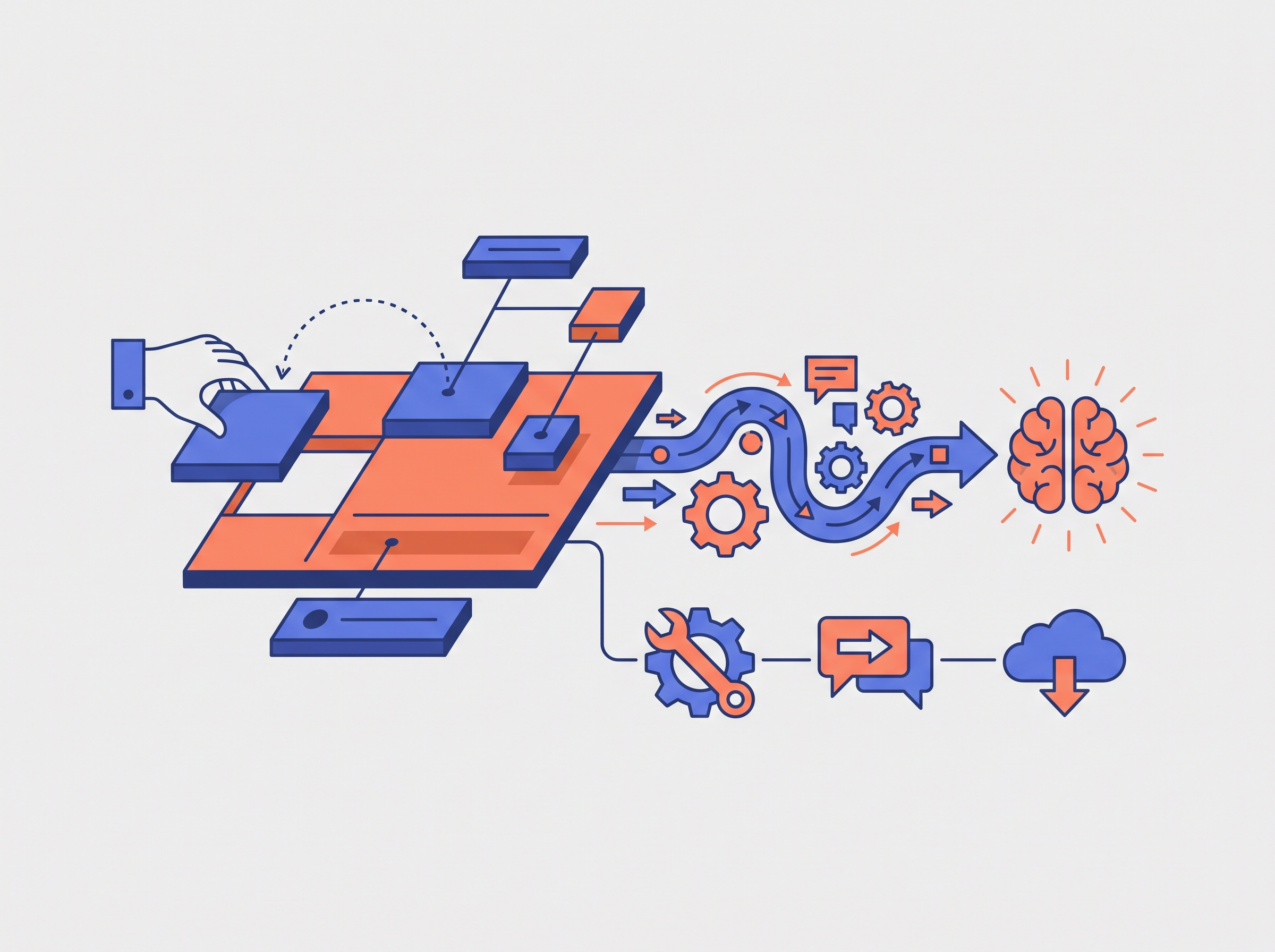
An AI app builder is a platform that lets you create applications with minimal or no code by using artificial intelligence to generate deployable code and handle workflows. Instead of writing every line yourself, you describe what you want — through prompts, forms, or visual interfaces — and the tool builds the structure for you.
These platforms typically provide tools for model strategy, prompt design, agent orchestration, and data preparation. Some generate complete apps from a single text prompt. Others guide you through a step-by-step process, assembling components and logic based on your input. The output ranges from simple forms and workflows to full-stack applications with databases, APIs, and user interfaces.
Core Functionality
AI app builders handle three main tasks: code generation, component assembly, and deployment automation. The AI interprets your requirements and translates them into working code or pre-built modules. You configure settings, connect data sources, and adjust layouts without touching the underlying implementation. When you're ready, the platform packages everything and pushes it live.
Most tools abstract away infrastructure decisions. You don't pick servers or configure databases manually. The builder provisions what it needs based on your app's structure. This works well for standard use cases but can feel restrictive when you need custom integrations or unusual architectures.
Who Uses Them
Non-technical founders use AI app builders to prototype ideas quickly. Product managers use them to build internal tools without waiting on engineering cycles. Developers use them to scaffold boilerplate and focus on unique logic. The common thread: reducing the time from concept to working software.
If you're evaluating whether an AI app builder fits your workflow, start by clarifying what "working software" means for your project. A tool that ships a functional prototype in two hours might still require weeks of manual work to reach production quality. For a deeper look at planning before you build, see What Is a PRD? A Plain-English Guide for Non-Technical Founders.
How AI App Builders Work
AI app builders turn natural language into working software. You describe what you want; the tool generates code, wires up screens, and sometimes handles deployment. The underlying process is straightforward: the platform interprets your prompt, maps it to templates or component libraries, and assembles the pieces into a functioning app.
The Prompt-to-App Workflow
Most AI app builders follow a similar sequence. You start by defining the vision—what the app does and who uses it. Then you specify the data it needs to track, outline the screens users will see, and detail the actions they can take. The builder translates these inputs into UI components, routing logic, and basic CRUD operations. Some platforms let you describe integrations and business rules in the same prompt; others require you to configure those separately.
Step 1
Define the vision and users
Describe the app's purpose and who will use it. The more specific you are about user roles and workflows, the better the builder can infer the right structure.
Step 2
Specify data and screens
List the data entities your app needs to track and the screens users will navigate. AI app builders use this to generate database schemas and UI layouts.
Step 3
Detail actions and integrations
Explain what users can do—create, edit, delete, search—and whether the app connects to external services. Many tools now offer pre-configured integration templates, making backend connections easier than they used to be.
Where the Technology Still Struggles
AI app builders handle simple workflows well, but they hit limits when you need robust databases or authentication. Most platforms generate basic schemas and login flows, but anything beyond that—multi-tenancy, row-level permissions, complex relational queries—requires manual intervention. If your app needs serious data integrity or fine-grained access control, expect to write code or switch to a more traditional stack.
For a deeper look at how to structure your initial prompt, see Vibe Coding for Beginners: The Ultimate Easy Weekend Guide.
Types of AI App Builders
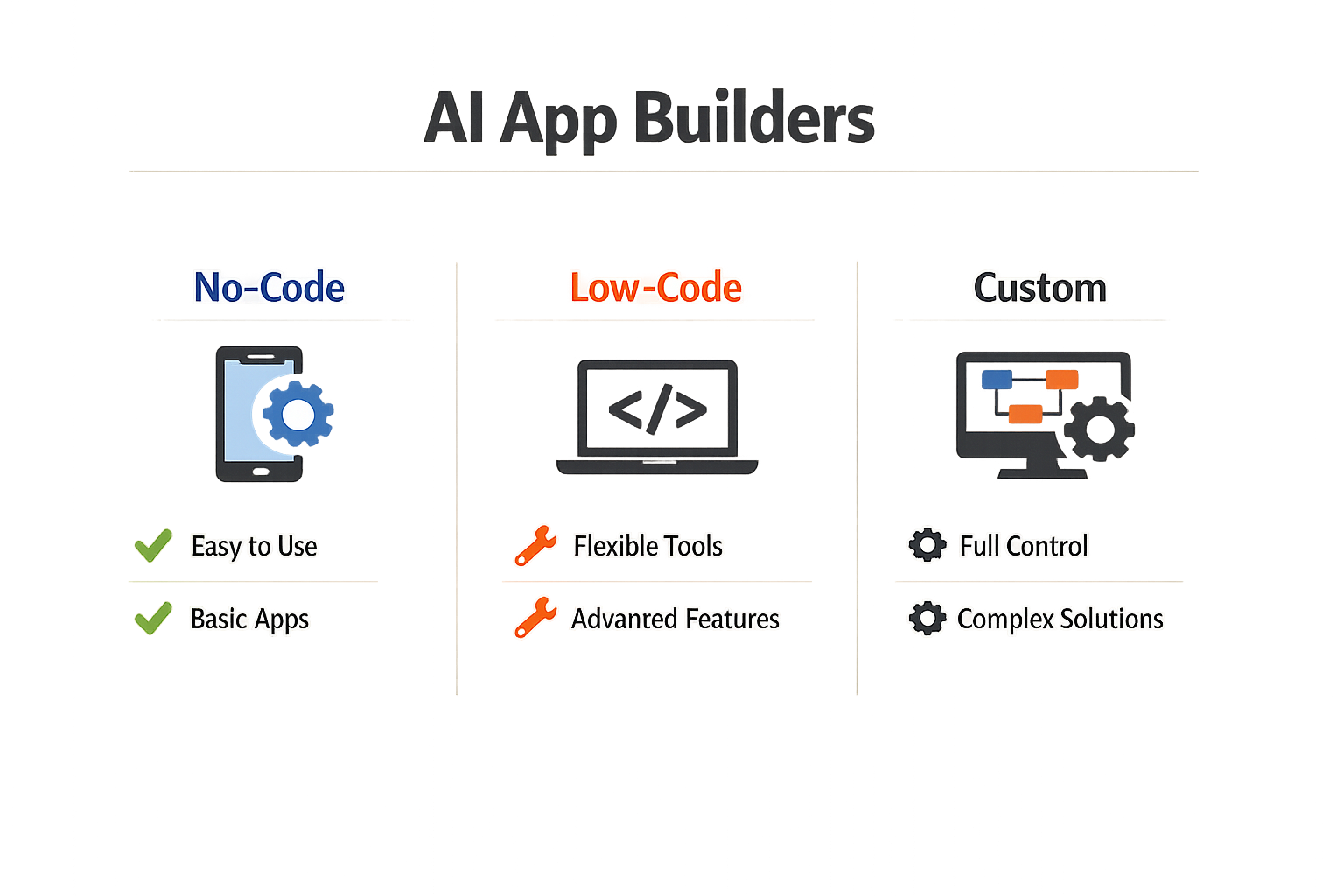
AI app builders split into three categories: code assistants, prompt-to-app tools, and enterprise platforms. Each serves a different part of the build cycle.
Code Assistants
Code assistants like Cursor, GitHub Copilot, and Claude Code sit inside your editor. They autocomplete functions, generate boilerplate, and suggest refactors. They make writing code faster, but they do not ship apps. You still own the deployment pipeline, the database schema, the hosting config. Think of them as smart autocomplete, not a build system.
They work best when you already know what you're building. If you can write a clear function signature, the assistant fills in the body. If you're still figuring out the architecture, the assistant won't do that work for you.
Prompt-to-App Tools
Prompt-to-app tools like Lovable, Bolt, and Replit take a natural language prompt and generate a full-stack application. You describe what you want, the tool writes the code, spins up a preview, and sometimes deploys it. These are built for speed. You can go from idea to working prototype in minutes.
They shine in the early validation phase. When you need to test an idea with real users before committing to a full build, prompt-to-app tools let you move fast. The tradeoff is control: the generated code may not match your internal standards, and refactoring it later can be harder than starting from scratch. For more on moving from prototype to production, see Vibe Coding for Beginners: The Ultimate Easy Weekend Guide.
Enterprise Application Platforms
Enterprise platforms are built for internal tools, dashboards, and admin panels. They often include drag-and-drop interfaces, pre-built components, and integrations with corporate databases. The AI layer helps with query generation, layout suggestions, and workflow automation.
These platforms assume you're building for a known user base with stable requirements. They're less useful for consumer-facing apps or products with high design expectations. The value is in speed-to-deployment for internal stakeholders, not in flexibility.
Benefits of Using AI App Builders
AI app builders collapsed the six-month, $50K build cycle. You describe what you want; the tool ships a working app in minutes. That compression changes who can build and what gets built.
Speed That Actually Matters
Traditional development measures timelines in sprints. AI app builders measure them in sessions. A functional frontend with routing, forms, and basic styling takes 10–30 minutes, not weeks. You can test an idea before lunch instead of after Q2.
That speed isn't just convenient—it's strategic. When you can spin up three prototypes in an afternoon, you learn which direction works before you've burned budget on the wrong one. The faster you fail, the faster you find the thing that doesn't fail.
Lower Barrier to Entry
You don't need to hire a dev team to see if your idea has legs. Non-technical founders can build real apps with AI and validate assumptions before writing checks. The tools handle the syntax; you handle the logic.
This isn't about replacing developers—it's about letting more people start. Solo founders, product managers, and operators who used to wait for eng capacity can now prototype their own solutions. The bottleneck shifts from "can we build it" to "should we build it."
Cost Control
When development timelines compress from months to days, burn rate drops proportionally. You're not paying a team to build features you'll delete after the first user interview. You're not locked into a vendor relationship before you know if the product works.
The economics favor experimentation. Cheap iterations mean you can afford to be wrong multiple times before you're right. That's the entire game for early-stage products.
Criteria for Choosing an AI App Builder
Before you pick a tool, define the project goal and the target user. A builder that ships a working prototype in two days is useless if you need production-grade auth and billing. A full-stack platform is overkill if you only need a landing page with a chatbot embed.
Full-Stack Output vs. Frontend Only
Some builders generate complete applications with backend logic, database schemas, and API routes. Others output frontend UI that still requires you to wire up your own server. If you can't deploy a Node instance or configure a Supabase project, you need full-stack or you'll stall at the finish line.
Code Ownership and Portability
Check whether you can export the generated code and run it outside the platform. Proprietary runtimes lock you in; standard React or Next.js output lets you move to any host. If the vendor disappears or changes pricing, portability is the difference between migration and rewrite.
Pricing Model
Pay-per-generation works for one-off experiments. Monthly subscriptions make sense when you're iterating daily. Watch for hidden costs: some platforms charge separately for hosting, API calls, or user seats. Add up the true monthly burn before you commit.
Learning Curve and Iteration Speed
A steep learning curve eats the time savings the AI was supposed to deliver. If the builder requires you to learn a proprietary prompt language or a complex visual editor, compare that investment to just learning vibe coding with a general-purpose assistant. The fastest tool is the one you can use today, not the one with the most features.
The fastest tool is the one you can use today, not the one with the most features.
Deployment and Hosting
Some builders deploy with one click to their own infrastructure. Others generate a zip file you upload to Vercel or Netlify yourself. One-click is faster; self-hosting gives you control over caching, CDN, and compliance. Match the deployment model to your operational capacity.
Monetization Readiness
If you plan to charge users, check whether the builder supports payment integration, subscription management, and usage metering. Bolting Stripe onto a generated app is straightforward if the codebase is clean; it's a nightmare if the builder's architecture fights you. Ask whether the output includes hooks for auth providers and payment gateways, or whether you'll be reverse-engineering the generated routes.
Direct Comparison of AI App Builders
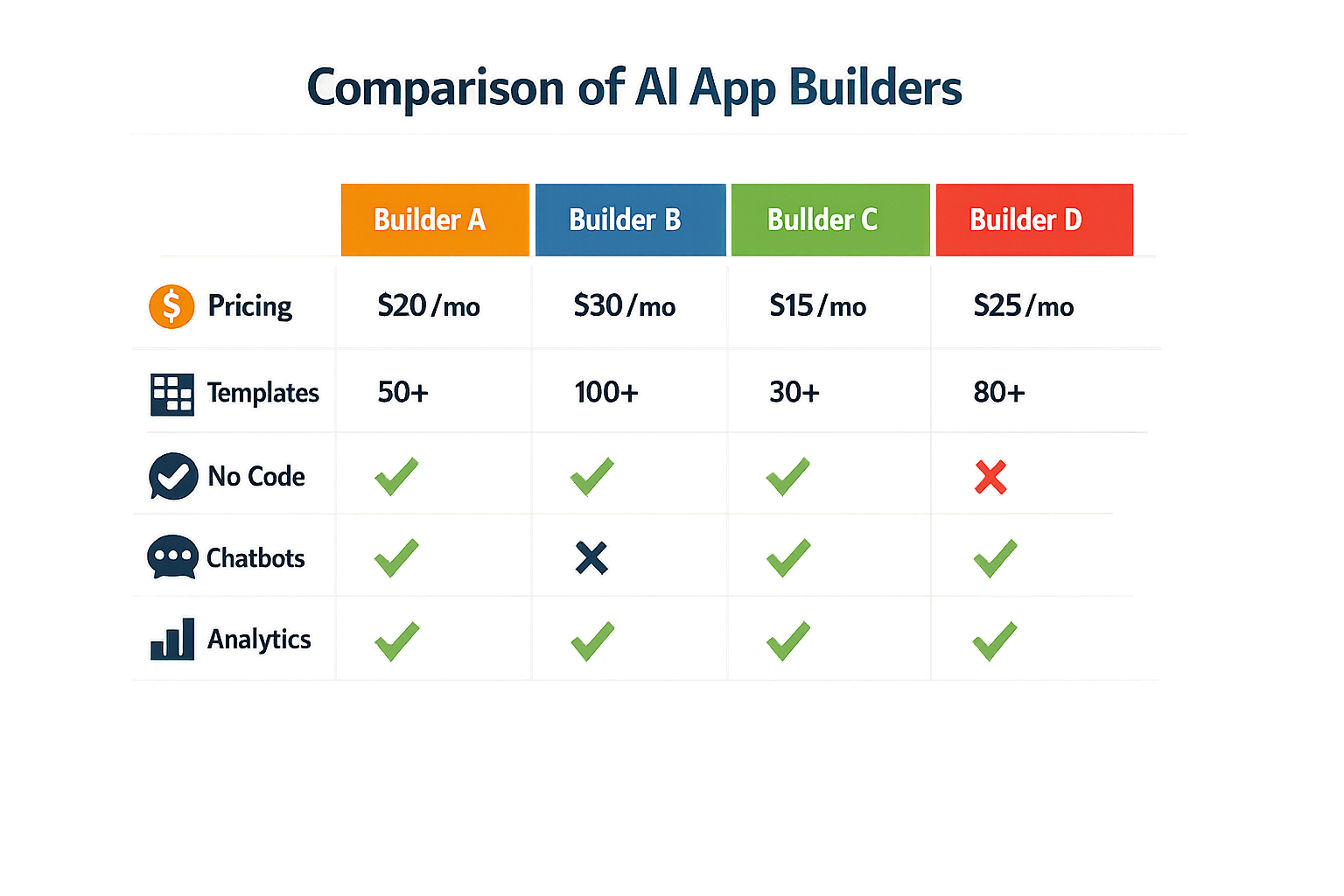
Most builder comparisons list features without testing them. The tools that look identical on paper behave differently when you ask them to build the same thing twice.
What Actually Matters in a Comparison
Pricing pages tell you what you pay. They don't tell you whether the builder produces code you can own, whether it targets native mobile or web-only, or whether the AI assist goes beyond autocomplete. Those three variables—binary format, runtime quality, and code ownership—determine whether you can ship to an app store or stay locked in a proprietary runtime.
A recent evaluation of five builders for native iOS and Android apps scored them on binary format, runtime quality, AI assist depth, store path, and code ownership. The builders that scored highest gave you exportable code and a direct path to the App Store. The ones that scored lowest kept you inside a web wrapper with no export option.
| Criterion | High-Scoring Builders | Low-Scoring Builders |
|---|---|---|
| Binary format | Native iOS/Android | Web wrapper only |
| Code ownership | Full export | Proprietary runtime |
| Store path | Direct submission | Requires intermediary |
| AI assist depth | Context-aware generation | Template autocomplete |
Pricing Structures You'll Encounter
Some builders charge per seat with AI credits bundled. Taskade Genesis starts at $10/month billed annually and includes 50,000 AI credits per seat monthly. That model works if you know your monthly generation volume; it breaks down if you spike usage one month and sit idle the next.
Other builders charge per app or per deploy. The per-app model makes sense for agencies building client work. The per-deploy model makes sense if you iterate frequently but only push to production once a quarter. Neither model is inherently better—your build cadence determines which one costs less.
Testing Methodology That Matters
One comparison tested over 20 AI app builders and narrowed the list to 10 that held up under repeated builds. The test wasn't feature checkboxes—it was the same prompt run three times to see if the output stayed consistent. Builders that passed produced similar results each run. Builders that failed gave you a different data model every time.
If you're comparing builders yourself, test the same feature twice. Build a simple CRUD form, delete it, then build it again from the same description. If the second version uses a different schema or a different UI library, the builder is guessing, not reasoning. You want a tool that converges on the same solution when given the same input.
For a structured approach to planning what you'll build, refer to What Is a PRD? A Plain-English Guide for Non-Technical Founders.
What Comparison Tables Hide
Most comparison tables list integrations, deployment options, and support tiers. They don't list how many tokens the AI burns per request, whether the builder lets you edit generated code directly, or whether updates overwrite your manual edits. Those details surface only after you've committed.
The builders that let you edit code directly and preserve your changes across regenerations give you an escape hatch. The builders that regenerate from scratch every time lock you into their workflow. If the AI makes a mistake, you either accept it or rewrite the entire prompt—there's no middle ground.
Who Should Choose What?
Picking an AI app builder isn't about finding the best one—it's about finding the one that matches your constraints. Budget, timeline, technical comfort, and how much control you need later all matter more than feature lists.
Non-Technical Founders Building a First Product
If you've never shipped code and need something live in weeks, start with a pure no-code platform. Drag-and-drop builders let you test ideas without hiring anyone. The trade-off: when you need custom logic or integrations outside the template, you hit a wall fast. One client wanted a custom CRM on a no-code platform and had to hire a developer for integrations anyway.
If you're comfortable describing what you want in plain English and can review generated code, vibe coding workflows give you more room to grow. You own the code, so when you need a feature the AI can't build, a developer can pick up where you left off.
Solo Developers and Small Teams
If you write code already, AI app builders that generate editable source code are the clear pick. Platforms like Emergent let you build fast, then customize in your own editor and push to GitHub. You're not locked into a vendor's runtime or export format.
Pure no-code tools work for internal dashboards or quick prototypes, but the moment you need to integrate with an API that isn't pre-built, you're stuck. Code-generating tools let you patch in custom logic without starting over.
Agencies and Consultants
Speed and client handoff matter here. No-code platforms work when clients need something they can edit themselves after delivery. AI code generators work when clients expect a custom build they'll maintain with their own team.
The pricing model matters too. Per-app seats add up fast across multiple clients; flat monthly plans or one-time purchases scale better if you're building more than a few projects a year.
Enterprises and Compliance-Heavy Industries
If you need SOC 2, HIPAA, or on-premise deployment, most consumer AI app builders won't pass your security review. Look for platforms with dedicated enterprise tiers, audit trails, and the ability to self-host. Pure SaaS no-code tools rarely meet compliance requirements without expensive add-ons.
Also check: can you export your data and code if the vendor shuts down or changes pricing? Vendor lock-in is a real cost in regulated environments.
Common Misconceptions About AI App Builders
AI app builders carry a lot of baggage — some inherited from the no-code movement, some from AI hype. Most of it is wrong in ways that cost you time or money.
"No-Code Means Zero Technical Work"
The term "no-code" suggests you can build without understanding how apps work. That's misleading. You still need to define logic, map data flows, and understand state. The platform hides syntax, not structure. If you don't know what a database relation is, you'll build something that breaks under load — the tool won't stop you.
AI app builders that generate code instead of providing a live app shift the burden further. You get a repository, not a running product. Deployment, hosting, and maintenance are still on you. The "no-code" label obscures this.
"AI Removes the Need for Planning"
Some vendors imply you can describe an idea in plain English and get a finished app. You can't. AI interprets prompts, but it doesn't write your PRD. If you haven't defined user flows, data models, or edge cases, the AI will guess — and it will guess wrong in ways you won't notice until users hit them.
The planning step doesn't disappear. It just moves earlier. A clear PRD matters more with AI tools, not less, because the AI has no context beyond what you give it.
"All AI App Builders Are the Same"
The category spans tools that do fundamentally different things. Some generate React components. Some output backend APIs. Some give you a hosted app with no code at all. Comparing them as if they're interchangeable leads to bad purchases.
The critical distinction is whether the tool gives you a live app or a codebase. If it's code, you need deployment infrastructure and someone who can read the output. If it's a live app, you're locked into the platform's hosting and upgrade path. Neither is better — they serve different operators.
"AI Guarantees Bias-Free Output"
AI models reflect their training data. If the data contains biased patterns, the model reproduces them. Public concern is justified: 70% of Americans worry about algorithmic bias in AI-driven systems. AI app builders don't audit the logic they generate. You do.
If your app makes decisions about people — approvals, recommendations, access — you need to test for bias manually. The AI won't flag it. The platform won't catch it. It's your liability.
The cheapest way to find bias in AI-generated logic is to run it against edge cases before users do.
"AI App Builders Replace Developers"
They replace some developer tasks — scaffolding, boilerplate, repetitive CRUD. They don't replace judgment. When the AI generates something that compiles but doesn't match your intent, you need someone who can read the code and fix it. When performance degrades under load, you need someone who understands databases and caching.
For solo founders, AI app builders lower the skill floor. You can build more with less help. But the ceiling is still set by your ability to evaluate what the tool produces. If you can't tell good code from bad, you can't ship good products.
Conclusion
AI app builders have moved from novelty to tool. They generate working prototypes quickly, but they remain unreliable for production workloads. The right choice depends on what you're building, how much control you need, and whether you're willing to write code when the AI hits a wall.
If you're validating an idea, a no-code builder gets you to a demo in hours. If you're shipping a product customers will pay for, you need a platform that exposes the underlying code and lets you fix what the AI gets wrong. The gap between prototype and production is real — plan for it.
A 2025 report by Gartner predicts that while AI will automate 40% of development tasks by 2027, the remaining 60% will still require human intervention. That ratio matches what I see in practice: AI handles the repetitive scaffolding, but the hard decisions — data models, edge cases, security boundaries — still land on you.
Choose based on your tolerance for editing code, your timeline, and the complexity of your app. The best AI app builder is the one that doesn't block you when you need to go deeper. If you're ready to start building, Vibe Coding 101: How Non-Technical Founders Build Real Apps With AI walks through the practical workflow from prompt to deploy.