
Web App vs Mobile App: The Ultimate Guide to the Best Choice
Introduction
You're staring at a blank PRD. You know what problem you're solving. You know who needs it. But you're stuck on the first real decision: web app or mobile app.
This isn't an academic question. Users spend an average of 3.6 hours per day inside mobile apps, and mobile apps account for 90% of total mobile usage time. The global mobile app market is projected to exceed $600 billion in revenue in 2026. Those numbers suggest mobile is the obvious choice—but they don't tell the whole story.
The right platform depends entirely on who your users are, how they behave, what features your product needs, and what your budget and timeline allow. A web app gets you to market faster with one codebase and zero app store gatekeepers. A mobile app gives you push notifications, offline access, and a home screen icon that keeps you top-of-mind. Neither is universally better.
I've watched founders burn months building the wrong thing first. They pick mobile because it feels more "real," then realize their users live in Chrome. Or they ship a web app, then discover their core feature needs the camera or GPS. The platform choice shapes everything downstream—your tech stack, your team, your burn rate, your distribution strategy. If you need a structured way to think through your product requirements before committing to a platform, What Is a PRD? A Plain-English Guide for Non-Technical Founders walks through the planning framework that prevents expensive pivots.
This guide breaks down the practical differences between web apps and mobile apps—what each platform does well, what it costs, and who should pick what. No fluff. Just the decision framework you need to pick the right platform and ship something people will actually use.
Explore the key differences between web app vs mobile app to determine the best option for your project needs.
Understanding Web Apps
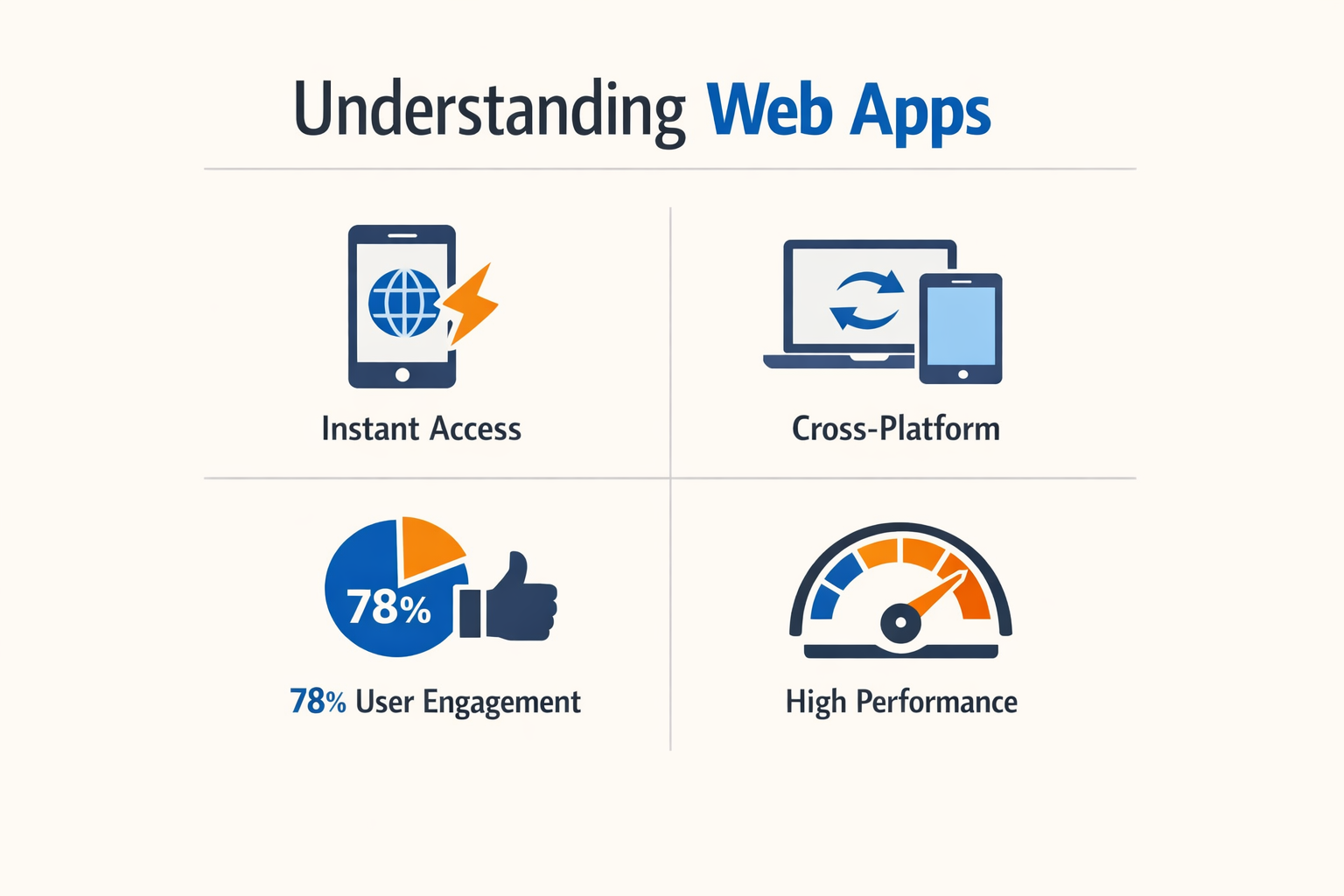
A web app is software that runs inside a browser. You access it via a URL. No installation required.
Under the hood, web apps use standard web technologies: HTML, CSS, and JavaScript. They live on a server. When you type the address, the server sends the interface to your browser. Everything happens in that browser window.
How Web Apps Work
Web apps are interactive. Unlike static websites that just display information, web apps let you perform dynamic actions. You can log in, submit forms, manipulate data, and see real-time updates.
The key difference from a traditional website: state and logic. A web app remembers who you are across sessions. It processes your input and responds accordingly. Think Gmail, Google Docs, or Figma—all browser-based, all fully functional applications.
Core Advantages of Web Apps
Web apps offer immediate access. Users click a link and start working. No app store approval process. No download wait time. No storage space consumed on the device.
You maintain one codebase. Updates deploy instantly to all users. When you fix a bug or ship a feature, everyone gets it the moment you push to production. No waiting for users to update their installed version.
Cross-platform by default. The same web app runs on Windows, Mac, Linux, iOS, and Android. Your browser is the compatibility layer. You write once, it works everywhere.
For founders evaluating their first build, this matters. A web app lets you test your idea with real users faster. You skip the app store gatekeepers. You iterate based on feedback without coordinating release cycles. If you're still figuring out what to build, check out I Have an App Idea: The Ultimate Simple Guide for Founders for a practical starting framework.
Technical Foundation
Web apps run in a sandboxed environment. The browser controls what they can access. This limits certain device features—camera, GPS, push notifications—though modern browser APIs have closed many of those gaps.
Performance depends on network speed and server response time. Heavy computation happens server-side or in the browser's JavaScript engine. For data-intensive tasks, this can feel slower than a native app optimized for the device's hardware.
But for most business applications—dashboards, admin panels, CRUD tools—web apps deliver perfectly adequate performance. The trade-off between speed and deployment simplicity usually favors the web.
Understanding Mobile Apps
A mobile app is a software application developed specifically for mobile devices like smartphones and tablets. Users download these apps from app stores — Apple's App Store for iOS devices or Google Play for Android.
The key distinction is installation. Mobile apps live on the device itself, not in a browser. This changes everything about what they can do and how they perform.
Native Hardware Access
Mobile apps can leverage device hardware directly. Camera, GPS, accelerometer, push notifications, biometric sensors — all available without browser permission dialogs or API limitations.
This hardware access enables features web apps can't match. A fitness app tracks your run using GPS even when the screen is off. A banking app uses Face ID for secure login. A photo app processes images using the device's neural engine.
Performance and Offline Functionality
Mobile apps offer superior performance compared to web apps. Code runs natively on the device's processor instead of being interpreted by a browser. Animations are smoother, load times are faster, and complex calculations happen without lag.
Offline functionality is built-in by design. The app and its core data live on the device. Users can work without connectivity, and changes sync when they're back online. A note-taking app works on an airplane. A field service app functions in areas with no cell coverage.
Distribution and Updates
App stores control distribution. You submit your app for review, wait for approval, then users can download it. Updates follow the same process — submit, review, release.
This creates friction but also provides infrastructure. App stores handle payments, manage subscriptions, and give users a trusted place to find software. The trade-off is giving up control over your release schedule.
For founders deciding between platforms, understanding what goes into an app idea helps clarify whether mobile-specific features justify the extra complexity.
User Experience Advantages
Mobile apps feel faster because they are faster. UI elements load instantly from local storage. Gestures respond without network round-trips. The experience is consistently smooth.
Users also perceive installed apps as more legitimate than websites. An icon on the home screen signals commitment. Push notifications keep users engaged. The app becomes part of their daily routine rather than a URL they might remember.
Web App vs Mobile App: Key Differences
The choice between web and mobile apps comes down to three hard trade-offs: how users access them, what they can do, and how fast you can ship.
Web apps run in browsers. No install, no app store approval, no version fragmentation. You push code Friday afternoon and every user sees it Monday morning. Mobile apps live on the home screen. They require a download, platform-specific builds, and store review cycles that add 24–72 hours to every release.
Accessibility and Distribution
Web apps are accessed through browsers and do not require installation, making them instantly available to users, while mobile apps must be installed from an app store. A web app works the moment someone clicks a link. A mobile app requires discovery, download, permissions, and 50–200 MB of storage before the first screen loads.
For internal tools or B2B products, web apps skip the gatekeepers. You control the URL. For consumer products targeting engagement, mobile apps own the home screen and notification tray—real estate that web apps can't touch without progressive web app (PWA) wrappers that still feel second-class.
Functionality and Hardware Access
Mobile apps talk directly to the OS. Camera, GPS, accelerometer, biometrics, background processing—all first-class APIs. Web apps get browser-mediated versions that lag 12–24 months behind native capabilities and require user permission prompts that kill conversion.
Typing on a smartphone is 2.5–3 times slower than on a physical keyboard. If your app involves heavy text entry—CRM notes, long-form content, spreadsheet work—web apps on desktop win by default. If your app is tap-based, location-aware, or photo-first, mobile apps feel native because they are.
| Criterion | Web App | Mobile App |
|---|---|---|
| Installation | None—runs in browser | Required—50–200 MB download |
| Update cycle | Instant (push to server) | 24–72 hours (store review) |
| Hardware access | Limited (browser APIs) | Full (native OS APIs) |
| Offline capability | Partial (service workers) | Full (local storage + sync) |
| Discoverability | SEO, direct links | App store search, home screen |
User Experience and Engagement
Mobile apps convert at roughly 3x the rate of mobile websites in e-commerce, indicating a significant advantage for businesses focused on user engagement. Push notifications, app badges, and persistent login sessions keep users coming back. Web apps rely on email, retargeting ads, and users remembering to type a URL.
The flip side: mobile apps demand ongoing engagement to justify the install. If a user opens your app once and never returns, you've burned their trust and 200 MB of their storage. Web apps have no install cost, so users tolerate sporadic use—they bookmark the URL and come back when needed.
For founders deciding what to build first, the question isn't which is better—it's which friction you can afford. Web apps trade hardware access for speed to market. Mobile apps trade deployment simplicity for engagement depth. Pick the trade-off that matches your app idea and user behavior, not the one that sounds more impressive.
Feature Comparison
When you compare web app vs mobile app features, the differences cluster around three constraints: what the device allows, what the browser exposes, and what the OS gates behind permissions. A mobile app runs native code with direct hardware access; a web app runs sandboxed JavaScript with API wrappers. That gap narrows each year, but it still decides which platform handles your feature list.
Hardware Integration
Mobile apps read accelerometer data, trigger haptic feedback, scan NFC tags, and control Bluetooth peripherals without asking a browser for permission. Web apps can access camera and geolocation through standard APIs, but anything deeper—barcode scanning with custom logic, background heart-rate monitoring, or precise gyroscope tracking—requires a native shell or fails outright. If your product depends on sensors beyond camera and GPS, mobile wins by default.
Offline Functionality
A mobile app bundles assets, caches API responses, and queues writes in local SQLite or Realm databases. Users open the app on a subway, edit a document, and sync when they surface. Web apps can cache with service workers and store data in IndexedDB, but the tooling is brittle and storage quotas are opaque. Complex offline workflows—multi-step forms, conflict resolution, binary file edits—are production-ready on mobile and experimental on web.
| Feature | Web App | Mobile App |
|---|---|---|
| Camera / GPS | Full support via browser APIs | Full support via native APIs |
| Accelerometer / Gyroscope | Limited (Motion API) | Full access |
| Bluetooth / NFC | Experimental or unsupported | Full access |
| Offline editing | Service worker + IndexedDB (fragile) | SQLite / Realm (stable) |
| Push notifications | Supported (requires user opt-in) | Supported (richer OS integration) |
| Background processing | Very limited | Full background tasks |
Performance and Graphics
Graphics-intensive apps—3D model viewers, real-time video filters, games—run faster in native code with Metal or Vulkan than in a WebGL canvas. The gap matters when frame rate drops below 60 fps or battery drains in minutes. For text, forms, and simple animations, web performance is indistinguishable from native. For anything that pegs the GPU, mobile is the only option that ships without apologies.
Distribution and Discovery
App Store and Google Play are primary acquisition channels for consumer products. Users search "expense tracker," see five apps, and install one. A web app lives at a URL; discovery depends on SEO, ads, or word-of-mouth. If your growth model is organic App Store search, you need a mobile app. If your users arrive from Google search or email links, a web app captures them without an install gate.
The feature matrix flips when you prioritize reach over depth. A web app or PWA satisfies when users access it occasionally, content is primarily textual, you need to launch quickly, or you need to support all platforms without duplicate code. The right answer depends on which features your users will actually use, not which features sound impressive in a pitch deck. For more on scoping your first build, see I Have an App Idea: The Ultimate Simple Guide for Founders.
Pricing Comparison
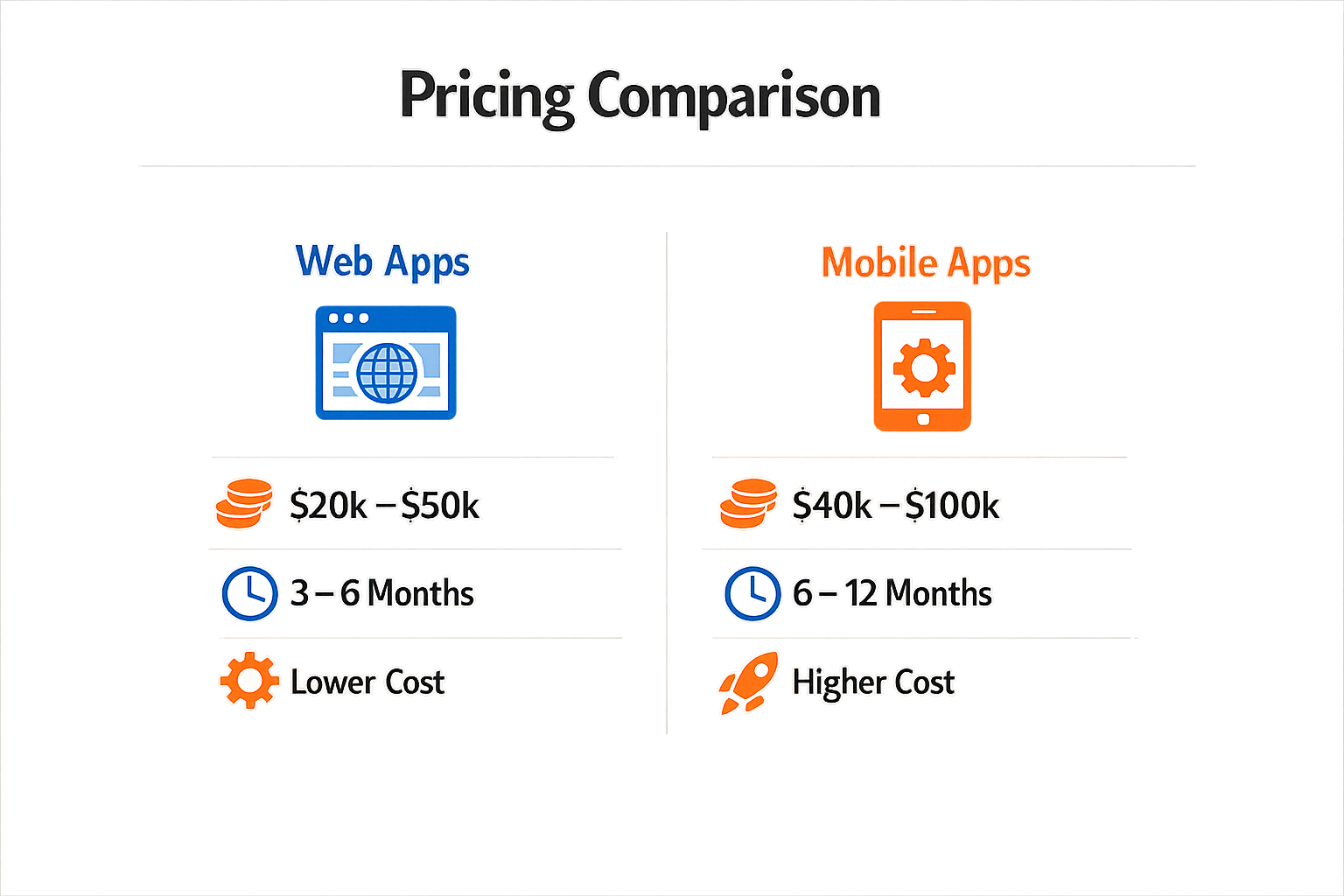
Cost is where the web app vs mobile app decision gets concrete. The numbers vary by scope and team, but the pattern holds: web apps cost less to launch, mobile apps cost more to build right.
MVP Development Costs
A web app MVP typically runs $15,000 to $35,000. A single native mobile app starts at $25,000 to $55,000. Building for both iOS and Android pushes the range to $35,000 to $75,000. The delta comes from platform-specific code, app store submission cycles, and device testing overhead.
If you're working with European agencies, expect similar ratios: a Next.js web app MVP starts around €3,000 for simple builds, while a Flutter mobile app begins at €5,000. Native apps requiring separate iOS and Android codebases can reach €15,000 to €60,000+ depending on feature density.
| Platform | MVP Cost (USD) | MVP Cost (EUR) |
|---|---|---|
| Web app | $15,000–$35,000 | €3,000–€15,000 |
| Single native app | $25,000–$55,000 | €15,000–€40,000 |
| iOS + Android | $35,000–$75,000 | €25,000–€60,000+ |
Why Mobile Costs More
Mobile apps require separate builds per platform unless you use a cross-platform framework. Each platform has its own UI guidelines, testing matrix, and app store review process. Web apps deploy once and run everywhere with a browser.
Maintenance compounds the difference. A web app update goes live immediately. A mobile app update requires resubmission, review wait times, and user adoption lag. Budget for ongoing platform compatibility as iOS and Android release new versions.
Hidden Cost Drivers
App store fees add 15–30% of revenue depending on your billing model. Web apps avoid that tax entirely. If you need offline functionality or hardware access, mobile development time increases—those features require native APIs and careful state management.
For solo founders, the real cost is iteration speed. A web app lets you test ideas faster because you skip the build-submit-wait cycle. Mobile apps lock you into longer feedback loops, which stretches both budget and calendar time.
Pros and Cons of Each Option
Every platform choice is a trade-off. Web apps and mobile apps solve different problems, and the right answer depends on what you're optimizing for: speed, reach, device features, or long-term maintenance cost.
Web App Advantages
Web apps ship fast. One codebase runs everywhere—desktop, tablet, phone. No app store approval gates, no platform-specific builds. You push an update at 3 AM and every user sees it by breakfast.
Cost is lower upfront. You're building once, not twice. Maintenance stays simpler because there's one version to debug, one deployment pipeline to manage.
Discovery is frictionless. Users land on your URL and start working. No download, no install prompt, no storage negotiation. For B2B tools or content-heavy products, that removal of friction matters.
Web App Disadvantages
Device integration is shallow. You get basic camera and location access, but push notifications are unreliable, offline modes are clunky, and anything requiring deep OS hooks (biometrics, background sync, hardware sensors) is either impossible or fragile.
Performance has a ceiling. Browser sandboxes are slower than native code. Heavy animation, real-time data processing, or complex UI transitions feel sluggish compared to a compiled app.
User retention is harder. No home screen icon by default, no re-engagement notifications that actually work. Out of sight, out of mind.
Mobile App Advantages
Native apps own the device. Push notifications land reliably. Offline mode is real—data syncs in the background, the UI stays responsive when the network drops. Biometric login, camera integrations, and sensor access all work without browser permission friction.
Performance is higher. Compiled code runs faster. Animations are smooth. Battery drain is lower for equivalent workloads.
Retention is structurally better. The icon sits on the home screen. Notifications bring users back. App store presence creates a discovery channel you don't get with a web URL.
Mobile App Disadvantages
Development cost doubles (or more). iOS and Android are separate codebases unless you use a cross-platform framework—and even then, you're maintaining platform-specific quirks, testing on multiple OS versions, and dealing with two app store review processes.
Updates are slower. Every change goes through review. Critical bug fixes can sit in queue for days. You can't hot-patch production the way you can with a web deploy.
Distribution has gatekeepers. Apple and Google take 15–30% of revenue. They can reject your app for vague policy reasons. If you're building anything remotely controversial, you're at the mercy of platform rules that change without notice.
:::{.callout type="info"}The choice isn't about which platform is objectively better—it's about which set of trade-offs aligns with your user behavior, budget, and timeline.:::
If your users need offline reliability, device sensors, or persistent re-engagement, mobile's constraints are worth it. If you need fast iteration, broad reach, and lower overhead, web's limitations are manageable. Most products eventually need both, but the question is which one you build first—and that comes down to where your core value lives.
Who Should Choose What?
The right choice depends on where your users actually work and what they need the software to do. If they're at desks running reports or managing workflows, web wins. If they're moving around and need the thing in their pocket, mobile wins.
Choose Web When Users Are Desk-Based
Start with web when users are desk-based, need fast iteration, or when SEO is important. Web apps ship faster, cost less to maintain, and let you fix bugs without waiting for Apple's review team. If your value proposition includes organic discovery—people searching for "invoice generator" or "project tracker"—you need a web presence anyway.
Internal tools, SaaS dashboards, and anything with heavy data entry or complex tables belong on the web first. Mobile versions can follow once the core loop works.
Choose Mobile When the Value Depends on Hardware
Start with mobile when the value depends on notifications, camera, location, or offline use. If users need alerts while away from their desk, or if the app scans barcodes, tracks routes, or works without signal, mobile is the only real option.
Delivery apps, field service tools, and anything tied to real-time location or push notifications should be native mobile. The hardware access and offline capability justify the higher build cost and app store friction.
Decision Framework: User Context First
The decision framework for choosing between web and mobile apps involves understanding user context: whether they are at a desk or on the go, and the nature of the tasks they need to perform. Ask where the work happens, not where you wish it happened.
A clear PRD helps you map user workflows to platform constraints before you start building. Write down the three critical user actions, then check which platform makes each one easier.
Final Verdict
Choosing between a web app and a mobile app is not a design decision. It is a business strategy decision. The right path depends on how fast you need validation, how much budget you control, and where your users actually spend time.
Start with Web if You Need Speed
Web apps win on time to market. No App Store approval queue. No platform-specific rewrites. An HR tech client validated their value proposition by launching a web app MVP within 8 weeks, capturing 3,000 paying users before expanding to mobile. If your goal is to test demand or prove a concept before committing serious capital, web is the faster bet.
Build for one codebase. Deploy updates the same day. Reach users on any device with a browser. For most solo founders and early-stage teams, this velocity matters more than native polish.
Go Mobile if You Need Device Integration
Mobile apps own the hardware layer. Camera access, push notifications, offline sync, biometric auth—these features work reliably only in native or near-native environments. If your product depends on sensors, background processes, or persistent user engagement through notifications, mobile is non-negotiable.
The tradeoff: longer build cycles, higher costs, and platform-specific maintenance. Budget for iOS and Android separately unless you commit to a cross-platform framework that introduces its own compromises.
Hybrid Paths Exist but Add Complexity
Progressive Web Apps (PWAs) and cross-platform frameworks (React Native, Flutter) promise the best of both worlds. In practice, they deliver 80% of native performance with 120% of the debugging surface area. Viable for teams with existing mobile expertise; risky for first-time builders who underestimate platform quirks.
The Real Question Is Validation, Not Technology
Most founder debates about web versus mobile are proxy arguments for risk tolerance. Web apps let you fail fast and cheap. Mobile apps let you own the user experience end-to-end. Pick the one that aligns with how much certainty you have about product-market fit.
If you're still in the idea stage and need a structured way to think through your product, start with a clear PRD before you write a single line of code.
Conclusion
Choosing between a web app and a mobile app is not a design decision—it's a business strategy decision. The platform you pick first shapes customer acquisition costs, time to market, retention mechanics, and how investors evaluate your traction.
I've watched founders burn months building native apps when a web prototype would have validated the core loop in two weeks. I've also seen web-first teams hit a ceiling when their users expected offline access and push notifications. The right answer depends on where your users live, what hardware features you need, and how fast you need to ship.
Start with the constraints: budget, timeline, and the one feature your product can't work without. If you need device sensors or offline-first operation, mobile wins. If you need broad reach with zero install friction, web wins. If you're unsure, build the smallest web version that proves the value prop, then expand to mobile when retention data justifies the cost.
The worst move is building both at once with no validated demand. Pick one, ship it, measure it, then decide if the other platform is worth the marginal cost. Your users will tell you when they're ready for the second screen.
For founders mapping out their first build, I Have an App Idea: The Ultimate Simple Guide for Founders walks through the pre-build decisions that determine whether web or mobile makes sense for your specific problem.
Related reading
Lovable Vibe Coding: Build an App With Lovable