
Architecture Diagram Guide: Visualizing Your App's Structure
Top takeaways
- Architecture diagrams are visual blueprints that map your app's structure before any code gets written
- Clear diagrams prevent scope creep and misaligned builds by forcing explicit decisions early
- Modern AI agents can generate images from text descriptions to visualize architecture diagrams
- Planning mode in development tools creates reviewable implementation plans that serve as living architecture documentation
- Effective diagrams integrate web apps, mobile apps, and backend services in a single coherent view
Introduction
An Architecture Diagram Guide helps you create visual blueprints that map your app's structure, data flows, and component relationships. For non-technical founders, architecture diagrams translate paragraphs of requirements into clear boxes and arrows that show what connects to what.
I've shipped three SaaS products as a solo founder. Every time I skipped the architecture diagram, I paid for it later — usually when an agent built something that worked but didn't match what I needed.
An architecture diagram is a visual representation of your app's structure. It shows how components connect, where data flows, and what talks to what. The diagram forces you to answer questions you'd otherwise defer: Does the mobile app hit the API directly, or does it go through a gateway? Where does user data live? What happens when a third-party service goes down? These decisions shape every line of code that follows. Make them explicit before you write your PRD and you'll spend less time rewriting.
Architecture diagrams aren't static artifacts. They evolve as your app grows. But starting with a clear diagram — even a rough one — gives you a baseline to iterate from. Without it, you're asking an agent or a developer to invent the structure for you, then hoping it matches what you had in mind.
This guide walks through creating effective architecture diagrams that actually inform your build, not just decorate your pitch deck.
What Happens When You Skip Architecture Diagrams?
Most solo founders skip architecture diagrams. They jump straight into building. Three weeks later they're debugging a permissions bug that touches six files they can't remember connecting.
The problem isn't laziness. It's that diagramming feels like overhead when you're racing to ship. You think you can hold the structure in your head. You can't.
What Breaks Without a Diagram
You make architectural decisions on the fly. Each choice constrains the next, but you don't see the accumulation until you're painted into a corner. A new feature needs data from three services that don't talk to each other. You bolt on a workaround. The workaround becomes permanent.
Security boundaries blur. You meant to isolate user data from admin functions, but the actual implementation leaks context across layers. When you finally map what you built, the diagram looks nothing like what you intended. What Is an App Blueprint? Why Founders Need One covers why this planning gap costs you later.
The Cost Compounds
Onboarding a contractor takes days instead of hours. You explain the same architectural choices in three different Slack threads. Documentation drifts out of sync with reality because there's no single source of truth.
When something breaks in production, you can't quickly trace which services are affected. You guess. Sometimes you guess wrong and take down a second system while fixing the first.
The hard part is often figuring out what change should be made — without a diagram, you're debugging blind.
Refactoring becomes a minefield. You don't know which components depend on the module you're changing. You run tests, ship, and discover the breakage three screens deep in a user flow nobody automated.
How Do You Create an Effective Architecture Diagram Guide?
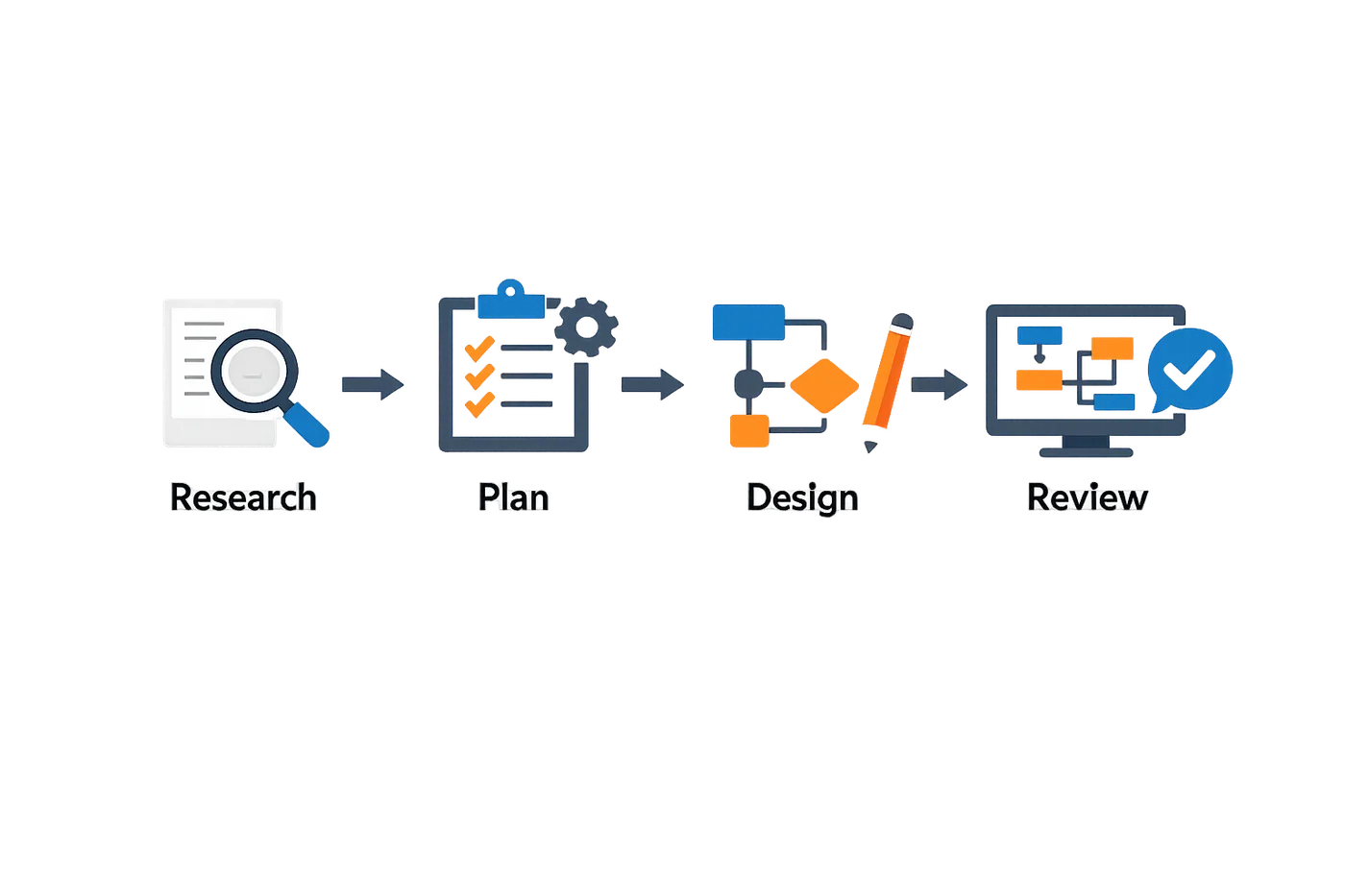
I've built enough MVPs to know that the hard part isn't drawing boxes. It's figuring out what the boxes should be. Most founders skip the planning step and jump straight to implementation — then wonder why the diagram doesn't match what they need.
Start with a Plan, Not a Diagram
Step 1
Map requirements before you draw
List every major feature your app needs to support. Don't worry about technical terms yet. Write down the user actions, the data flows, and the third-party services you already know you'll use. This list becomes your checklist when you review the final diagram.
Plan Mode in tools like Cursor creates detailed implementation plans before writing any code. The agent researches your codebase, asks clarifying questions, and generates a reviewable plan you can edit before building. Replit's Agent works the same way — you enable Plan mode to brainstorm and map out your project before the agent changes any code or data.
Build the Diagram Iteratively
Step 2
Start with the core flow
Draw the path from user input to stored data. Include only the components that touch that path. Label each box with its responsibility, not its technology. A box called "Auth" is clearer than "AWS Cognito" at this stage.
Step 3
Add dependencies one layer at a time
For each box in your core flow, ask what it depends on. Add those boxes. Repeat until you've accounted for every service, database, and external API your app will call. Stop before you add boxes "just in case."
When you're working on a Product Spec vs PRD, the architecture diagram sits between the two — it translates business requirements into technical structure without committing to implementation details yet.
Refine Through Testing
Step 4
Walk through failure scenarios
Pick three things that could break: a third-party API goes down, a database query times out, a user submits malformed data. Trace each failure through your diagram. If you can't follow the path, the diagram is incomplete.
Agent tools test their own work regularly and create checkpoints as they go, so you can roll back to any previous state. Apply the same logic to your diagram: save versions as you refine it, and revert when a change makes the structure less clear.
What Are the Best Practices for Architecture Diagram Guide Implementation?
The difference between a diagram that gets ignored and one that actually guides work is usually a few small decisions. I've shipped diagrams that developers printed and taped above their desks, and diagrams that never got opened twice. The good ones follow patterns.
Keep Components Under 200 Lines of Visual Complexity
A component box on your diagram should map to a unit of work that fits in one developer's head. When a box represents more than 200 lines of code or logic, split it. This mirrors the component extraction rule: if a React component grows past 200 lines, you extract subcomponents into the same directory. Your diagram should reflect that boundary before the code does.
The same principle applies to services. One box per service file. If you're drawing "UserService" and it handles authentication, profile updates, password resets, and email verification, you're looking at four boxes, not one.
Co-Locate Diagrams With the Code They Describe
Store architecture diagrams in the repository, not in a wiki or a Google Drive folder. Put them in a /docs directory at the root, or better yet, nest them in subdirectories alongside the code they document. A diagram of the payment service architecture belongs in /src/services/payment/architecture.md, not in a shared Confluence space.
This follows the same logic as co-locating styles next to components. When a developer opens a directory, they should see the diagram that explains what they're looking at. If the diagram lives somewhere else, it becomes stale within two sprints.
A diagram that lives in the same directory as the code it describes gets updated when the code changes; a diagram in a wiki gets forgotten.
Use Plain Markdown for Simple Instructions
For straightforward architecture documentation, a plain markdown file beats complex tooling. An AGENTS.md file in your project root can define agent instructions without metadata overhead—code style rules, architectural patterns, layer responsibilities. It's readable, versionable, and doesn't require a separate tool to parse.
You can nest these files in subdirectories. Put an AGENTS.md in /src/components with React-specific rules, another in /src/services with backend conventions. The instructions apply automatically when working in that part of the codebase. This keeps architecture guidance close to the code it governs.
Validate Inputs at Diagram Boundaries
Every boundary you draw on an architecture diagram is a place where data crosses from one context to another. Mark those boundaries explicitly: API endpoints, service interfaces, database queries. Then document what validation happens at each crossing.
If your diagram shows a request flowing from the frontend to an RPC service, note where input validation occurs. The pattern is to validate at the service boundary before passing data to internal functions. A diagram that shows this—even with a small annotation—prevents the most common integration bugs.
Step 1
Mark validation points
For each arrow crossing a service or layer boundary, add a small note indicating what validation rule applies: schema check, auth token verification, rate limit, input sanitization.
Return Structured Errors Across Boundaries
When you diagram error flows, show that services return structured error objects with a code and message field. Don't draw error paths that throw raw strings across boundaries. This makes error handling predictable and keeps your diagram aligned with the actual error contract.
A service that returns {code: 'INVALID_INPUT', message: 'Email format incorrect'} can be handled consistently by every caller. A service that throws arbitrary strings creates a different error surface for every integration point. Your diagram should make the first pattern obvious and the second pattern impossible.
Prefer Composition Over Prop Drilling in Component Diagrams
When diagramming React component hierarchies, show data flow as composition—passing children or render props—rather than threading props through multiple layers. If your diagram has arrows carrying props through three or four component levels, that's a signal to refactor before you build.
Draw the component tree, then draw data flow separately. If data flow doesn't match component tree structure, you're looking at prop drilling. The fix is usually to lift shared state to a context provider or pass a render prop at the boundary where the data is needed.
For more on keeping your app structure clean from the start, see our App Development Plan guide for non-technical founders.
Frequently asked questions
How detailed should my first architecture diagram be?
Start with 5-10 boxes representing major system components. Add detail only when someone needs to understand a specific integration point. A diagram with 30 boxes on day one becomes maintenance overhead, not documentation.
When should I update my architecture diagram?
Update the diagram before you make a structural change, not after. If you're adding a new service, draw it on the diagram first to see what it connects to. This catches dependency issues before they're in production.
What tools work best for architecture diagrams?
Markdown files with text-based diagrams (Mermaid, PlantUML) version-control better than visual tools. If you prefer visual editors, Excalidraw exports to SVG and integrates with Git. Avoid tools that lock diagrams in proprietary formats.
How do I handle architecture diagrams for microservices?
Create one system-level diagram showing service boundaries, then one diagram per service showing its internal structure. Link them in your README so developers can drill down from the overview to implementation details.
Should architecture diagrams include deployment information?
Keep logical architecture separate from deployment topology. One diagram shows what talks to what; another shows where things run. Mixing them creates diagrams that need updates every time you change infrastructure, even when the application logic stays the same.
Conclusion
Architecture diagrams are not optional documentation. They are the difference between a codebase you can hand off and one that dies with you. I've shipped products where the diagram was the only artifact that survived the pivot — everything else got rewritten, but the boxes and arrows told us what to keep.
The diagram clarifies what you're building before you build it. It surfaces the hard questions early: where does state live, what talks to what, which pieces can fail independently. Those questions cost nothing on paper and thousands of dollars in rewrites later.
Start simple. A handful of boxes, clean labels, explicit data flows. Add detail only when someone asks a question the diagram can't answer. The best architecture diagram is the one your team actually updates — not the one that took three days to draw.
If you're planning a build or documenting what you've already shipped, the diagram comes first. Write it down, get it reviewed, then hand it to whoever writes the code. That order matters. For more on structuring your planning artifacts before you start building, see our guide on PRD Sections Explained: What to Include with Examples.
Draw the diagram. Keep it current. Ship faster.
Learn how to create effective architecture diagrams for your app's structure with this comprehensive architecture diagram guide.
Related reading
Clean Architecture Principles for Scalable Applications
Monolithic Architecture vs Microservices: Choosing Your App
Bolt vs Lovable: Which AI App Builder Fits Your Idea?