What Is an App Blueprint? Why Founders Need One
Top takeaways
- An app blueprint is a structured plan that outlines the features, functionalities, and development process of an application
- Founders use app blueprints to transform abstract ideas into actionable specifications before writing code
- A clear blueprint reduces development time, prevents scope creep, and aligns team expectations from concept to launch
- Modern AI-powered tools can turn blueprint specifications into working prototypes, but the planning document remains essential
Introduction
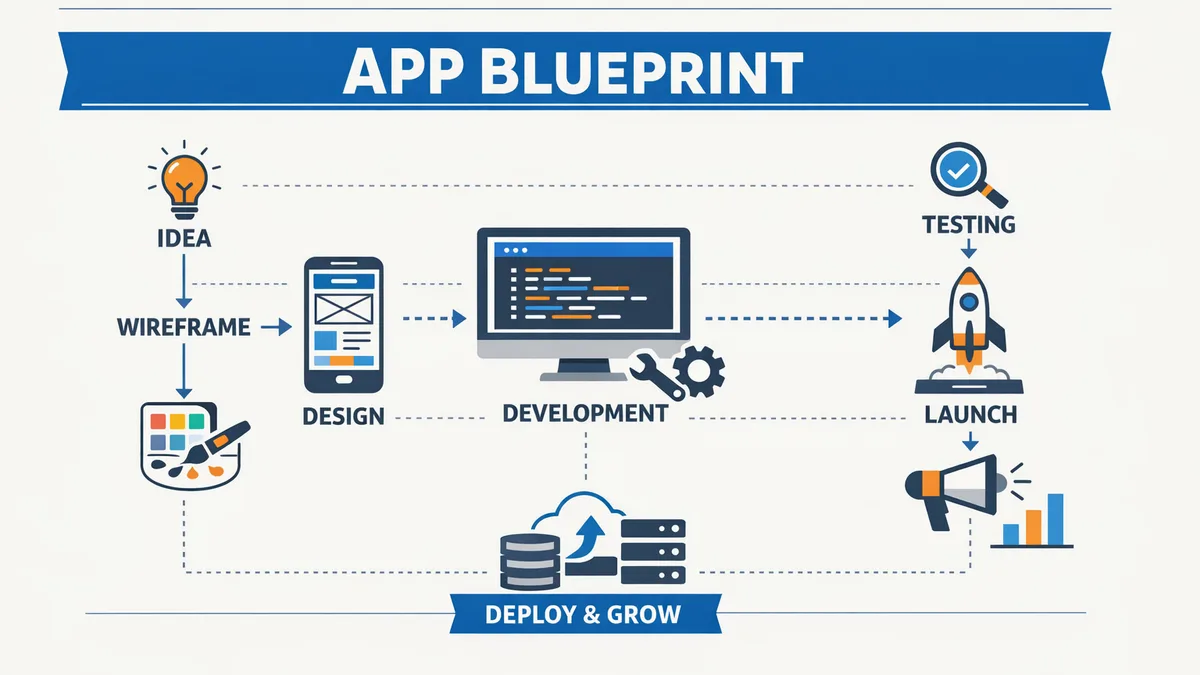
An app blueprint is a structured plan that defines what your application will do, how it will work, and what problems it will solve. It sits between your initial idea and the first line of code. Without one, you're building in the dark.
I've watched dozens of solo founders start coding on day one. Most rewrite the same feature three times because they never documented what "done" looked like. A blueprint fixes that. It forces you to answer the hard questions before they cost you weeks of work.
The blueprint captures your application's core features, user flows, data requirements, and technical constraints in a single reference document. Think of it as the complete guide to product requirements tailored specifically for application development. When a developer—or an AI agent—reads your blueprint, they should know exactly what to build.
Modern AI-powered builders like Replit Agent and Bolt can transform blueprint specifications into working applications. Agent takes your structured plan, sets up infrastructure, writes code, and tests the result. Bolt converts blueprint ideas into websites, web apps, and mobile apps through a chat interface. But both tools produce better results when you feed them a clear, detailed blueprint rather than vague descriptions.
The blueprint becomes your source of truth. When scope questions arise, you check the blueprint. When a contractor asks what the login flow should do, you reference the blueprint. When you're deciding whether a feature belongs in version one or version two, the blueprint holds the answer.
Problem Statement
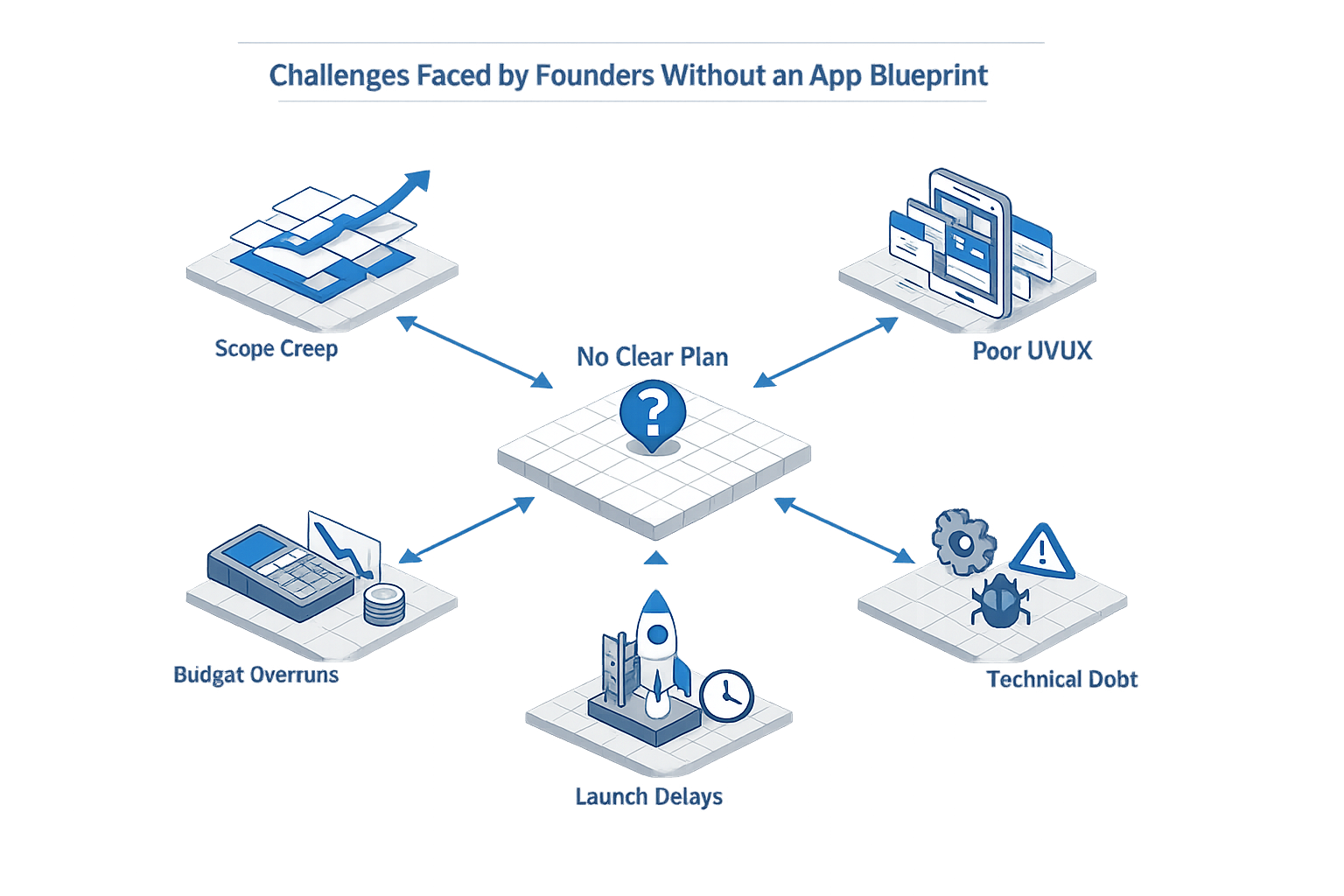
Most founders start with excitement and a rough idea. They open a tool, describe what they want, and watch something appear on screen. Then the problems start.
Scope Creep Without a Map
Without a written plan, every conversation with the AI agent becomes a negotiation. You ask for a dashboard. The agent builds one. You realize you forgot the export button. You add it. Then you remember you need role-based permissions. Each addition feels small, but the project sprawls. Three weeks in, you have seventeen half-finished features and no clear path to launch.
Communication Breakdown
You know what you want. The AI agent interprets your words differently. You say "user profile" and get a settings page. You say "dashboard" and get a chart library. The gap between your mental model and the agent's output widens with every prompt. Without a reference document, you're debugging your own explanations instead of building.
No Handoff Strategy
You prototype fast with vibe coding. Then you need a contractor to add payments, or you want to migrate to a production stack. The new developer opens your project and asks: Where's the spec? What's the data model? Which features are locked and which are experimental? You have chat logs and a live preview. That's not enough. A PRD or structured planning document would have answered those questions before the contractor's first hour started.
The cheapest way to fix a feature is to never build the wrong version in the first place.
Hidden Cost of Rework
Every founder who skips planning pays the rework tax. You build a feature, realize it doesn't fit the user flow, and rebuild it. You add a database table, then restructure it when you understand the relationships. Rework isn't learning—it's paying twice for the same feature because you didn't map it once up front.
These problems share a root cause: no single document that defines what you're building, why, and for whom. That document is the app blueprint.
Solution Steps: Creating an App Blueprint
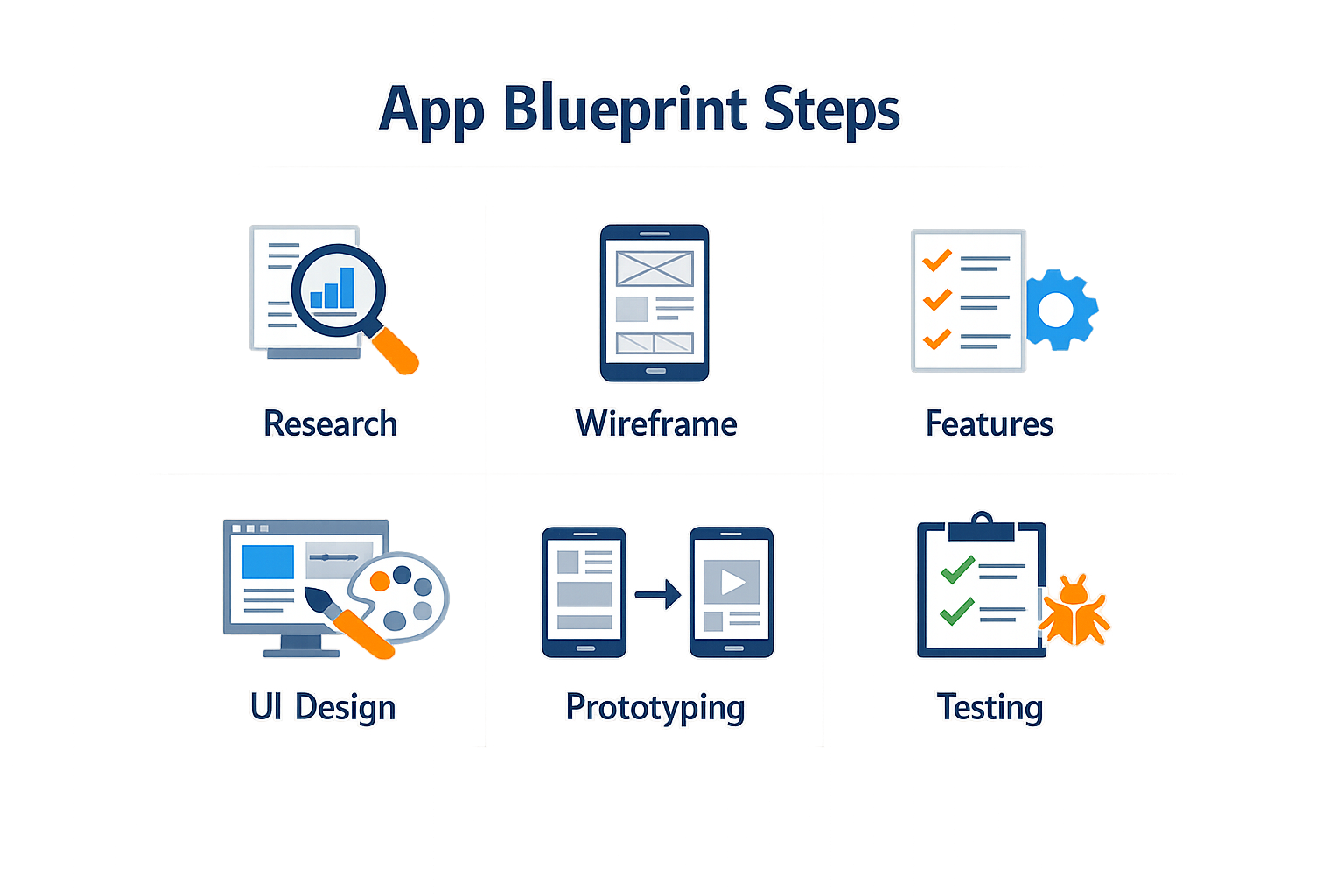
Building an app blueprint is sequential work. Each step feeds the next. Skip one and you patch it later under time pressure.
Step 1
Define the core problem
Write one sentence that states the user problem your app solves. No features, no adjectives. If you cannot write it in ten words, the problem is not clear enough yet.
Step 2
List the must-have features
Identify the minimum set of features that address the core problem. Three to five features is typical for a first version. Anything beyond that is scope you will cut later.
Step 3
Map the user flow
Sketch the path a user takes from opening the app to completing the primary action. Use boxes and arrows. Label each screen. This is not a wireframe; it is a map of decisions and transitions.
Step 4
Choose your build approach
Step 5
Document technical constraints
Write down the platforms you support, the integrations you need, and the data you store. Include authentication requirements and any compliance boundaries. These constraints are non-negotiable; they filter every feature decision that follows.
Step 6
Set measurable success criteria
Define what success looks like for the first version. Pick two or three metrics: user signups, task completion rate, or time to first action. If you cannot measure it, you cannot improve it.
Translating Blueprint to Build
Once the blueprint is complete, the build phase starts. The blueprint becomes the reference document for every implementation decision. When a developer or AI agent asks "Should this button do X or Y?" the answer is in the blueprint.
Modern AI-powered builders accelerate this translation. Bolt transforms ideas into working products by accepting natural-language descriptions of the app blueprint. Lovable generates projects from prompts and lets you iterate in the editor as the app runs live. Both tools collapse the gap between blueprint and prototype.
The blueprint also sets the boundary for scope creep. New feature requests get evaluated against the documented problem and success criteria. If a feature does not serve the core problem, it goes on a backlog, not into the current build.
For founders working with AI coding tools, the blueprint doubles as a prompt template. A clear feature list and user flow map directly to the instructions you give the agent. The clearer the blueprint, the fewer revision cycles you run. I cover the step-by-step workflow for vibe coding in detail elsewhere, but the principle is the same: specificity in planning reduces ambiguity in execution.
Tips and Tricks for Crafting Your App Blueprint
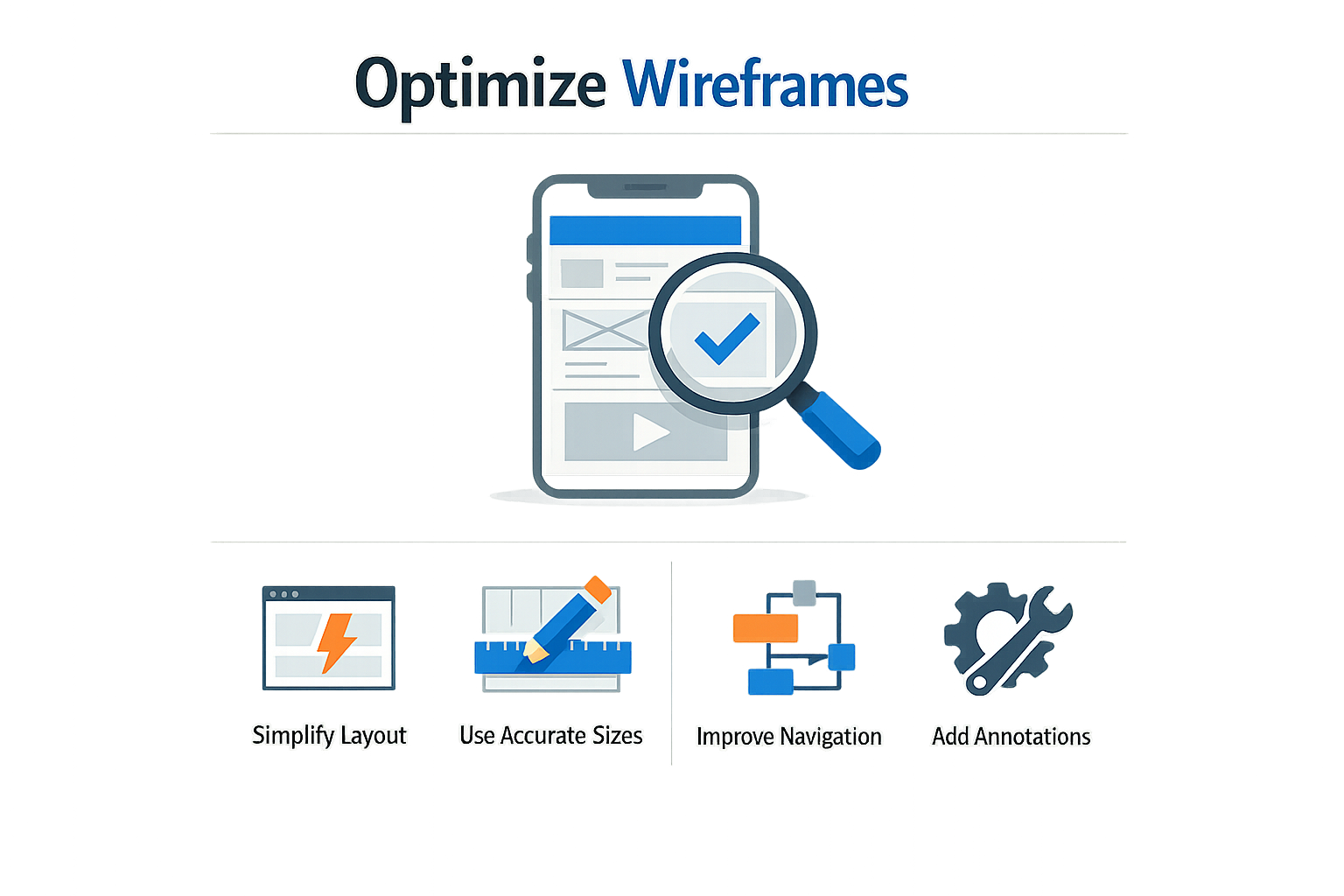
A good app blueprint doesn't need to be perfect. It needs to be clear enough to start building and flexible enough to change when reality hits. Here's what works.
Start with One Format, Plan for More
You don't need to design for every platform on day one. Start with a web app and add mobile later if users ask for it. Your blueprint should note which format you're building first and which features depend on that choice. A web-only MVP has different constraints than a native mobile app — document those assumptions so you can revisit them when you expand.
Use Concrete Examples, Not Abstractions
When describing user flows or screens, use real scenarios. Instead of "user management interface," write "admin sees a table of email addresses, last login dates, and a suspend button for each row." Concrete examples force you to think through the actual UI before you build it. They also make it easier to spot gaps — if you can't describe what the user sees, you don't know what to build yet.
Build Incrementally and Test as You Go
Your blueprint should break the app into testable chunks. Each chunk should produce something you can click through and evaluate. Write down what "done" looks like for each piece — not just "login works" but "user can log in, see their dashboard, and log out without errors." When you finish a chunk, test it against that definition before moving to the next section.
If you can't describe what the user sees in one sentence, you don't know what to build yet.
Collaborate Through Iteration
If you're working with a team or using AI coding tools, your blueprint becomes the shared reference. Keep it updated as decisions change. When a feature proves harder than expected, note that in the blueprint and adjust the scope or timeline. The document should reflect what you're actually building, not what you hoped to build three weeks ago.
For a deeper look at how planning documents evolve during development, see What Is a PRD? Product Requirements Documents, Explained.
Conclusion
An app blueprint is the difference between building what you imagined and discovering what you built six weeks too late. It forces you to answer the hard questions before code exists to defend bad answers.
I've shipped products both ways. The ones that started with a blueprint launched faster, cost less to fix, and required fewer late-night rewrites. The ones that didn't became archaeological digs through Git history, trying to reverse-engineer what past-me was thinking.
A blueprint doesn't guarantee success, but skipping one guarantees expensive surprises. Write down what you're building, why each piece exists, and how it all connects. When the build gets messy — and it will — that document is the map back to coherent.
If you're ready to turn your blueprint into working code, tools like Lovable let you move from planning to prototype without hiring a team first. The blueprint still matters; the tool just removes the months of setup between decision and deployment.
Start with the blueprint. Everything else follows.
Related reading
User Stories vs PRD: Which Does a Founder Actually Need?