
How to Vibe Code: A Step-by-Step Workflow Guide
Introduction

How to vibe code is a question I get asked constantly by solo founders. The answer: you write in plain language what you want the app to do, and AI tools generate the code. You check if it works. You refine. You ship. The loop is fast. The failure modes are predictable.
I built my first SaaS app using vibe coding in six weeks. No backend experience. No deployment scripts. Just clear instructions and a lot of iteration.
This guide walks through the exact workflow I use. You will learn how to structure requests, choose the right moments to vibe code versus hand-code, and avoid the traps that waste hours. The method is not magic. It is a repeatable process.
Most developers who try vibe coding once and quit do so because they treat it like a search engine. They type a sentence, get garbage, and blame the tool. The issue is not the tool. The issue is the input. Vibe coding requires structure. When you give it structure, it produces working code at a pace traditional workflows cannot match.
If you have ever written a PRD for Cursor, you already know half of what makes vibe coding work. The other half is learning when to trust the output and when to intervene. That is what the rest of this guide covers.
Problem Statement

Traditional coding workflows break down when you're building alone. You write specs, then code, then realize the spec missed three edge cases. You go back, rewrite the spec, update the code, and discover the original design assumption was wrong. Two weeks later you have a half-built feature and no clarity on what "done" looks like.
The problem isn't laziness. It's that formal workflows assume a team: someone writes requirements, someone else codes, a third person reviews. When you're the same person wearing all three hats, the handoffs become pure friction. You spend more time maintaining documentation than shipping.
Most solo founders solve this by skipping specs entirely. They jump straight into code, hold the entire mental model in their head, and hope they remember why they made each decision. This works until it doesn't — usually when you return to the codebase after a week away and can't reconstruct your own reasoning.
The Spec-Code Death Spiral
The traditional approach forces a false choice: write detailed specs that slow you down, or write no specs and lose context. Both paths lead to the same place — rewrites, confusion, and features that don't quite work.
A sample PRD might help structure your thinking, but it still assumes you want to write the whole thing before touching code. When you're moving fast, that separation creates lag. You need to think and build simultaneously, not sequentially.
Why AI Coding Amplifies the Problem
AI tools make the spec-code gap worse, not better. You can generate code faster than ever, but if your mental model is fuzzy, you just produce bad code faster. The AI doesn't know what you want — it knows what you typed. When your prompt is vague, the output is vague.
Without a clear workflow, you end up in a loop: prompt, review generated code, realize it's wrong, write a better prompt, repeat. Each iteration costs time and context. You're not building — you're debugging your own instructions.
Vibe coding solves this by collapsing the planning and building phases into a single flow. You maintain just enough structure to stay coherent, but not so much that documentation becomes a second job.
How to Vibe Code: Step-by-Step Process
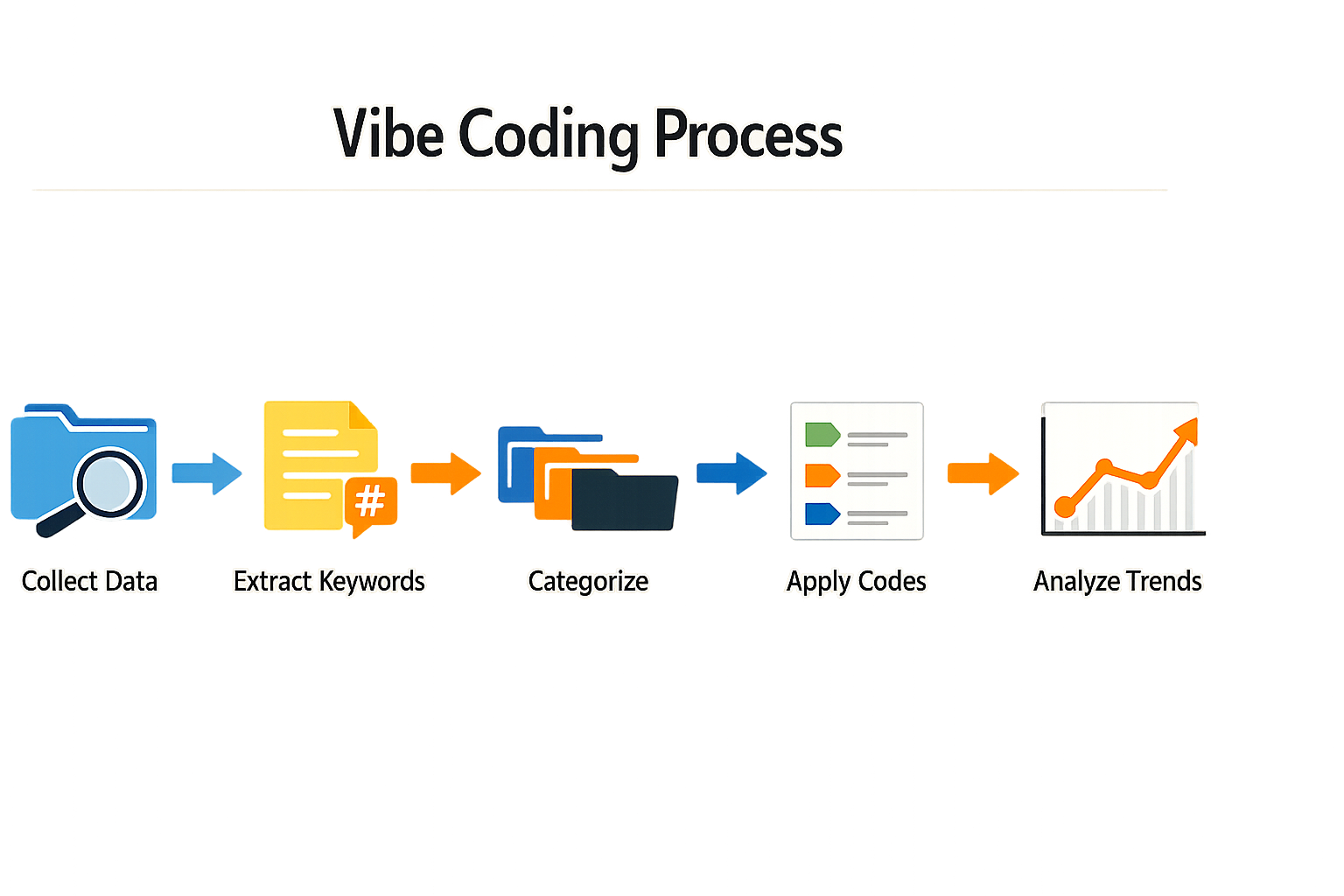
How to vibe code effectively requires a structured workflow, not improvisation. Here's the sequence I use.
Start with a Complete PRD
Every vibe coding session starts with a written spec. You need a document that describes what you're building, why it exists, and what the user sees at every step. Without this, you're asking the AI to guess.
A PRD for Cursor should include user flows, edge cases, and example data. The AI reads this once and references it through the entire session. If your PRD is vague, your output will be vague.
Step 1
Write the PRD before you open the editor
Document the feature in plain English. Include what happens when the user clicks, what error states look like, and what success looks like. This is the contract between you and the AI.
Break the Build into Small Sessions
Don't ask the AI to build an entire feature in one prompt. Break it into pieces that fit in a single context window. One session might be "build the login form." The next is "wire up authentication." The next is "add error handling."
Each session should produce working code you can test. If a session fails, you know exactly where the problem is. If you try to build everything at once, you'll spend hours debugging a hairball.
Step 2
Scope each session to one testable unit
Define a clear output for the session. It should run, even if it's incomplete. Test it before moving to the next session.
Prompt with Context, Not Instructions
The AI doesn't need step-by-step instructions. It needs context. Give it the PRD, the current state of the codebase, and the specific piece you're building now. Then ask it to implement.
Bad prompt: "Add a button that saves the form."
Good prompt: "Referring to the PRD section on form submission, implement the save button. It should validate all fields, show a loading state, and display a success message on completion."
The difference is specificity. The second prompt points to a document and describes the outcome. The AI can reason about that.
Test Every Output Before Moving Forward
Vibe coding is fast, but only if you catch mistakes early. After every AI-generated change, run the code. Click through the feature. Try to break it. If it works, move on. If it doesn't, fix it immediately.
The worst mistake is stacking untested changes. You'll end up with a codebase where nothing works and you don't know why. Test small, test often.
Step 3
Run the app after every session
Don't queue up changes. Test each one. If the AI introduced a bug, regenerate that session with more context.
Keep a Log of What Works
Vibe coding is iterative. You'll find prompts that work and prompts that don't. Keep a running document of what generated good output. When you hit a pattern that works, reuse it.
I keep a file called prompts.md in every project. It's a list of prompts that produced clean code. When I need to build something similar, I start there.
When It Breaks, Add Constraints
The AI will occasionally generate code that's technically correct but doesn't fit your architecture. When that happens, add constraints to the prompt. Tell it what libraries to use, what patterns to follow, what files to touch.
Example: "Implement user authentication using Supabase Auth. Follow the pattern in auth.ts. Do not create new database tables."
Constraints narrow the solution space. The AI stops guessing and starts following your rules.
The AI doesn't fail because it's dumb. It fails because you gave it too much freedom.
Tips and Tricks for Effective Vibe Coding
Vibe coding works when you treat the AI as a junior who needs context, not magic. Most failures trace to thin prompts or missing guardrails.
I run the same three checks before I push any AI-generated code to staging. First: does it compile without warnings? Second: does it handle the null case I didn't mention? Third: can I read it cold in six months?
Start with a Clear PRD
The AI builds what you describe. If your PRD is vague, the output is vague.
Write a PRD checklist that includes edge cases, error states, and the one weird input that will break everything. The AI won't invent requirements you forgot to specify.
Keep Prompts Concrete
Generic prompts produce generic code. "Make it faster" generates guesses. "Cache the user object for 300 seconds" generates a Redis call.
Specify the data structure, the expected input range, and the error you want thrown. The more concrete your language, the less revision you'll do.
Version Control Every Change
Commit after every working increment, even if it's ugly. Vibe coding moves fast; you need rollback points.
I commit every time the app runs without throwing. The message is always the feature name and the file changed. If the AI hallucinates a breaking change, I revert to the last green commit and re-prompt.
Test the Edges First
The AI writes happy-path code by default. You have to ask for the edge cases.
After every generation, I test with empty strings, null values, and inputs one character over the limit. Most bugs live at the boundaries the AI didn't consider.
Use the AI to Write Tests
If you're writing tests by hand, you're doing twice the work. Prompt the AI to generate unit tests for every function it writes.
I paste the function signature and say "write three tests: valid input, null input, malformed input." The AI produces boilerplate faster than I can type it, and I catch regressions before they ship.
The AI won't test what you don't ask it to test.
Iterate in Small Loops
Vibe coding fails when you ask for too much at once. Build one feature, test it, commit it, then move to the next.
I never prompt for more than one file's worth of changes in a single request. If the AI drifts off spec, I catch it in minutes, not hours.
Keep a Failure Log
Every time the AI generates broken code, I write down what I asked for and what went wrong. After a dozen entries, patterns emerge.
Most of my failures trace to ambiguous pronouns or missing context about the data model. The log turns vague intuition into a checklist I can follow before I hit generate.
Common Questions About How to Vibe Code
What is vibe coding?
Vibe coding is a development workflow where you describe features in plain language and AI tools generate the implementation code. You verify, refine, and iterate until the feature works as specified.
How does vibe coding differ from traditional coding?
Traditional coding requires you to write every line manually. Vibe coding lets you describe the outcome and constraints while the AI handles syntax, boilerplate, and implementation details. You still need to understand what you're building and verify the output.
What tools do I need to start vibe coding?
You need an AI coding assistant like Cursor, GitHub Copilot, or similar tools, plus a clear specification document. Most developers also use version control and a testing framework to catch errors early.
Can beginners learn how to vibe code?
Yes, but you need to understand basic programming concepts and how to read code. Vibe coding doesn't require you to write syntax from scratch, but you must verify that generated code does what you intended and fits your architecture.
When should I avoid vibe coding?
Avoid vibe coding for security-critical features, complex algorithms where correctness is paramount, or when you don't understand the domain well enough to verify the output. Hand-code anything where a subtle bug could cause serious harm.
Conclusion
How to vibe code comes down to discipline, not magic. You write specs that leave no room for interpretation, you verify every output before moving forward, and you maintain a tight feedback loop. The workflow isn't a shortcut—it's a structured approach to a new tool.
I've shipped production SaaS this way. The speed advantage is real, but only if you avoid the failure modes: vague prompts, skipped verification, and scope creep disguised as iteration. The moment you start "exploring" without a spec, you're debugging hallucinations instead of building features.
The three-phase structure—spec, generate, verify—keeps you honest. Each phase has a binary gate. If you can't write a clear spec, you don't understand the feature yet. If the AI output doesn't match the spec, you regenerate or rewrite the spec. If verification fails, you roll back. No gray areas.
Start small. Pick one feature you understand completely. Write a how to write a PRD that a junior engineer could implement without asking questions. Generate the code. Verify it against the spec. Ship it. Repeat.
The workflow scales because it's modular. Each feature is self-contained. Each spec is versioned. Each verification step is documented. You're not building a monolith—you're assembling tested components.
Vibe coding isn't a replacement for engineering judgment. It's a force multiplier for operators who already know what they're building. If you have a clear vision and can articulate it precisely, the AI accelerates execution. If you don't, it amplifies confusion.
The best time to adopt this workflow is when you have a spec you'd bet money on. The worst time is when you're still figuring out what to build. Know the difference.