
PRD for Cursor: The Ultimate Guide to Stress-Free AI Specs
Introduction
A PRD (Product Requirements Document) for Cursor is a structured document that provides the necessary context for the AI coding tool to build effectively. Most founders skip this step and wonder why their AI-generated code misses the mark. The AI can only work with what you give it.
I've watched dozens of solo founders burn weeks in Cursor because they treated it like a magic wand instead of a tool that needs proper input. A well-structured PRD serves as a source of truth for both humans and AI, ensuring alignment on product goals and improving code generation accuracy. When you hand Cursor a clear spec, you get cleaner code faster.
The difference between a successful AI-assisted build and a frustrating one comes down to how well you communicate intent. Cursor doesn't guess what you want—it interprets what you write. If you're serious about building real apps with AI, learning to structure a PRD is the first real skill you need.
This guide walks through the exact structure that works for AI coding tools, the common mistakes that waste time, and the practical steps to create a PRD that Cursor can execute without constant clarification.
Learn how to create a PRD for Cursor that AI coding tools can execute effectively.
Understanding PRD Structure
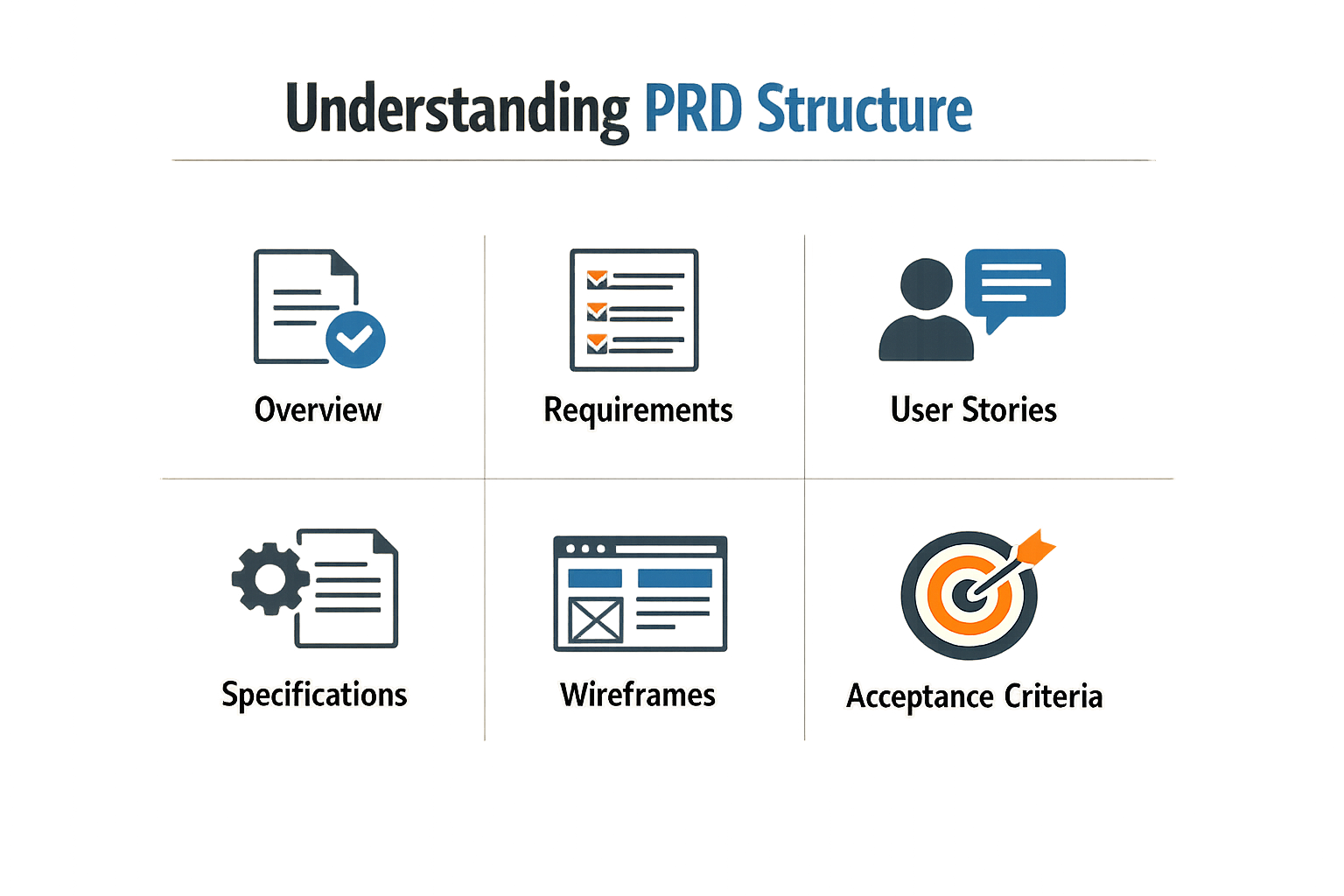
A Product Requirements Document is a blueprint that tells developers—human or AI—what to build. For Cursor and similar coding agents, the PRD serves as the single source of truth that transforms abstract product ideas into concrete instructions.
The core components are product goals, user stories, constraints, and acceptance criteria. Product goals define what success looks like. User stories describe who uses the feature and why. Constraints set boundaries—technical limits, budget caps, timeline restrictions. Acceptance criteria spell out the pass/fail conditions for each feature.
Essential Sections Every PRD Needs
Start with an overview that states the problem and the proposed solution in two sentences. Follow with scope—what's in, what's out. AI tools like Cursor need explicit boundaries; if you don't say "mobile is out of scope," the agent may generate responsive CSS you didn't ask for.
Functional requirements come next. Break features into discrete units. "Build a login system" is too vague. "Implement email/password auth with password reset via email token, session timeout after 30 minutes" gives Cursor something executable.
Non-functional requirements cover performance, security, and usability standards. Specify load expectations, data handling rules, and accessibility targets. Cursor won't infer that your healthcare app needs HIPAA-compliant logging unless you write it down.
Technical Context and Dependencies
List your stack explicitly. Framework versions matter—"React" is ambiguous; "React 18 with TypeScript 5.2" is not. Include third-party services, APIs, and libraries the agent should use or avoid.
Dependencies between features need clear sequencing. If the payment flow requires user accounts, state that relationship. AI agents don't infer prerequisite order from context the way experienced developers do.
For a deeper look at how non-technical founders can leverage structured specs in AI-assisted builds, see Vibe Coding 101: How Non-Technical Founders Build Real Apps With AI.
Acceptance Criteria and Edge Cases
Each feature needs testable conditions. "Login works" is not acceptance criteria. "User can log in with valid credentials and sees dashboard within 2 seconds; invalid credentials show error message; rate limiting blocks after 5 failed attempts" is.
Edge cases expose where your spec is thin. What happens when the API times out? When the user submits an empty form? When two users edit the same record simultaneously? Write the behavior you want. Cursor will implement what you specify and ignore what you don't.
Importance of PRD for AI Coding Tools

AI coding tools generate functional code fast. The problem is they don't know what your product is supposed to do. Without a PRD, you're asking the AI to guess — and it will guess wrong in ways you won't notice until you're three features deep.
A well-structured PRD acts as the source of truth for both humans and AI. It ensures alignment on product goals and improves code generation accuracy. When Cursor has clear context, it writes code that solves the actual problem instead of the problem it thinks you have.
What AI Tools Miss Without a PRD
Cursor and similar tools excel at syntax and patterns. They fail at intent. AI coding tools generate functional code but lack the product context necessary to ensure that code meets actual product requirements. You get a working button that does the wrong thing, or a database schema that technically works but doesn't map to your user model.
The gap between "code that runs" and "code that ships" is product context. A PRD fills that gap. It transforms AI coding from vibe coding to informed development by ensuring completeness and alignment with product goals. The AI stops guessing and starts building what you specified.
The PRD as AI Context Layer
Think of the PRD as the instruction manual the AI never had. It defines success criteria, edge cases, user flows, and constraints before any code is written. When you paste a PRD into Cursor, you're loading the product into the model's working memory.
This context layer reduces iteration cycles. Instead of generating code, testing, realizing it's wrong, and re-prompting, you get closer on the first pass. The PRD front-loads the thinking so the AI can focus on execution.
A PRD turns an AI coding session from a conversation into a build — the difference between asking questions and following a blueprint.
For non-technical founders, this matters even more. You can't review code for correctness if you don't know what correct looks like. The PRD gives you a reference point. If the AI's output doesn't match the spec, you know something broke — even if you can't read the code. Learn more about this workflow in our guide on Vibe Coding for Beginners: The Ultimate Easy Weekend Guide.
Key Elements in PRD for Cursor
A PRD for Cursor needs structure that the model can parse without guessing. That means clear headings, isolated user stories, and acceptance criteria that read like test cases. The difference between a PRD that generates working code and one that hallucinates features is usually just clarity and section discipline.
Clear Section Headings
Cursor scans for structure. Use explicit headings—Introduction, Problem Statement, User Stories, Acceptance Criteria—so the AI can jump to the right context when generating code. Buried requirements in prose paragraphs force the model to infer; explicit sections let it locate facts.
Sharp User Stories
Write user stories in concise language. Each story should be isolated and clearly stated. "As a user, I can reset my password via email link" tells Cursor exactly what feature to build. Vague stories like "users should have account recovery options" leave the AI choosing between five implementations.
Keep stories atomic. One capability per story. If you bundle password reset, email verification, and account lockout into a single paragraph, the model will miss edge cases or conflate requirements.
Explicit Acceptance Criteria
Acceptance criteria are test cases in plain English. "Users can reset their password via email link" is a story; "The link expires after 15 minutes" is a criterion. Cursor uses these to understand boundaries and error states. Without them, you get happy-path code that breaks on the second user.
List criteria as bullets under each story. Make conditions specific: timeouts, character limits, validation rules, error messages. The tighter the criteria, the fewer hallucinated features.
Step 1
Draft isolated user stories
Write one capability per story. Start with "As a [role], I can [action]" and stop. No backstory, no justification—just the action.
Step 2
Add acceptance criteria as bullets
Under each story, list 2–5 conditions that define "done." Include edge cases: timeouts, empty states, validation failures. Think like a QA engineer writing test specs.
Step 3
Use headings to separate sections
Introduction, Problem Statement, User Stories, Acceptance Criteria, Technical Constraints. Label them explicitly. The model will thank you by not inventing requirements.
If you're new to structuring specs for AI tools, Vibe Coding for Beginners: The Ultimate Easy Weekend Guide walks through the full workflow from idea to working prototype.
Common Mistakes to Avoid
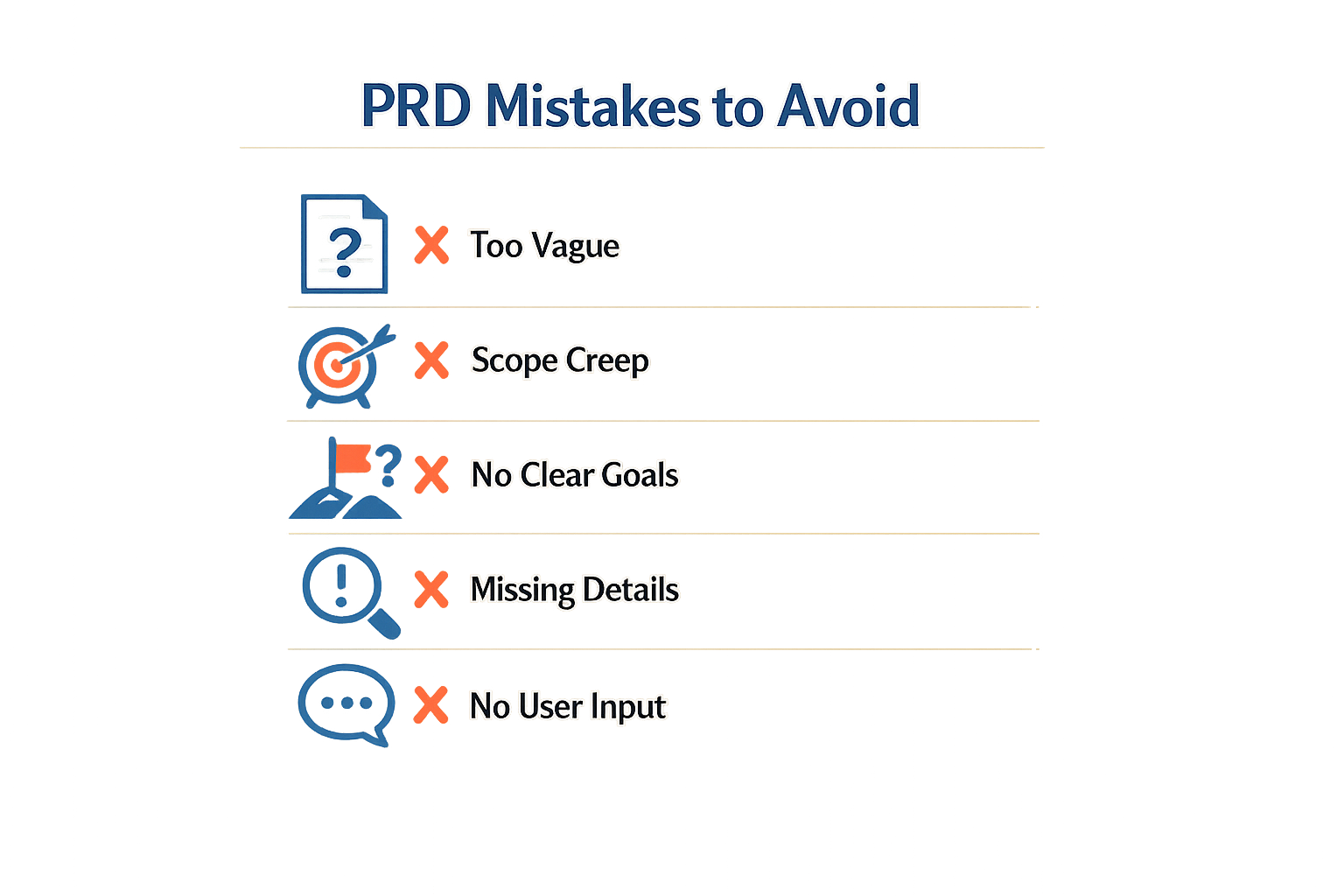
AI coding tools generate working code. They don't generate working products. The gap between the two is context—and that's where most PRDs fail.
Cursor will build exactly what you describe. If your description is vague, you get vague output. If your description assumes knowledge the AI doesn't have, you get code that compiles but doesn't solve the problem.
Treating the PRD Like Documentation
The biggest mistake is writing a PRD as if it's a spec for a human engineer who already understands your product. Human engineers infer. They ask clarifying questions. They know when "user dashboard" means "the admin view" versus "the customer portal."
Cursor doesn't infer. It executes. If you write "add a filter to the dashboard," Cursor will add a filter—but it won't know which data to filter, what the UI should look like, or where the filter should appear. You'll get syntactically correct code that doesn't match your intent.
Skipping Input-Output Examples
Another common failure: describing behavior without showing it. "The form should validate email addresses" tells Cursor to add validation. It doesn't tell Cursor what counts as valid, what error message to show, or when to trigger the check.
The fix is concrete. Show the input. Show the output. Show the edge case:
- Valid:
user@example.com→ passes - Invalid:
user@→ shows "Enter a complete email address" - Invalid:
user @example.com(space) → shows same error
Cursor now knows exactly what to build. No guessing.
Overloading Context Without Structure
Some developers dump everything into the PRD—user stories, technical constraints, design mockups, API docs—and expect Cursor to sort it out. The result is diluted context. Cursor pulls from the wrong section, mixes concerns, or ignores critical details buried in paragraph seven.
The quality of Cursor's output is directly proportional to the quality of your input. Structure matters. If you're coming from vibe coding, this is the shift: replace improvisation with repeatable structure.
The quality of Cursor's output is directly proportional to the quality of your input.
Writing for Features, Not Outcomes
A PRD that lists features—"add search," "add export," "add notifications"—gives Cursor tasks but no context for why. Features interact. Search affects load time. Export affects memory. Notifications affect user attention.
Without outcome framing, Cursor optimizes locally. It builds the search feature in isolation, unaware that the export feature will generate 10 MB JSON files that break the search index.
Frame outcomes first: "Users need to find past orders in under 2 seconds, even with 10,000+ records." Now Cursor knows search is latency-sensitive and can choose appropriate data structures.
Ignoring Cursor's Strengths and Limits
Cursor is excellent at implementation. It's weak at architecture. If your PRD says "build a scalable backend," Cursor will generate code. That code might use an in-memory array for a dataset that should live in a database.
Make architectural decisions explicit. Specify the database. Specify the caching layer. Specify the API contract. Let Cursor handle the implementation details—that's where it excels.
Step-by-Step Guide to Creating a PRD
Creating a PRD for Cursor isn't complicated, but it does require a deliberate sequence. Most failures happen when you skip steps or write the document in the wrong order. The process below works whether you're building from scratch or converting a vague idea into something an AI can execute.
Start with the Problem Statement
Write one paragraph that explains what you're building and why it matters. No features, no tech stack—just the problem and the user. Cursor needs context before it can generate useful code. If you start with "build a dashboard," you get generic dashboard code. If you start with "sales reps lose deals because they can't see which leads went cold in the last 48 hours," Cursor has a reference point for every decision it makes.
Step 1
Define the problem and user
Write 3-4 sentences: who has the problem, what goes wrong today, and what success looks like. No solution details yet. This becomes your north star when Cursor starts suggesting features you didn't ask for.
Step 2
List core features with acceptance criteria
Break the solution into 4-8 features. For each one, write 2-3 acceptance criteria that define done. "User login" is not a feature description; "User can log in with email/password, see an error if credentials are wrong, and stay logged in for 7 days" is. Cursor uses these criteria to decide what code to write and when to stop.
Step 3
Specify technical constraints
List your stack, third-party services, and any non-negotiable requirements. If you're using Supabase for auth, say so. If the app must work offline, say so. If you have a design system, link it. Cursor will default to its own assumptions if you don't provide this section, and you'll spend hours undoing generated code that doesn't fit your architecture.
Work Section by Section in Cursor
Once the PRD is written, save it as a markdown file in your project root. Open Cursor and reference the file explicitly: "Read the PRD at /PRD.md and implement the user login feature as specified." Build one feature at a time, checking each implementation against the acceptance criteria before moving to the next section. This workflow prevents scope creep and keeps Cursor focused on the current task.
If you're starting from zero, vibe coding for beginners walks through the full setup process for first-time builders.
Step 4
Iterate with refinement
After Cursor generates code for a feature, test it against the acceptance criteria. If something is missing or wrong, update the PRD with clarifications and regenerate. The PRD is not a static document—it's a living reference that improves as you discover edge cases and missing requirements.
Verify Each Step Before Moving Forward
The biggest mistake is letting Cursor run ahead while you're still debugging the previous feature. If user login doesn't work, don't ask Cursor to build the dashboard. Fix login first, update the PRD if needed, then move to the next section. Cursor compounds errors when it builds on broken assumptions.
Examples of Successful PRDs
A good PRD for Cursor doesn't need to be perfect. It needs to be specific enough that the AI can generate working code without inventing business rules. The difference shows up in what you don't have to fix.
REST API Endpoint Specification
When you ask Cursor to build a REST API endpoint for product reviews without a PRD, it generates code that compiles but misses critical business logic and validation rules. The endpoint works in the technical sense — it accepts requests and returns responses — but it doesn't enforce your actual requirements.
A successful PRD for the same endpoint includes:
- Exact validation rules (review text between 10 and 500 characters, rating 1-5 only)
- Business constraints (one review per user per product, no edits after 24 hours)
- Error responses with specific HTTP codes and message formats
- Rate limiting parameters (5 submissions per user per hour)
Cursor generates code that handles these cases because they're written down. You spend less time rewriting generated code and more time shipping.
Step 1
Define validation boundaries first
Before writing any endpoint logic in your PRD, list every input field with its type, range, and rejection criteria. Cursor needs these constraints spelled out — it won't infer "reasonable" limits from context.
Template-Driven PRD Workflow
PMs using structured PRD templates report writing specs 10x faster than traditional methods, with 90% satisfaction in effectiveness surveys. The speed comes from reusable constraint patterns, not from skipping details.
A template that works:
- Feature name — one line, no marketing language
- User action — exact trigger (button click, API call, cron schedule)
- System response — step-by-step logic with conditionals
- Edge cases — what happens when things fail (network timeout, invalid input, missing data)
- Success criteria — observable output that proves it worked
The template forces you to answer questions Cursor will ask implicitly by generating placeholder code. Better to answer them in the PRD than in three rounds of debugging.
Comparison: Vague vs. Specific PRD Outcomes
| PRD Detail Level | Cursor Output Quality | Revision Cycles |
|---|---|---|
| Vague description | Compiles, wrong behavior | 3-5 iterations |
| Specific constraints | Matches requirements | 0-1 iterations |
The vague PRD says "add user authentication." Cursor picks a library, generates boilerplate, and you discover later it doesn't support your SSO provider. The specific PRD says "use OAuth 2.0 with PKCE flow, integrate with Okta, session lifetime 8 hours, refresh token rotation enabled." Cursor generates code that works with your infrastructure.
For more on moving from vague ideas to concrete specs, see Vibe Coding for Beginners: The Ultimate Easy Weekend Guide.
Who Should Create PRDs
PRD ownership depends on who understands the customer problem and can translate it into buildable context. The traditional answer is product managers, but AI coding tools change the calculus.
The Product Manager's Core Responsibility
Product managers own the inputs AI coding agents need: customer problem, outcome, scope, business rules, acceptance criteria, edge cases, and success metrics. These aren't optional extras—they're the minimum viable context for a tool like Cursor to produce working code instead of plausible-looking garbage.
If you're the PM, you write the PRD. You're the one who talked to users, prioritized features, and decided what ships. The AI doesn't care about your title; it cares whether you gave it enough structure to execute.
When Founders Write PRDs
Solo founders write their own PRDs by default. You're product, engineering, and QA rolled into one. The PM-to-Cursor workflow—turning customer feedback into structured PRD, acceptance criteria, and buildable context—maps directly to your day. You skip the handoff because there's no one to hand off to.
The advantage: you know exactly what you want and why. The risk: you skip the discipline of writing it down because "it's all in your head." AI coding tools punish that shortcut. If you can't articulate the edge cases in a document, Cursor won't infer them from vibes.
Technical Leads as PRD Authors
In small teams, technical leads sometimes write PRDs when they're closest to the customer problem. This works if the lead has product judgment and doesn't default to implementation details. The failure mode: a PRD that specifies database schemas instead of user outcomes.
AI tools amplify this risk. If your PRD reads like a schema migration, Cursor will build exactly that—a technically correct system that solves the wrong problem.
Collaboration Doesn't Mean Co-Authorship
Designers, engineers, and stakeholders contribute to PRDs through feedback, not co-authorship. One person owns the document. Multiple authors produce design-by-committee mush that confuses human readers and wrecks AI context windows.
The owner synthesizes input, makes trade-offs, and ships a coherent spec. Everyone else reviews and challenges. That's the division of labor that works.
The AI Litmus Test
If you can't hand your PRD to Cursor and get a first draft that compiles, the PRD failed. The person who writes it must understand both the customer problem and the constraints of the tool. That's usually the PM. Sometimes it's the founder. Rarely it's anyone else.
For a structured approach to turning ideas into specs, see What Is a PRD? A Plain-English Guide for Non-Technical Founders.
Future of PRDs in AI Development
AI coding tools are moving fast. The PRD is moving with them. What worked six months ago—vague user stories and hand-waved acceptance criteria—produces garbage output today. The gap between "AI that writes code" and "AI that ships product" is closing, but only if the spec keeps up.
From Vibe Coding to Structured Context
Early AI coding felt like magic: describe what you want, watch code appear. That's vibe coding—functional output with no product guardrails. Tools like Cursor generate working functions, but they don't know if those functions solve the right problem. Structured PRDs close that loop. They give the AI the product context it's missing: user intent, edge cases, success metrics.
The next wave isn't smarter models. It's better input. PRDs that include decision logs, constraint hierarchies, and explicit non-goals let AI tools make trade-offs the way a senior engineer would. The model doesn't need to guess—your spec tells it what matters.
PRDs as Living Artifacts
Static PRDs die the moment requirements shift. The future belongs to PRDs that update themselves. Version-controlled specs synced to your codebase mean every feature branch carries its own context. When you prompt Cursor, it reads the current state—not a stale doc from three sprints ago.
Expect tighter integration: PRDs embedded in IDEs, auto-generated diffs when you change a requirement, inline suggestions when your prompt contradicts the spec. The PRD becomes infrastructure, not paperwork.
Who Owns the PRD in an AI Workflow?
Right now, product managers write PRDs and engineers consume them. That's splitting. Solo founders and small teams are writing executable specs directly—PRDs structured for AI first, humans second. The format adapts: less prose, more schema. Bulleted constraints instead of paragraphs. Acceptance criteria as test cases the AI can run.
Larger orgs will keep the PM-engineer divide, but the handoff changes. PMs author high-level goals; AI tools expand them into implementation-ready specs. Engineers review and refine, then feed the output back to Cursor. The PRD becomes a collaboration layer between human intent and machine execution.
The cheapest way to fix a bug is to never write it—PRDs are moving upstream, into the prompt itself.
What Doesn't Change
AI won't fix lazy thinking. A vague PRD fed to a better model still produces vague code. The fundamentals hold: clear problem statement, explicit success criteria, documented trade-offs. Tools that promise to "generate your PRD from a sentence" are selling the same fantasy as no-code platforms in 2015—they work until they don't, and the cleanup costs more than doing it right the first time.
The PRD's job is to make decisions legible. AI accelerates execution, but it doesn't decide what to build. That's still on you.
For a broader look at how structured planning fits into vibe coding workflows, the underlying principles haven't changed—only the speed at which bad specs fail.
Conclusion
A well-structured PRD for Cursor is the difference between AI that ships and AI that spins. When the document is clear, the tool writes code that matches intent. When it's vague, you debug hallucinations.
The core insight: a PRD serves as source of truth for both humans and AI. It aligns product goals and improves code generation accuracy. This isn't aspirational—it's mechanical. The better the context, the fewer the rewrites.
I've watched founders waste weeks because their PRD was a wish list instead of a spec. The ones who ship fast treat the PRD as a contract: every feature scoped, every edge case named, every dependency mapped. Cursor executes what you describe; if the description is loose, the output is loose.
Start small. Pick one feature, write it tight, and watch the AI work. Then scale the discipline. The plain-English guide for non-technical founders covers the fundamentals if you're building your first spec from scratch.
The future of PRDs in AI development is more structure, not less. As tools get better at reading context, the penalty for ambiguity drops—but the reward for precision compounds. Write once, ship clean.