
App Competitor Analysis: Simple, Practical Methods for Free
Introduction
Most developers build first and research later. They spend months on features, polish the UI, launch with confidence, then discover the market is either empty or packed wall-to-wall. App Competitor Analysis flips that sequence. You look before you build.
The pattern is consistent: developers who skip competitive research face weak demand or discover ten funded competitors after launch. Apps that conduct regular competitive analysis see measurably better store conversion rates. The difference is not luck or timing—it is information.
This guide covers practical methods using free tools. No enterprise dashboards, no monthly subscriptions, no data science background required. You will learn how to identify real competitors, extract useful intelligence from public app store data, and turn that analysis into better product decisions. For founders just starting out, I Have an App Idea: The Ultimate Simple Guide for Founders provides the broader context for validating and planning your concept.
The goal is not to avoid competition entirely—that usually signals no demand. The goal is to understand the landscape well enough that your first build addresses a real gap with a defensible angle. You want enough competitors to prove the market exists, but a specific underserved segment you can own.
Learn effective app competitor analysis methods using free tools for better app ideas.
Understanding App Competitor Analysis
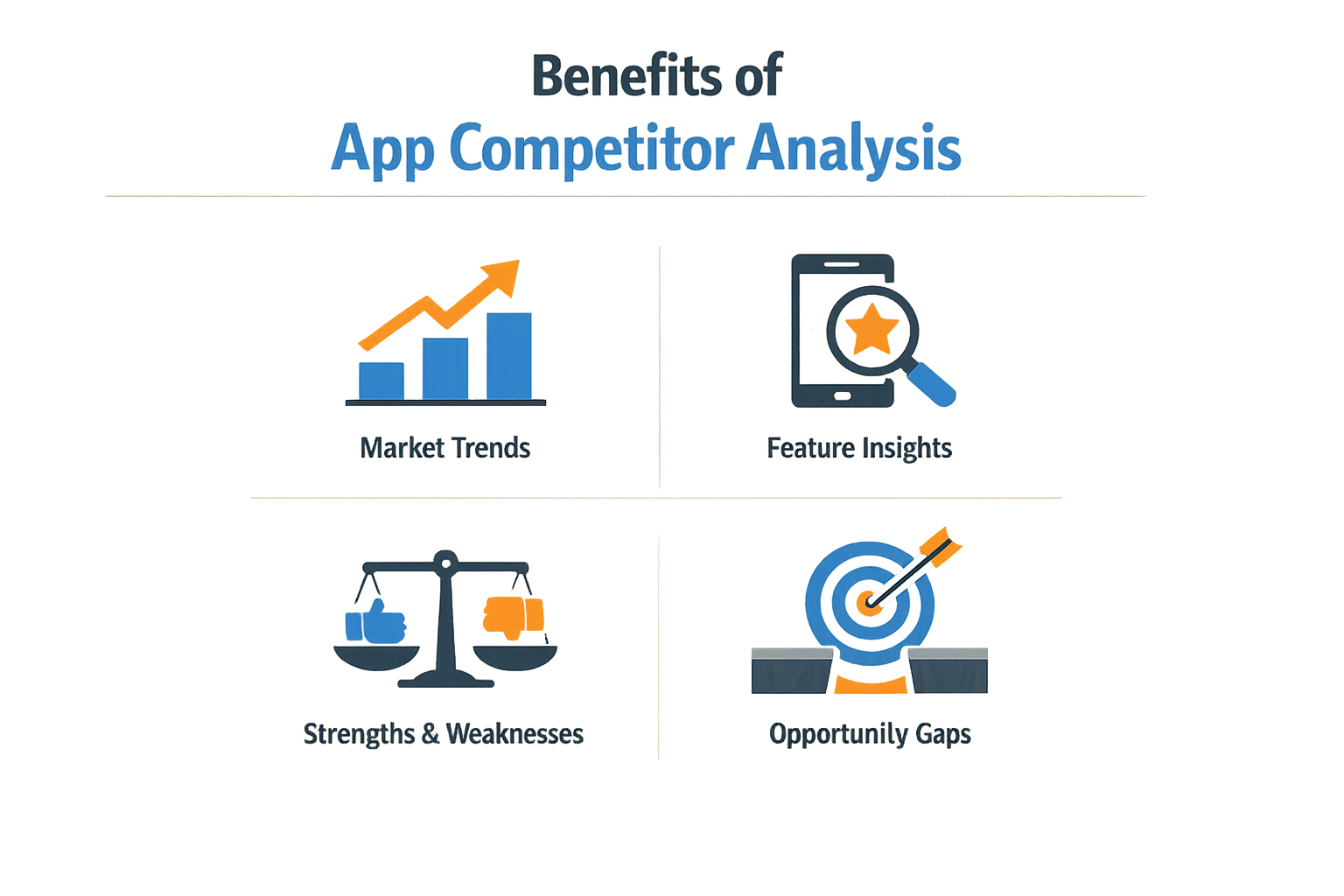
App competitor analysis is a structured process of gathering, organizing, and acting on intelligence about rival apps in your category. You research what competing apps do, how they perform, and where they leave gaps you can exploit.
Most developers skip this step. They spend months building a product, then discover weak demand or brutal competition after launch. The work was real; the market validation was missing.
Why App Competitor Analysis Matters
Competitor analysis tells you three things before you write code: whether real demand exists, how crowded the space is, and what users already expect as baseline features. If you launch without this context, you're guessing.
The process also surfaces opportunities. A competitor might dominate one niche but ignore adjacent use cases. Their reviews might reveal feature gaps or friction points you can solve cleanly. Intelligence like this shapes what goes into your PRD before you commit resources.
What You're Actually Looking For
When you analyze competitors, you're mapping the landscape: pricing models, core features, user complaints, update cadence, monetization strategies. You want to know what works, what doesn't, and where the white space is.
This isn't a one-time audit. Markets shift. A competitor that looked weak six months ago might have shipped the exact feature set you were betting on. Regular check-ins keep your strategy aligned with reality.
Free Tools for Competitor Analysis
Most competitor analysis tools charge hundreds per month. You don't need them. A handful of free platforms give you the same keyword rankings, download estimates, and ASO data the paid versions do—just with tighter rate limits and smaller historical windows. For early-stage founders validating an idea, those constraints don't matter.
ASO Platforms With Free Tiers
Sensor Tower and AppTweak both offer limited free accounts. Sensor Tower's free tier lets you run basic keyword searches and see which apps rank for a given term. You can filter by category and geography, then export a short list of competitors. AppTweak's free plan shows keyword difficulty scores and top-ranking apps per keyword, which is enough to spot low-competition terms your app could target.
Data.ai (formerly App Annie) provides a free "App Intelligence" dashboard that tracks competitor ASO changes. You can monitor when rivals update their app descriptions, swap screenshots, or adjust keyword lists. Set up a weekly check on three to five direct competitors; if they all shift toward a new keyword cluster in the same month, that's a signal the category is moving.
Manual Research Tools
The app stores themselves are free research platforms. Search your focus keyword in the App Store or Google Play, then scroll through the top twenty results. Note which apps use the keyword in their title, which bury it in the subtitle, and which rely on description text. Screenshot the first three screens of each competitor's listing page—icon, screenshots, feature bullets—and drop them into a comparison table. This takes thirty minutes and surfaces patterns paid tools miss.
| Tool | Best For | Free Limit |
|---|---|---|
| Sensor Tower | Keyword rankings by category | 5 searches/day |
| AppTweak | Keyword difficulty scores | 10 keywords/week |
| Data.ai | ASO change tracking | 3 apps monitored |
| App Store search | Visual listing comparison | Unlimited |
Google Trends and Keyword Planner cost nothing and show search demand outside the app stores. Cross-reference app-store keyword volume with web search trends; if a term is rising on Google but flat in ASO tools, competitors haven't noticed yet. That's your window.
For a structured approach to turning these insights into a buildable concept, see I Have an App Idea: The Ultimate Simple Guide for Founders.
Analyzing Competitor Apps
A repeatable process beats random snooping. Monthly reviews keep you current; quarterly deep dives catch structural shifts. The work compounds when you track the same metrics over time.
Build a Three-Source Baseline
One data point is a guess. Three is a pattern. Pull download trends from one source, keyword rankings from another, user reviews from a third. When all three agree, you have signal. When they diverge, you have a question worth answering.
Step 1
Track download velocity
Open your chosen analytics tool and note the seven-day and thirty-day download curves for each competitor. A flat line means stagnation. A spike means someone launched a feature or bought traffic. Record the numbers in a simple spreadsheet with dates.
Step 2
Map keyword positions
Identify the five keywords you care about most. Check where each competitor ranks for those terms. If a competitor moved up ten spots in two weeks, they either rewrote their store listing or changed their feature set. Both matter.
Step 3
Read recent reviews
Sort by newest first. Read twenty reviews per competitor. Note recurring complaints and recurring praise. Users tell you what works and what breaks. The ratio of feature requests to bug reports tells you whether the app is mature or fragile.
Establish a Monthly Cadence
Run the three-step process on the same day each month. The calendar reminder is non-negotiable. Consistency turns data into trends. Trends tell you when to move and when to wait.
Quarterly deep dives add context. Revisit pricing changes, new feature launches, and shifts in user sentiment. Compare your notes from three months ago to today. If a competitor added a paywall and downloads dropped, you learned something cheap.
For a structured approach to turning analysis into action, see What Is a PRD? A Plain-English Guide for Non-Technical Founders.
Key Factors to Consider in Competitor Analysis
Before forming an opinion, collect the same five data points every time: downloads, revenue estimates, store rankings, keyword ownership, and review sentiment. This checklist keeps you from chasing shiny outliers.
Core Metrics That Matter
Download performance shows traction. Revenue estimates reveal monetization health. App rankings indicate visibility. Publisher performance tells you whether the team ships consistently or got lucky once. Competitor trends separate noise from signal.
Historical depth matters more than most teams expect. You need 3+ years of historical data to separate seasonal blips from real trend shifts. A spike in December might be holiday traffic or a feature launch — the chart alone won't tell you which.
What to Track Beyond the Obvious
Keyword ownership shows where competitors actually rank, not where they hope to rank. Review sentiment reveals user pain faster than feature lists. A competitor with high downloads and angry reviews is bleeding users you can catch.
Publisher performance matters when evaluating staying power. A one-hit publisher and a portfolio team price risk differently. The portfolio team has infrastructure; the one-hit team might vanish after the next OS update.
The five-point checklist — downloads, revenue, rankings, keywords, sentiment — cuts through marketing noise and shows what users actually do.
For a structured approach to turning competitor insights into a buildable plan, see What Is a PRD? A Plain-English Guide for Non-Technical Founders.
Comparison Framework
| Factor | Why It Matters | Typical Lag |
|---|---|---|
| Downloads | Shows traction | 1–7 days |
| Revenue | Reveals monetization | 7–30 days |
| Rankings | Indicates visibility | Real-time to 24h |
| Keywords | Maps search ownership | 1–3 days |
| Sentiment | Flags user pain | Real-time |
Lag time tells you how stale your snapshot is. Real-time rankings let you react fast; month-old revenue estimates don't.
Direct Comparison of Strategies
Different competitor analysis strategies yield different insights. The approach you pick depends on what you need to learn and how much time you have.
Manual Review vs. Tool-Driven Analysis
Manual review means installing competitor apps, clicking through every screen, and taking notes. You see the actual user experience—onboarding flows, paywalls, feature placement. It's slow but catches details tools miss.
Tool-driven analysis pulls data at scale. SimilarWeb shows traffic sources and user acquisition channels. App store scrapers track keyword rankings across hundreds of apps. You trade granular UX insight for breadth and speed.
Most effective approach: use tools to identify patterns, then manually review the top three competitors. Tools tell you where to look; manual review tells you why it works.
Keyword Strategy Comparison
Competitors reveal their priorities through keyword bidding. Calm was consistently bidding on keywords like "sleep aid" and "anxiety relief", while Headspace focused on "mindfulness for beginners". Those choices signal target audience and monetization strategy.
Track competitor keywords monthly. Sudden shifts—new keyword clusters, dropped terms—indicate product pivots or new feature launches. If a competitor stops bidding on a high-value term, that's either a budget cut or a strategic retreat.
User Acquisition Tactics
Understanding competitor strategies, user acquisition tactics, and product evolution is essential for sustained growth in a crowded app market. Some apps rely on organic App Store Optimization. Others run paid campaigns across Google, Facebook, and TikTok.
Access SimilarWeb's "User Acquisition Channels" tab to uncover competitor advertising strategies and traffic sources. Compare organic vs. paid traffic ratios. If a competitor gets 80% organic traffic, their ASO is working—study their screenshots, description, and keyword strategy. If they're 70% paid, check which ad networks they use and estimate their CAC tolerance.
For more on turning competitive insights into a concrete plan, see What Is a PRD? A Plain-English Guide for Non-Technical Founders.
| Strategy | Best For | Limitation |
|---|---|---|
| Manual app review | UX details, onboarding flows | Time-intensive, small sample |
| Tool-driven keyword tracking | Market positioning, trend detection | Misses qualitative context |
| Traffic source analysis | User acquisition cost estimation | Requires paid tool tier |
Review Sentiment and Feature Requests
App store reviews tell you what users want and what competitors aren't delivering. Sort by recent one-star and two-star reviews. Repeated complaints about missing features are product gaps you can fill.
Three-star reviews are the most useful. Users like the app enough to keep it installed but hit friction points. Those friction points are your opportunity.
Compare review sentiment across competitors. If every app in the category has complaints about the same issue, that's a category-level problem—solve it and you differentiate immediately.
Recommendations for Generating App Ideas

Competitor analysis doesn't just show you what exists. It shows you what's missing. The gap between what users want and what competitors deliver is where new app ideas live.
Look for Missing Features
Identifying missing features, underserved audiences, and emerging trends through app competitive analysis can reveal market opportunities for new products. When you review competitor apps, note what users complain about in reviews. If five meditation apps all lack a feature users keep requesting, that's a signal.
Missing features fall into two categories: things competitors tried and abandoned, and things nobody built yet. The second category is safer. The first usually has a reason.
Expand Your Competitor Definition
For a meditation app, competitors might include not just other meditation apps, but also sleep trackers or productivity tools that offer a 'focus mode.' Users solve the same problem with different tools. If your app can consolidate two separate workflows, you've found an angle.
This broader view surfaces adjacent markets. A note-taking app competes with task managers, voice recorders, and email drafts. Each adjacent category suggests a feature set or positioning strategy.
Target Long-Tail Keywords and Niches
Focus on long-tail keywords (3+ words) for niche targeting, as they often have higher conversion intent and lower competition than broad terms. A keyword like "meditation app" is saturated. "Meditation app for shift workers" or "quick meditation between meetings" narrows the field and clarifies the product.
Long-tail keywords map directly to underserved audiences. If competitors optimize for broad terms, you can own a niche by building features those broad apps ignore. Shift workers need session lengths that fit break schedules. Remote workers need desktop integrations, not just mobile.
Validate Ideas Before Building
Once you identify a gap, validate it before writing code. Check if the gap exists because nobody wants the feature or because it's hard to monetize. User interviews and landing page tests cost less than a failed build.
If you're ready to move from analysis to execution, I Have an App Idea: The Ultimate Simple Guide for Founders walks through the next steps.
Common Mistakes to Avoid in Competitor Analysis
App competitor analysis fails when you treat it like a one-time research project instead of an ongoing discipline. The average mobile app loses 77% of its daily active users within the first three days of installation—most of those losses trace back to preventable planning errors. Avoiding common pitfalls keeps your analysis sharp and your product decisions grounded.
Building Before Validating Demand
Many developers spend months building products only to discover weak demand or intense competition after launch. You skip the analysis step because the idea feels obvious, or you convince yourself that execution matters more than research. It doesn't. Run the competitor scan first—if you find ten established apps solving the same problem with mediocre reviews, you've learned something valuable before writing a single line of code.
Copying Features Without Understanding Context
Seeing a competitor's feature list and replicating it wholesale ignores why those features exist. A top-ranked productivity app might include social sharing because their user base skews corporate; your solo-user tool doesn't need it. Study the why behind each feature—user reviews, update notes, and support threads reveal whether a feature solved a real problem or checked a box for investors.
For a clearer view of how to move from analysis to execution, see What Is a PRD? A Plain-English Guide for Non-Technical Founders.
Ignoring Indirect Competitors
Focusing only on apps with identical feature sets misses the broader competitive landscape. Users solve problems with whatever works—spreadsheets, browser bookmarks, paper notebooks. If your task-management app competes with Google Sheets templates, you need to understand why users tolerate spreadsheet friction instead of adopting a dedicated tool. Indirect competitors often reveal unmet needs that direct competitors overlook.
Treating Analysis as a One-Time Event
Competitor landscapes shift. Apps get acquired, pivot, or shut down. User expectations evolve as new interaction patterns become standard. Running analysis once during planning and never revisiting it leaves you blind to market changes. Schedule quarterly reviews—track competitor updates, new entrants, and shifting review sentiment. The work compounds; each review takes less time because you're tracking deltas, not starting from zero.
The cheapest competitor insight is the one you gather before your users tell you they switched to someone else.
Overweighting Ratings and Underweighting Reviews
A 4.2-star app tells you almost nothing. The text reviews tell you everything—what users love, what breaks, what they wish existed. Skimming top reviews and assuming you understand sentiment is lazy. Read the one-star and three-star reviews; they're specific about failures. Read recent reviews, not just top reviews; they reflect the current product, not the version from two years ago. Filter by verified purchases when possible.
Misinterpreting Pricing Signals
Seeing competitors charge $9.99/month and setting your price at $8.99 to undercut them assumes price is the primary decision factor. It rarely is for apps solving real problems. Users pay for reliability, support quality, and feature completeness. If competitors cluster around a price point, it often signals market-tested willingness to pay—not a ceiling to beat. Underpricing signals lower quality unless you have a clear cost-structure advantage.
Skipping Small or Niche Competitors
The app with 50 reviews and a 4.7-star rating often has better product-market fit than the one with 10,000 reviews at 3.9 stars. Small competitors move faster, listen closer to users, and experiment with features the big players can't justify. They're also easier to analyze—smaller user bases mean tighter feedback loops and clearer feature prioritization. Don't dismiss them because they lack scale; study what keeps their users loyal.
Future Trends in App Competitor Analysis
App Competitor Analysis is shifting from snapshot reviews to continuous monitoring. The tools are getting smarter, the data is getting deeper, and the expectations are rising. If you're planning an app in 2025 and beyond, understanding where the practice is headed helps you avoid building on yesterday's assumptions.
Deeper Historical Context Becomes Table Stakes
Most teams look at the last six months and call it research. That window misses seasonal patterns, feature launch cycles, and the slow grind of retention curves. Historical depth matters more than most teams expect — separating seasonal blips from real trend shifts requires three-plus years of historical data. Free tools won't give you that range, but knowing the gap exists changes how you interpret what you do see. When a competitor's rating jumps in Q4, you need to know if that happens every December or if something structural changed.
Subscription Economics Drive Analysis Focus
The mobile app market is consolidating around recurring revenue. Global mobile app market revenue was projected to hit over $600 billion, with subscription models driving significant growth. That shift changes what you measure. Download counts matter less than trial-to-paid conversion, churn cohorts, and lifetime value proxies. Competitor analysis increasingly means reverse-engineering pricing tiers, free trial lengths, and paywall placement from user reviews and publicly visible plan structures.
When users complain about a competitor's paywall in reviews, you're seeing a pricing experiment in real time. Track those complaints over weeks — if they taper off, the competitor found a tolerable threshold. If they spike and stay high, there's an opening.
AI-Assisted Feature Extraction
Manually reading 500 reviews to find feature requests is slow. Tools are starting to cluster feedback automatically, surfacing repeated pain points and desired capabilities without the grind. The free tier of these tools is limited, but the direction is clear: competitor analysis will lean on natural language processing to summarize what users actually want versus what the app delivers.
This doesn't replace judgment. AI summaries miss sarcasm, underweight edge cases, and can't tell you if a feature request is economically viable. But they compress the grunt work, letting you spend more time on the decision layer. For a detailed breakdown of how to structure your app planning process, see What Is a PRD? A Plain-English Guide for Non-Technical Founders.
The best competitor insight in 2026 won't be "what they built" — it'll be "what their users wish they'd built instead."
Cross-Platform Behavioral Tracking
Users don't live on one platform. A competitor might have a polished iOS app and a neglected Android version, or vice versa. Emerging analysis methods track feature parity gaps and user sentiment divergence across platforms. If a competitor's Android reviews mention missing features that iOS users take for granted, you're looking at a prioritization choice — or a resource constraint. Either way, it's a wedge.
Free tools still silo by platform, but the trend is toward unified dashboards that show you where competitors are stretched thin. That visibility turns into targeting decisions: build where they're weak, or compete where they're strong and hope your execution is tighter.
Real-Time Competitive Alerts
Static analysis dies the moment a competitor ships an update. The next wave is continuous monitoring: alerts when a competitor changes pricing, drops a new feature, or sees a rating spike. Some of this exists today in paid tools; the free tier is catching up slowly. The implication is that competitor analysis becomes an ongoing discipline, not a one-time research phase before launch.
Set up Google Alerts for competitor app names, check their app store pages weekly, and subscribe to industry newsletters that track major updates. It's manual now, but the infrastructure for automation is being built.
Conclusion
App competitor analysis is not a one-time project — it's a repeatable process that keeps your product decisions grounded in market reality. The free tools and methods outlined in this guide give you everything you need to validate ideas, spot gaps, and avoid building into saturated markets.
The core workflow is simple: identify direct competitors, collect screenshots and reviews, map their features and pricing, then look for unmet demand or underserved segments. Apps that conduct regular competitive analysis see measurably better store conversion rates, and many developers spend months building products only to discover weak demand or intense competition after launch.
Start with a single competitor. Download their app, read fifty reviews, and write down three things they do well and three gaps you notice. That exercise alone will surface more actionable insight than most formal research reports.
If you're ready to turn those insights into a working product, Vibe Coding for Beginners: The Ultimate Easy Weekend Guide walks through the fastest path from idea to prototype using AI-assisted tools.
The best competitor analysis is the one you actually finish. Keep it lean, keep it regular, and use what you learn to ship faster.