
PRD Checklist: 12 Essential Questions for the Best Product Review
Introduction
Why a PRD Checklist Matters
A Product Requirements Document defines what you are building, who it is for, why it matters, and how success will be measured. It is not a technical specification. It tells the team what problem is being solved and what a successful outcome looks like.
Most failed builds trace back to skipped questions. You assume the developer knows what "simple login" means. You skip edge cases because they feel obvious. You launch without defining what success looks like. A PRD Checklist forces you to answer the hard questions before the first commit.
I have seen founders spend weeks building features that solve the wrong problem because they never wrote down who the user was or what job the feature was supposed to do. A checklist is not bureaucracy — it is insurance against building the wrong thing. For more on turning ideas into structured plans, see What Is a PRD? A Plain-English Guide for Non-Technical Founders.
What This Guide Covers
This article walks through 20 questions organized into a practical PRD Checklist. Each question is designed to surface assumptions, clarify scope, and align your team before development starts. You will learn how to use the checklist effectively, avoid common mistakes, and customize it for different project types.
The goal is simple: answer these questions before you build, and you will save time, money, and stress.
Use this PRD checklist to ensure a thorough review with 20 essential questions before you build.
Importance of a PRD Checklist
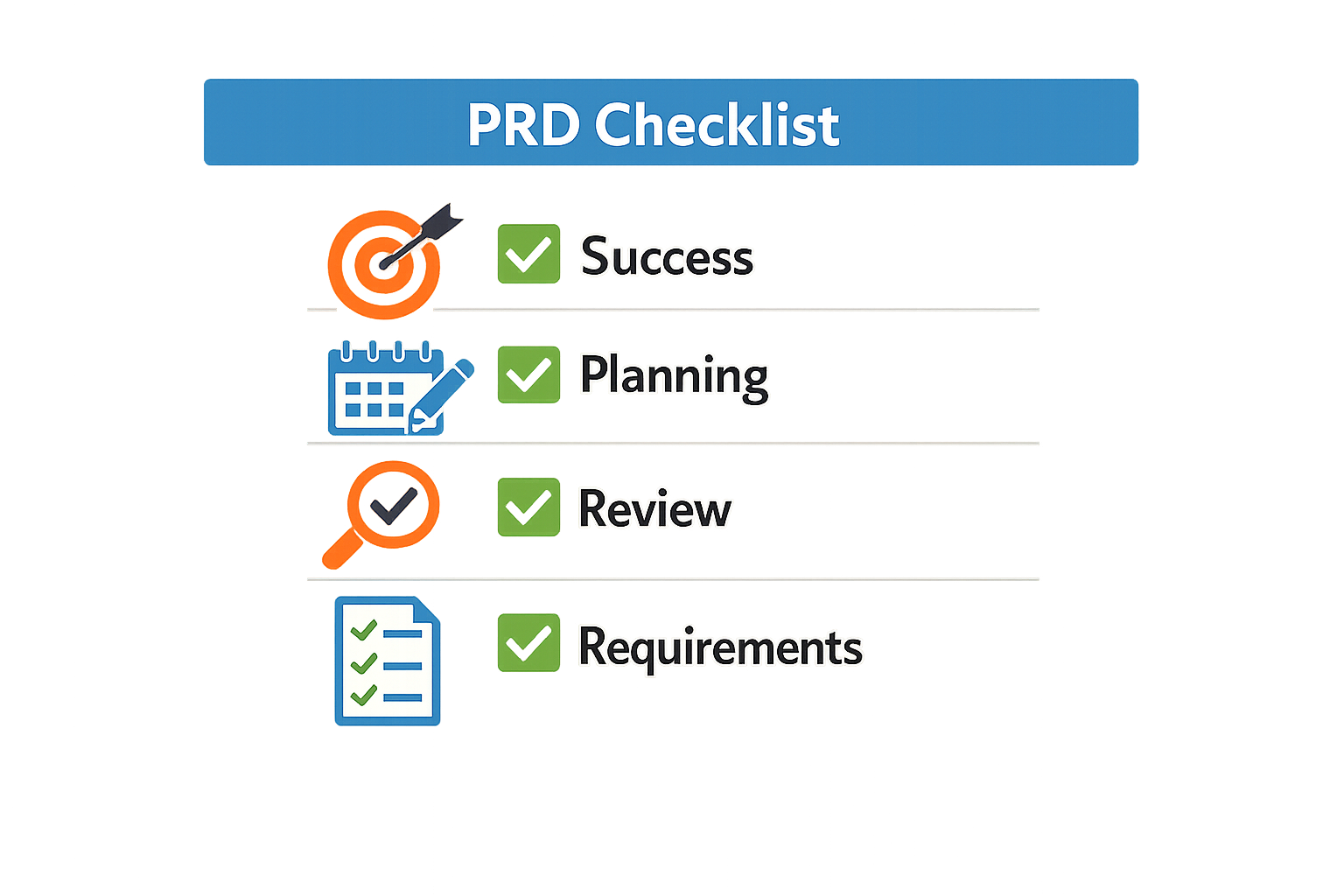
Most PRDs fail before a single line of code ships. The document gets written, circulated, approved—then ignored. Engineers build something that vaguely resembles the original idea, stakeholders wonder what happened, and the founder realizes too late that the PRD was written for the wrong audience.
A PRD checklist fixes this by forcing you to answer the questions that expose weak thinking before it becomes weak code. The checklist is not a formality. It is a filter that separates documents engineers will actually use from documents that exist only to satisfy process.
Why Most PRDs Fail Without a Checklist
PRDs fail because they are written for stakeholders instead of engineers. A document optimized for executive approval reads well in a meeting but offers no guidance when the developer hits an edge case at 11 PM. The checklist reorients the document toward the person who will build it.
Vague requirements are the second killer. When a PRD says "the system should be fast" or "users want flexibility," the engineer is left to guess. Vague requirements lead to misinterpretations, rework, and code that technically meets the spec but solves the wrong problem. A checklist that includes what is a PRD forces you to define terms, specify thresholds, and name the trade-offs.
What a Checklist Actually Prevents
The checklist prevents thinking problems, not writing problems. If you have not decided what happens when two users edit the same record, no amount of polish will save the PRD. The checklist surfaces these gaps early, when the cost of answering them is a few hours of thought instead of a few weeks of rework.
It also prevents scope creep by making every feature justify its presence. If a feature cannot answer "what breaks if we skip this?" it does not belong in version one. The checklist is a no-validator, not a yes-validator.
A review that ends without a decision is not a review—it is a postponement.
Key Questions to Include in Your PRD Checklist
A PRD Checklist works when it forces you to answer hard questions before you write code. The right questions surface gaps early — missing user flows, undefined success metrics, unspoken assumptions that turn into rework later. Below are the essential questions organized by category.
Goals and Non-Goals
Start with measurable outcomes. Ask: What specific metric improves if this feature ships? A goal like "better user engagement" means nothing; "reduce onboarding drop-off from 40% to 25% in 30 days" is testable. Then define non-goals — the hard boundaries that keep scope from creeping. If you're building a login flow, explicitly state "password reset via SMS is a non-goal for v1." Non-goals protect the schedule.
Core Features and MVP Scope
List only the features required for the product to solve the stated problem. Ask: What is the smallest set of capabilities that lets a real user complete the core workflow end-to-end? Everything else goes into a backlog, not the PRD. For each feature, write a one-sentence description and a pass/fail acceptance criterion. If you can't write a clear pass/fail test, the feature definition is too vague.
User Flow and Edge Cases
Map the step-by-step path a user takes from entry to completion. Ask: What happens when the user clicks this button? What if the API call fails? What if they navigate away mid-flow? Edge cases expose missing error states, loading states, and rollback logic. A PRD that skips edge cases hands the developer a half-drawn map.
Data, Roles, and Integrations
Define what data the feature creates, reads, updates, or deletes. Ask: Where does this data come from? Who owns it? What permissions apply? If the feature touches an external API or service, specify the integration point, expected latency, and fallback behavior. Missing data definitions are the most common source of mid-build rewrites.
Success Metrics and Acceptance Criteria
Every feature needs a measurable definition of done. Ask: How will we know this feature works? What does "works" mean in production, not just in a demo? Acceptance criteria should be binary — either the feature passes or it doesn't. Vague criteria like "feels responsive" turn into arguments during QA. If you're building a vibe coding workflow, tighten the criteria even more — AI tools drift when the target is fuzzy.
A PRD that answers these questions before the first commit saves more time than any tool or framework.
Open Questions and Assumptions
End the checklist by listing what you don't know yet. Ask: What assumptions are we making that could be wrong? What decisions are we deferring? Writing "we assume the third-party API has 99% uptime" forces you to verify that claim or build a fallback. Open questions signal where to focus research before locking the spec.
How to Use the PRD Checklist Effectively
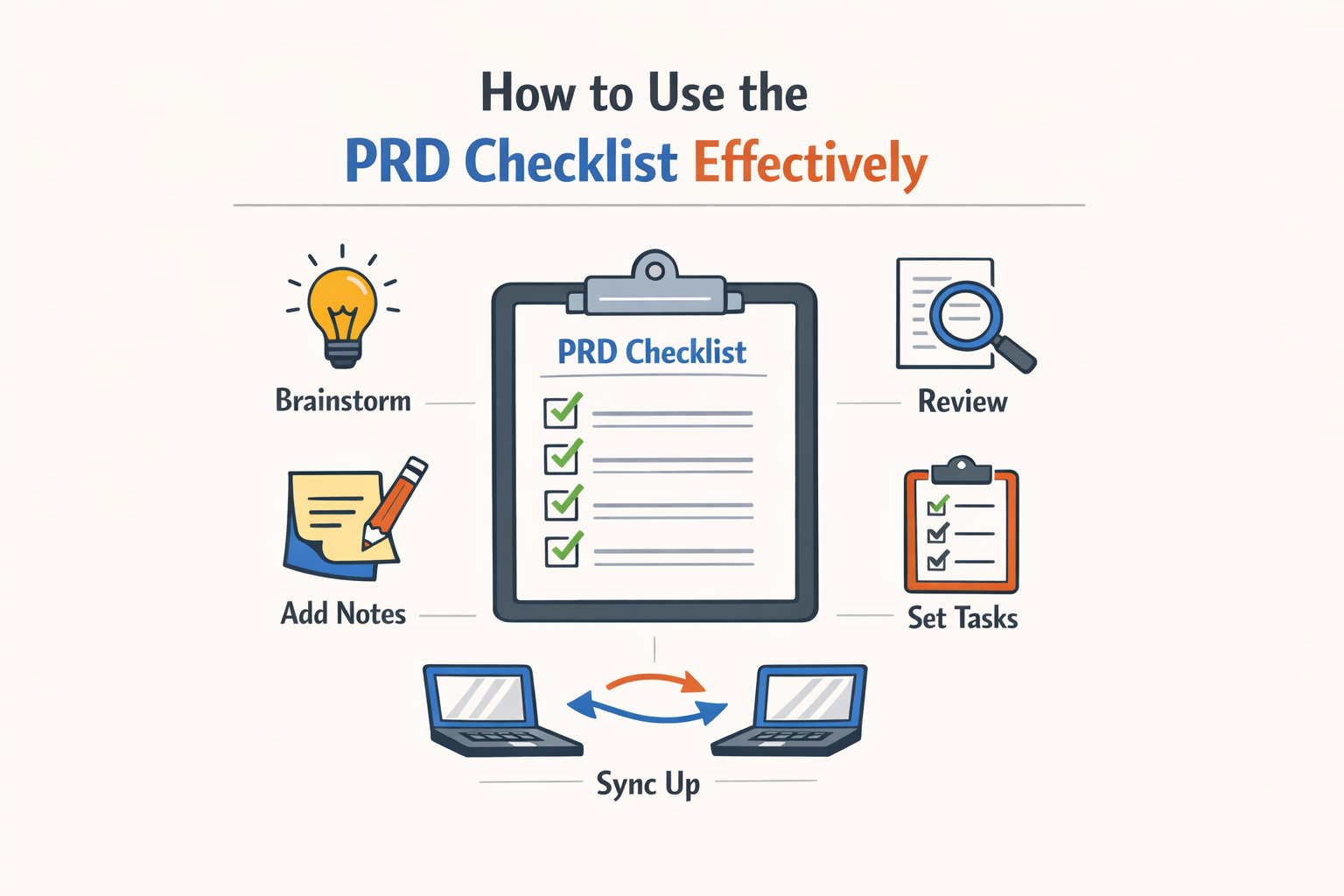
A checklist is only useful if it ends with a decision. Ship, revise, or rethink — pick one before you close the review. Otherwise you're just collecting observations.
Run the checklist before you write code, not after. The moment a developer opens a file, every missing detail becomes a guess. Those guesses compound. By the time you're debugging, you're fixing the PRD and the code at the same time.
Work Through the PRD Checklist in Order
Start at the problem statement. If that's fuzzy, the rest doesn't matter. Then move to success metrics — if you can't measure it, you can't know when you're done. Only after those two are solid should you touch acceptance criteria.
Acceptance criteria should describe observable outcomes, not intentions. "User can upload a file" is testable. "User has a good experience uploading" is not. Write criteria that a QA engineer or an AI can verify without asking you what you meant.
If a section of the PRD triggers more than two checklist failures, stop. Revise that section before you continue. Piling up issues and addressing them later means you're reviewing a draft that's already internally inconsistent.
Assign One Owner Per Review
The person who runs the checklist is the person who makes the call. If you're the founder, that's you. If you're delegating, delegate the decision too — otherwise the review becomes a negotiation instead of a gate.
For teams, the owner walks through the checklist with the PM or lead developer in the same session. Async reviews turn into comment threads that never resolve. Sit together, work the list, make the call.
Use the PRD Checklist as a Handoff Gate
No PRD moves to development until it passes the checklist. This isn't bureaucracy — it's a forcing function. If the checklist reveals gaps, those gaps would have appeared as bugs or scope creep later. Better to find them now when the cost is rewriting a paragraph instead of rewriting a feature.
For more on structuring your build process from idea to launch, see What Is a PRD? A Plain-English Guide for Non-Technical Founders.
Track which checklist items fail most often. If "success metrics are measurable" fails three PRDs in a row, your problem isn't the checklist — it's that you're not defining success up front. Fix the root cause, not the symptom.
Common Mistakes to Avoid in PRD Reviews
Most PRDs fail because they're written for stakeholders instead of engineers. The document gets approved, filed, and never opened again during development. The mistake is treating the review as a sign-off ritual rather than a functional test of whether the engineer has what they need.
Writing for the Wrong Audience
If your PRD reads like a pitch deck, it's already broken. Engineers need concrete decisions, not business rationale. The review should catch any section that explains why the feature matters to investors instead of what the feature does and how edge cases resolve. A good PRD answers the builder's questions before they're asked.
Treating the PRD as a Static Spec
The biggest mistake founders make is locking the PRD after approval. A PRD should focus on the problem and desired outcome, not implementation details. When you treat it as a frozen contract, you force the team to either ignore it or waste time on change-request theater. The review should confirm the problem is clear and the success criteria are measurable — not that every button is specified.
I've seen teams spend more time debating PRD amendments than building. The document exists to reduce decisions during development, not create a paper trail. If your review process requires formal approval for every clarification, you've turned a working doc into a legal doc.
Skipping the "What If" Pass
Most reviews focus on the happy path. The fatal errors live in the edge cases no one asked about. What happens when the user uploads a 10 MB file? What if they hit submit twice? What if the third-party API is down? A thorough review walks through failure modes explicitly. If the PRD doesn't answer these, the engineer will answer them at 11 PM on a Tuesday, and the answer will be whatever was fastest.
The review should catch what's missing, not just approve what's present.
Ignoring Scope Creep in Plain Sight
The most dangerous additions are the ones that sound small. "Just add a dropdown for user preferences." "Can we also let them filter by date?" Each sounds reasonable in isolation. The review is where you catch the 8 reasonable additions that collectively double the build time. If the PRD grew by 30% during review, you didn't clarify — you expanded. Go back and cut.
For more on keeping early builds tight, see What Is a PRD? A Plain-English Guide for Non-Technical Founders.
Confusing Completeness with Length
A 12-page PRD isn't more complete than a 3-page PRD. Length is a smell. If the review keeps adding sections to "be thorough," you're documenting instead of deciding. The review should trim, not pad. Every paragraph should answer a question the builder will actually have. If it doesn't, delete it.
Real-World Examples of PRD Checklists
Most PRD checklists look the same on paper. The difference shows up when you see what actually got shipped. A worked example from a real SSO checkout feature shows the author listing the problem, writing user stories, defining acceptance criteria, and flagging one open question for the data team. That's the shape: problem, stories, criteria, open questions. No decoration.
What a Complete PRD Template Looks Like
The SSO checkout example starts with a one-paragraph problem statement. Then three user stories in the "As a [role], I want [action], so that [outcome]" format. Acceptance criteria follow as a bullet list—seven items, each testable. The open question goes at the bottom: "Data team: can we track partial completions in the current schema, or do we need a new table?" The whole document is two pages. The review took 20 minutes because every question had a place to land.
Another pattern: the review that ends with a decision. A PRD checklist that produces findings without a ship/revise/rethink verdict just creates a second meeting. The best real-world checklists force a binary at the end: "Does this answer the 12 questions well enough to start building?" If yes, you ship. If no, you mark the blockers and reconvene in 48 hours. The decision is the output, not the list of findings.
Adapting Examples to Your Context
The SSO example works because the team already agreed on the 12 questions. If you're starting from scratch, pick three questions from the full list that killed your last project. Those three become your pilot checklist. Run it on the next PRD. If it catches the failure mode, keep it. If it misses, swap one question. After three PRDs, you'll have a checklist that reflects your actual risks, not a generic template.
The format matters less than the forcing function. Some teams use a Google Doc with checkboxes. Others use a Notion database with a status column. The mechanism is: no green checkmark, no build kickoff. That's the real-world pattern—compliance is the gate, not the artifact.
Customizing Your PRD Checklist for Different Projects
No two projects are identical. A PRD Checklist that works for a greenfield SaaS product will miss critical questions for a hardware integration or a regulated fintech feature. The core structure stays constant — objectives, user stories, scope, success metrics — but the emphasis and detail shift based on project type, team size, and risk profile.
Adjust Depth Based on Project Complexity
A weekend prototype needs a lighter checklist than a multi-quarter platform rebuild. For small experiments, focus on the problem statement, one primary user story, and explicit out-of-scope boundaries. For larger initiatives, expand the checklist to cover edge cases, rollback procedures, and cross-team dependencies. The out-of-scope section is the most skipped and the most important — if your PRD does not specify what will not be built, the AI coding tool may add features that were not intended.
Tailor Questions to Domain Constraints
Regulated industries require compliance checkpoints that consumer apps can ignore. Add questions about data retention policies, audit trails, and certification requirements when building for healthcare or finance. Hardware-integrated products need questions about physical constraints, API rate limits, and fallback behavior when devices go offline. Consumer-facing features demand clarity on accessibility standards and localization scope.
Scale the Checklist to Team Experience
Junior teams benefit from granular checklists that prompt every decision point. Experienced operators can work from a shorter list that focuses on the non-obvious tradeoffs. If you are working with an AI build tool, add questions about prompt clarity and expected model behavior — vague instructions produce vague output.
Integrating the PRD Checklist with Development Workflows
A PRD Checklist only works if it runs at the right moments in your workflow. The best teams use it three times: on your own draft before anyone else sees it, on someone else's draft before the review meeting, and on a shipped spec as a calibration exercise. Each pass serves a different purpose — self-editing catches obvious gaps, pre-meeting review surfaces real questions, and post-ship calibration teaches you what you missed.
Run the Checklist Before the Meeting
Most review meetings fail because the spec arrives raw. The author skipped the self-pass, reviewers scan it for the first time in the room, and everyone spends 40 minutes finding basic problems that should have been caught in draft. Run the checklist on your own work first. Fix the easy stuff — missing success metrics, vague scope, undefined edge cases — before you ask anyone else to read it. Then send the draft to reviewers with enough lead time for them to run the checklist independently. When the meeting starts, you're debugging real trade-offs, not typos.
Embed the Checklist in Your PRD Template
The easiest way to make the checklist stick is to build it into the document itself. Add a "Pre-Review Checklist" section at the top of your PRD template with yes/no checkboxes for each question. The author marks them off as they write; reviewers see which items were addressed and which were skipped. This turns the checklist from a separate artifact into part of the spec's structure. For teams using vibe coding workflows, embedding the checklist in the prompt template ensures the AI-generated draft includes answers to every question from the start.
Use the Checklist as a Calibration Tool
After you ship a feature, pull up the original PRD and run the checklist again. Mark which questions the spec answered well and which ones it missed. If you shipped without defining success metrics, note that. If edge cases surfaced in production that weren't in the doc, write them down. This post-ship pass is how you learn what your process actually needs. Over time, you'll notice patterns — maybe you always miss data migration concerns, or you underspecify error states — and you can weight those questions more heavily in future reviews.
Step 1
Self-review before sharing
Run the full checklist on your draft PRD before sending it to anyone. Fix obvious gaps — missing metrics, vague scope, undefined edge cases — so reviewers can focus on real trade-offs instead of basic completeness.
Step 2
Pre-meeting reviewer pass
Send the draft to reviewers with enough lead time for them to run the checklist independently. When the meeting starts, you're already past the easy findings and into the hard decisions.
Step 3
Post-ship calibration
After the feature ships, pull up the PRD and run the checklist again. Mark what the spec got right and what it missed. This feedback loop teaches you which questions your process consistently skips.
Make the Checklist a Gate, Not a Suggestion
If the checklist is optional, it won't get used. Treat it like a build gate: the spec doesn't move forward until the checklist is complete and the review ends with a decision. This doesn't mean every question needs a perfect answer — some PRDs will intentionally leave certain areas loose — but it does mean the author must acknowledge each question and explain why it's answered, deferred, or out of scope. That forcing function is what turns a checklist from a nice-to-have into a reliability tool.
Final Tips for PRD Reviews
A review that ends without a decision is just a list of findings. Every PRD review should close with one of three outcomes: ship, revise, or rethink. If you walk away without that call, the review failed.
Start by framing the problem before you evaluate the solution. If the PRD jumps straight to features without explaining what breaks today, send it back. No problem statement means no way to judge if the solution is right.
Make Success Metrics Measurable
Success metrics must be numbers you can track. "Improve user experience" is not a metric. "Reduce average task completion time from 90 seconds to 60 seconds" is. If you can't measure it, you can't know if you shipped the right thing.
Run through all eleven essential checks before you call the review done: problem framed, success defined, edge cases mapped, dependencies listed, rollback plan written. Miss one and you're guessing instead of building.
End Every Review With a Clear Decision
The final step is the decision. Ship means the PRD is complete and dev starts tomorrow. Revise means specific gaps need filling—list them. Rethink means the approach is wrong and the team needs to reframe the problem.
Document the decision and the reasoning. When someone asks why you shipped or delayed, the review notes should answer it. For more on turning planning into execution, see What Is a PRD? A Plain-English Guide for Non-Technical Founders.
Conclusion
A Product Requirements Document is the shared source of truth for what you are building, who it is for, why it matters, and how success will be measured. Without a systematic PRD checklist, teams ship features that solve the wrong problem or measure the wrong outcome. The 20 questions in this guide force clarity before code gets written.
I've watched founders skip the checklist step because it feels like overhead. Then they discover halfway through development that nobody agreed on what "done" looks like. The PRD checklist is not bureaucracy — it is insurance against building the wrong thing twice.
Use the checklist every time. Adapt it to your project size and team structure, but do not skip sections because they feel obvious. The obvious questions are the ones teams assume someone else answered. Run the full review before you commit resources, and you will catch gaps while they are cheap to fix.
If you are new to structured planning, start with What Is a PRD? A Plain-English Guide for Non-Technical Founders to build confidence in the format. Then apply this checklist to every feature, every sprint, every build. The time you spend on a thorough PRD review is time you do not spend rewriting code that missed the brief.
Related reading
ChatPRD Alternatives: 10 Best Tools for Effortless Product Management
Is My App Idea Good? 10 Essential Questions for Easy Validation