ChatPRD Alternatives: 10 Best Tools for Effortless Product Management
Introduction
ChatPRD carved out a clear niche: it turns product ideas into short, readable PRDs that product managers can hand to stakeholders. It does not generate technical documents. It does not work outside the US. It does not support languages other than English.
Those constraints matter. If you ship features to international markets or work with distributed teams, ChatPRD's design becomes a blocker rather than an accelerator. The same limitation applies if your engineering team needs more than a stakeholder summary — detailed technical specs, API contracts, or implementation-ready documentation.
This comparison examines five tools that address those gaps. Some prioritize multi-language support. Others focus on technical depth. A few bridge the gap between product requirements and vibe-coding workflows, letting non-technical founders move from PRD to prototype without a handoff. Each tool makes different trade-offs; understanding those trade-offs is the point of this article.
The sections ahead break down features, pricing, and user experience, then map each tool to the teams most likely to benefit. No tool is universally better — the goal is to match your workflow constraints to the tool that handles them cleanly.
Discover top chatprd alternatives in our comparison of features and benefits.
Understanding ChatPRD Alternatives
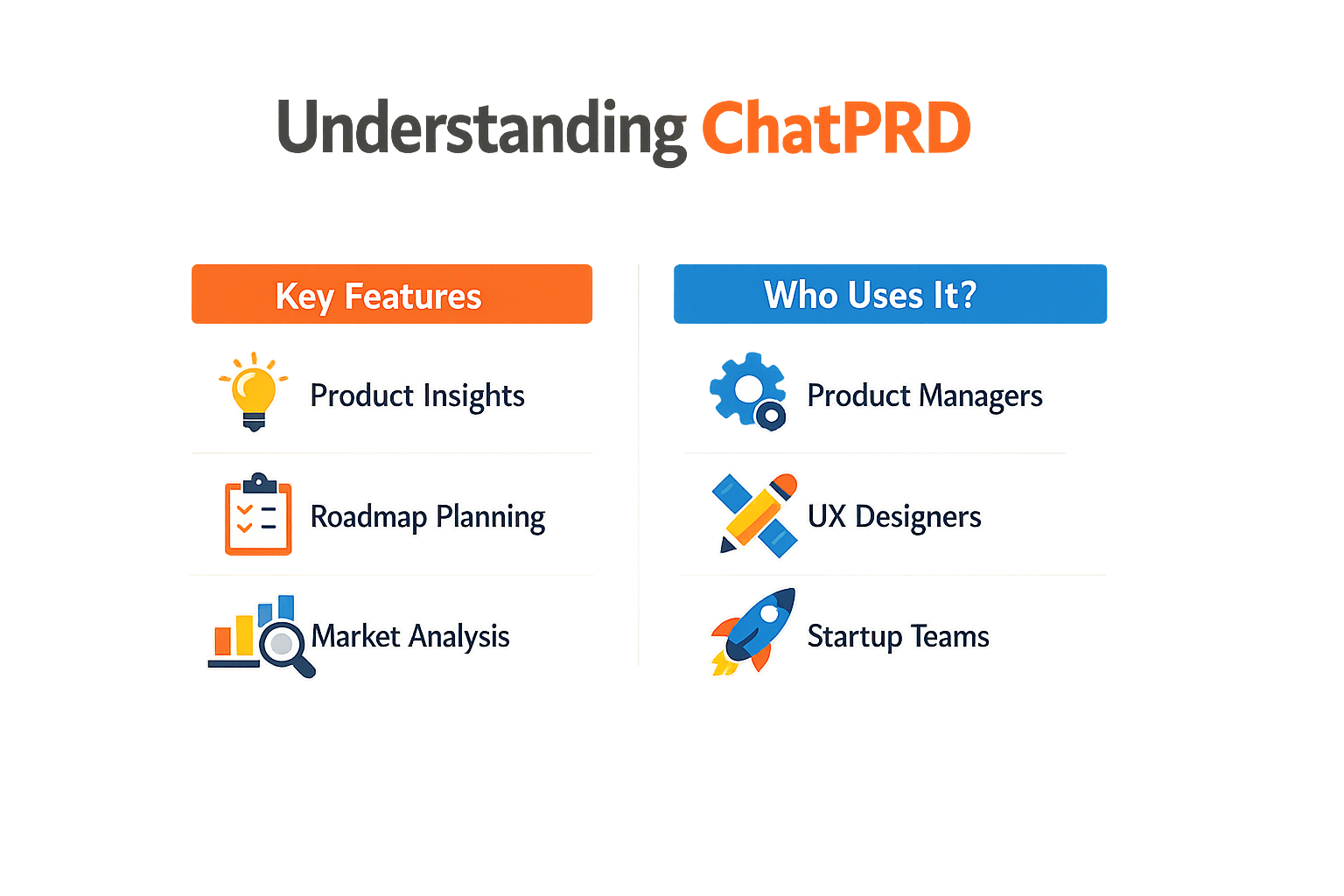
ChatPRD is an AI PRD generator that turns a short product brief into a structured product requirements document. The tool uses a language model to produce problem statements, goals, user stories, requirements, and acceptance criteria. It targets product managers who need human-readable PRDs for stakeholder communication, not technical documents for engineering handoff.
Why Teams Look Beyond ChatPRD
ChatPRD works well for producing short English PRDs, but its design limits who can use it. The tool is US-only and English-only, which makes it unsuitable for non-US teams or projects that need multilingual support. If your team operates outside the US or serves international markets, you hit a wall immediately.
The tool also assumes you want a document for humans to read, not a spec that feeds directly into code or design tools. If your workflow depends on integration with task trackers, design systems, or development environments, ChatPRD leaves that work manual. Teams that need more than a static document start shopping for alternatives that handle localization, technical depth, or tool integration.
What Alternatives Offer
Alternatives to ChatPRD address gaps in geography, language, output format, and workflow integration. Some tools generate technical specs alongside stakeholder PRDs. Others support multiple languages or connect directly to project management platforms. The right alternative depends on whether you need international support, deeper technical output, or tighter integration with your existing stack. For founders starting from scratch, understanding what a PRD is helps clarify which tool fits your workflow.
Top ChatPRD Alternatives
Five tools stand out when you need to generate PRDs without ChatPRD. Each solves a different constraint.
ChatGPT and Claude
General-purpose models work if you bring your own structure. ChatGPT and Claude both handle PRD generation when you feed them a solid prompt. No specialized templates, no workflow rails — you write the instructions, they write the document. The upside is flexibility. The downside is you're responsible for every structural decision, and the output quality tracks directly to your prompt engineering skill.
Scope
Scope is an AI copilot built specifically for product teams in the EU. It generates PRDs, scoping briefs, and RFP drafts from a single input session. The tool is designed for teams that need multiple output formats from one requirements conversation, and it's hosted in EU infrastructure for compliance-sensitive environments.
Dovetail
Dovetail leads in research repository tooling with AI-powered tagging and analysis. If your PRD process starts with user research synthesis, Dovetail becomes your system of record. It's not a PRD generator in the ChatPRD sense — it's a research-to-insight pipeline that feeds the requirements process upstream.
Kraftful
Kraftful focuses exclusively on product feedback analysis. It's lighter and cheaper than full research platforms, built for teams drowning in qualitative data who need to extract signal fast. If your PRDs are driven by customer feedback loops rather than greenfield planning, Kraftful slots in as a pre-requirements filter.
| Tool | Primary Focus | Best For |
|---|---|---|
| ChatGPT / Claude | General AI | Custom workflows, prompt control |
| Scope | Multi-format output | EU teams, compliance needs |
| Dovetail | Research repository | Research-driven requirements |
| Kraftful | Feedback analysis | Feedback-heavy product cycles |
If you're starting from scratch and need a structured path, check out What Is a PRD? A Plain-English Guide for Non-Technical Founders to understand what these tools are actually producing.
Features Comparison
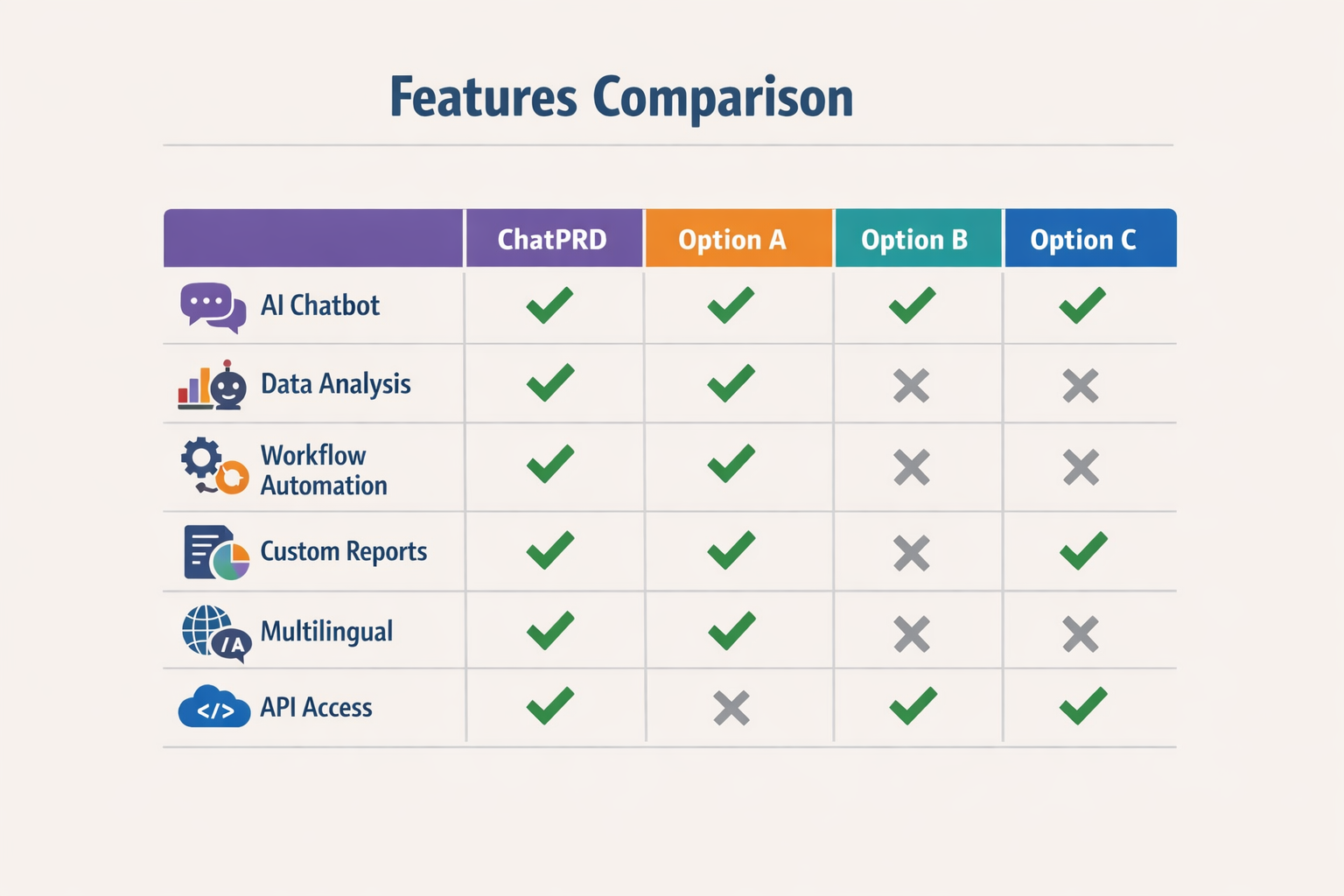
Speed separates tools that ship from tools that stall. Keeborg generates a full PRD in under 90 seconds. ChatPRD takes 5-10 minutes. ChatGPT needs 15-30 minutes of prompting and cleanup.
What a Real PRD Generator Should Include
A complete PRD tool produces user stories, explicit acceptance criteria, edge cases, priority levels, feature dependencies, and non-functional requirements. Generic chat tools output paragraphs. Purpose-built generators output structure.
| Feature | Keeborg | ChatPRD | ChatGPT | Notion AI | Claude |
|---|---|---|---|---|---|
| Time to complete PRD | <90 sec | 5-10 min | 15-30 min | 10-15 min | 10-20 min |
| User stories | Yes | Yes | Partial | Partial | Partial |
| Acceptance criteria | Explicit | Yes | Manual | Manual | Manual |
| Edge cases | Auto-generated | Limited | Prompt-dependent | No | Prompt-dependent |
| Priority levels | Yes | Yes | No | No | Partial |
| Feature dependencies | Yes | Limited | No | No | No |
| Non-functional requirements | Yes | Partial | No | No | Partial |
AI synthesizes feedback volume efficiently but misses the why behind user statements. When you ask ChatGPT to turn interviews into requirements, you get summaries. When you ask a PRD tool, you get acceptance tests.
Structured Output vs. Conversational Drift
Generic chat models require constant steering. You write a prompt, get prose, rewrite the prompt, get different prose. Tools built for PRDs ship templates that enforce the structure developers expect. If your PRD workflow depends on consistent output, pick the tool that defaults to structure.
The feature gap between specialized PRD generators and general-purpose AI is execution speed and output reliability. Chat models are flexible. PRD tools are repeatable.
Pricing Analysis
Pricing for ChatPRD Alternatives splits into three tiers: free tools that gate features, mid-range platforms that charge per seat, and enterprise suites that bundle PRD generation with broader product ops. The spread runs from zero to several hundred dollars per user per month, and the price tag rarely correlates with speed or output quality.
Free and Freemium Options
ChatGPT remains the baseline free option. You paste your feature idea, you get a draft PRD in 15–30 minutes of back-and-forth. No subscription required, but you pay in time and iteration cycles. The free tier caps context window and throttles requests during peak hours, which matters when you're generating multiple PRDs in a sprint.
Several specialized tools offer freemium tiers with hard limits on document count or team size. These work for solo founders validating an idea but hit walls fast once you scale past three or four active projects.
Mid-Range Subscription Tools
Keeborg and similar platforms price in the $20–$50 per user per month range. At that tier you get dedicated PRD templates, faster generation (under 90 seconds for Keeborg versus 5–10 minutes for ChatPRD), and integrations with issue trackers. The value proposition is time arbitrage: if a PM bills internally at $100 per hour, shaving 20 minutes off each PRD pays for the subscription in two documents.
Kraftful positions as a lighter, more affordable option focused on product feedback analysis rather than full PRD authoring. Teams drowning in qualitative data from user interviews find the narrower scope useful, but you still need a separate tool to turn those insights into a spec.
Enterprise and Platform Bundles
Productboard and similar platforms bundle AI PRD generation into broader product management suites at $50–$200+ per seat. You're not buying a PRD tool; you're buying roadmap visualization, stakeholder alignment workflows, and a single source of truth for product decisions. The AI component is table stakes now—72% of organizations use generative AI in some form—but the real cost is organizational buy-in and migration effort.
Enterprise pricing often includes custom templates, SSO, and audit trails. If you need to show a compliance officer exactly who edited which requirement and when, the premium tier stops being optional.
| Tool Type | Price Range | Best For |
|---|---|---|
| Free (ChatGPT) | $0 | Solo validation, low volume |
| Specialized freemium | $0–$20/user/month | Small teams, <5 PRDs/month |
| Mid-range subscriptions | $20–$50/user/month | Active PM teams, speed matters |
| Enterprise suites | $50–$200+/user/month | Orgs needing audit trails, integrations |
What You Actually Pay For
The subscription covers speed, template quality, and integration depth. A $30/month tool that cuts PRD time from 30 minutes to 90 seconds pays for itself if you ship more than two specs per month. The free option costs zero dollars and unknown hours; the paid option costs known dollars and near-zero hours. Choose based on whether your constraint is budget or calendar.
For a deeper look at how these tools fit into the broader build process, see What Is a PRD? A Plain-English Guide for Non-Technical Founders.
User Experience Insights
Real-world testing reveals sharp differences in how these tools handle PRD creation. ChatGPT produces fast, serviceable output — competent structure, minimal friction — but the prose feels generic. You get a document that checks boxes without offering strategic depth. For teams that need something presentable in thirty minutes, it works. For teams that need a PRD to drive hard decisions, it underwhelms.
Gemini stands out for organized structure and specificity. When asked to define user personas, it provides concrete behavioral characteristics and usage scenarios rather than vague demographic sketches. The output feels like someone thought about the problem instead of templating around it. If you're working solo or in a small team where the PRD doubles as your planning artifact, Gemini's clarity pays off.
The Synthesis Gap
AI tools excel at synthesizing large volumes of qualitative feedback — pull in fifty user interviews and they'll surface patterns faster than any human can. But they struggle with the deeper question: why users say what they say. A feature request might mask a workflow problem; a complaint about speed might really be about trust. The tools flatten nuance into bullet points, which means you still need judgment to interpret the output.
For teams already comfortable with vibe coding workflows, these tools slot in naturally — you're already used to iterating with an AI in the loop. For teams new to AI-assisted product work, expect a learning curve around prompt design and knowing when to override the output.
Recommendations: Who Should Choose What
Choosing the right PRD tool depends on what you're actually trying to fix. If you're drowning in blank-page paralysis every time you need to spec a feature, you need a prompt-driven generator. If your problem is that nobody reads the docs you write, you need something that outputs cleaner structure or integrates with where your team already lives.
For Solo Founders and Small Teams
If you're working alone or with 2–3 people, pick the tool that gets you from idea to shareable doc fastest. ChatPRD itself is built for this: you describe the feature in plain language, it gives you a structured PRD, you edit the parts that matter. The same logic applies to any alternative in this weight class—optimize for speed and clarity over enterprise features you won't use.
Aim for clear, understandable documentation rather than exhaustive detail. It's more important that your developer or co-founder grasps the essence of what's needed than that you've spelled out every edge case. Most solo projects fail because nothing ships, not because the PRD was missing a field.
For Mid-Market and Enterprise Product Teams
If you're managing multiple PMs, maintaining organizational memory matters. A purpose-built PM agent like Productboard Spark provides evidence-backed outputs and integrates with your existing product management stack. You're paying for continuity—context that survives when someone leaves or a project goes dormant for six months.
PMs who need a broader toolkit beyond document generation should consider alternatives like IdeaPlan, which includes additional PM tools. If your workflow involves roadmapping, prioritization frameworks, or stakeholder alignment on top of spec writing, a single integrated platform costs less in context-switching than stitching together three separate SaaS subscriptions.
For Teams Moving From Manual Processes
If you're currently writing PRDs in Google Docs or Notion with no template, any structured tool will feel like a step up. Start with the free tier of whichever alternative has the cleanest output format for your eyes. Import one real project, see if the generated structure makes your next review meeting shorter. If it does, you've found your tool.
For non-technical founders who need to communicate product vision to developers, understanding what a PRD actually is matters more than which tool you use to write it. The tool should disappear into the background; the clarity of your thinking is what ships features.
Common Questions about ChatPRD Alternatives
What exactly is an AI PRD generator?
An AI PRD generator turns a short product brief into a structured product requirements document. It outputs problem statements, goals, user stories, requirements, and acceptance criteria using a large language model. You feed it context; it returns a formatted spec.
How do PM-specific tools differ from general chatbots?
Memory. General-purpose chatbots start fresh every session. PM-specific agents retain product context across conversations — team names, feature history, roadmap priorities. That persistence means you don't re-explain your product every time you open the tool.
Can I use these tools if I'm non-technical?
Yes. Most alternatives reviewed here require no coding knowledge. You describe features in plain language; the tool structures the output. What Is a PRD? A Plain-English Guide for Non-Technical Founders walks through the document format if you're starting from zero.
Do these tools integrate with my existing workflow?
Depends on the tool. Some export markdown or PDF; others push directly to Jira, Linear, or Notion. Check the integrations table in the features comparison section before committing.
Are my product specs kept private?
Most vendors process data through third-party LLM APIs. Read each tool's privacy policy. If you handle regulated data or trade secrets, confirm whether the vendor offers on-premise deployment or a no-training data agreement.
How accurate are AI-generated PRDs?
Accuracy scales with input quality. A vague two-sentence brief yields a vague PRD. Detailed context — user pain points, constraints, success metrics — yields a usable first draft. Expect to edit; the tool accelerates structure, not strategy.
Final Thoughts
Choosing a ChatPRD alternative comes down to what you need from the tool. If you want structured PRD templates that force you to think through edge cases, pick a tool with strong frameworks. If you need speed and flexibility for quick pivots, look for something that generates concise outputs and integrates with your existing workflow.
The best AI PRD tools don't replace strategic thinking—they amplify it. Before you prompt any tool, spend time clarifying the problem you're solving and the outcome you want. A vague input produces vague output, regardless of which platform you use. Modern PRDs are shorter and more focused than traditional specs, which means the quality of your initial thinking matters more, not less.
Most teams will benefit from trying two or three alternatives in parallel on a real project. Run the same feature through each tool and compare the outputs. You'll quickly see which one matches your team's rhythm and produces PRDs that your engineers actually use. The right tool is the one that disappears into your process instead of adding friction.
For founders moving from idea to build, a clear PRD is the bridge between what you imagine and what your team can execute. If you're starting from scratch, consider how non-technical founders approach building apps with AI to understand where PRD tools fit into the broader development workflow.
Conclusion
ChatPRD is excellent for producing a short English PRD but is limited by its US-only, English-only design, making it unsuitable for non-US teams. If you're building outside that box, the alternatives we've covered give you more flexibility. Productboard and Aha! handle the full product lifecycle from discovery through delivery. Scope and Delibr focus specifically on writing better specs faster. Jira Product Discovery sits in the middle, bridging ideation and execution for teams already on Atlassian.
The shift is real: 72% of organizations now use generative AI in their workflows. The tools that win are the ones that fit your actual process, not the other way around. If you're a solo founder or small team, start with the lightest option that unblocks your next milestone. If you're scaling a product org, pick the platform that connects spec-writing to the rest of your stack.
I've seen teams waste weeks choosing tools when the real blocker was clarity on what they were building. Write one PRD by hand first. Then pick the tool that makes the second one faster. For more on turning that first idea into a working spec, see our guide on What Is a PRD? A Plain-English Guide for Non-Technical Founders.
Test the free tiers, measure time saved, and commit when the ROI is obvious. The best ChatPRD alternative is the one you'll actually use.
Related reading
PRD Checklist: 12 Essential Questions for the Best Product Review