C4 Architecture Model: Visualize App Structure Effectively
Top takeaways
- The C4 Architecture Model provides a clear framework for visualizing app structure through four levels of abstraction
- It helps founders and developers understand component relationships before writing code
- C4 diagrams prevent architectural drift by documenting decisions early
- The model scales from high-level system context down to implementation details
Introduction
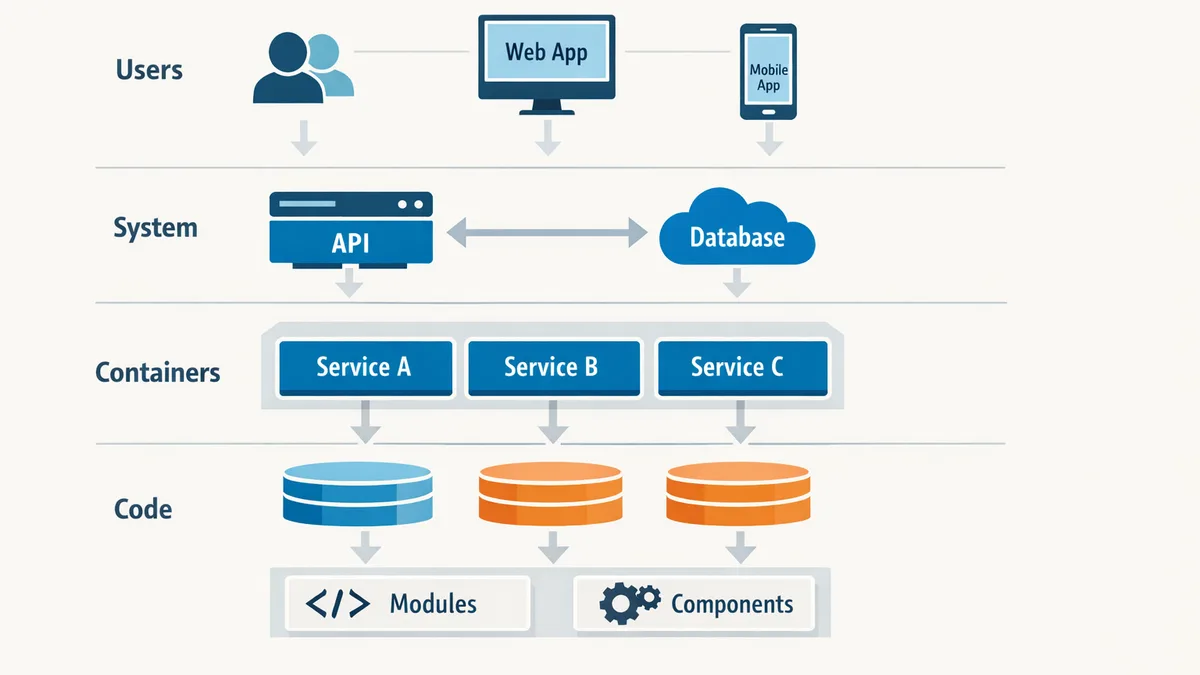
When you're planning an app, you need a way to see the structure before you build it. The C4 Architecture Model gives you that view. It breaks down your app into four diagram levels: Context, Container, Component, and Code. Each level zooms in one step further, from how your app fits into the world down to how individual classes talk to each other.
Founders often skip this step and jump straight into vibe-coding with AI agents. That works for throwaway prototypes. But when you're building something you plan to maintain, you need a map. C4 gives you that map without the overhead of enterprise architecture frameworks.
Why C4 Matters for App Development
The model helps you think through architectural decisions before Agent starts writing code. When you use Plan mode in tools like Cursor or Replit, you're essentially creating a lightweight version of a C4 diagram — you're mapping out components, their relationships, and how data flows between them. The difference is C4 formalizes that thinking into diagrams you can review, share, and update as the app evolves.
C4 isn't about drawing perfect boxes. It's about making implicit architecture explicit. When you can see that your payment processor talks to three different services, you can spot the single point of failure before it ships. When you can see that your user service depends on six other containers, you know where to draw boundaries.
The four levels give you zoom control. Context shows stakeholders what the app does. Container shows your dev team how it's deployed. Component shows where to make changes. Code shows how it's implemented. You don't need all four for every project, but having the framework means you can go as deep as the decision requires.
Problem Statement
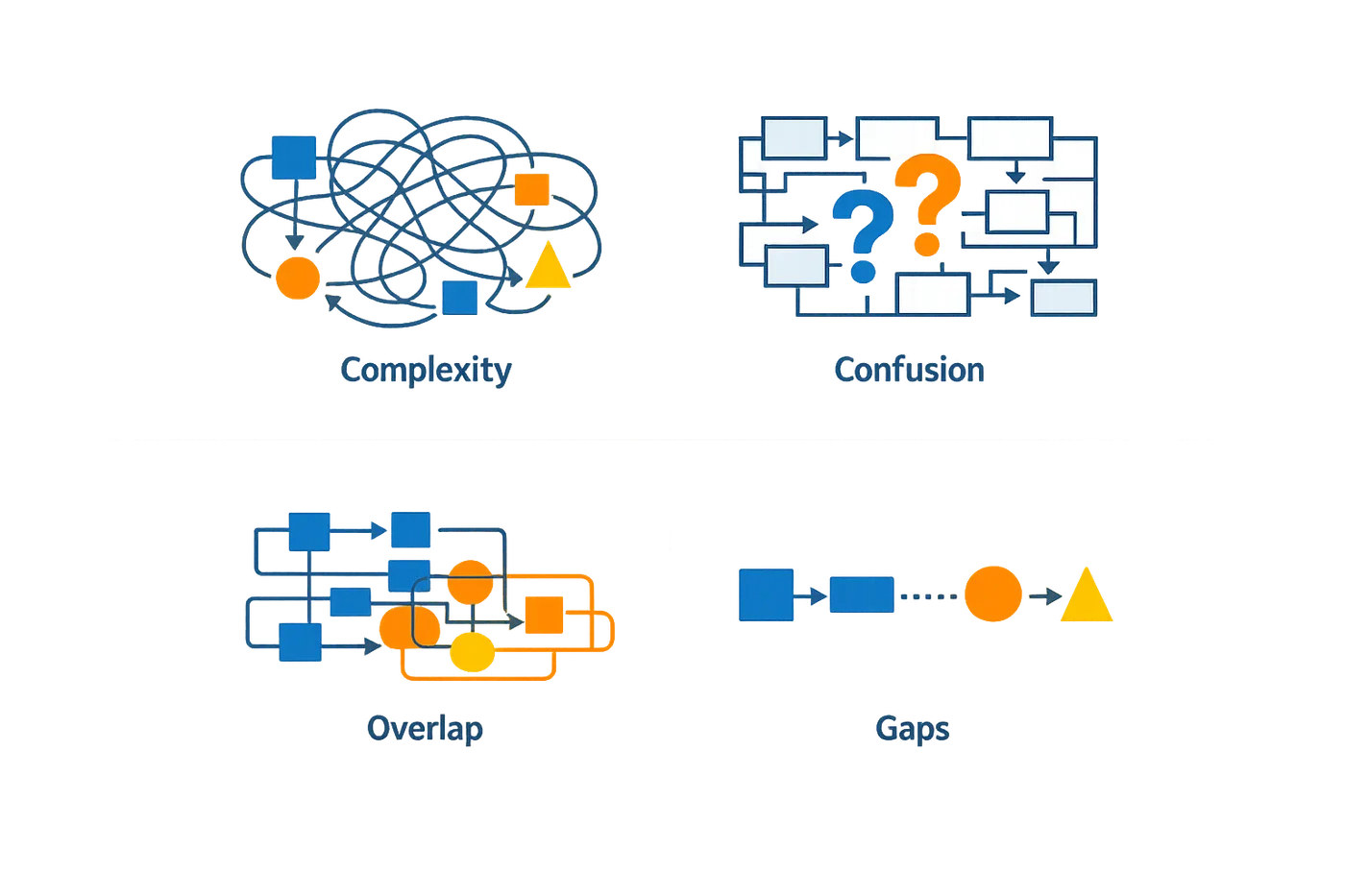
Most founders start with a feature list and a vague sense of how the pieces connect. That works until you need to explain the system to a developer, an investor, or yourself three months later. The gap between "I know what it should do" and "I can show you how it works" is where projects stall.
The Usual Failures
You sketch boxes and arrows on a whiteboard. A week later, no one remembers what the arrows meant. You write a dense spec document. Developers skim it, miss the dependencies, and build the wrong thing. You rely on a single diagram that tries to show everything at once — it's either too high-level to be useful or too detailed to stay current.
The problem is not lack of documentation. It's lack of structure in the documentation. When every diagram lives at the same altitude, you can't zoom in without redrawing the whole thing. When there's no shared vocabulary for what a "container" or "component" means, every conversation starts with definitions.
Why This Matters for Solo Founders
You are the product owner, the architect, and often the first QA tester. You do not have the luxury of a dedicated solutions architect who maintains a living model. You need a visualization method that survives context-switching, that a contractor can parse in 15 minutes, and that does not require a $3,000 enterprise tool.
Without a clear structure, you end up re-explaining the same relationships every time you onboard help. You waste cycles reconciling what you thought you specified with what actually got built. You cannot confidently answer "how does this change ripple through the system?" because you do not have a map that operates at multiple levels of detail.
For a detailed development plan, you need a visualization approach that scales with complexity without collapsing into noise. That is the gap the C4 model was designed to close.
Solution Steps for Implementing the C4 Architecture Model
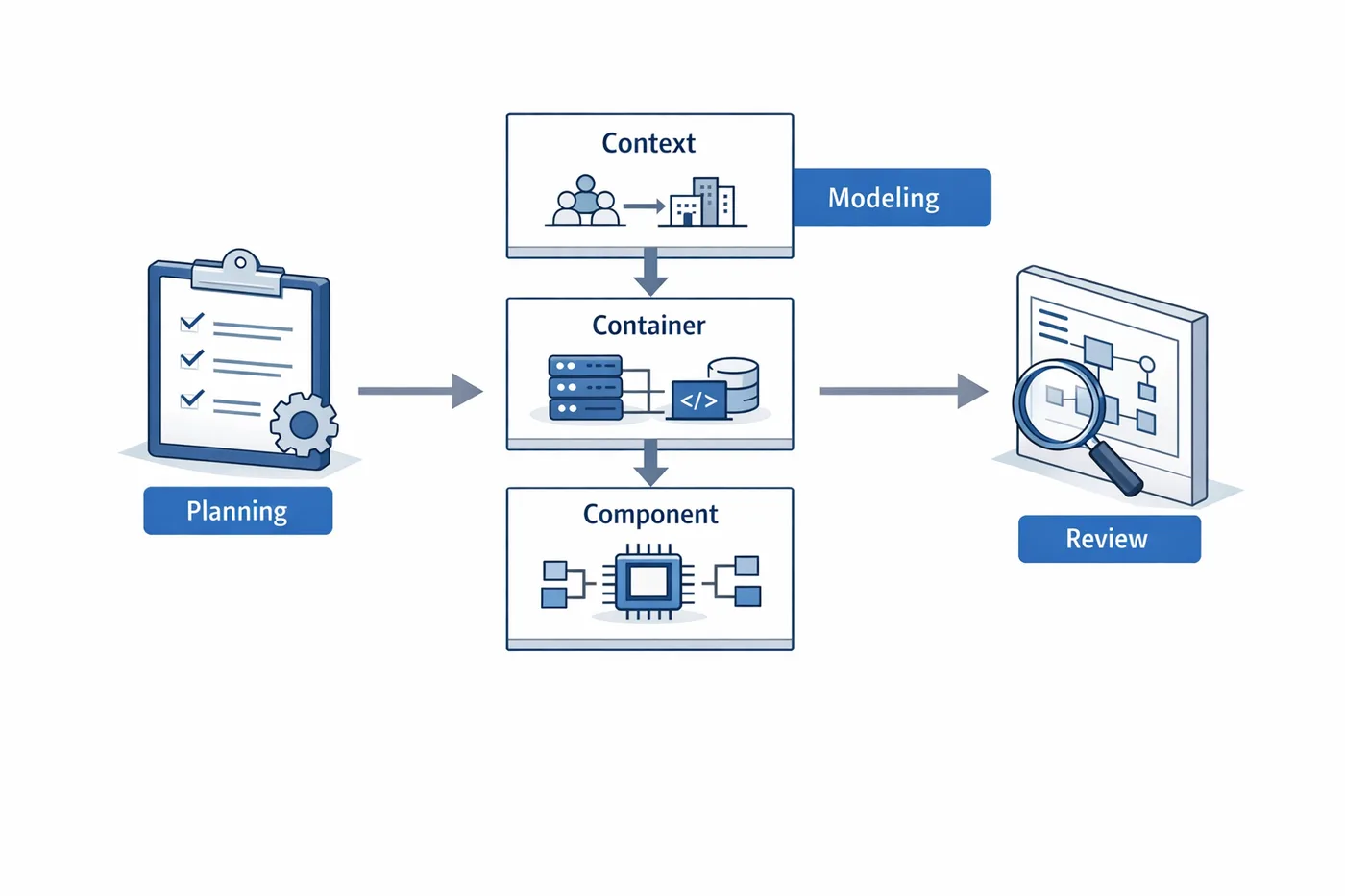
The C4 model works through four diagram levels, each zooming in one step closer to implementation. Start at the top and work down only as far as your current planning stage requires.
Step 1: Draw the Context Diagram
Identify your app as a single box in the center. Draw the people who use it and the external systems it talks to. Label each connection with what data or action flows across it.
This is the 10,000-foot view. Your app is one shape. Everything outside it—users, payment processors, third-party APIs—gets its own shape. The lines between them show dependencies.
Keep it to one page. If you need two pages, you're adding detail that belongs in the next level down.
Step 2: Break Down Containers
Open the app box from step one. Show each separately deployable piece: web front-end, mobile app, API server, database, background worker. Label the technology choice for each.
A container is something you deploy independently. A React app is one container. The Node API behind it is another. The Postgres database is a third.
This is where you decide whether you're building a monolith or splitting services. For most solo founders, two or three containers—front-end, API, database—cover the first year.
Step 3: Document Components (When Needed)
Pick one container from step two. Break it into major logical pieces: authentication module, payment handler, notification sender. Show how they call each other.
You don't need this for every container. Do it for the one that holds the most complexity or the one you're handing to a developer next week.
Keep components under 200 lines. When a file grows past that, extract subcomponents into the same directory. This keeps the diagram honest—if you can't fit it on one page, the container is doing too much.
Step 4: Dive to Code (Rarely)
The fourth level is class diagrams or equivalent. Most founders skip this entirely. It's useful when you're debugging a gnarly algorithm or onboarding a new developer into a specific module.
If you're writing a PRD, stop at the container level. If you're planning with AI tools, the container diagram is enough to generate a first-pass scaffold.
Step 5: Keep Diagrams Current
Draw the diagrams before you build. Update them when the architecture changes—new API, split service, added database. Stale diagrams are worse than no diagrams.
Store them in the repo or alongside your development plan. Treat them as living artifacts, not one-time deliverables.
Tips and Tricks for Using the C4 Architecture Model
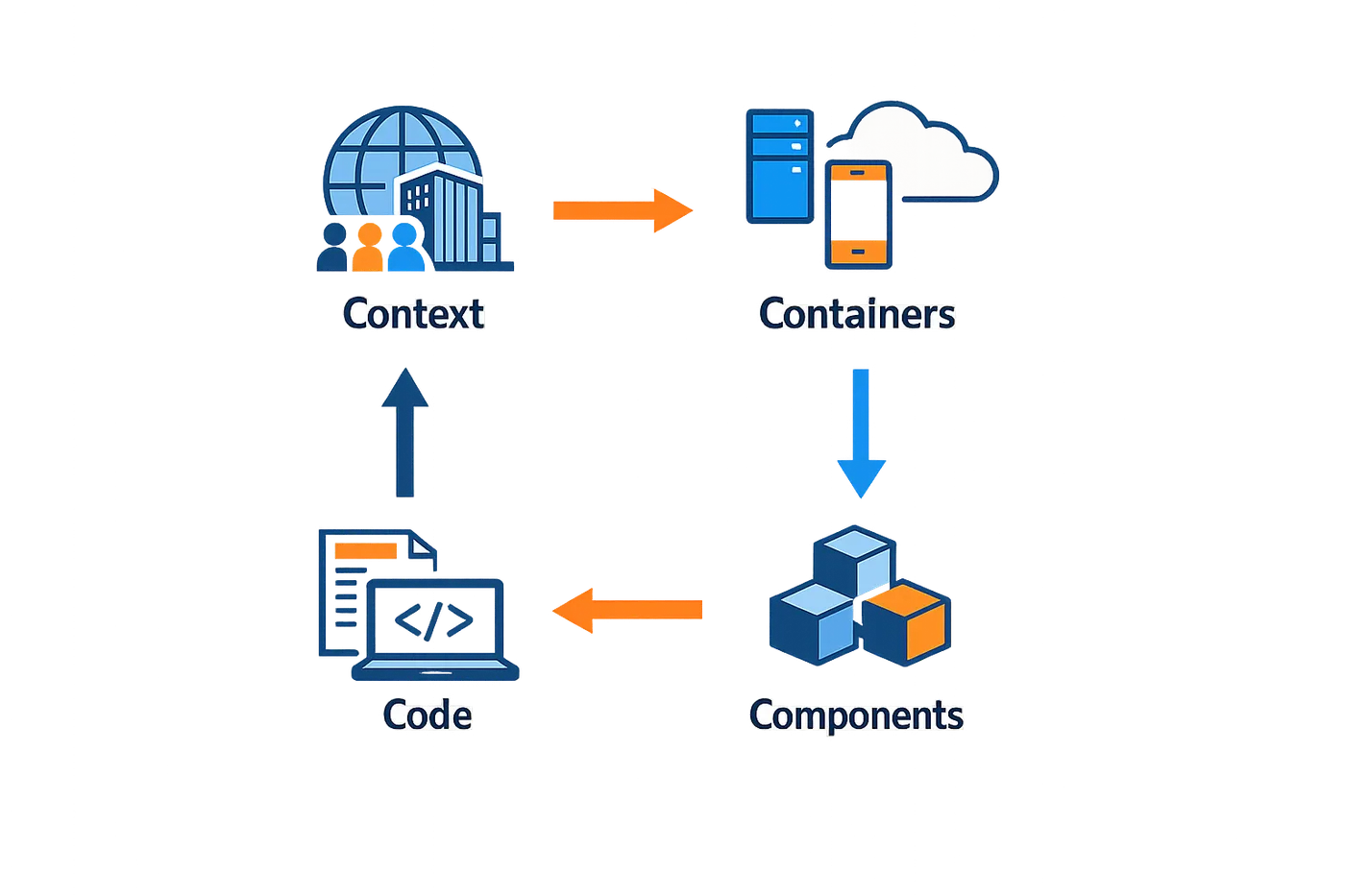
The C4 model works when you treat it as a communication tool, not a documentation burden. Founders often waste weeks perfecting diagrams that no developer reads. The trick is knowing which layers matter for your current decision and skipping the rest.
Start with Context, Skip What You Don't Need
You don't need all four layers on day one. Context diagrams clarify scope — what's inside your app, what's external. Container diagrams show deployment boundaries. Component and Code diagrams are overkill until you're debugging architecture decisions or onboarding someone who needs that depth.
If you're planning an MVP, Context and Container are enough. Add Component diagrams when a container grows complex enough that you're losing track of responsibilities. Code diagrams are rare — reserve them for the one gnarly module everyone keeps breaking.
Keep Diagrams Consistent and Colocated
Consistency matters more than you think. Use the same colors, fonts, and layout across all four layers so anyone jumping between Context and Component doesn't have to relearn your notation. This matches the advice to keep design consistent in any app structure work — professional feel comes from repetition, not decoration.
Store diagrams as code when possible. Tools that generate C4 diagrams from text definitions (like Structurizr DSL or PlantUML) let you version-control your architecture the same way you version-control your app. When the diagram lives in the repo, it's one less thing to forget during a refactor.
Use Named Boundaries, Not Vague Boxes
Every box in a C4 diagram should have a clear name and responsibility. "Backend" is not a container name — "API Gateway," "Auth Service," and "Job Queue" are. This mirrors the principle of using named exports instead of defaults: clarity beats convenience.
When you're drawing Component diagrams, resist the urge to map every class or function. Show the pieces that have distinct responsibilities and boundaries. If two components always change together, they're probably one component.
Layer Your Threat Model Into the Diagrams
A C4 diagram that doesn't show trust boundaries is just a pretty picture.
Mark which containers handle sensitive data, which boundaries cross network zones, and where secrets live. When you develop a threat model, the C4 structure gives you a natural place to annotate risks. I add a small lock icon to any container that touches credentials or PII — it takes five seconds and saves hours during security reviews.
For apps with compliance requirements, this layering is non-negotiable. Your Container diagram becomes the map auditors use to trace data flow. If you can't point to the diagram and explain where encryption happens, you don't understand your own architecture well enough to ship.
Update Diagrams Only When Decisions Change
Don't update diagrams on a schedule. Update them when an architecture decision changes the structure they represent. Added a new container? Update the Container diagram. Refactored a component's responsibilities? Update that Component diagram. Everything else is waste.
If you're using C4 for app development planning, treat the diagrams as living artifacts that evolve with your PRD. When the plan changes, the diagrams change. When the diagrams don't match the plan, one of them is wrong.
Conclusion
The C4 Architecture Model gives you a structured way to visualize your app's structure at four distinct levels — Context, Container, Component, and Code. Each level serves a specific audience and purpose, from explaining system boundaries to executives down to implementation details for developers. The model's strength is its scalability: you draw only the diagrams you need, when you need them.
Most solo founders benefit from stopping at Container-level diagrams. That's enough to communicate with contractors, write a clear PRD, and avoid scope creep. Component and Code diagrams are useful when you're debugging integration points or onboarding a developer mid-project, but they're not prerequisites for shipping.
The C4 model works because it forces you to answer the same questions a technical co-founder would ask: What are the boundaries? What talks to what? Where does data live? If you can draw a clean Container diagram, you can write a buildable spec. If your diagram looks like spaghetti, your app probably will too — and it's cheaper to fix on paper than in production.
Start with Context. Add Containers when you're ready to spec. Skip the rest until you need them. The model is a tool, not a checklist.
Related reading
RAG Architecture: Building AI-Powered Knowledge Apps
Related reading
Engineering Design Process: From Requirements to Architecture