High-Level Architecture for Custom App Development: Design Build
Top takeaways
- High-level architecture defines the major components and their interactions before writing code
- A clear architecture reduces rework and keeps scope manageable during development
- Modern AI-powered builders integrate databases, hosting, and domains into single projects without external configuration
- Architecture decisions made early determine how easily you can scale, debug, and hand off the project later
- Non-technical founders can design effective architectures by focusing on data flow and user paths rather than implementation details
Introduction to High-Level Architecture
High-level architecture is the blueprint that shows what your app does and how the pieces fit together. I've shipped apps where the architecture was a napkin sketch and apps where it was a 40-page document. The napkin ones shipped faster, but only when the sketch answered the right questions first.
Most founders skip this step or treat it as busywork. They jump straight into building features, then hit a wall when the database schema doesn't support the workflow they actually need. A high-level architecture isn't about predicting every edge case — it's about making the expensive decisions explicit before they're expensive to change.
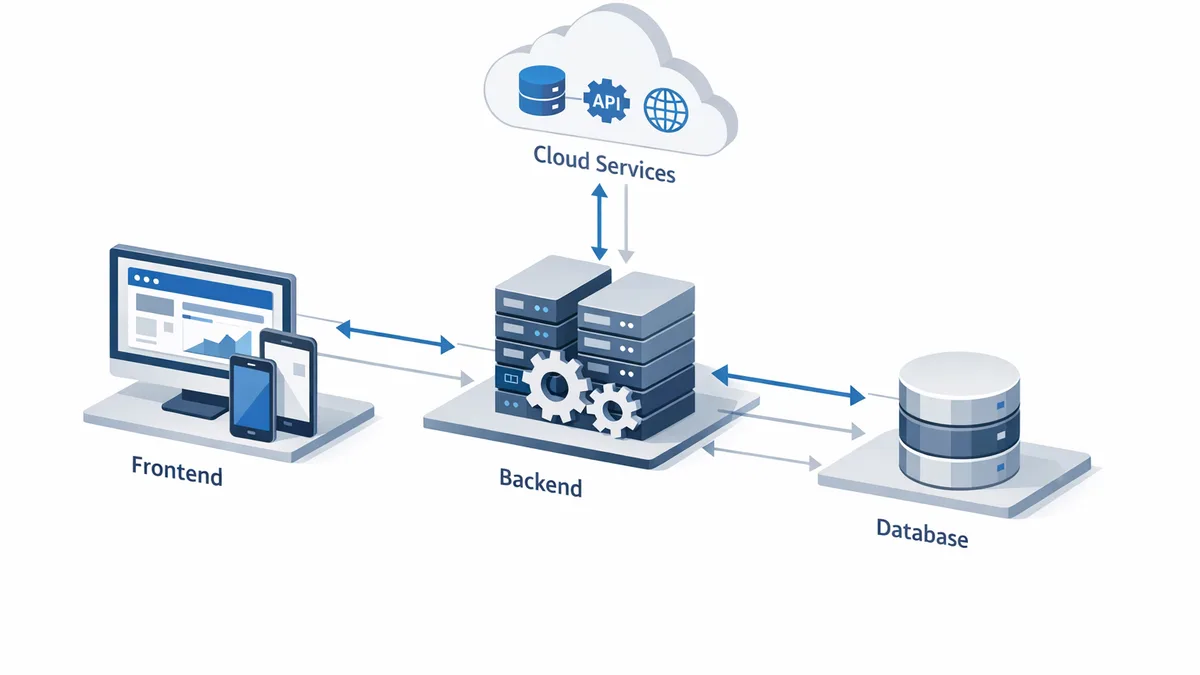
The architecture defines your app's major components: frontend, backend, database, third-party integrations, and how data moves between them. It also sets boundaries — what you're building in-house versus what you're buying or using as a service. Modern platforms handle much of the infrastructure automatically, but you still need to know what goes where and why.
For a deeper dive into planning your app before you build, see App Development Plan: Dev Plan Guide for Non-Technical Founders (2025).
A good architecture makes three things easier: onboarding a developer mid-project, debugging when something breaks, and adding features without rewriting half the codebase. A bad architecture does the opposite — every new feature becomes a negotiation with past decisions you can't remember making.
The tools have changed. AI-powered builders now generate working code from descriptions, and platforms bundle hosting, databases, and deployment into single environments. But the underlying questions haven't changed: what data do you store, where does it live, who can access it, and what happens when they do.
Explore the high-level architecture for custom app development and learn about the design build process.
What is High-Level Architecture?
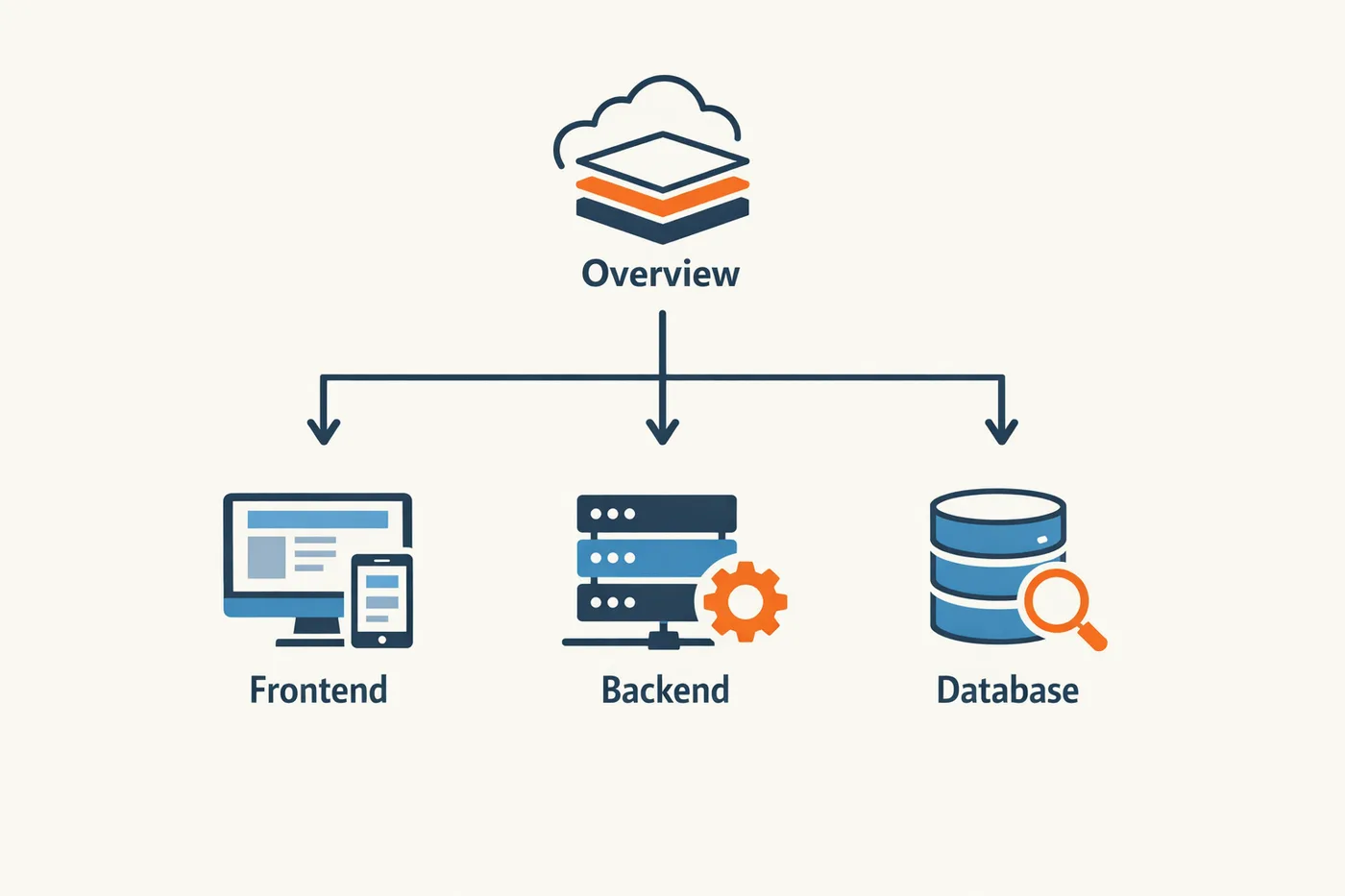
High-level architecture for custom app development is the structural blueprint that defines how your application's major components fit together. It maps out the core systems—frontend, backend, database, integrations—and how they communicate. This is not a line-by-line code diagram. It's the 30,000-foot view that shows what talks to what, where data lives, and how users interact with the system.
The Core Elements of High-Level Architecture
A high-level architecture typically includes three layers: presentation (what users see), logic (how the app processes requests), and data (where information is stored). Modern AI-powered builders handle much of this automatically. The agent writes code, sets up infrastructure, and tests the result in an iterative loop. You describe what you want; the system assembles the pieces.
Some platforms integrate databases, hosting, and domains into a single project without separate services. This consolidation simplifies the architecture—fewer moving parts means fewer failure points. The tradeoff is less granular control, which matters more as complexity grows.
Why Architects Use High-Level Views
Architecture decisions cascade. Choose a monolith and you get simpler deployment but harder horizontal scaling. Choose microservices and you get independent scaling but operational overhead. The high-level view forces you to make these choices explicitly before they become implicit constraints.
For solo founders and small teams, the high-level architecture doubles as a communication artifact. A product spec or PRD describes what the app does; the architecture describes how it does it. Both are necessary. Neither is sufficient alone.
Why High-Level Architecture Matters
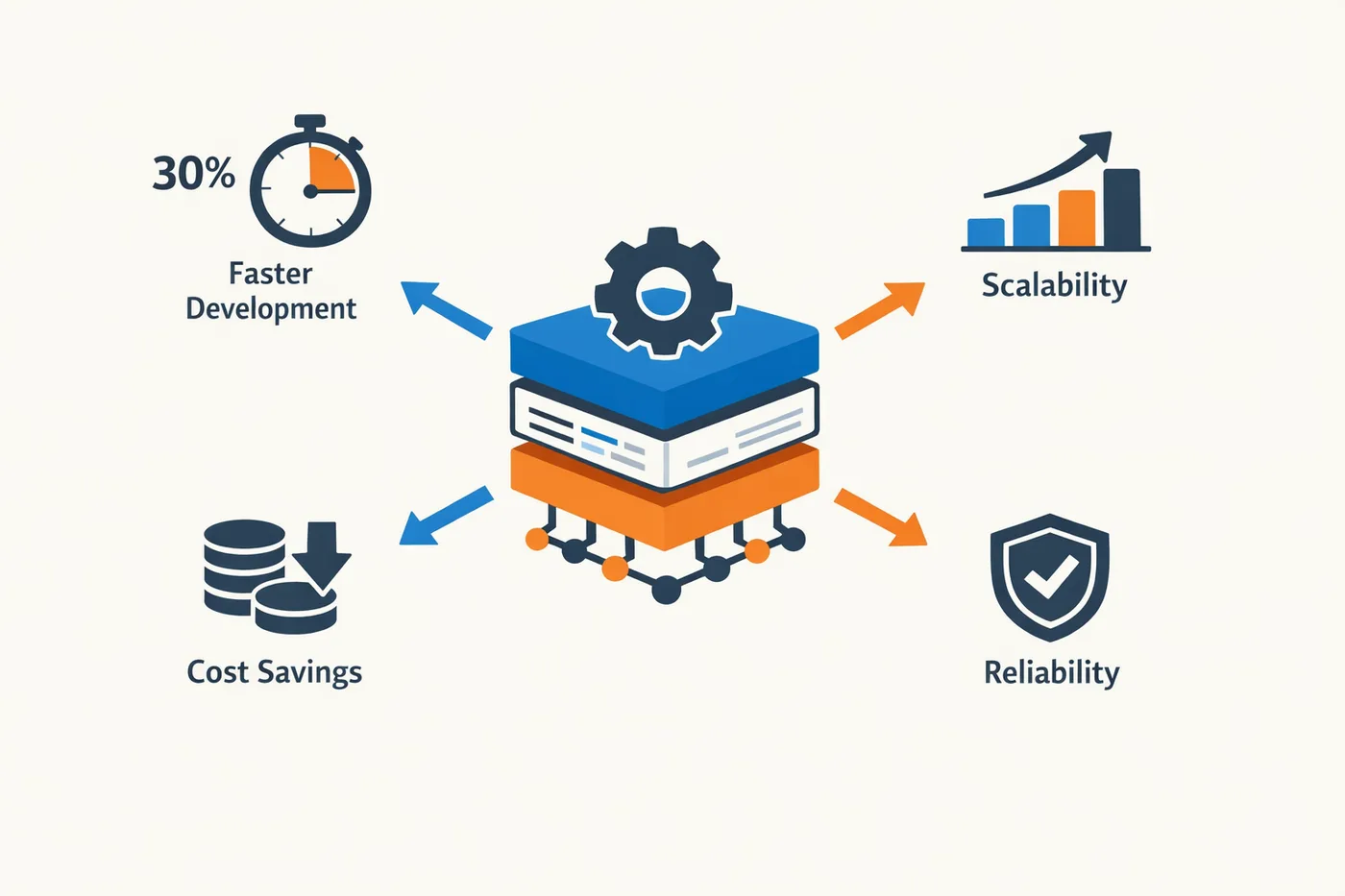
A high-level architecture is the difference between a prototype that ships and one that collapses under its first real load. It forces you to decide how components talk to each other before you write a line of production code. Without it, you're debugging integration failures in month three instead of building features.
The architecture document is your contract with the build phase. It names the layers, the data flows, the external dependencies. When a developer asks "where does auth happen" or "how do we handle file uploads," the answer is in the diagram. No architecture means every decision is a negotiation, and negotiations burn runway.
High-Level Architecture for Custom App Development Enables End-to-End Planning
End-to-end development requires mapping both UI and backend logic upfront, not just mockups. The architecture shows which API endpoints serve which screens, where state lives, and what happens when a network call fails. If you skip this step, you'll discover halfway through that your frontend assumptions don't match your backend reality.
A proper architecture also surfaces security and configuration requirements early. Misconfiguration or lack of configuration can lead to broken authorization, and catching that in the design phase costs hours instead of weeks. You define auth boundaries, permission models, and data access rules before a single middleware function is written.
The architecture is also your first line of defense against scope creep. When a stakeholder asks for a new feature, you check it against the existing structure. If it fits, you estimate it. If it doesn't, you know you're looking at a re-architecture, and you price it accordingly. This clarity protects your timeline and your budget.
For more on translating requirements into buildable plans, see App Development Plan: Dev Plan Guide for Non-Technical Founders (2025).
How to Design Build a High-Level Architecture
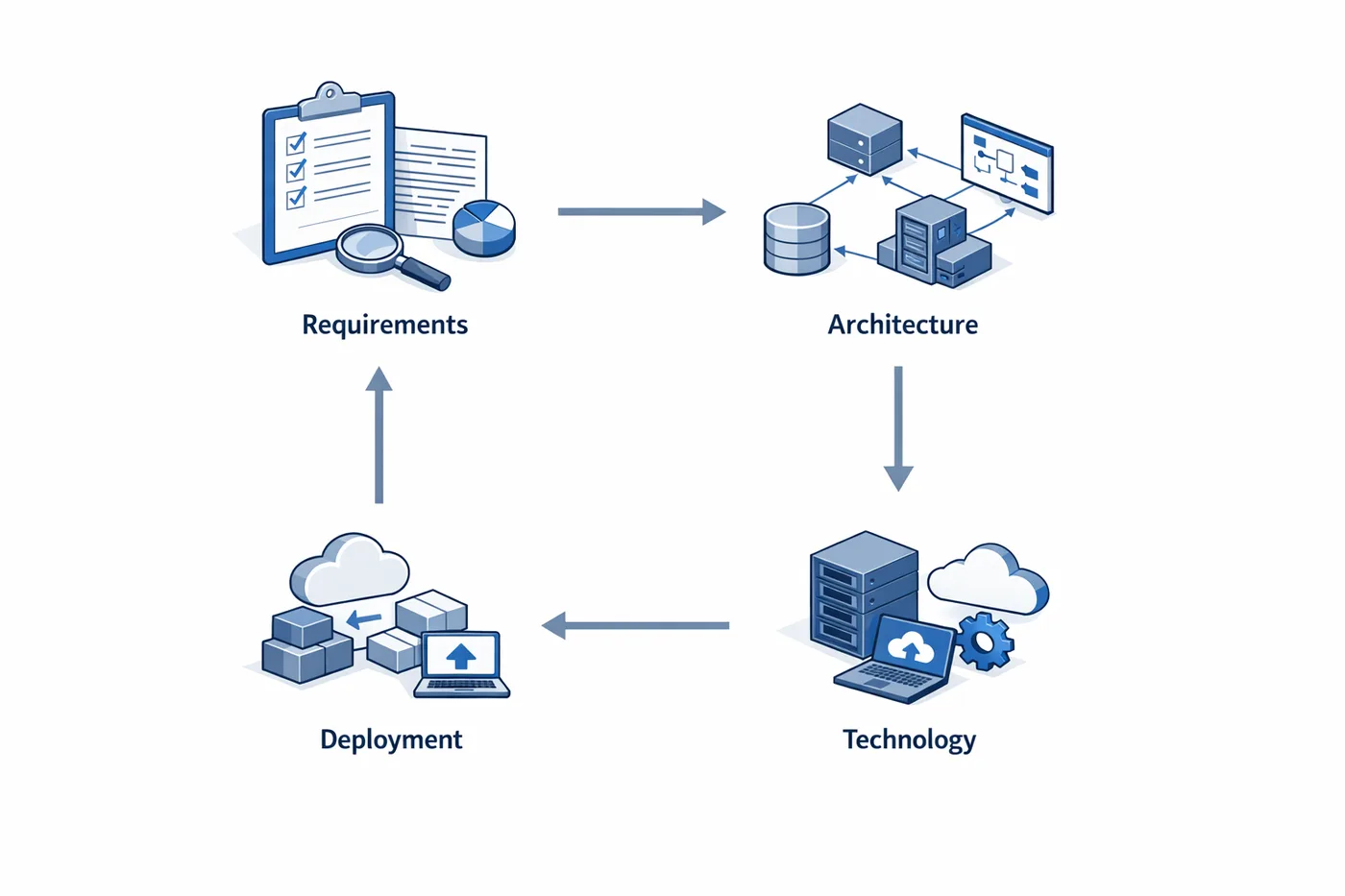
Building high-level architecture is a sequential process. Start with constraints, then layer on components. Most founders skip the constraint phase and end up refactoring when reality hits.
Start with Non-Negotiables
List what cannot change. Budget, timeline, team size, compliance requirements, existing systems you must integrate with. These are your rails. Architecture that ignores a hard constraint is fiction.
Write them down before you draw boxes. One page. If a stakeholder says "we need HIPAA compliance," that goes on the list before you pick a database.
Map Data Flow First
Data moves through your system in predictable paths. User input, storage, processing, output. Draw the simplest version of that flow.
Start with one user action. Where does the data enter? Where does it get validated? Where does it live? What touches it next? Follow one request end-to-end before you add the second path.
Step 1
Identify entry points
List every place data enters your system: API endpoints, file uploads, third-party webhooks, manual admin actions. Each entry point needs validation and error handling at the boundary.
Step 2
Define storage requirements
Decide what persists and for how long. Transactional data, user-generated content, logs, session state. Match storage type to access pattern — relational for structured queries, object storage for blobs, cache for hot reads.
Step 3
Outline processing steps
Between input and output, what happens? Validation, transformation, business logic, external API calls. Keep processing layers thin. If a step grows complex, it signals a missing service boundary.
Choose Your Stack
Pick tools that align with your team's existing knowledge and your deployment constraints. Modern frameworks reduce boilerplate and ship faster than rolling custom infrastructure.
If you are working solo or with a small team, use tools that handle common patterns out of the box. Platforms like Next.js, Tailwind, and shadcn/ui integrate well and reduce the surface area you need to maintain.
Establish Service Boundaries
Each major function gets its own service. Authentication, billing, notifications, core business logic. Services communicate through defined interfaces, not shared database tables.
Organize code so each service lives in its own directory. Validate inputs at the service boundary before passing data to internal functions. Return structured error objects with a code and message field — never throw raw strings.
Document Decisions
Architecture decisions compound. Six months later, you will not remember why you chose Postgres over MongoDB. Write it down when you decide.
Keep a lightweight decision log. One sentence for the decision, two for the reasoning, one for the alternative you rejected. When a new engineer asks "why did we do it this way," you hand them the log instead of reconstructing history. For a structured approach to documenting product and technical decisions, see Product Spec vs PRD: What's the Key Difference?.
Plan for Failure
Every external dependency will fail. Every API will time out. Every database will have a slow query. Design for degraded states, not just happy paths.
What happens when the payment processor is down? Does the whole app freeze, or do you queue the transaction and notify the user? Build fallback behavior into the architecture, not as an afterthought.
Best Practices for High-Level Architecture Design Build
Building architecture that lasts requires discipline at the design stage. I've rebuilt systems that failed not because the code was bad, but because the early decisions locked in constraints nobody wanted. The patterns below prevent that.
Start with Least Privilege
Every service, database account, and API key gets the minimum access it needs to do its job. When you grant broad permissions early, you inherit risk you can't measure. Start narrow. Expand only when a concrete use case demands it.
This applies beyond databases. Your payment processor doesn't need read access to user profiles. Your analytics service doesn't need write access to transactions. Draw boundaries before you write code.
Layer Your Defenses
No single framework, library, or control should be the only thing enforcing access, validation, or security. Frameworks fail. Dependencies get compromised. Misconfigurations ship to production.
Implement defense in depth. If your ORM prevents SQL injection, also validate inputs at the API layer. If your framework handles authentication, also enforce authorization checks in your business logic. Redundancy costs less than a breach.
Do not depend on any single framework, library, technology, or control to be the sole thing enforcing proper access control.
Customize, Don't Just Configure
Frameworks ship with defaults that fit nobody perfectly. Security settings, rate limits, session timeouts — these are starting points, not final answers. Frameworks and libraries should be customized or supplemented with additional logic to meet the unique requirements of a particular app or environment.
Read the documentation. Understand what the framework assumes about your threat model. Then override those assumptions where they don't match your reality. A product spec vs PRD helps you document those decisions early.
Maintain a Dependency Inventory
Every third-party library is a potential vulnerability. Even robust, well-maintained projects ship bugs. Assume any component you incorporate could be or become subject to an authorization vulnerability.
Create a process for tracking dependencies and responding to CVEs. Tools like Dependency Check integrate into CI/CD pipelines. Subscribe to vendor advisories and the NVD. When a vulnerability drops, you need to know within hours whether you're exposed.
Design for Failure
Services go down. APIs timeout. Databases lock. Your architecture should degrade gracefully, not collapse. Circuit breakers, retries with exponential backoff, and fallback paths are not optional.
Test failure modes in staging. Kill a database connection mid-transaction. Simulate a third-party API returning 500s. If your system can't handle these scenarios in a controlled environment, it won't handle them in production.
Document Decisions, Not Just Diagrams
Architecture diagrams show structure. They don't explain why you chose Postgres over DynamoDB, or why you split one service into three. Capture those decisions in an architecture decision record (ADR) while the reasoning is fresh.
Future you — or the next engineer — will need to know why a constraint exists before they can safely change it. Write it down.
Common Mistakes in High-Level Architecture Design Build
Most architecture failures trace to three patterns: treating security as a checkbox, assuming third-party code is secure, and skipping configuration reviews. These mistakes compound over time.
Over-Reliance on Single Security Controls
The worst architecture decision is betting everything on one framework or library to enforce access control. When that component fails — through a zero-day, misconfiguration, or developer error — the entire authorization layer collapses.
Defense in depth means layering controls: framework-level permissions, middleware checks, database-level constraints, and application logic all validating access independently. When one layer fails, the others still hold.
Trusting Third-Party Components Without Verification
Even robust, popular libraries contain vulnerabilities. The assumption that well-maintained projects are inherently secure leads to broken authorization when those components ship bugs.
Every third-party component you incorporate could be or become subject to an authorization vulnerability. Writing complex, secure software is hard; even competent developers working on high-quality frameworks make mistakes.
Mitigation requires process, not optimism:
- Maintain detection and response processes for vulnerable components
- Incorporate tools like Dependency Check into your SDLC
- Subscribe to vendor feeds, NVD alerts, or other relevant vulnerability sources
For founders building their first app, App Development Plan: Dev Plan Guide for Non-Technical Founders (2025) covers how to structure these processes before writing code.
Misconfiguration and Incomplete Setup
Most frameworks ship with general-purpose defaults designed to appeal to a wide audience. For all but the simplest use cases, these defaults must be customized or supplemented with additional logic to meet your specific requirements.
Misconfiguration — or complete lack of configuration — is a major cause of broken authorization. Security requirements, including access control, demand explicit setup. Leaving configuration to defaults or assuming the framework "handles it" creates gaps attackers exploit.
Step 1
Audit configuration before deployment
Review every security-relevant setting in your frameworks and libraries. Document what each control does, what it protects, and what it assumes. If a setting is unclear, treat it as a risk until proven otherwise.
Ignoring the Composition Problem
Architecture diagrams often show clean boundaries between services, but real systems compose multiple libraries, each with its own authorization model. When these models conflict or overlap, gaps appear.
A common pattern: the API gateway enforces role-based access, the application layer uses attribute-based access, and the database enforces row-level security. If these three models don't align on what "authorized" means, requests slip through.
Test authorization at every boundary, not just at the perimeter. Assume each layer could receive a malicious request that bypassed upstream controls.
Frequently asked questions
What tools can non-developers use to build high-level architecture?
AI-powered builders like Bolt handle the infrastructure layer for you. You describe what you want, and the tool generates a working environment with databases, hosting, and domains already wired together. No separate services to configure.
Do I need to know how to code to design a high-level architecture?
No. Modern platforms set up your development environment in the browser and translate plain-language prompts into functional projects. You own the code, but you don't need to write it line-by-line to get a working architecture.
Can I import existing designs into a high-level architecture workflow?
Yes. Tools like Bolt support importing Figma frames directly, turning visual designs into working projects without manual translation. This bridges the gap between design artifacts and live architecture.
What's the difference between high-level architecture and a detailed technical spec?
High-level architecture defines the major components and how they connect. A detailed spec drills into implementation—data schemas, API contracts, error-handling logic. You start with high-level; you finish with detailed. For more on structuring early planning documents, see PRD Sections Explained: What to Include with Examples.
How do I know if my high-level architecture is good enough to build from?
If a developer or AI agent can look at your diagram and know which services talk to which, what data flows where, and what happens when a user takes an action, it's good enough. If they have to guess, it's not.
Conclusion
High-level architecture for custom app development is the frame that holds everything else together. Get it right and you can scale, pivot, and hand off work without rewriting from scratch. Get it wrong and you spend months untangling dependencies you didn't know existed.
The design-build process is iterative. You write code, set up infrastructure, test the result, and repeat. Tools like Bolt and Replit Agent automate parts of that loop, but they don't replace the thinking. You still decide what components talk to each other, where state lives, and what happens when a service fails.
I've shipped apps that started as weekend prototypes and grew into production SaaS. The ones that survived had clean separation between layers from day one. The ones that didn't became expensive rewrites. If you're building solo or with a small team, vibe coding examples show how non-coders use AI-powered builders to turn ideas into working products — but those tools work best when you understand the architecture you're asking them to create.
Start with a clear map of your system. Document the big decisions. Build in small increments and test each piece before you add the next one. That discipline compounds faster than any framework.
Related reading
Clean Architecture Principles for Scalable Applications
Monolithic Architecture vs Microservices: Choosing Your App
Related reading
Engineering Design Process: From Requirements to Architecture