
Custom App Development: From Idea to Launch
Top takeaways
- Custom app development builds software tailored to specific business requirements rather than using off-the-shelf solutions
- The process spans idea validation, planning, design, development, testing, and deployment
- Success depends on clear requirements, realistic scope, and choosing the right technical approach
- Most projects fail in planning, not execution — a solid PRD prevents expensive rework
- Solo founders and small teams can now ship production apps faster than ever using AI-assisted tooling
Introduction
Custom app development is building software from scratch to solve a problem no existing product addresses well enough. You start with a business need, translate it into technical requirements, and ship something users can actually run.
The landscape changed. Five years ago you needed a team and six months to reach beta. Today a solo founder with a tight PRD and the right AI toolchain can prototype in weeks. The hard part shifted from writing code to knowing what to build.
Most custom apps die before launch because teams skip the boring work up front. They jump into implementation with vague requirements, discover conflicts halfway through, and either ship broken software or burn the budget on rework. The solution is not more process — it is less ambiguity.
This guide walks through the full cycle: what custom app development actually means, why it matters for your business, how to approach it without wasting time, and the mistakes that kill projects before they ship. No fluff. Just the decisions that determine whether you launch or stall out.
Explore the process of custom app development from idea to launch, covering key steps and best practices.
What is Custom App Development?
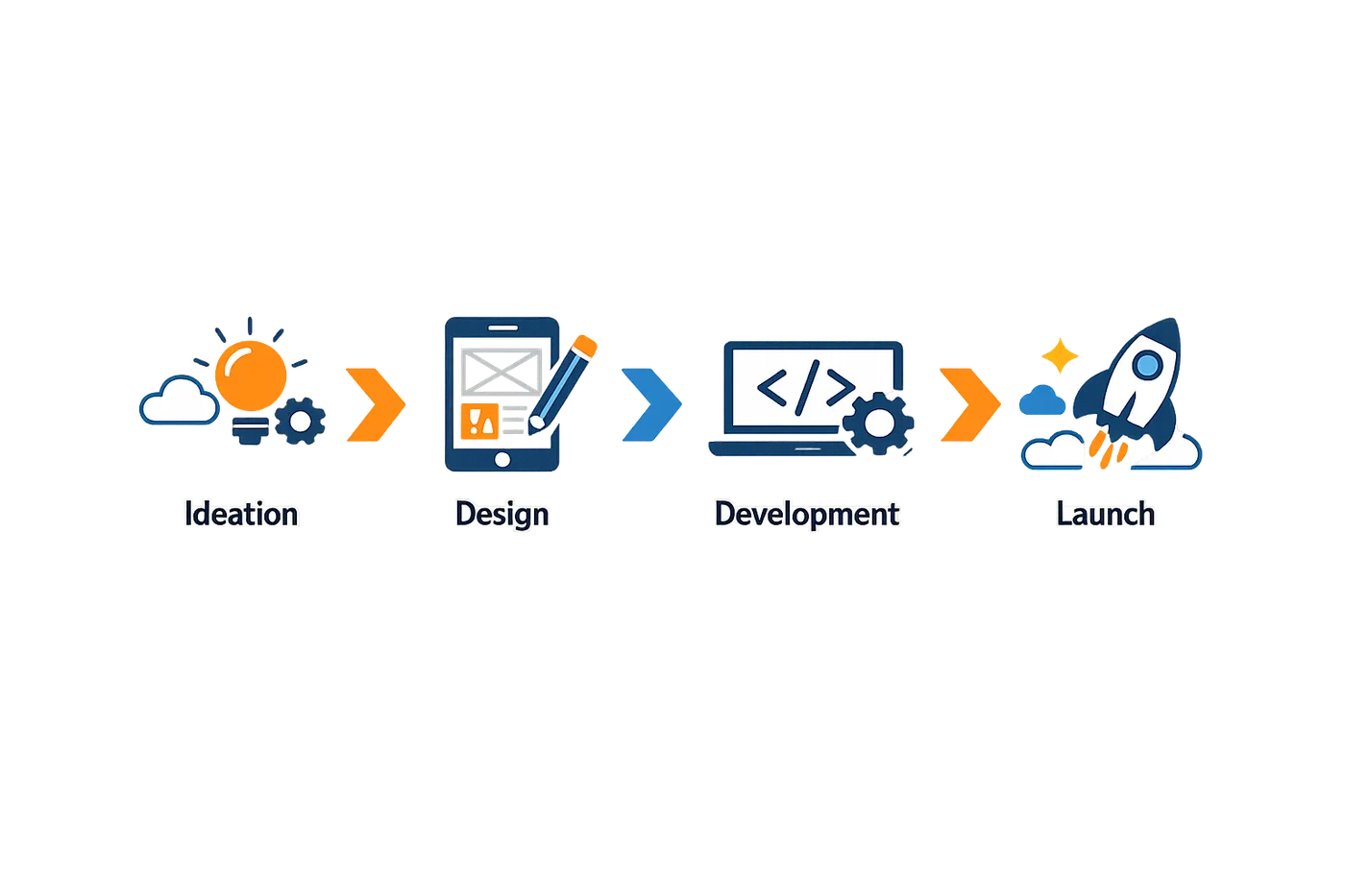
Custom app development is the process of building software tailored to specific requirements rather than configuring off-the-shelf products. You define the feature set, the data model, and the user flows. The code gets written to match those specs, not the other way around.
This approach spans both interface and logic. End-to-end development involves building both UI and backend logic, not just mockups. You ship a working system, not a design file that still needs engineering.
Core Components of Custom App Development
Three pieces make up the workflow: planning, implementation, and validation.
Planning means writing down what the app does and how users interact with it. A product spec or PRD captures requirements in enough detail that a developer knows what to build. Skipping this step is how projects drift.
Implementation covers code, infrastructure, and integration. Modern AI-powered builders handle much of the setup automatically. Agent tools write code, set up infrastructure, and test the result in one pass. You describe the feature, the agent generates the implementation, and you review the output.
Validation happens continuously. You test each feature as it lands, not in a single phase at the end. Automated testing catches regressions. Manual testing catches usability problems. Both matter.
How Custom App Development Differs from Configuration
Off-the-shelf platforms let you toggle settings and rearrange modules. Custom development lets you change the modules themselves.
Configuration works when your needs fit the platform's model. Custom development works when they don't. The tradeoff is control versus speed. Configuring a CRM takes days. Building a custom CRM takes weeks or months, but you get exactly the workflow you need.
Some tools blur the line. Low-code platforms offer both: templates for common patterns, code access for edge cases. You start with a scaffold and extend it where the template falls short.
The Role of Modern Development Tools
AI-assisted platforms compress the build cycle. Bolt Cloud gives you databases, hosting, and domains in one project, with no separate services or external accounts to set up. You describe the app, the system provisions infrastructure, and you deploy from the same interface.
These tools don't eliminate engineering. They eliminate boilerplate. You still write business logic. You still design data schemas. You still test integrations. The difference is you spend less time on scaffolding and more time on the parts that make your app different.
Custom app development is a spectrum. At one end: hiring a team to write everything from scratch. At the other: using AI agents to generate a working prototype in hours. Most projects land somewhere in the middle, using tools to accelerate the repetitive parts and custom code for the unique parts.
Why Custom App Development Matters
Custom app development matters because it lets you build exactly what you need instead of forcing your workflow into someone else's box. Off-the-shelf tools ship with features you'll never use and lack the ones you actually want. Custom code removes that friction.
The economics shift when you own the codebase. You pay once to build the feature, not monthly per seat forever. For a ten-person team using three SaaS tools at $50/user/month, that's $18,000/year in recurring costs. A custom app that replaces two of those tools pays for itself in twelve months, sometimes faster.
Speed and Iteration
Custom apps let you move at your own pace. When a vendor controls the roadmap, you wait. When you control the code, you ship the fix today. Teams can cut feature cycles from quarters to weeks by owning their stack.
Modern tooling compressed the build-to-launch timeline. Platforms like Bolt turn prompts into working prototypes in minutes, databases and hosting included. You describe the app, the tool generates the scaffold, and you iterate from there. No separate accounts, no environment setup, no deployment pipeline to configure before you can test the first screen.
Ownership and Flexibility
You own the code you build. That means you can fork it, sell it, open-source it, or shut it down without negotiating an exit clause. Commercial use is on the table from day one. When the tool is yours, the business model is yours too.
Flexibility shows up in integration. Custom apps talk to your existing systems without middleware. You write the API call that pulls data from your CRM and pushes it to your fulfillment queue. No Zapier tax, no rate limits you didn't set, no third-party status page to check when something breaks.
Who Benefits Most
Students and solo builders turn side projects into portfolio pieces. A working app demonstrates capability better than a resume bullet. If the project solves a real problem, it can become a product. If it doesn't, you still learned the stack.
Small teams benefit when SaaS costs start to bite. A five-person agency paying for project management, time tracking, and invoicing tools spends $3,000–5,000/year. A custom app that consolidates those three workflows costs less to build than two years of subscriptions, and the per-seat cost is zero.
Larger teams benefit when off-the-shelf tools can't model their process. Insurance underwriting, clinical trial management, supply chain routing—these workflows have enough domain-specific logic that forcing them into a generic tool creates more work than it saves. When to Hire a Systems Engineering Approach for Complex Apps covers when complexity justifies custom tooling.
The best custom app is the one that eliminates three manual steps you do every day.
How to Approach Custom App Development
The path from idea to deployed app splits into planning, building, and shipping. Each stage has failure modes that kill projects before launch.
Plan Before You Code
Start in plan mode. Map the problem, the user flow, and the technical shape before any code gets written. Replit's Agent Plan mode lets you brainstorm and structure the project as an ordered task list you approve before the agent changes anything. This prevents scope drift and keeps the first build focused.
Document what you're building in a one-page PRD. Write down the user problem, the core feature set, and the success metric. A one-page PRD forces you to cut the nice-to-haves and ship the minimum that solves the problem. If you can't fit it on one page, you're not ready to build.
Build in Small, Reviewable Pieces
Once you have a plan, build one feature at a time. AI-assisted tools like Lovable and V0 generate working code in minutes, but that speed creates tech debt if you don't review what ships. Break large changes into smaller pieces. Each piece should be small enough to review comfortably — both for you and for the agent.
Lovable creates the first version of your project in a few minutes. You see it take shape in real time. When it's ready, you're in the editor: project chat on the left, live preview on the right. Ask for one change at a time and check the preview after each. If the app works but doesn't look right, say that in plain words.
Build the single path that delivers value to the user. For a task tracker, that's add task, view list, mark done. Everything else is iteration two.
Click through the live preview after every change. If something breaks, you have one commit to roll back. If you batch ten changes, you have ten suspects.
AI-generated code can look correct but miss edge cases, have security issues, or duplicate logic. Your standards for what gets merged should be the same whether the code was written by hand or by an agent.
Ship and Iterate
Publish when the core flow works. Replit Agent writes code, sets up infrastructure, and tests the result. Once you're in your project, you can switch between Agent modes to control how it builds. All artifacts publish together.
You're not locked into one type. Start with a web app and add a mobile app, slides, or a video later — all in the same project. V0 works with modern tools like Next.js, Tailwind, and shadcn/ui. It builds both UI and backend logic, not just mockups.
After launch, every change is saved as a version you can restore. Nothing you do next can break it permanently. This removes the fear of shipping and lets you iterate in public.
Best Practices for Custom App Development
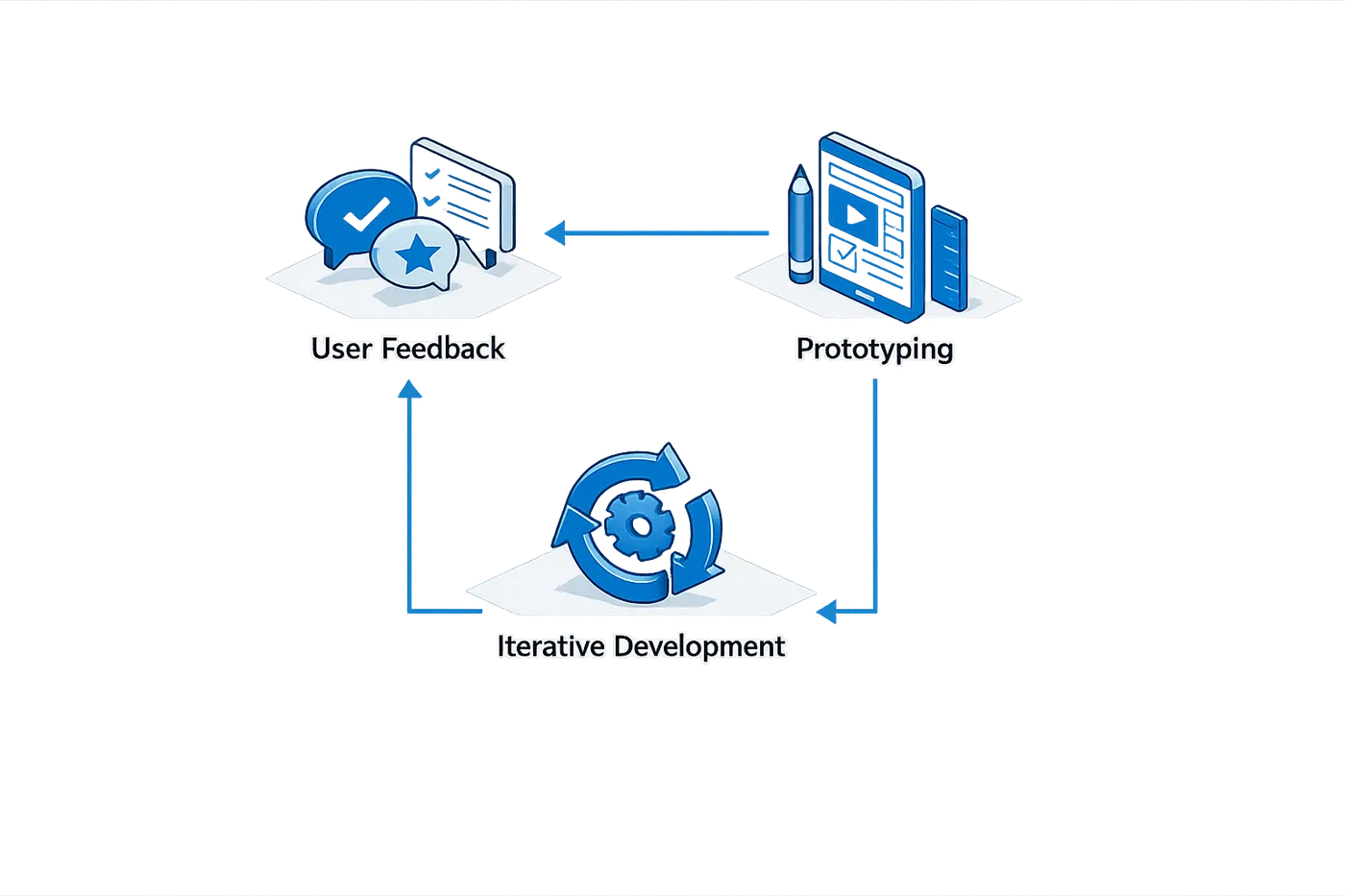
Good practices compound. Bad ones do too. The difference shows up when you're six months in and trying to ship a feature that should take two days.
Start with Least Privilege
Every database account gets the minimum access it needs to function. Nothing more. When a SQL injection lands — and eventually one will — the blast radius stays small.
Start from zero and add permissions as requirements emerge. Don't start with admin and try to subtract.
Keep Dependencies Under Surveillance
Third-party libraries save time until they don't. Even robust, popular frameworks ship authorization bypasses and injection flaws. Assume any component you pull in could become a liability.
Incorporate tools like Dependency Check into your SDLC. Subscribe to vendor feeds and the NVD. When a CVE drops, you want to know before your users do.
Hold the Same Quality Bar for All Code
AI-generated code can look correct and still miss edge cases, duplicate logic, or introduce security holes. Your standards for what gets merged stay the same whether a human or an agent wrote it.
If a change is too large to review comfortably, break it into smaller pieces. Code review is not a formality.
Use Real-Time Feedback Loops
Real-time previews with visual progress indicators catch integration issues before they become merge conflicts. You see what's breaking as it breaks, not three commits later.
Modern tools combine code generation, debugging, and external API interactions in one platform. Use them. Faster feedback means fewer wasted hours chasing phantom bugs.
Build for the Team You'll Have, Not the One You Have
Powers collaborative design, product, and engineering workflows from the start. Documentation that makes sense to you today will be gibberish to the next engineer if it's written for an audience of one.
For a deeper look at structuring your engineering approach, see How to Build Engineering Capabilities for Your Software Project.
Use Parameterized Queries or ORMs
If you're building from scratch or your risk tolerance is low, use parameterized queries, stored procedures, or an ORM that builds queries for you. These are not optional for applications that handle user input.
Defense in depth means layering controls. Parameterized queries stop injection at the query layer. Least privilege limits the damage if one slips through.
Common Mistakes in Custom App Development
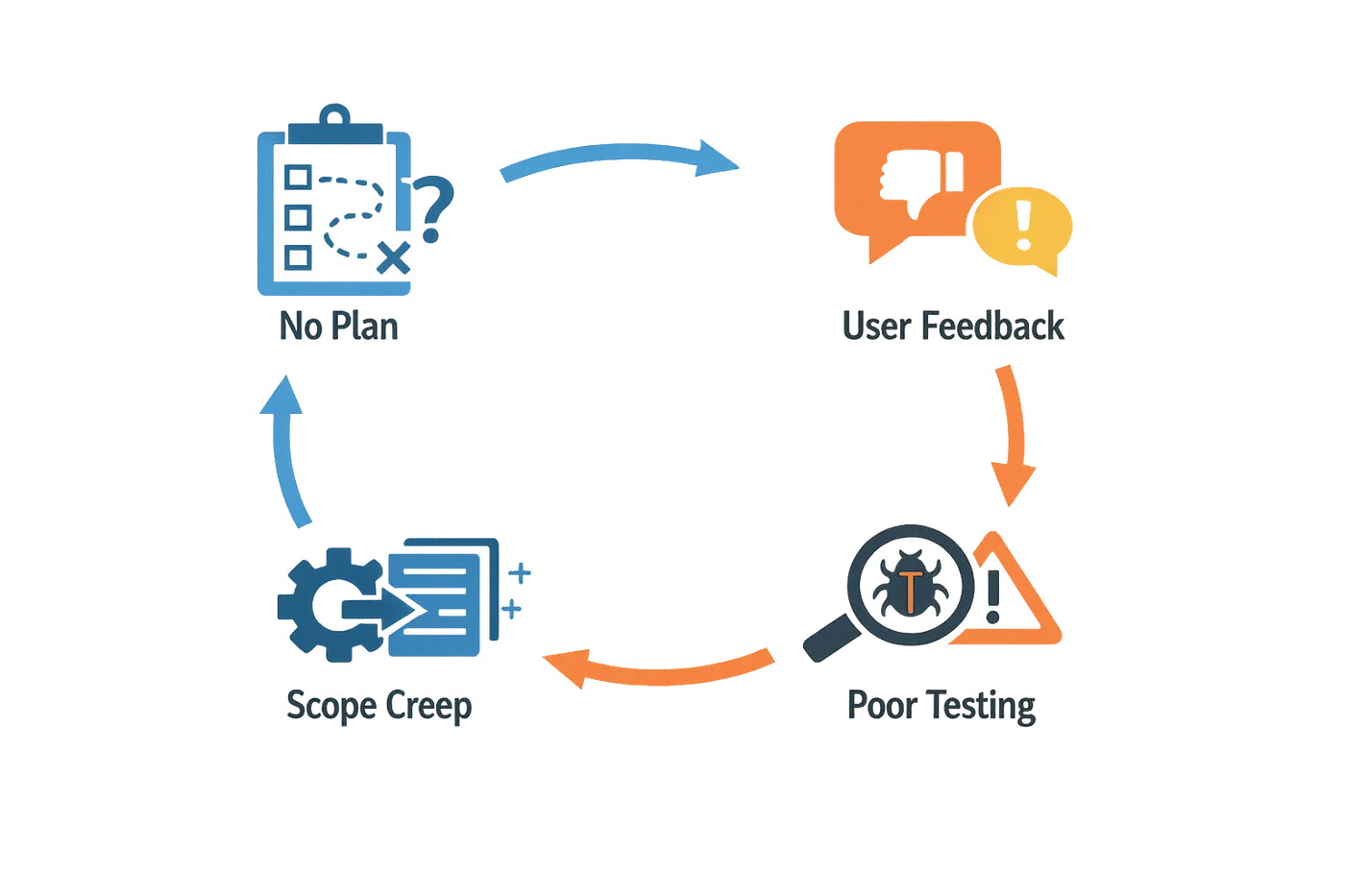
Most custom app development failures trace back to a handful of recurring mistakes. These aren't exotic edge cases. They're the same traps that catch teams over and over.
Granting Excessive Database Permissions
Application accounts often get admin-level database access during early development. Teams leave those permissions in place when they ship. Start from zero and grant only the access rights your application actually needs. Retrofitting minimal permissions later is harder than setting them correctly from the start.
Trusting Third-Party Components Without a Security Process
Even well-maintained libraries and frameworks ship vulnerabilities. Assuming that popular packages are inherently safe leaves your application exposed. Incorporate dependency scanning tools into your build pipeline and maintain a process for responding when a vulnerability appears. Subscribe to security advisories for the components you use.
Treating AI-Generated Code as Production-Ready
AI-generated code can appear correct but may have subtle issues such as missing edge cases or security vulnerabilities. Code that compiles and passes initial tests can still duplicate logic, ignore boundary conditions, or introduce authorization gaps. Your review standards should be identical whether a human or an agent wrote the code.
For more on building robust engineering processes, see How to Build Engineering Capabilities for Your Software Project.
Skipping Input Validation
Relying on client-side validation alone is a mistake. Attackers bypass client checks trivially. Validate and sanitize every input on the server. Use parameterized queries or an ORM to prevent SQL injection. Treat all user input as hostile.
Building Without a Threat Model
Many teams defer security until after core features ship. By that point, architectural decisions have locked in vulnerabilities that are expensive to fix. Identify your high-value targets and likely attack vectors early. Design your authentication, authorization, and data handling with those threats in mind.
Frequently Asked Questions about Custom App Development
How long does custom app development take?
Timeline depends on scope. A single-feature MVP takes 6–12 weeks. A multi-platform app with backend integration runs 4–6 months. Add another 2–4 weeks for each major pivot during development.
The clock starts when you have a written PRD, not when you decide to build something. Founders who skip planning add 30–40% to elapsed time because the team rebuilds features that weren't specified correctly the first pass.
What's the difference between custom app development and using a no-code platform?
Custom app development means you write code. You control the data model, the API contracts, the deployment infrastructure. No-code platforms give you pre-built components and a visual editor. You move faster at the start, but you hit walls when you need behavior the platform doesn't support.
No-code works for internal tools and simple workflows. Custom development works when you need specific performance characteristics, third-party integrations the platform doesn't offer, or a data schema that doesn't fit the platform's primitives. For more on planning custom builds, see App Development Plan: Dev Plan Guide for Non-Technical Founders (2025).
How much does custom app development cost?
Budget $40,000–$80,000 for an MVP with one platform, basic backend, and 3–5 core features. A production-grade app with iOS, Android, web client, and real-time sync starts around $150,000. Enterprise apps with compliance requirements, complex integrations, and custom reporting run $300,000+.
Those numbers assume you have a PRD and design files before development starts. If the agency has to write your spec for you, add 15–25% to the total.
Do I need a technical co-founder or can I hire a development team?
You can hire a team if you can write a PRD that specifies what the app does, what it doesn't do, and how you'll measure success. A technical co-founder is useful when the product strategy itself requires engineering judgment — for example, if you're building developer tools or infrastructure software where the target user is an engineer.
Most SaaS products don't require a technical co-founder. They require a founder who can articulate the problem, validate demand, and hold a development team accountable to a spec.
What happens after the app launches?
You enter a maintenance and iteration cycle. Expect to spend 15–25% of the original development budget per year on hosting, bug fixes, dependency updates, and small feature additions. If you want to add major features or pivot the product, budget those as separate projects with their own PRDs.
The team that built your MVP may not be the right team for scale. Agencies are good at 0-to-1 builds. In-house engineers are better for ongoing iteration once you have product-market fit and predictable feature velocity.
Can I build the app myself using AI coding tools?
You can build a working prototype. AI tools like Cursor, v0, and Replit Agent let you describe features in plain language and generate React components, API routes, and database schemas. The output works for demos and early validation.
Production readiness is different. AI-generated code doesn't include error handling, input validation, rate limiting, or structured logging. You'll need to audit and harden every generated module before you put it in front of paying users. If you don't know how to read a stack trace or debug a failing database migration, AI tools will get you 70% of the way there and then leave you stuck.
How do I choose between native and web app development?
Build native (Swift for iOS, Kotlin for Android) if you need offline-first behavior, hardware sensor access, or performance that matches platform conventions. Build web (React, Vue, or plain HTML) if you need one codebase that runs everywhere and you can tolerate slightly lower responsiveness.
Most B2B SaaS products should start with a web app. Most consumer apps with heavy media or real-time interaction should start native. If you're unsure, prototype the riskiest interaction on both platforms and see which one feels right.
What's the role of a PRD in custom app development?
The PRD is the contract between you and the development team. It lists every feature, defines success metrics, and specifies what's out of scope. A good PRD prevents scope creep and gives the team enough context to make small decisions without asking you every day.
Without a PRD, you're doing time-and-materials development where the agency bills you for every conversation and every revision. With a PRD, you can get a fixed-price bid and hold the team to a delivery timeline.
Conclusion
Custom app development is not a mystery. You start with a clear problem, write down what the app must do, build the smallest version that proves the concept, then iterate based on real usage. The steps are planning, design, development, testing, and deployment. Each step has concrete deliverables.
Most failures happen in planning. You skip the PRD, you guess at scope, you build features no one asked for. The fix is simple: write it down first. A one-page PRD beats a vague conversation every time. Test assumptions early, before you commit to a full build.
The tools matter less than the process. AI coding assistants can accelerate prototyping, but they do not replace judgment about what to build or when to stop. Teams can ship profitable SaaS products with vibe-coded MVPs, and teams can waste months because no one agreed on the spec. The difference is not the stack; it is whether you documented the plan and validated it with users before writing production code.
If you are starting a custom app project, focus on three things: a written requirements document, a narrow MVP scope, and a feedback loop with real users. Everything else is negotiable. Get those three right, and you have a functional path from idea to launch. For more on structuring your requirements, see our guide on PRD Sections Explained: What to Include with Examples.
The hardest part is not the code. It is deciding what not to build.