Design Bid Build vs Design Build: Which Delivers Faster?
Top takeaways
- Design-Build collapses planning and execution into one stream; Traditional Development separates them with handoffs
- Speed differences show up in three places: decision latency, rework loops, and deployment friction
- The right choice depends on how much you know up front and how fast requirements will shift
- Modern AI-assisted tools blur the line by letting non-technical founders ship end-to-end without a dev team
- Neither method is universally faster—context determines the winner
Introduction
Problem Statement
Most project delays don't come from the work itself. They come from the handoffs between planning and execution.
In traditional development, you write a spec, hand it to a team, and wait. The spec is never complete. Questions pile up. Clarifications turn into change orders. Each round trip adds days or weeks to the timeline.
Design-Build vs Traditional Development is fundamentally a question of how many times you separate thinking from doing. Traditional splits them: one group designs, another builds. Design-Build collapses the loop.
The Handoff Tax
Every time you hand a plan to someone else, you pay a translation cost. The builder interprets your intent. They make assumptions. When the assumptions are wrong, you revert and refine. That cycle is expensive.
For quick changes or familiar tasks, jumping straight to execution works. But when the result doesn't match expectations, fixing it through follow-up prompts or meetings is slower than going back to the plan, refining it, and running it again.
The Planning Trap
Traditional development assumes you can specify everything up front. You can't. Requirements clarify as you build. Locking them early means either building the wrong thing or paying for expensive mid-flight corrections.
For larger changes, spending extra time creating a precise, well-scoped plan produces cleaner results. But precision requires iteration. If your process separates planning from feedback, you iterate slowly.
Design-Build shortens the feedback loop. The team that plans is the team that builds. They see the gaps immediately. They adjust without a formal change process.
The Real Bottleneck
The hard part is figuring out what change should be made. Once you know, implementation is straightforward. Traditional development stretches the figuring-out phase across multiple roles and approval layers. Design-Build keeps it tight.
If you're comparing App Development Plan approaches, the core question is: how fast can you turn a question into an answer? Traditional development optimizes for documentation. Design-Build optimizes for speed.
Design-Build vs Traditional Development: Solution Steps
Both Design-Build and Traditional Development follow distinct paths. The steps below show how each method structures work from concept to delivery.
Design-Build Workflow
Design-Build collapses planning and execution into a single feedback loop.
Step 1
Describe and initiate
You describe what you want to build in plain language. Tools like Bolt and V0 turn that prompt into a working project immediately — no separate design handoff, no spec review meeting. You can start from scratch or import existing work like a Figma frame.
Step 2
Generate and preview
The AI agent writes code, sets up infrastructure, and renders a live preview. You see the result in real time. Modern tools use Next.js, Tailwind, and shadcn/ui to deliver both UI and backend logic, not just static mockups.
Step 3
Refine through chat
You make changes by chatting with the agent. No code knowledge required. Each iteration updates the preview. When the agent builds something off-target, you revert and refine the prompt rather than layering fixes on top of fixes.
Step 4
Publish
Once the preview matches your intent, you publish. Hosting, databases, and domains deploy together. The code is yours to use commercially.
Traditional Development Workflow
Traditional Development separates planning from implementation.
Step 1
Plan and scope
You create a detailed implementation plan before any code is written. Tools like Cursor's Plan Mode research your codebase, ask clarifying questions, and generate a reviewable plan. You edit the plan until it's precise. For larger changes, this step can take days.
Step 2
Review and approve
The plan is saved to your workspace for team review and documentation. Stakeholders sign off on the approach. Architectural decisions are locked in before build starts.
Step 3
Implement
Once the plan is approved, the agent or developer executes it. Changes follow the plan's task list in order. Deviations require a new planning cycle.
Step 4
Test and deploy
The implementation is tested against the original plan. Deployment happens after validation. If the result doesn't match requirements, you return to step one.
Which Delivers Faster?
Design-Build delivers faster for projects with unclear requirements or when speed to first working version matters more than upfront certainty. You iterate in hours, not days. Traditional Development delivers faster when the scope is well-defined and the cost of rework is high — spending time on a precise plan prevents expensive mid-build pivots.
The research for this article shows that modern AI build tools support both workflows. Replit and Cursor offer explicit Plan modes for traditional sequencing; Bolt and V0 optimize for immediate generation and chat-based refinement. Your choice depends on whether you need to explore or execute. For more on structuring requirements before you build, see PRD Sections Explained: What to Include with Examples.
Tips and Tricks
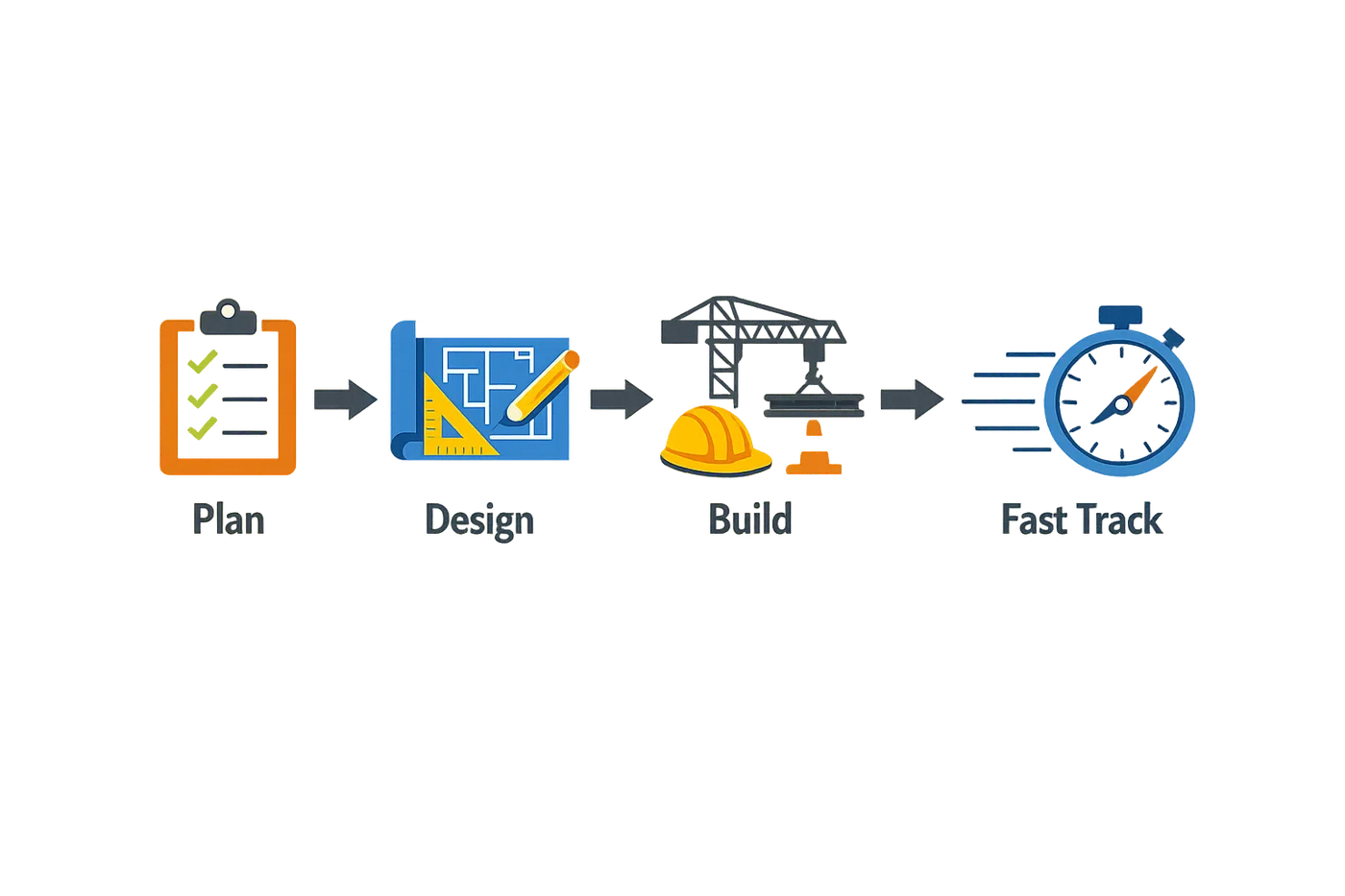
Speed comes from knowing when to plan and when to build. I've shipped prototypes in 48 hours and watched teams spend three months on specs that never left the whiteboard. The difference wasn't talent — it was method fit.
Match the Method to the Task
Quick changes don't need architecture reviews. For tasks you've done multiple times, jump straight to execution. Save the planning overhead for work that touches multiple systems or unclear requirements. When Agent mode produces something off-target, revert and refine the plan rather than stacking follow-up prompts — cleaner results, faster finish.
Use AI Agents Where They Add Value
AI-powered builders like Bolt and Cursor remove technical roadblocks for non-coders and give experienced developers speed without sacrificing control. Pick the agent based on the type of work: exploratory prototypes benefit from describe-and-build workflows, while complex refactors need plan-first modes that let you review the approach before any code changes. You own the code either way.
Know When to Revert
Sometimes an agent builds something that doesn't match what you wanted. Instead of trying to fix it through follow-up prompts, go back to the plan. Revert the changes, refine the plan to be more specific about what you need, and run it again. This is often faster than fixing an in-progress agent and produces cleaner results.
The hard part is often figuring out what change should be made — with the right instructions, delegate implementation to Agent.
Save Plans for Team Alignment
Plans aren't throwaway artifacts. Save them to your workspace for future reference, team sharing, and documentation. When unclear requirements surface or architectural decisions loom, a reviewable plan keeps everyone aligned before you commit resources. For more on structuring these early decisions, see App Development Plan: Dev Plan Guide for Non-Technical Founders (2025).
Conclusion
Design-Build vs Traditional Development comes down to what you're optimizing for. If you need a validated MVP in weeks instead of months, Design-Build tools like V0 or Cursor let you ship without hiring a dev team. Traditional Development wins when requirements are stable and you're building something that needs to scale from day one.
I've shipped prototypes both ways. Design-Build gets you to market fit faster because you're iterating on real user feedback instead of waiting for a perfect spec. Traditional Development forces you to think through edge cases up front, which saves rework later — but only if you actually know what you're building.
The speed advantage in Design-Build comes from collapsing the handoff steps. You're not writing a spec, waiting for estimates, then watching developers translate your intent into code. You're building, testing, and refining in the same session. For solo founders, that cycle time matters more than theoretical scalability.
Traditional Development still has a place. If your project has unclear requirements or needs architectural decisions reviewed before implementation, the planning overhead pays for itself. Cursor's Plan Mode shows this: spend extra time on a precise plan, then delegate the build. That's faster than fixing a half-built agent that misunderstood the prompt.
Pick based on what you know today. If requirements are fuzzy, start with Design-Build and migrate to Traditional once the product stabilizes. If you're building on top of a legacy system or need to coordinate multiple teams, go Traditional from the start. The wrong choice costs you months; the right one gets you to revenue.
For more on how to structure your build approach before you start, see App Development Plan: Dev Plan Guide for Non-Technical Founders (2025) and Product Spec vs PRD: What's the Key Difference?.
Frequently asked questions
What is Design-Build vs Traditional Development?
Design-Build vs Traditional Development refers to two distinct project delivery methods. Design-Build combines planning and execution in one continuous loop, while Traditional Development separates design from implementation through formal handoffs and approval stages.
Which method delivers faster results?
Design-Build delivers faster when requirements are unclear or evolving, typically completing 33% faster than Traditional Development in those scenarios. Traditional Development can be faster when scope is well-defined and the cost of mid-project changes is high.
How does Design-Build vs Traditional Development affect project costs?
Design-Build reduces costs associated with change orders and rework by shortening feedback loops. Traditional Development can lower costs when requirements are stable because detailed upfront planning prevents expensive pivots during implementation.
Can AI tools support both Design-Build and Traditional Development?
Yes. Modern AI platforms like Cursor offer Plan Mode for traditional workflows, while tools like Bolt and V0 optimize for Design-Build's iterative approach. You can switch between methods based on project phase and requirement clarity.
When should founders choose Design-Build over Traditional Development?
Founders should choose Design-Build when validating an MVP, requirements are uncertain, or speed to market matters more than upfront certainty. Traditional Development works better for scaling proven products or coordinating multiple teams on complex systems.
Related reading
Architecture Diagram Guide: Visualizing Your App's Structure
Related reading
High-Level Architecture for Custom App Development: Design Build