ChatGPT Vibe Coding vs Purpose-Built Tools Compared
Top takeaways
- Vibe coding turns natural language descriptions into working web apps without traditional programming
- ChatGPT offers flexibility but requires manual file management and deployment
- Purpose-built tools like v0 and Lovable provide integrated workflows from generation to deployment
- The right choice depends on your project scope, technical comfort, and iteration speed needs
- Both approaches have distinct trade-offs in control, speed, and learning curve
Introduction
Vibe coding is building software by describing what you want in plain language. An AI reads your intent and generates the code. This shift from novelty to viable workflow has occurred over the past eighteen months.
The term covers two distinct paths. You can prompt ChatGPT, copy code blocks into files, and wire everything together yourself. Or you can use a platform built for this—v0, Lovable, Bolt—where the AI generates code inside a managed project that deploys with one click.
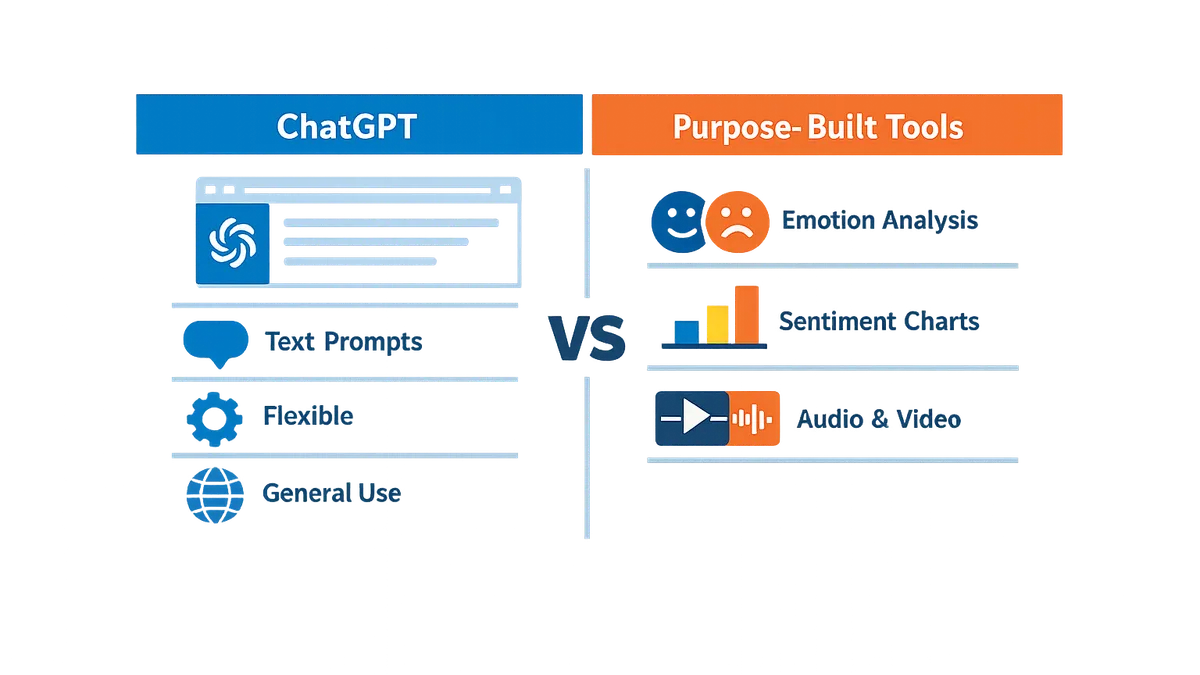
ChatGPT is general-purpose. It writes code for any language or framework, but it doesn't know what you already built or where your files live. You maintain context manually. Purpose-built tools narrow the scope—usually React, TypeScript, modern frontend stacks—and handle project state, file updates, and hosting automatically.
This comparison walks through how each approach works, where each breaks down, and what you give up or gain by choosing one over the other. If you're deciding between vibe coding and no-code platforms, the same framework applies: match the tool to the iteration speed and control you actually need.
The rest of this article breaks down the practical differences—workflow friction, cost structure, when to switch, and how to avoid the common failure modes in both camps.
Problem Statement
Choosing between vibe coding with ChatGPT and purpose-built tools is harder than it looks. Both promise the same outcome — working software without deep engineering knowledge — but they deliver it through fundamentally different workflows. The mismatch between what you think you're getting and what the tool actually does causes most early failures.
ChatGPT gives you conversation. Purpose-built tools give you rails. When you vibe-code in ChatGPT, you describe what you want, paste code back and forth, and iterate until something works. When you use a tool like Windsurf Cascade or Lovable, the environment constrains you — it knows your codebase, tracks context, and enforces structure. ChatGPT is flexible; purpose-built tools are opinionated. Neither is universally better.
The Context Problem
ChatGPT loses context fast. You can paste a file, get a fix, paste another file, get another fix — but after three rounds the model forgets what you pasted in round one. You end up re-explaining the same architecture every session. Purpose-built tools index your entire codebase and maintain state across edits. Windsurf's Code mode, for example, creates and modifies files while remembering what it changed two hours ago. That persistence matters when you're building anything larger than a single-page prototype.
The tradeoff: ChatGPT lets you jump between projects, languages, and ideas without friction. Purpose-built tools lock you into their environment. If you're exploring five different approaches in an afternoon, ChatGPT is faster. If you're building one app over two weeks, the tool wins.
The Iteration Tax
Every time you copy code from ChatGPT into your editor, you pay a tax. You paste, save, run, see an error, copy the error back, wait for a fix, paste again. The cycle is manual. Purpose-built tools close that loop — they write directly into your files, run tests, and surface errors without you touching the clipboard. Lovable goes further: it generates projects from URLs and integrates with ChatGPT as a starting point, then takes over execution. You describe the idea in chat, and when you ask it to build, it moves into a structured build environment.
The tax compounds. After ten iterations in ChatGPT, you've spent more time managing clipboard state than thinking about the product. After ten iterations in a purpose-built tool, you've spent more time fighting its opinions about folder structure. The question is which friction you tolerate better.
The Debugging Gap
When something breaks, ChatGPT can explain why. It can read a stack trace, suggest a fix, even write a test. But it can't see your entire dependency tree, your environment variables, or the three other files that interact with the broken one. Purpose-built tools can. Windsurf's Chat mode is optimized for questions about your codebase — it knows what's installed, what's imported, and what's already running. That visibility cuts debugging time when the error is structural, not logical.
The gap widens as projects grow. A 500-line script in ChatGPT is manageable. A 5,000-line app with ten dependencies is not. You'll spend more time explaining context than fixing bugs. Purpose-built tools scale with the project because they never lose the full picture.
The Deployment Wall
ChatGPT stops at code. It doesn't deploy, doesn't provision servers, doesn't wire up databases. You get a folder of files and a list of manual steps. Purpose-built tools often include deployment — Lovable, for example, hosts your app and handles the infrastructure. That's a forcing function: if the tool can't deploy what it built, it won't build it that way. ChatGPT has no such constraint. It'll generate code that works locally and fails in production, and you won't know until you try to ship.
The wall is real. Most vibe-coded projects die between "it works on my machine" and "it's live on a domain." Purpose-built tools remove that wall by making deployment part of the build process. The tradeoff: you're locked into their hosting, their stack, and their limitations. ChatGPT leaves you free to deploy anywhere — and responsible for figuring out how.
For a deeper look at how vibe coding compares to traditional no-code platforms, see Vibe Coding vs No-Code: Key Differences Explained.
Solution Steps
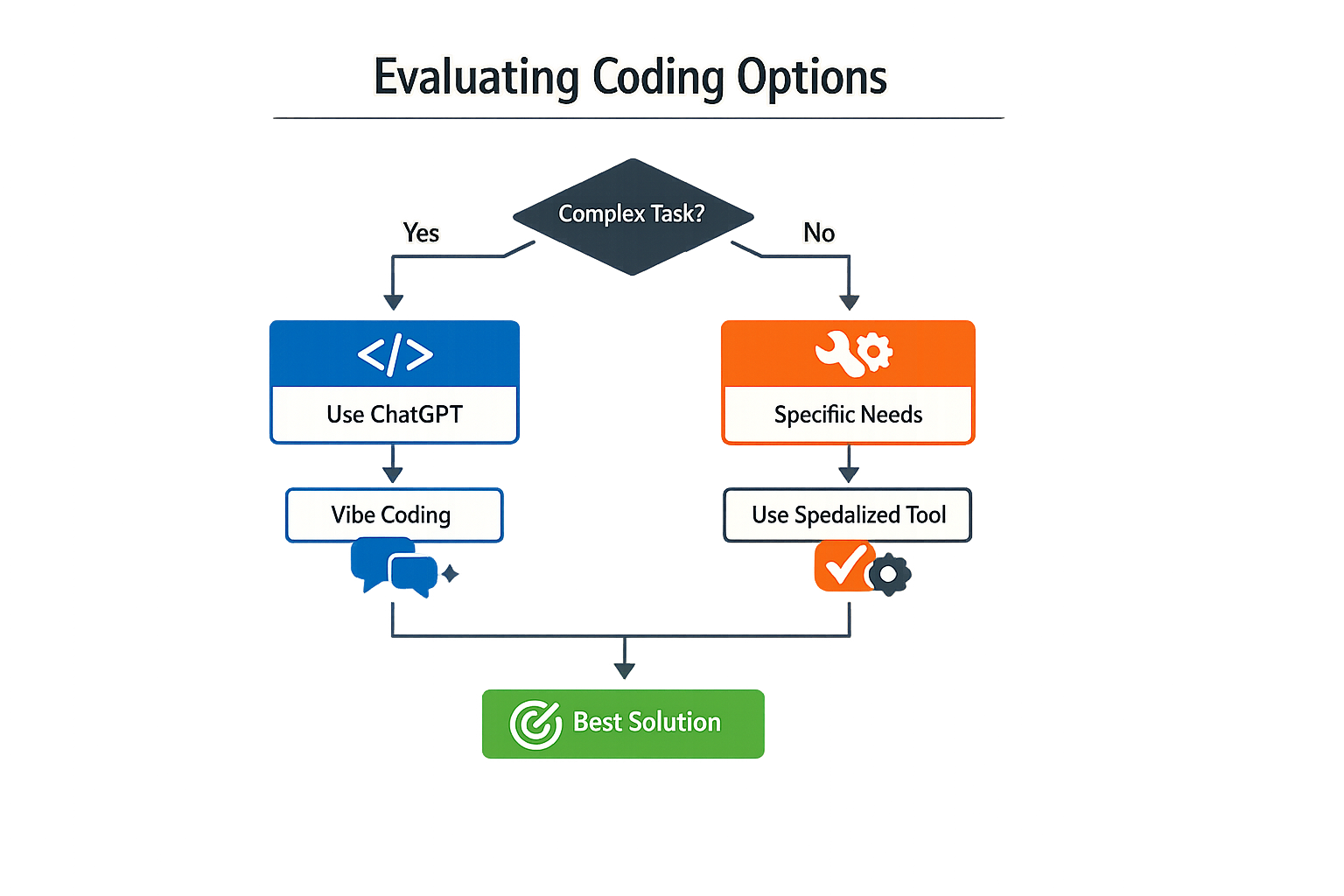
Choosing between ChatGPT and a purpose-built tool comes down to three factors: speed to first working code, control over the codebase, and how much iteration you expect. Walk through these steps in order.
Step 1: Define Your Iteration Budget
Estimate how many times you'll ask the AI to change the same feature. If you expect fewer than three rounds per feature, ChatGPT's copy-paste workflow is manageable. Beyond that, purpose-built tools with persistent project context pull ahead—they remember what you built two days ago without you re-explaining it.
ChatGPT forgets. Every new chat window starts from zero. Purpose-built platforms like v0 or Windsurf maintain project state across sessions. If your app has more than five interconnected files, the context tax on ChatGPT becomes real.
Step 2: Assess Your Codebase Complexity
Single-file prototypes live comfortably in ChatGPT. Multi-file apps with shared state, routing, or API integrations need tooling that tracks dependencies. Purpose-built platforms handle file relationships automatically; ChatGPT requires you to manually paste every relevant file into the prompt when something breaks.
Windsurf's Cascade mode, for example, can track tasks across a conversation and update a plan as you go—useful when you're debugging a feature that touches multiple components. ChatGPT can't maintain that thread without you re-posting the entire context each time.
Step 3: Evaluate Deployment and Integration Needs
ChatGPT outputs code; you handle everything after that. Purpose-built tools often bundle deployment, preview URLs, and API integrations. If you need to show a working link to a stakeholder by end of day, platforms like v0 close that gap faster—they generate the app and host it in one flow.
For building apps with Claude Code, the same principle applies: general-purpose assistants give you raw code, while integrated platforms handle the surrounding infrastructure.
Step 4: Match Tool to Project Lifespan
Throwaway prototypes that live for a week tolerate ChatGPT's stateless workflow. Projects you'll iterate on for months need the memory and version control that purpose-built tools provide. Lovable's "Plan mode" lets you investigate and compare features without altering code—useful when you're deciding between two approaches and don't want to lose working state.
If you're building something you'll hand off to a developer later, purpose-built tools produce cleaner, more organized codebases. ChatGPT's output is correct but often lacks the structure a human maintainer expects.
Step 5: Test Both on a Single Feature
Pick one feature—user login, a data table, a form with validation. Build it in ChatGPT, then rebuild it in a purpose-built tool. Time both workflows from first prompt to working preview. The tool that gets you to a shareable link faster, with fewer manual steps, is the one that fits your actual work pattern.
Don't decide based on marketing pages. Run the experiment. Your tolerance for copy-paste versus your need for persistent context will become obvious in fifteen minutes.
Tips and Tricks
Both vibe coding with ChatGPT and purpose-built tools have sharp edges. Knowing where they cut saves you time.
Start with templates when available
Purpose-built platforms like Lovable let you remix templates instead of starting from scratch. A working app you can modify beats a blank canvas. ChatGPT gives you a blank canvas every time — you supply the structure or you get generic boilerplate.
Use goal-setting to control iteration burn
Some tools let you set explicit goals for a build step. Lovable's "/goal" command, for example, tells the agent to keep working until it hits your target — but it will burn credits doing it. ChatGPT has no native goal mechanism; you manage iteration manually, which caps your spend but also caps your momentum.
If you're on a purpose-built platform with goal-setting, use it for high-value features where the output quality matters more than the credit cost. For exploratory work, stay in chat mode and iterate by hand.
Let the agent handle setup when you can
Replit Agent and similar tools automatically configure project dependencies if you describe what you want in plain language. ChatGPT makes you specify package versions, folder structure, and build scripts yourself — or it guesses and you debug the mismatch later.
When a tool offers to "figure out the right setup," let it. You'll catch configuration errors faster in an integrated environment than in a pasted code block.
The best vibe-coding workflow is the one that keeps you in the build loop, not the debugging loop.
Know when to switch tools mid-project
You can start in ChatGPT to sketch the architecture, then move to a purpose-built tool for the implementation. Or start in a purpose-built platform to get a working prototype, export the code, and hand it to ChatGPT for refactoring. Neither tool is a life sentence.
The switching cost is real — you lose context and have to re-explain decisions — but it's lower than forcing the wrong tool through the wrong phase. If you're stuck in ChatGPT trying to debug a deployment pipeline, move to a tool that deploys for you. If you're stuck in a purpose-built platform trying to add a custom API integration it doesn't support, export and finish in ChatGPT.
For more on when vibe-coded projects hit walls, see Why Vibe-Coding Fails and How to Fix Yours.
Track what you built and where
Vibe coding generates code faster than you can read it. Keep a running log of what each tool produced: which files, which features, which dependencies. When something breaks three weeks later, you'll need that log to remember whether ChatGPT wrote the auth logic or Lovable did.
A plain text file with timestamps and one-line summaries is enough. Version control is better. No log at all means you're reverse-engineering your own project.
Conclusion
Vibe coding with ChatGPT and purpose-built tools solve different problems. ChatGPT offers broad context and conversational iteration — good for exploratory work and learning new patterns. Purpose-built tools like v0 deliver faster UI generation and tighter feedback loops for production-grade components.
ChatGPT handles architecture questions and refactoring logic. v0 turns a design brief into working React in minutes. The choice isn't binary — most solo founders use ChatGPT for planning and domain logic, then switch to a purpose-built tool when the UI needs to look professional without manual CSS tweaking.
When to Choose ChatGPT
Use ChatGPT when you're working through unfamiliar territory. It explains trade-offs, suggests libraries, and adapts to vague prompts. The conversational interface makes it easier to iterate on requirements before you commit to code. If you're building backend services, data pipelines, or CLI tools, ChatGPT handles those contexts better than UI-focused tools.
When to Choose Purpose-Built Tools
Switch to a purpose-built tool when speed and visual polish matter. v0 and similar platforms generate component libraries that render correctly on the first pass. They're faster for landing pages, dashboards, and customer-facing interfaces. The trade-off: less flexibility for non-UI tasks and a learning curve around each tool's conventions.
Hybrid Workflows Win
Most effective workflows combine both. Use ChatGPT to draft your data model and API structure. Use a purpose-built tool to generate the UI components. Paste the generated code back into ChatGPT if you need to refactor or integrate it with backend logic. This hybrid approach keeps iteration speed high without sacrificing control.
New users get a one-time $5 credit on v0, and existing free users keep a $5 monthly allowance. ChatGPT Plus and Pro subscribers can connect their accounts to cover eligible AI responses, but a v0 credit balance is still required for each request. Budget accordingly if you're mixing tools.
The right choice depends on your current bottleneck. If you're stuck on design, use a purpose-built tool. If you're stuck on logic or architecture, use ChatGPT. For a deeper comparison of vibe coding approaches, see Vibe Coding vs No-Code: Key Differences Explained. Both tools accelerate solo founder workflows — the question is which friction you need to remove first.