PRD Example for a Mobile App: The Ultimate Simple Guide
Introduction
[Image: PRD example for a mobile app showing a structured document layout for mobile development]
A PRD example for a mobile app is the blueprint that turns vague ideas into buildable features. It answers the hard questions—who needs this, what problem does it solve, what does success look like—before you spend time and money building the wrong thing.
Most app projects start with excitement and end in scope creep. A PRD draws the line. It tells your team (or your future self) what's in, what's out, and what the app must do to matter. If you skip it, you're guessing. If you write it badly, you're still guessing but with more words.
I've seen founders waste months building features nobody asked for because they never wrote down what the app was supposed to do in the first place. A PRD is the cheapest insurance you can buy. For more on turning an idea into something you can actually build, see I Have an App Idea: The Ultimate Simple Guide for Founders.
The quality of your requirements document determines whether your project ships on time or collapses under its own ambiguity. Industry research shows that well-defined PRDs lead to 42% fewer defects in the final product. A clear PRD example shows you how to avoid that fate.
This guide walks through a complete PRD example for a mobile app, section by section, with annotations explaining why each part matters. By the end, you'll know how to write one that keeps your project on track.
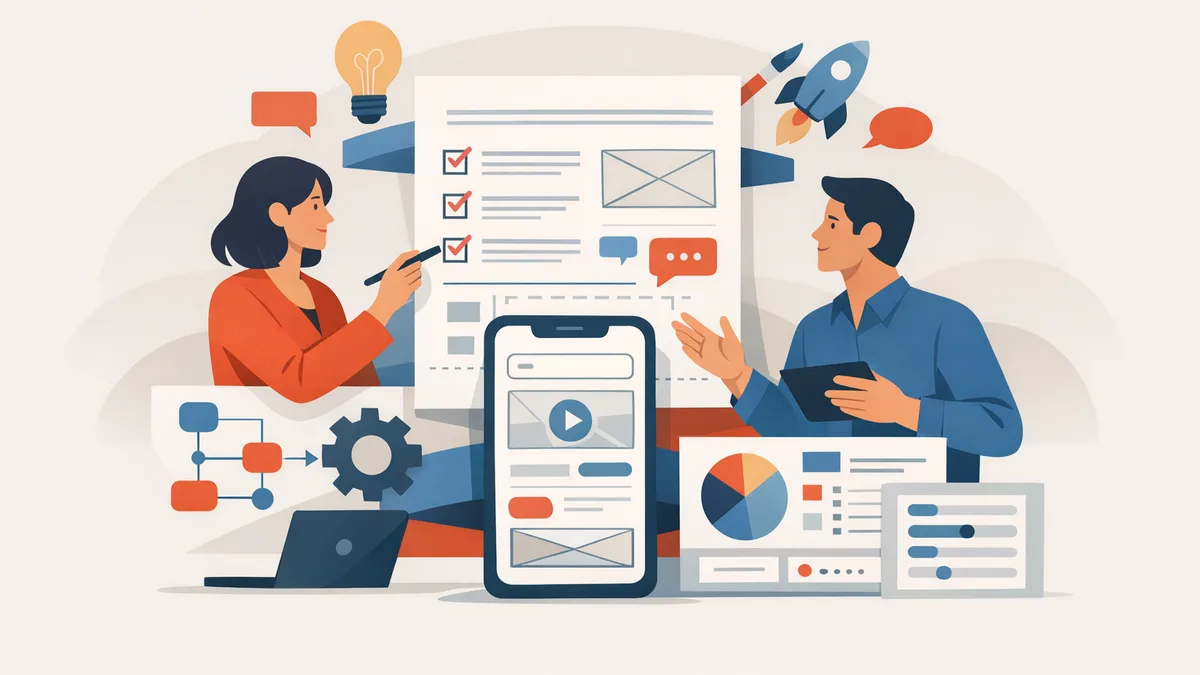
Explore a detailed PRD example for a mobile app, complete with annotations for better understanding.
What is a PRD?
[Image: Image illustrating what a PRD is]
A Product Requirements Document (PRD) is a working agreement that turns questions about your product into a buildable plan. It captures the key product goals, features, user needs, and technical constraints needed to ship a high-quality mobile product. Think of it as the single source of truth that aligns engineering, design, and business teams before anyone writes code.
The PRD answers the questions that prevent scope creep: what problem does this solve, who needs it, what does version one include, and what gets cut. Without it, you're building on assumptions instead of shared understanding.
Core Components of a Mobile App PRD
A mobile app PRD should explain the user problem, target audience, business goal, first-version scope, user roles, must-have features, edge cases, data requirements, integrations, metrics, risks, and launch assumptions. Each section serves a specific function in the handoff from strategy to execution.
The document provides a shared view for product managers, developers, designers, and stakeholders. When everyone reads the same requirements, fewer features get misinterpreted and fewer sprints get wasted on rework.
Why PRDs Matter for Mobile Projects
Mobile apps face constraints that web products don't: app store review timelines, platform-specific guidelines, offline-first behavior, and device fragmentation. A PRD forces you to make hard decisions about iOS-only versus cross-platform, minimum OS versions, and which edge cases you'll handle in version one.
If you're working with a vibe-coding workflow, the PRD becomes even more critical—it's the structured input that prevents your AI assistant from hallucinating features or misunderstanding scope. The clearer your requirements, the fewer iterations you waste.
Importance of a PRD in Mobile App Development
[Image: Image highlighting the importance of PRD in mobile app development]
Most mobile app projects fail not because developers write bad code, but because the team never agreed on what they were building. A PRD forces that conversation up front. It turns vague product ideas into concrete requirements that engineers can estimate, designers can mock, and stakeholders can approve before anyone writes a line of code.
The Cost of Skipping a PRD
When you skip the PRD, scope creep becomes the default. Features get added mid-sprint because "it's just a small change." Designers rework screens three times because no one documented the user flow. Engineers build the wrong thing, then rebuild it, then patch it again when the product owner finally clarifies what they meant. Well-defined PRDs lead to 42% fewer defects in the final product — that's not theory, that's measurable reduction in rework cycles.
What a PRD Actually Prevents
A solid PRD eliminates the three failure modes that kill early-stage apps: ambiguous scope, misaligned expectations, and invisible dependencies. When your PRD lists every screen, every API call, and every edge case, the team can spot problems during planning instead of during QA. Product managers can say no to feature requests that don't fit the documented goals. Engineers can flag technical blockers before the sprint starts. The PRD is the shared artifact that keeps everyone building the same app.
The quality of a mobile app's requirements document can make or break the project.
If you're a non-technical founder trying to spec your first app, a PRD is the tool that lets you talk to developers without getting lost in jargon. It's the document that turns "I want an app like Uber but for dog walking" into a buildable feature list with priorities, constraints, and success metrics. For more on translating your app idea into a structured plan, see What Is a PRD? A Plain-English Guide for Non-Technical Founders.
Sample PRD Example for a Mobile App
A concrete example clarifies what belongs in a PRD and what doesn't. Below is a simplified PRD example for a mobile app called SnapList, a real-time grocery list tool targeting an MVP in three weeks for public beta.
SnapList PRD (Annotated)
Product Name: SnapListVersion: 1.0 (MVP)Target Launch: Public beta in 3 weeksPlatform: iOS (Android deferred to v1.1)
Problem StatementUsers forget items at the store or buy duplicates because paper lists get lost and text-based shared notes don't sync reliably.
Goals
- Allow one user to create a list and share it with household members in real-time.
- Reduce forgotten items by 50% (self-reported survey after 2 weeks of use).
- Achieve 200 beta signups in the first week.
User Stories
- As a shopper, I want to add items by typing or voice so I can update the list hands-free.
- As a household member, I want to see live updates when someone adds or checks off an item so we don't duplicate purchases.
- As a list owner, I want to invite others via SMS link so setup is under 30 seconds.
Features (MVP Scope)
- Create/edit/delete lists (one active list per household).
- Add/remove items (text input only; voice deferred to v1.1).
- Real-time sync across devices (WebSocket or Firebase).
- Invite via SMS link (no account creation required for beta).
- Check off items (strikethrough visual, persists until list is cleared).
Out of Scope (v1.0)
- Voice input, barcode scanning, recipe import, price tracking, Android build.
Success Metrics
- 200 beta signups in week one.
- 60% of users invite at least one other person.
- Average session length >2 minutes (indicates real shopping use, not just curiosity).
Technical Notes
- Backend: Firebase Realtime Database for sync.
- Auth: Anonymous auth with device ID; SMS invite generates a shared list token.
- No server-side logic beyond Firebase rules.
Why This PRD Example Works
The SnapList PRD fits on two pages, names concrete success numbers (200 signups, 60% invite rate), and draws a bright line around what ships in three weeks. A developer reading this knows exactly what to build. A designer knows the interaction model (tap to add, swipe to check off). A founder knows the bet: real-time sync solves the duplicate-purchase problem, and SMS invites lower friction enough to hit 200 signups.
Another common pattern is a feature-level PRD. For example, adding a "Save for Later" option to an existing e-commerce app requires a narrower document: current cart behavior, proposed UI (button placement, icon), backend changes (new database table or flag), and success metric (10% of users move at least one item to the saved list within the first week). That PRD might be half a page because the surrounding app context already exists.
For an online school app, the first release goal might be paid course access and lesson progress tracking. For a delivery app, it might be reliable order status and courier assignment. The structure stays the same: problem, goals, user stories, in-scope features, out-of-scope features, success metrics. The content changes to match the domain.
If you're drafting your first PRD, start with a plain-English guide for non-technical founders to understand the document's purpose before you fill in the template.
Key Elements of a PRD Example
[Image: Image detailing key elements of a PRD example]
A good PRD is a checklist, not a novel. Each section answers one question the dev team will ask when they sit down to build. Miss a section and you get Slack messages at 9pm asking what you meant.
Purpose and Scope
This section defines why the app exists and what's in the first release. It's the north star that keeps scope from ballooning when someone suggests "just one more feature." Write the problem you're solving in two sentences. Then list what's in and what's explicitly out.
Users and Roles
Define who uses the app and what each role can do. A fitness app might have free users, premium subscribers, and coaches. Each role gets different screens and permissions. If you skip this, your dev team will guess—and they'll guess wrong.
Primary User Journey
Map the happy path from app open to core value delivered. For a food delivery app: open app → see restaurants → pick items → checkout → track order. This becomes your MVP skeleton. Everything else hangs off this spine.
Step 1
Start with the core loop
Write the 4-6 steps a user takes to get value from your app. If you can't do it in six steps, your concept is too complex for a first release.
User Stories and Acceptance Criteria
User stories follow the format: "As a [role], I want to [action] so that [benefit]." Each story gets acceptance criteria—the specific conditions that make the story done. "User can log in" is vague. "User enters email and password, taps login, sees home screen within 2 seconds" is testable.
For more context on turning app concepts into structured requirements, see What Is a PRD? A Plain-English Guide for Non-Technical Founders.
Functional and Non-Functional Requirements
Functional requirements describe what the app does: "App sends push notification when order ships." Non-functional requirements describe how well it does it: "App loads home screen in under 2 seconds on 4G." Both matter. The first tells you what to build; the second tells you when it's good enough to ship.
Data, Integrations, and Edge Cases
List every external service your app talks to: payment processors, maps APIs, analytics tools. Document what data you store and where. Then write down the edge cases: what happens when the user has no internet, when payment fails, when they force-quit mid-checkout.
Privacy, Security, and Analytics
Define what user data you collect, how you protect it, and what events you track. If you're handling payments or health data, this section becomes legally binding. Even for simple apps, write down what you log and why.
Delivery Process and Governance
This section covers release cadence, approval workflows, and who signs off on changes. For a solo founder, it's simple. For a team, it prevents the designer from changing button colors the night before launch.
Common Challenges in Writing a PRD
Most mobile app projects fail not because of coding issues, but because the business never clearly defined the product it wanted to build. The hardest part of writing a PRD is not the document format — it's forcing yourself to make decisions before you start building.
Vague Requirements That Feel Specific
The most consistent source of mid-project problems is requirements that were underdefined at the start. A line like "users can manage their profile" sounds concrete until your developer asks whether that includes password reset, avatar upload, two-factor auth, or account deletion. Each of those is a separate feature with its own edge cases.
The fix is simple but uncomfortable: when you write a requirement, ask yourself what happens in the failure case, the empty state, and the boundary condition. If you can't answer, the requirement is not ready.
Confusing "What" With "How"
A PRD should describe what the product does, not how the engineering team builds it. Writing "use Firebase for authentication" is a technical decision that belongs in a spec doc, not a product requirement. Writing "users log in with email and password, with optional Google sign-in" is a product requirement.
This boundary gets fuzzy when you are also the person building the product. The discipline still matters — when you mix product decisions with implementation choices in the same document, you lose the ability to change one without rewriting the other.
Skipping the Unhappy Paths
Most first-draft PRDs describe the happy path: user taps button, data loads, success message appears. Real apps spend more code on error handling than on success cases. What happens when the API is down? When the user has no internet? When they tap the button twice?
If your vibe coding workflow involves an AI writing code from your PRD, these gaps become bugs on day one. The AI will invent error handling if you don't specify it, and the invention will be wrong.
Writing for the Wrong Audience
A PRD for a contractor needs more detail than a PRD for an in-house team. A PRD for a technical co-founder can assume shared context that a PRD for a design agency cannot. The challenge is calibrating specificity without over-specifying.
The test: if you handed this document to someone who has never spoken to you, could they build something you would recognize? If the answer is no, add detail. If the answer is yes but they would have no room to make reasonable choices, remove detail.
Tips for Creating an Effective PRD Example
A PRD fails when the team reads it and still doesn't know what to build. Most weak PRDs start with a feature list instead of the problem. You need to state the target user, the task they're stuck on, and the business change you expect before anyone opens Figma.
Start with the Problem, Not the Solution
Lead with what's broken. Name the user segment, describe the friction, then explain why it matters to revenue or retention. If you open with wireframes, the team optimizes the wrong thing. The problem statement anchors every trade-off that follows.
Specify Edge Cases and Measurable Targets
Ambiguity before development starts costs you two weeks minimum. Define what happens when the user has no network, when the list is empty, when permissions are denied. Attach a number to success: "reduce onboarding drop-off by 15%" beats "improve onboarding" every time.
If you're working through what is a PRD for the first time, this is where most founders under-spec and pay for it in revision cycles.
Keep It Scannable
Short paragraphs, bullets, and clear section breaks. Engineers skim PRDs during standups. If they can't find the acceptance criteria in ten seconds, they'll guess. Use tables for feature matrices, stepcard blocks for user flows, and one sentence per requirement.
A good PRD leaves no room for misinterpretation — the team should be able to start work without a follow-up Slack thread.
Write the first draft fast, then cut half the adjectives. The tighter the doc, the fewer questions you field during build.
Who Should Use a PRD?
A PRD isn't just a document for product managers. Every stakeholder who touches the mobile app—from design to deployment—benefits from a well-structured PRD example for a mobile app. The question isn't whether you need one, but who on your team should be reading it and when.
Product Managers and Founders
Product managers own the PRD. They write it, maintain it, and use it as the single source of truth throughout the build. For solo founders, the PRD doubles as a forcing function—writing it down exposes gaps in your thinking before you waste time building the wrong thing. If you can't articulate the feature in a PRD, you're not ready to spec it out.
Developers and Engineers
Engineers use the PRD to understand what they're building and why. A good PRD answers the questions developers ask in standup: What's the expected behavior? What are the edge cases? What can we punt to v2? Without a PRD, you get Slack threads that never close and features that drift mid-sprint. The PRD keeps the build on rails.
Designers and UX Teams
Designers need the PRD to understand user goals and constraints before they open Figma. A PRD that defines success metrics and user flows gives design a clear target. When the PRD says "users must complete onboarding in under two minutes," design knows exactly what to optimize for. No PRD means design guesses, and guesses get redone.
QA and Testing Teams
QA uses the PRD to write test cases and validate that the shipped feature matches the spec. Every requirement in the PRD becomes a test scenario. If the PRD says "user can reset password via email," QA knows to test the email flow, the token expiry, and the error states. A weak PRD produces weak test coverage.
Stakeholders and Executives
Non-technical stakeholders—investors, advisors, executives—use the PRD to understand scope and timelines without sitting in on every sprint. A PRD lets them see what's being built and why without needing to parse Jira tickets. It's the document you hand someone when they ask "what are we shipping next quarter?"
For a deeper dive into turning early ideas into structured plans, see I Have an App Idea: The Ultimate Simple Guide for Founders.
Final Thoughts on PRD Examples
A strong PRD cuts the distance between idea and working code. It forces you to name edge cases, pick measurable targets, and clarify what success looks like before anyone writes a line. That clarity accelerates everything downstream—fewer rewrites, faster handoffs, and less time second-guessing scope mid-build.
The Core Takeaways
Invest time in the PRD upfront, and you'll recoup it in every phase that follows. A good document specifies functionality, edge cases, and measurable targets to avoid ambiguity before development starts. It serves as the shared reference when stakeholders ask questions, when engineers encounter gaps, and when QA needs to know what "done" means.
If your PRD leaves room for interpretation on core flows or success metrics, you'll pay for it in rework cycles. Ambiguity compounds—one vague requirement spawns three clarification meetings, two design revisions, and a feature that ships late because no one agreed on the acceptance criteria.
Why PRDs Matter for Mobile Apps
Mobile apps surface complexity fast. Screen sizes vary, network conditions change, and users expect instant feedback. A PRD that specifies loading states, offline behavior, and error handling saves you from discovering these gaps in user testing—or worse, in production.
For solo founders and small teams, a PRD also functions as institutional memory. When you return to a feature six weeks later, the document tells you what you decided and why. That continuity matters when you're juggling design, development, and customer support on your own.
A PRD is the cheapest insurance policy you can buy against scope creep and late-stage surprises.
If you're new to product planning, start with a simple template and fill in the sections that matter for your app. You don't need enterprise-grade process on day one, but you do need enough structure to keep decisions visible and reversible. A plain-English guide for non-technical founders can help you build that foundation without overcomplicating the early stages.
When to Revisit Your PRD
PRDs aren't static. As you learn from users, test assumptions, and encounter technical constraints, update the document to reflect what you now know. Treat it as a living reference, not a contract carved in stone. The goal is alignment, not paperwork.
If a section of your PRD hasn't been touched in three months and the feature is live, archive it. Keep the document lean so people actually read it when they need to.
Conclusion
A PRD example for a mobile app is the difference between building what you imagined and building what you can actually ship. The document forces you to answer the hard questions before code gets written — who uses this, what problem does it solve, what happens when the server is down. Most founders skip this step because it feels like paperwork. Then they spend three months building the wrong thing.
We've worked with solo founders who burned through their runway because they started coding before they knew what done looked like. A PRD doesn't have to be fifty pages, but it does need to define success clearly enough that a developer can build it and a tester can verify it. Well-defined PRDs lead to 42% fewer defects in the final product, which means fewer late nights fixing bugs that never should have existed.
The quality of a mobile app's requirements document can make or break the project. Write it once, reference it constantly, update it when reality changes. If you're not sure where to start, a plain-English guide for non-technical founders walks through the essentials without the enterprise bloat.
Your PRD is the contract between what you want and what gets built. Treat it seriously, keep it current, and you'll spend less time explaining what you meant and more time shipping what works.
Frequently asked questions
What is a PRD example for a mobile app?
A PRD example for a mobile app is a sample Product Requirements Document that shows how to structure goals, features, user stories, and success metrics for a mobile application. It serves as a template and reference for teams building their first PRD.
How long should a PRD for a mobile app be?
A PRD for a mobile app should be as long as necessary to eliminate ambiguity—typically 2–10 pages for an MVP. Enterprise projects may require more detail, but clarity matters more than page count.
Do I need a PRD if I'm a solo founder?
Yes. Even solo founders benefit from writing a PRD because it forces you to clarify scope, define success metrics, and document decisions before you start building. It prevents you from wasting time on features that don't matter.
What's the difference between a PRD and a technical spec?
A PRD defines what gets built and why—the product goals, user needs, and success criteria. A technical spec defines how it gets built—the architecture, data models, and implementation details. Both documents are necessary but serve different purposes.
Can I use a PRD template for my mobile app?
Yes. Starting with a PRD template saves time and ensures you don't miss critical sections. Customize the template to match your app's domain, platform constraints, and team structure.
How often should I update my PRD?
Update your PRD whenever you learn something that changes scope, priorities, or success metrics. Treat it as a living document that evolves with user feedback, technical discoveries, and business needs.