
Platform Engineering: Building Foundations for Scalable Products
Top takeaways
- Platform Engineering creates the infrastructure layer that lets products scale without constant firefighting
- Modern platforms serve both non-technical users and experienced developers with different entry points to the same foundation
- A solid platform eliminates repetitive setup work and lets teams ship features instead of debugging environments
- The right platform choices early prevent expensive rewrites when you hit growth inflection points
- Platform Engineering is distinct from DevOps — it's about building internal products for your engineering team
Introduction
Platform Engineering is the practice of building and maintaining the internal infrastructure that your product runs on. It's not about shipping features to customers. It's about building the systems that let your team ship features faster, more reliably, and at scale.
I've rebuilt the same authentication flow, the same deployment pipeline, the same monitoring stack too many times. Each rebuild cost weeks. Platform Engineering is the discipline that says: build it once, build it right, make it reusable. When you do that, your next product starts at sprint two instead of sprint zero.
The shift from "everyone owns their own infrastructure" to "we build platforms" happened because products got complex and teams got distributed. A solo founder can hand-roll everything. A ten-person team needs shared foundations or they spend half their time reconciling environments. Modern Platform Engineering gives both the solo operator and the scaling team a way to move fast without accumulating technical debt that kills velocity six months later.
For non-technical founders, platforms like Bolt lower the barrier — you describe what you want and the platform handles the engineering decisions. For experienced developers, the same platforms offer speed and flexibility: pick your stack, edit the generated code, deploy without reinventing the wheel. Entrepreneurs get comprehensive solutions that go from landing page to full product without stitching together fifteen services.
The goal is simple: reduce toil, increase leverage, ship faster. If your team spends more time configuring infrastructure than writing features, you need Platform Engineering. If every new service requires two days of setup, you need Platform Engineering. If scaling from 100 to 10,000 users means rewriting half your stack, you needed Platform Engineering six months ago.
This article walks through the problem, the solution steps, and the practical tips that separate platforms that scale from platforms that collapse under their own weight. If you're building a product and you want it to grow without constant rewrites, understanding how to structure your development plan and your platform foundation is the first step.
Problem Statement
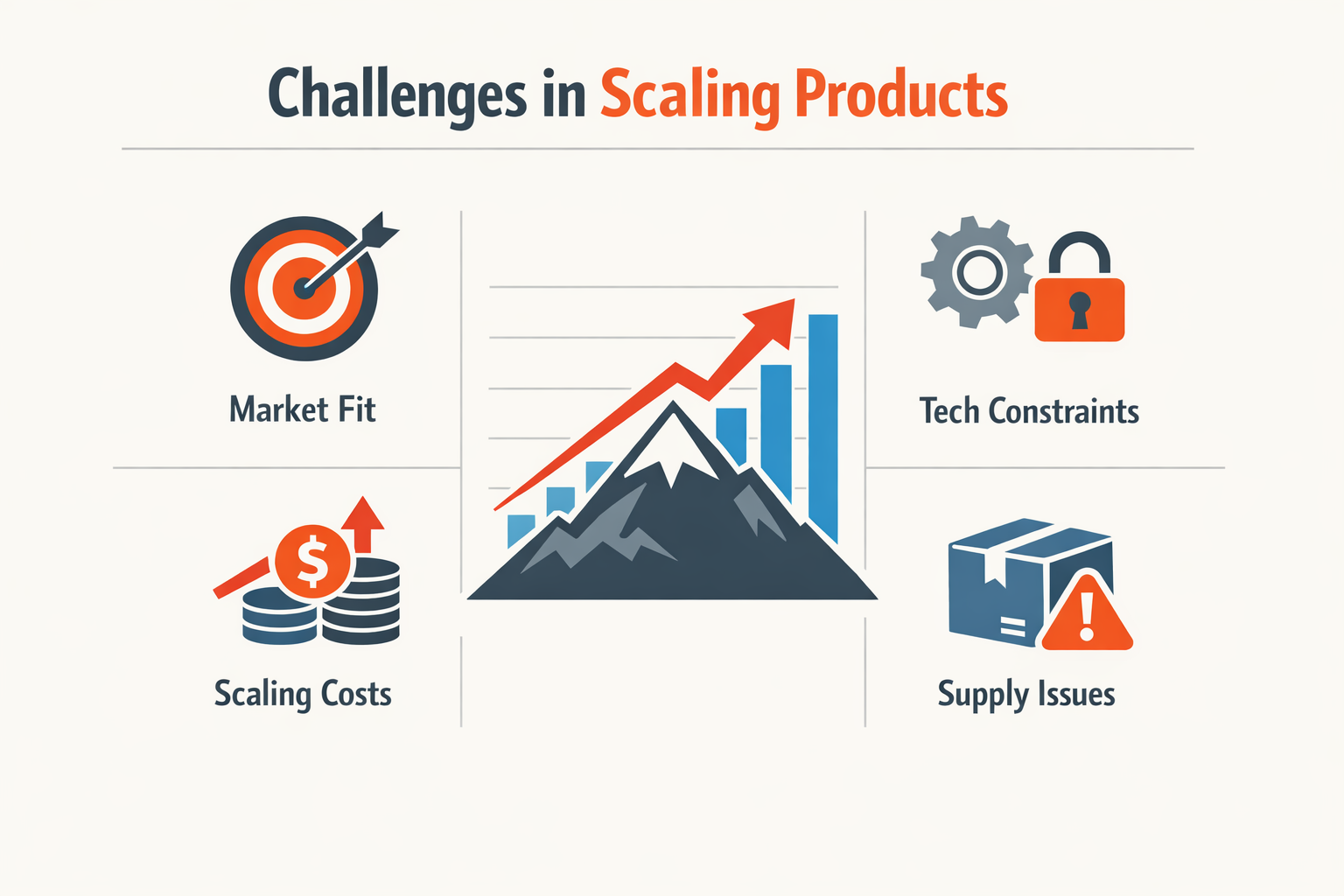
Most products fail to scale not because the code is bad, but because the foundation was never built to carry weight. You start with a prototype, add features, patch holes, and wake up one day with a system held together by duct tape and prayer. The deployment breaks. The permissions model leaks. The build times balloon until nobody wants to ship.
Scaling Without a Foundation
When you skip platform engineering, you inherit technical debt in three layers. First, your authorization logic scatters across controllers and services with no single source of truth. One developer checks roles in middleware, another checks attributes in the database query, and a third just hopes the frontend hid the button. Privilege creep sets in — users accumulate permissions over time because revoking access is harder than granting it, and nobody mapped out the boundaries during design.
Second, your build and deploy pipeline becomes a bottleneck. Vercel's free tier caps source uploads at 100 MB; if you hit that limit mid-deploy, the build fails and your release stops cold. You add dependencies without tracking them, pull in third-party libraries without a process for detecting vulnerabilities, and discover six months later that a popular framework you depend on has an authorization bypass.
Third, you lose the ability to reason about the system. There's no design document that says "Sales Reps can read customer records from the office network between 9 and 5." There's no test suite that validates those rules. When an auditor or a security review asks how access control works, you point at the codebase and shrug.
The Cost of Retrofit
Retrofitting platform engineering after launch is expensive. You can't rip out the authorization layer while the product is live. You can't rewrite the deployment pipeline while customers are waiting for bug fixes. Every structural improvement competes with feature work, and feature work always wins because it's visible. The technical debt compounds until the only option is a rewrite — and most teams never get budget for that.
The alternative is to treat platform engineering as a first-class concern from day one. Define trust boundaries before you write the first route. Map user roles to resources and operations in a spreadsheet. Write tests that validate the permission model matches the design. Set up dependency scanning before you ship the MVP. These steps feel like overhead when you're racing to launch, but they're the difference between a product that scales and one that collapses under its own weight.
For founders building a product spec or PRD, the platform layer is where you document the non-negotiables: who can do what, how deploys work, what the resource limits are. If those constraints aren't in the spec, they won't be in the build.
Solution Steps
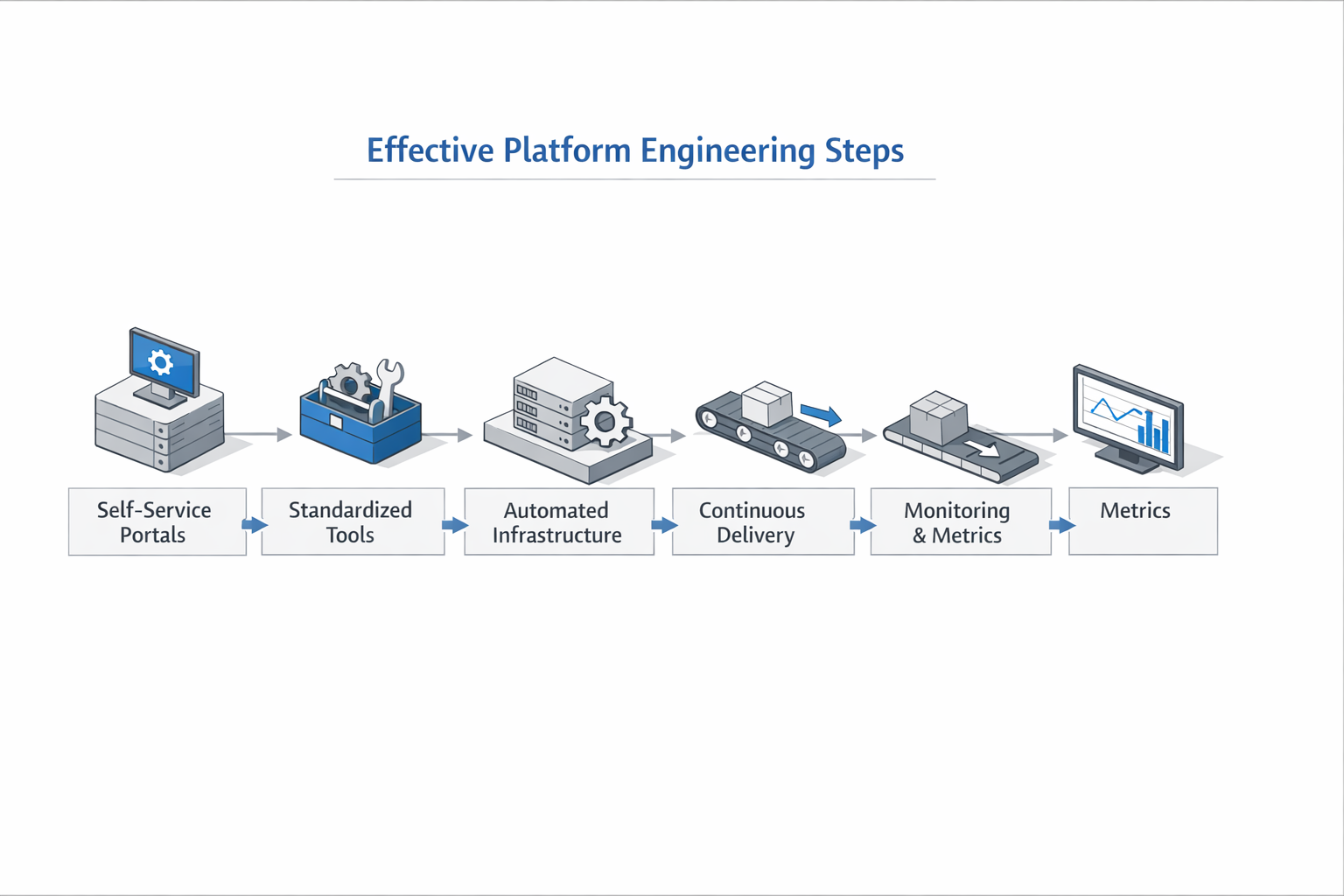
Building a platform that scales requires deliberate choices at every layer. The steps below are what work when moving from prototype to production without rewriting everything twice.
Step 1: Define Trust Boundaries Before Writing Code
Enumerate every type of user who will touch the system. List the resources they'll access and the operations they'll perform. For each combination, determine what that user must be able to do based on role and context — a sales rep accessing customer data from the office network during business hours is a different trust profile than the same rep at midnight from home.
This is least-privilege design. Implement it during architecture, not after launch. Retrofitting permissions is expensive and breaks things.
Step 2: Establish Component Boundaries and Composition Rules
Keep components under 200 lines. When a file grows past that, extract subcomponents into the same directory. Prefer composition over prop drilling — pass children or render props instead of threading data through multiple layers.
These aren't style preferences. They're load-bearing. A 400-line component with props drilled five layers deep becomes unmaintainable the moment you need to change one data shape.
Step 3: Create Implementation Plans Before Building
When requirements are fuzzy or you're making architectural decisions, generate a reviewable plan first. Research the codebase, ask clarifying questions, document the approach. Save the plan to your workspace for reference and team alignment. Only then delegate implementation.
If the agent builds something wrong, revert and refine the plan. Don't try to fix it with follow-up prompts. A clearer plan run twice is faster than patching a half-built feature.
Step 4: Build Dependency Monitoring Into the SDLC
Third-party components introduce authorization vulnerabilities even in otherwise secure applications. Incorporate tools like Dependency Check into your pipeline. Subscribe to vendor feeds and the NVD. Assume any component you pull in could become subject to an exploit.
Create processes for detecting and responding to vulnerable components before they reach production. This isn't paranoia — it's acknowledging that writing secure software is hard and every library you use was written by humans who make mistakes.
Step 5: Validate Permissions Against Design
Create tests that validate the permissions you mapped in step one are enforced correctly. After deployment, periodically review for privilege creep — users accumulating permissions beyond what the design phase approved. It's easier to grant new permissions than to revoke ones people have gotten used to.
For a structured approach to planning these steps, see our guide on App Development Plan: Dev Plan Guide for Non-Technical Founders (2025).
Tips and Tricks
Plan Before You Build
For larger changes, spend extra time creating a precise, well-scoped plan. The hard part is often figuring out what change should be made. With the right instructions, you can delegate implementation to automated tooling. When an agent builds something that doesn't match what you wanted, revert the changes, refine the plan to be more specific, and run it again. This is often faster than fixing an in-progress build and produces cleaner results.
Design Permissions Early
It is easier to grant users additional permissions than to revoke those that are overly broad. Careful planning and implementation of least privileges early in the development cycle reduces the risk of needing to take away permissions later. During the design phase, enumerate the types of users accessing the system, the resources exposed, and the operations that might be performed on those resources. For every combination of user type and resource, determine what operations the user must be able to perform.
Create tests that validate the permissions mapped out in the design phase are being correctly enforced. After deployment, periodically review permissions for privilege creep — ensure the privileges of users in the current environment do not exceed those defined during design.
Assume Third-Party Components Will Fail
Even robust libraries and frameworks contain vulnerabilities. Writing complex, secure software is hard. Assume any third-party component you incorporate into an application could be or become subject to an authorization vulnerability. Create, maintain, and follow processes for detecting and responding to vulnerable components. Incorporate tools such as Dependency Check into the development cycle and consider subscribing to data feeds from vendors, the NVD, or other relevant sources.
The cheapest dependency is the one whose security posture you trust enough to hand the auditor without flinching.
For more on planning foundations before you build, see App Development Plan: Dev Plan Guide for Non-Technical Founders (2025).
Conclusion
Platform Engineering is the foundation that lets product teams ship without waiting on ops. The pattern is simple: centralize infrastructure decisions, automate the repetitive work, and give developers a self-service path that doesn't require a ticket. When done right, the platform becomes invisible — teams deploy without thinking about it.
The economics are straightforward. Every manual deployment step costs time. Every inconsistent environment creates a debugging tax. A platform removes both. The upfront cost is real, but the compounding returns show up in every sprint.
The hardest part is not the tooling. It's deciding what belongs in the platform and what stays in application code. Draw the line too high and you're building a second product. Draw it too low and teams still wait on you. The right boundary is where repetition starts — if three teams solve the same problem three different ways, that problem belongs in the platform.
Testing and validation are non-negotiable. Create tests that validate permissions mapped out during the design phase to ensure they are enforced correctly. When the limit of the Build Step is reached, the deployment will fail — resource management is not optional. Build these checks into the platform itself so failures surface before production.
Start small. Pick one pain point — deployments, secrets management, observability — and platform it. Prove the value, then expand. A platform that solves one problem well beats a half-built platform that tries to solve ten. For a structured approach to planning platform work, see App Development Plan: Dev Plan Guide for Non-Technical Founders (2025).
Platform Engineering is not a luxury for late-stage companies. It's a forcing function for scalable product development. The teams that build platforms early ship faster, debug faster, and scale without rewriting. The teams that wait pay the cost in every deploy.
Related reading
When to Hire a Systems Engineering Approach for Complex Apps