How to Create an App Without Coding: The Ultimate Easy Guide
Introduction
Building an app used to mean hiring developers or learning to code yourself. That gate is gone. Businesses now create mobile apps to solve a simple problem: websites feel clunky on phones, and users expect native experiences. The shift isn't about technology fashion — it's about meeting people where they already are, on devices they use all day.
The methods available today span a wide range. Some let you assemble apps from pre-built blocks in a visual editor. Others use AI to generate working code from plain-English descriptions. A few sit somewhere in between, offering templates you customize without touching the underlying logic. Each path has a ceiling and a cost structure, and picking the wrong one early means rebuilding from scratch later.
This guide walks through every major approach to creating apps without traditional coding. You'll see what each method does well, where it breaks down, and who should use it. I've spent years helping founders choose between vibe coding workflows and classic no-code platforms, and the decision always comes down to the same variables: complexity, speed, and how much control you need when things get specific.
By the end, you'll know which path fits your app and how to avoid the mistakes that waste months. The tools exist. The question is which one matches the problem you're solving.
Learn how to create an app without coding by comparing various methods and finding the best path for your needs.
Understanding App Creation Without Coding
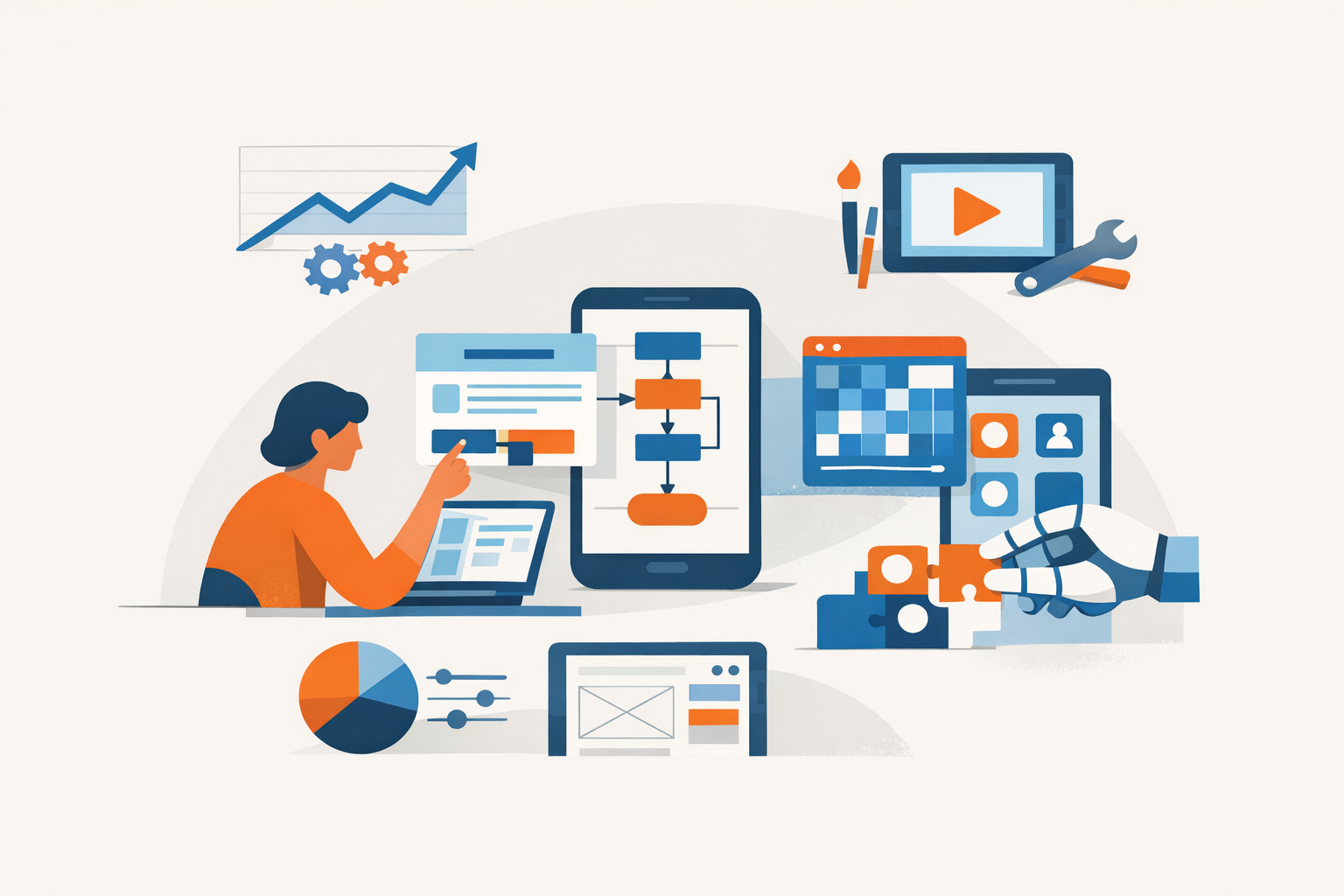
The barrier to entry for app creation has disappeared. You no longer need to write code to build functional software — you need a clear description of what you want. This shift has opened app development to founders, operators, and domain experts who previously relied on technical co-founders or expensive agencies.
No-code app creation covers a spectrum of approaches. At one end sit visual builders with drag-and-drop interfaces. At the other, AI-driven tools generate code from natural language prompts. Between them are template platforms, workflow automation tools, and hybrid systems that blend pre-built components with custom logic.
The Landscape of How to Create an App Without Coding
Vibe coding represents a new programming approach where you describe what you want in natural language, and AI generates the code for you. It sits alongside traditional no-code platforms but operates differently — instead of clicking through configuration screens, you iterate through conversational prompts. The output is actual code, not a proprietary platform lock-in.
Other methods include:
- Visual builders — platforms like Bubble or Adalo where you assemble interfaces and logic through graphical tools
- Template marketplaces — pre-built apps you customize for your use case
- Workflow automation — tools like Zapier or Make that connect existing services without custom interfaces
- Database-first platforms — systems like Airtable or NocoDB that generate interfaces from your data schema
Each method solves different problems. Visual builders suit customer-facing apps with complex workflows. Vibe coding works when you need custom logic or want to own the codebase. Template platforms accelerate time-to-market for standard use cases. The right choice depends on your constraints — timeline, budget, technical comfort, and long-term ownership needs.
The significance of this landscape is economic. A solo founder can now validate a SaaS idea in weeks instead of months. Internal tools that once required a development team can be built by the operations manager who understands the workflow. The cost of experimentation has dropped from tens of thousands to hundreds.
For a structured approach to planning your app before choosing a method, see What Is a PRD? A Plain-English Guide for Non-Technical Founders.
Overview of Different Methods
Three paths dominate how to create an app without coding: AI prompt-to-app builders, traditional no-code platforms, and template-based solutions. Each solves a different problem. AI builders generate full-stack code from plain English. No-code platforms assemble apps from visual blocks. Templates give you a working structure you customize.
AI Prompt-to-App Builders
AI builders like Bolt.new and Zite turn descriptions into functioning apps. You write what you want in sentences; the tool generates the code, database schema, and UI. Bolt.new handles full-stack generation from user descriptions. Zite produces production-ready business software—users report building employee onboarding portals in 15 minutes. The output is real code, not locked widgets. You own the result and can export it.
The trade-off: AI builders require clear instructions. Vague prompts produce vague apps. You iterate by refining your description, not dragging boxes. When your idea is specific and you can articulate workflows in plain language, AI builders move fastest.
Traditional No-Code Platforms
Platforms like Bubble, Adalo, and Glide use visual editors. You drag components, set conditions, and wire data flows without writing syntax. These tools excel at CRUD apps—dashboards, directories, booking systems. They include hosting, user authentication, and database management in one package.
Limits appear when you need custom logic or integrations outside the platform's library. Most platforms charge based on users or data volume. You're renting infrastructure, not owning code. Migration off the platform later means rebuilding from scratch.
Template-Based Solutions
Templates start you with a working app—a to-do list, a menu ordering system, a booking calendar. You swap branding, adjust fields, and publish. Platforms like Softr and Glide offer app templates tied to spreadsheets or databases. A coffee shop menu app, for example, lets customers browse items, customize drinks, and pay ahead to skip lines.
Templates work when your use case matches an existing pattern. Customization is shallow—changing colors and labels is easy; changing core behavior is hard. Templates are fastest to launch but least flexible long-term.
Choosing Based on Control and Speed
AI builders give you code and flexibility but require clear articulation. No-code platforms balance speed and features but lock you into their ecosystem. Templates launch fastest but constrain your product shape. Vibe coding workflows sit between AI builders and traditional no-code—you guide AI through iterations, adjusting prompts until the output matches your mental model.
The method you pick depends on whether you value speed, control, or ease of iteration. Most builders try one, hit a wall, then switch. Knowing the wall ahead of time saves weeks.
Detailed Comparison of App Creation Options
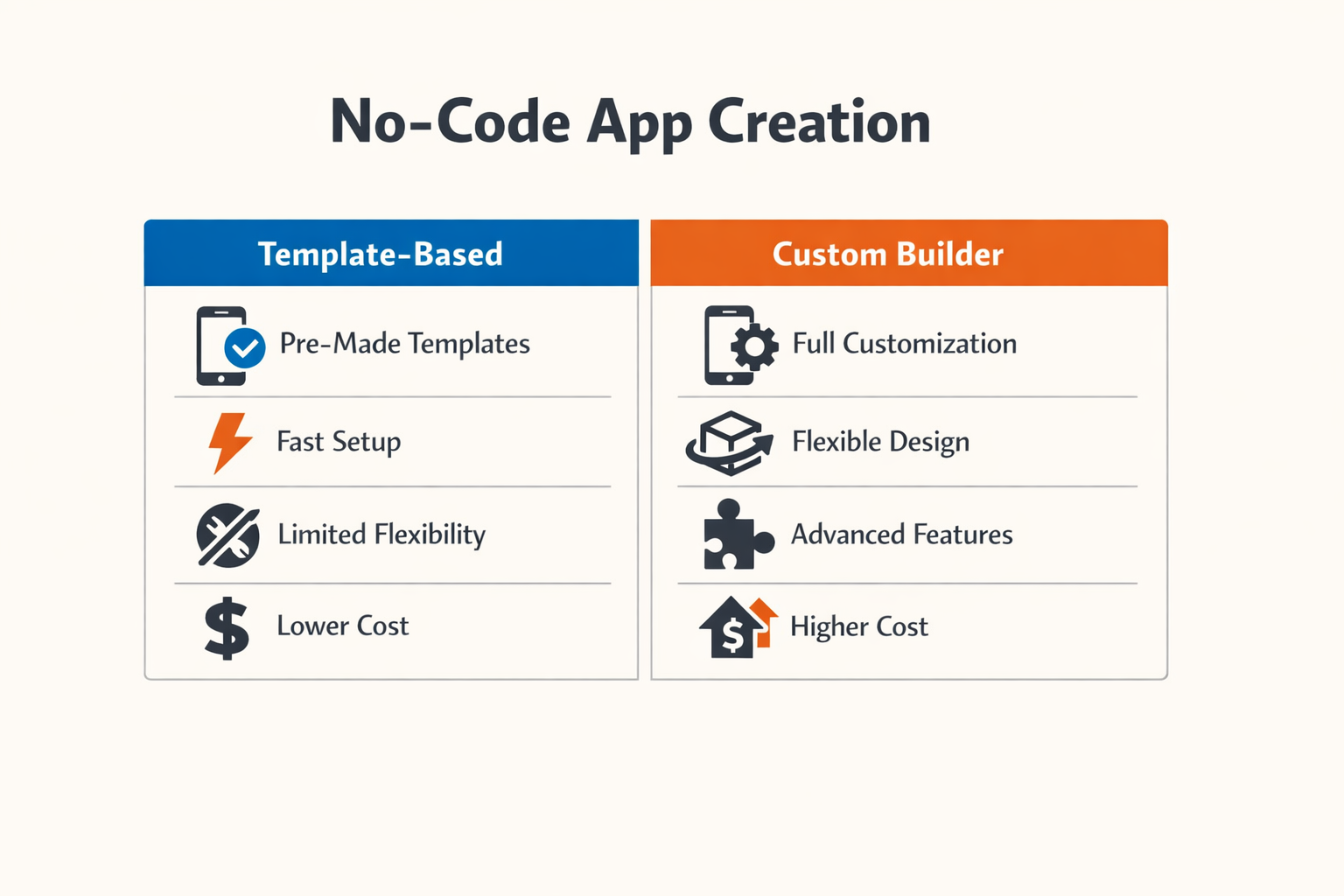
Choosing how to create an app without coding comes down to what you're building and how much control you need. Each option trades off speed, flexibility, and cost differently.
Visual Workflow Builders vs. Template Platforms
No-code AI app builders like Zite and Emergent provide visual workflows and editing capabilities, enabling users to refine their apps without needing to write code. These platforms let you drag, drop, and connect logic blocks to shape behavior.
Template platforms start you with pre-built app structures. You pick a starting template, customize the layout and design, add your core features, connect your data and integrations, then test and publish to the app stores. The trade: faster start, narrower scope.
| Approach | Speed to First Build | Customization Depth | Ideal For |
|---|---|---|---|
| Visual workflow builders | Moderate | High | Custom logic, unique flows |
| Template platforms | Fast | Moderate | Standard use cases, quick launches |
| AI-assisted builders | Fast | Moderate to High | Iterative refinement, non-technical builders |
Feature Depth and Maintenance
Focus on a few main features first. It's better to have an app that does three things perfectly than an app that does ten things poorly. Visual builders let you add complexity over time. Template platforms constrain you to their feature set unless you export code.
Maintenance differs too. Visual builders require you to understand your own logic graph. Template platforms handle infrastructure updates but limit architectural changes. AI-assisted tools can help you iterate quickly but may introduce inconsistencies if you don't track changes.
Cost Structure and Lock-In
Pricing models vary. Some platforms charge per app, others per user or feature tier. Template platforms often bundle hosting and app store deployment. Visual builders may charge separately for backend services, API calls, or storage.
Lock-in matters. Exporting your app from a template platform may give you unusable code. Visual builders that generate standard frameworks (React, Flutter) offer cleaner exits. AI-assisted tools that work on top of open-source stacks give you the most portability.
For a deeper look at planning your app before you choose a tool, see What Is a PRD? A Plain-English Guide for Non-Technical Founders.
Case Studies of Successful No-Code Apps
The gap between idea and working product shrinks when you see what others shipped without writing code. These examples show what's possible when you match the right tool to the right problem.
The Daily Grind Coffee: Menu Ordering Without a Developer
The Daily Grind Coffee app lets customers browse the menu, customize their drinks, and pay ahead to skip the morning line. No backend team, no six-month build cycle — just a focused solution to a single customer pain point. The app handles the three things coffee shops care about: menu display, order customization, and payment processing.
This kind of app works because the scope stays tight. One business, one workflow, no feature creep. The team didn't try to build the next Starbucks platform; they solved the problem in front of them.
Zite: Employee Onboarding Portal in 15 Minutes
Zite generates production-ready business software from plain English descriptions. One example: an employee onboarding portal built in 15 minutes. The tool takes a description of what the app should do and outputs working software — forms, workflows, data storage, the full stack.
The speed matters less than the iteration loop. When you can rebuild the entire app in a quarter-hour, you test ideas fast. Bad assumptions die in the first user session instead of after three months of development. For internal tools where the user sits ten feet away, that feedback loop is the entire advantage.
What These Examples Share
Both apps target a defined user doing a defined task. The coffee app doesn't try to be a CRM; the onboarding portal doesn't try to be Workday. Tight scope, clear workflow, fast feedback. That's the pattern that works whether you're using a visual builder, an AI tool, or a template.
If you're planning your own build, the lesson is the same: start with a clear app idea before you pick a tool. The platform matters less than knowing what problem you're solving and for whom.
Who Should Choose What Method?
Picking the right path depends on what you're building and what you know. Most people waste weeks trying tools that don't match their skills or their app's shape. The six-step process — choose a builder, pick a template, customize layout, add features, connect data, test and publish — works for everyone, but the tool you start with changes everything.
Beginners: Start with AI-Powered Builders
If you've never shipped an app, start with a platform that generates the full stack from a description. Bolt.new is built for this: you describe what you want, and it writes the code. You don't need to understand React or databases. You iterate by telling it what's wrong. This path gets you from idea to working prototype in hours, not weeks.
The tradeoff: you're trusting the generator to make good architectural choices. For a first build, that's fine. You'll learn what matters by using the thing, not by reading documentation.
Non-Technical Founders: Professional No-Code Platforms
If you're validating a business idea and need something that looks real, use a professional AI app builder with templates. Pick a template close to your vision, customize the layout, wire up your data sources, and test. You can publish to app stores without writing a line of code.
This path works when your app fits a known pattern — directory, booking system, content feed, simple workflow. If your idea is genuinely novel, templates won't cover it, and you'll hit the platform's ceiling fast.
Technical Founders: Vibe Coding or Hybrid Approaches
If you can read code but don't want to write boilerplate, vibe coding is the fastest path. Use AI to generate the scaffold, then edit the parts that matter. You stay in control of the data model and the API contracts. When the AI hallucinates, you fix it in thirty seconds instead of filing a support ticket.
The risk: you need enough fluency to spot when the generated code is structurally wrong. If you can't tell the difference between a working auth flow and one that just looks right, stick with a no-code platform that handles security for you.
When to Hire Instead
If your app needs real-time sync, complex permissions, or handles sensitive data at scale, no-code tools will cost you more in workarounds than a developer would cost in salary. The break-even point is around two weeks of fighting the platform. If you're still stuck after that, hire.
Tips for Successful App Creation Without Coding
Most app failures come from skipping the boring parts. The tools work fine. The problem is you.
Start with a Real PRD
Create a Product Requirements Document before you touch any platform. Include project overview, technical requirements, implementation strategy, and success criteria. A detailed PRD leads to better outcomes and fewer corrections. You'll save hours you would've spent backtracking.
If you're building with AI assistance, load your development instructions at the beginning of each session. This saves time and ensures the AI understands your preferences and project requirements. Session memory is short — make the first prompt count.
Focus on Three Features
It's better to have an app that does three things perfectly than an app that does ten things poorly. Cut everything that isn't load-bearing. Your first version should feel embarrassingly simple.
List every feature you want. Delete half. Delete half again. What's left is your MVP.
Step 1
Write the feature list
Dump every idea into a doc. No filtering yet — just get it out.
Step 2
Mark the critical path
Which three features let a user complete one full job? Circle those. Everything else is noise.
Step 3
Ship the three
Build only the circled features for version one. Test them with real users before adding anything else.
Test Early and Often
Don't wait until launch to show someone. Get the app in front of a user the week you start building. Watch them try to use it. You'll learn more in ten minutes than in ten hours of solo tinkering.
No-code tools make iteration cheap. Use that advantage. Ship a rough version, collect feedback, fix the obvious problems, repeat.
Understand Your Platform's Limits
Every no-code platform has a ceiling. Know where yours is before you hit it. Read the pricing page. Check the API rate limits. Ask in the community forum what breaks at scale.
If your app will handle sensitive data, verify the platform's compliance certifications before you build. Moving platforms later is expensive.
Keep Your Data Portable
Make sure you can export your data in a standard format. CSV is fine. JSON is better. If the platform doesn't offer bulk export, that's a red flag.
You might outgrow the tool. You might get acquired. You might just want to switch. Portability is insurance.
Document as You Build
Write down what you did and why. Not for others — for you in three months when you've forgotten why the workflow triggers twice.
A simple changelog in a text file works. Date, change, reason. That's it. If you're working with vibe coding or AI-assisted development, keep a separate log of which prompts produced which components.
The best documentation is the kind you actually maintain, which means the simplest format that helps.
Common Mistakes to Avoid

Most no-code projects fail in predictable ways. The tool works fine — the operator doesn't.
Skipping the Planning Phase
You open the builder, drag a few blocks, and suddenly you're stuck. No-code platforms give you speed, but speed without direction is just motion. Before you touch the tool, write down what the app does in three sentences. If you can't explain it clearly, you can't build it clearly. A plain-English PRD takes an hour and saves weeks of rework.
Treating AI as Autopilot
AI builders generate code fast, but they don't think. If you accept every suggestion without review, you'll ship a mess. The pattern is always the same: the first draft looks good, the second iteration breaks something subtle, and by the fifth pass you have no idea what changed or why.
When the AI proposes a solution, ask it to walk through the logic. If the explanation is vague, the code probably is too.
Ignoring Platform Limits Early
Every no-code platform has a ceiling. Some cap API calls, others restrict database rows, a few charge per user seat. You don't hit these limits in week one — you hit them in month three when you have real users and no migration plan.
Read the pricing page before you commit. If the platform doesn't publish limits, that's a red flag, not a feature.
Over-Customizing Before Validation
You spend two weeks perfecting the UI, adding animations, tweaking colors. Then you show it to five users and they all ask for a feature you didn't build. No-code tools make customization easy, which makes it dangerous. Ship the minimum version that solves the problem, watch what people actually use, then customize what matters.
Perfecting features no one asked for is still waste, even if the tool made it easy.
Mixing Too Many Tools Too Soon
No-code platforms integrate with everything, so beginners integrate with everything. You connect three databases, two payment processors, a CRM, and an analytics suite before you have a single paying customer. Each integration is another breakpoint, another API key to rotate, another vendor that might change its terms.
Start with one tool per function. Add integrations only when the current setup blocks real users.
Neglecting Visual Workflow Testing
No-code AI builders provide visual workflows and editing capabilities, but visual doesn't mean self-documenting. You build a ten-step automation, it works once, and you move on. Two months later it fails and you can't remember which node does what. Test workflows with real data before you rely on them. Screenshot the working state. Write a one-line comment on each step.
Assuming "No-Code" Means "No Maintenance"
The app ships, users arrive, and you assume it runs forever. Then the third-party API changes, the platform deprecates a feature, or your data model hits scale limits. No-code apps need less maintenance than custom code, but they're not static. Budget time every month to review logs, update integrations, and check for platform announcements.
If you're not reading the changelog, you're not maintaining the app.
The Future of No-Code Development
No-code platforms are not slowing down. They are accelerating. The next wave is already here: AI-assisted builders that write code on your behalf, translate natural language into working features, and debug themselves mid-build. The boundary between "no-code" and "code" is dissolving. What remains is speed.
According to a 2025 GitHub survey, 92% of professional developers already use AI assistance tools in their workflow. The tools that once served only non-technical founders are now standard equipment for engineers. That convergence tells you where the industry is headed: everyone builds faster, and the gap between idea and prototype shrinks to days instead of months.
AI-Native Platforms Are the New Default
The next generation of no-code tools does not rely on drag-and-drop alone. They accept prompts. You describe what you want in plain English, and the platform generates the UI, the logic, the data model. You refine it with follow-up instructions. This is not speculative—it is shipping now.
Developers using generative AI tools complete coding tasks 55-75% faster, according to a McKinsey study from September 2025. That speed advantage applies equally to solo founders using AI-powered no-code platforms. The result: more prototypes, more experiments, more validated ideas in less time.
What This Means for Solo Founders
If you are building alone, the next three years favor you. The cost of validating an idea is approaching zero. The cost of iterating on feedback is falling every quarter. The platforms that require the least technical overhead will win the most users, and the founders who learn to articulate their requirements clearly will build the fastest.
Expect tighter integration between no-code platforms and production infrastructure. Expect one-click deploys to real hosting, not just sandbox previews. Expect better handoff paths when you outgrow the platform and need to migrate to custom code. The tools are learning to get out of your way.
The cheapest way to validate an idea in 2026 is to build it in a weekend and show it to ten users by Monday.
The Risk: Commoditization of Simple Apps
As building gets easier, simple apps become abundant. A task manager, a booking form, a directory—these are no longer competitive moats. The barrier to entry is gone. What remains is distribution, design quality, and solving a problem people actually pay for.
No-code makes it trivial to build. It does not make it trivial to matter. The founders who win are the ones who use the speed to test more hypotheses, not the ones who assume the first build will succeed.
Conclusion
Building an app without code is no longer experimental. The tools work, the constraints are documented, and the path from prototype to production is shorter than it's ever been. You can ship a working app in days instead of months.
The method you choose depends on what you're willing to trade. No-code platforms give you speed and guardrails but lock you into their ecosystem. AI vibe-coding gives you flexibility and full ownership but requires you to manage the output and debug what the model generates. Templates and app builders sit in the middle—fast setup, moderate customization, predictable cost.
Most founders start with the wrong question. They ask "which tool is best" when they should ask "what happens when this breaks." The best path is the one where you understand the failure modes and can recover without outside help. If you can't read the code, make sure you can export the data. If you can't export, make sure the vendor's survival timeline is longer than yours.
Start small. Build one feature, ship it to three users, and watch what breaks. The app that survives first contact with real usage is the one that teaches you what to build next. Every method covered here will get you to that first launch—the difference is what happens after.
If you're still figuring out what to build, start with a clear problem statement and a one-page spec. The tool matters less than knowing exactly what you're solving for. For a structured approach to defining your app idea before you pick a platform, see I Have an App Idea: The Ultimate Simple Guide for Founders.
The gap between idea and shipped product has never been smaller. Pick a method, build something, and put it in front of users this week.