AI PRD Generator: The Ultimate Easy Way to Create PRDs
Introduction
A PRD is the single document that keeps everyone aligned on what gets built and why. It defines scope, users, success metrics, and feature priorities. Without one, teams build the wrong thing or argue about what "done" means halfway through development.
Traditional PRD writing takes days. You stare at a blank template, wonder which sections matter, and second-guess every requirement. An AI PRD Generator changes that. It asks you specific questions about your project, then assembles a complete PRD from your answers. You spend time thinking through your product, not formatting a document.
I have watched dozens of founders skip the PRD step because it felt like homework. They jump straight to vibe coding or hand developers a feature list scribbled in Slack. Three weeks later, they are rewriting half the app because "I thought we agreed on X." A question-based AI PRD generator prevents that. It surfaces the decisions you need to make before anyone writes code.
This review examines how AI PRD generators work, who benefits most, and what to expect when you answer questions instead of writing from scratch. If you need a PRD but do not want to spend two days wrestling with a template, this approach delivers a faster path to clarity.
Discover the benefits of using an AI PRD generator to streamline your project requirements document creation.
Quick Verdict
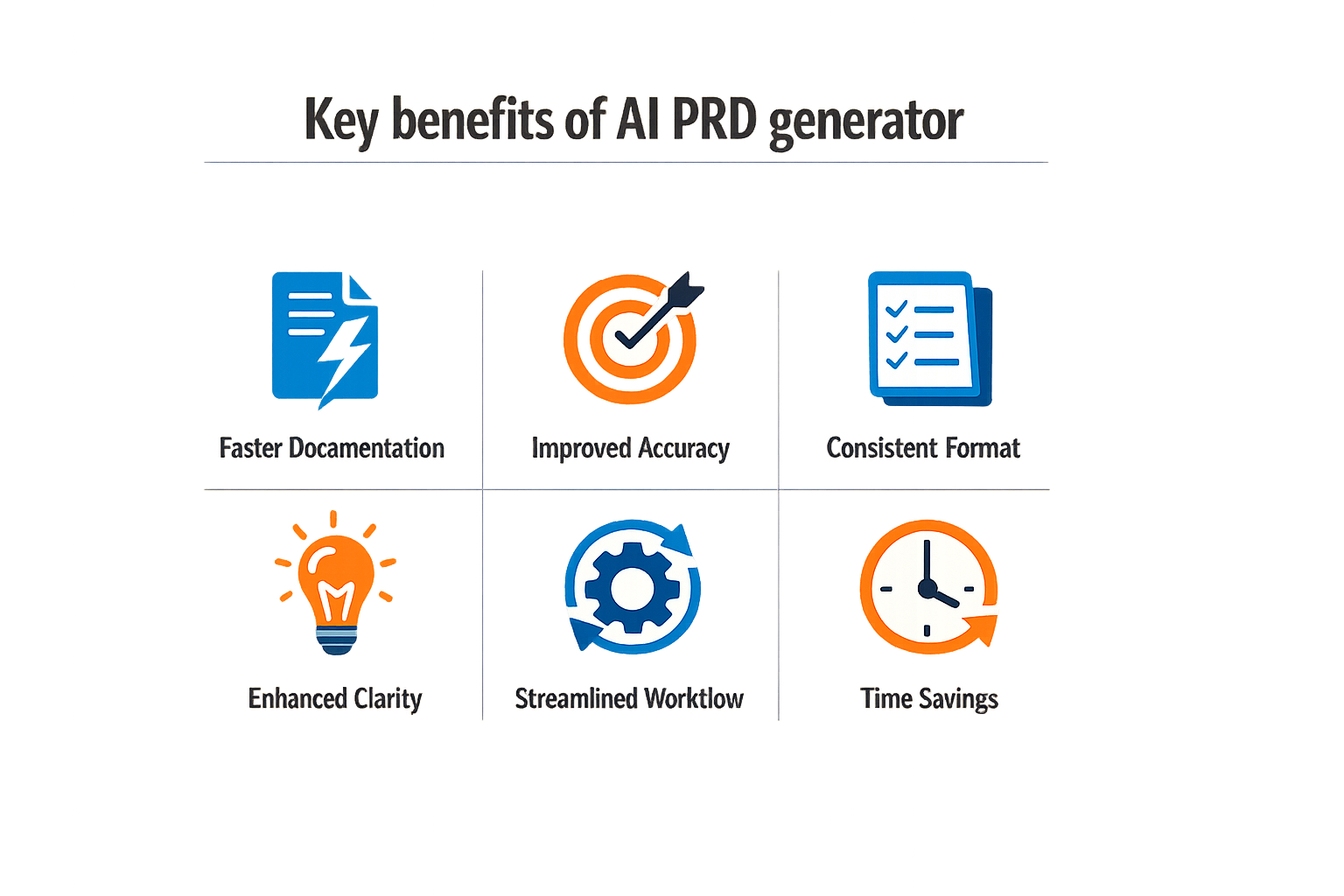
An AI PRD generator cuts PRD creation time from 2-4 hours down to 15-20 minutes. You answer structured prompts, the tool outputs a formatted requirements document. The time savings are real, the output is usable, and the workflow removes the blank-page problem that stalls most founders.
The main trade-off: you still need to know what you're building. The AI structures your answers, it doesn't invent your product vision. If you can describe your app in plain sentences, this tool will turn those sentences into a PRD faster than any manual method.
The AI structures your answers—it doesn't invent your product vision.
For non-technical founders who need a PRD to hand a developer or validate an idea, the question-based format is the fastest path from concept to documentation. You get a structured artifact without learning PRD conventions or wrestling with templates.
The output quality depends on input quality. Vague answers produce vague PRDs. But if you can articulate user problems, core features, and success metrics in a few sentences each, the generated document will be solid enough to start building or pitch a technical co-founder.
Key Features of the AI PRD Generator
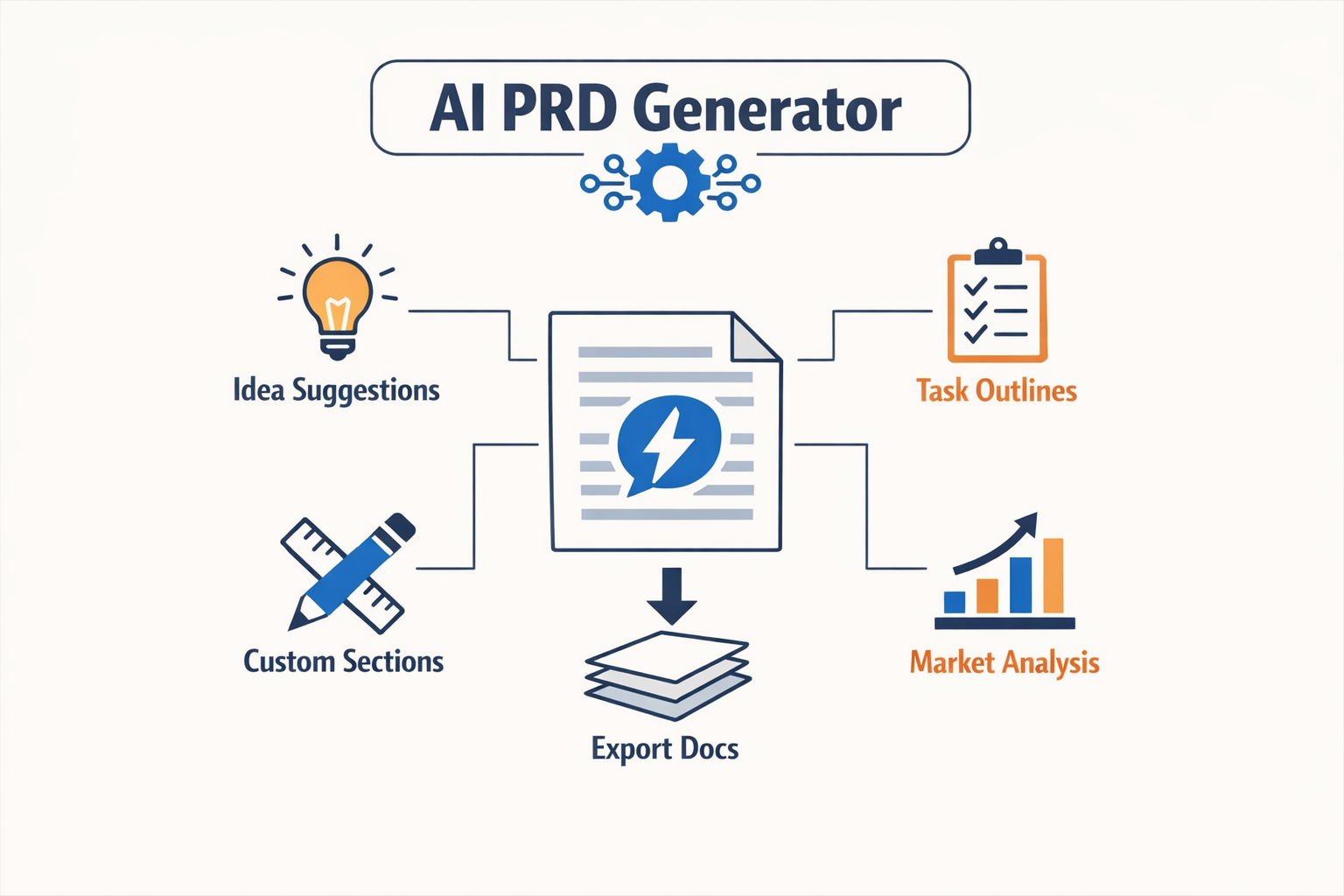
An AI PRD generator works by breaking document creation into discrete steps. Instead of staring at a blank page, you answer targeted prompts that build each section methodically. The tool structures the workflow so you never write from scratch—you respond to questions, and the system assembles a coherent PRD.
Three Core Methods for PRD Generation
Most AI PRD generators offer three distinct approaches. The first is a blank document paired with an AI chat interface—you guide the conversation manually. The second is a one-shot prompt where you provide all context upfront and receive a full draft. The third method uses a specialized skill that automatically reads your product context and generates sections without repeated input. Each method trades control for speed; the automated skill is fastest, while the chat interface gives you granular oversight.
Question-Driven Section Assembly
The generator uses eight sequential prompts to construct a complete PRD. You start with a problem statement, then move through user stories, scope definition, success metrics, edge cases, dependencies, an executive summary, and finally a full first draft. Each prompt is specific enough to avoid generic output—the AI asks for concrete details, not abstract descriptions. This structure ensures you address every functional area without skipping critical components.
The system doesn't require technical fluency. If you can describe what your product should do and who will use it, you can complete the workflow. The prompts guide you through edge cases and dependencies you might overlook in a freeform draft, which tightens the final document without adding hours of revision.
Automated Context Reading
Some AI PRD generators include a /prd-generator skill that pulls context directly from your workspace. Instead of re-explaining your product in every session, the tool references existing notes, user research, or prior documents. This eliminates redundant input and keeps the generated PRD consistent with your broader product documentation. The automation layer is useful when you're iterating on features—you update the context once, and subsequent PRDs reflect the changes automatically.
For founders working through the app idea validation process, this workflow compresses the gap between concept and executable spec. You move from high-level vision to detailed requirements without hiring a product manager or learning enterprise tooling.
Pros and Cons of Using an AI PRD Generator
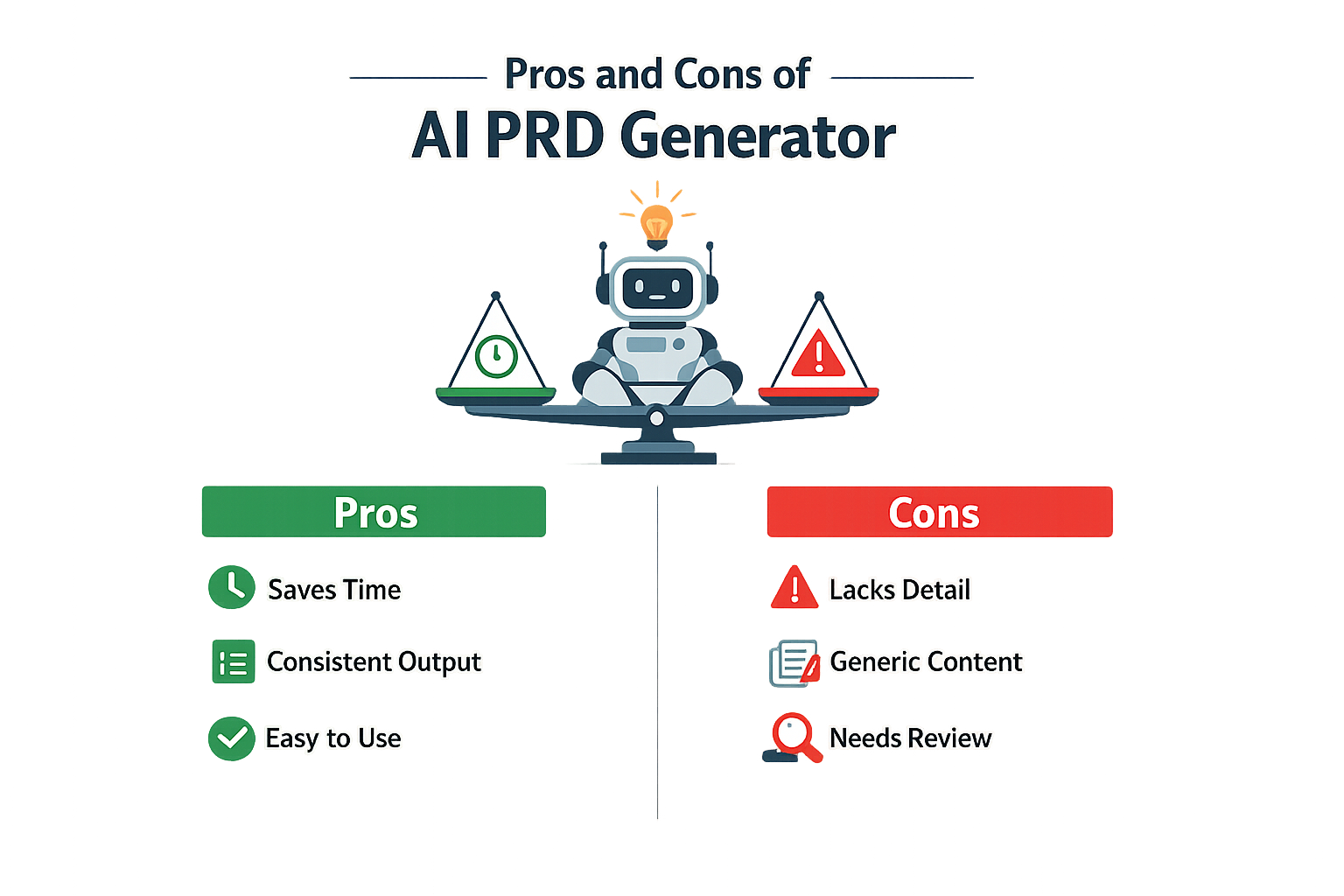
AI PRD generators deliver speed and structure, but they don't ship finished work. You get a draft in minutes instead of hours, which matters when you're juggling multiple projects or trying to validate an idea quickly. The output is clean enough to share with a team, but it won't capture the nuance of your specific context without your input.
What Works
The main advantage is time compression. An AI PRD generator produces 80–90% of a usable document on the first pass, which means you spend your effort refining instead of staring at a blank page. For founders who need to document multiple features or test different approaches, this speed compounds quickly.
The question-based workflow also forces clarity. When you answer prompts about user problems, success metrics, and edge cases, you're doing the thinking work that makes a PRD useful—whether a human or an AI writes the final sentences. The structure keeps you honest about what you actually know versus what you're guessing.
Where It Falls Short
Generic output is the primary risk. AI tools pull from patterns across thousands of documents, which means the language can feel templated and the recommendations can miss your product's specific constraints. A PRD that describes "user engagement" without naming your actual users or their actual workflow is documentation theater, not a build guide.
Strategic depth requires human judgment. The AI won't know that your biggest competitor just launched a similar feature, or that your engineering team has a strong opinion about database architecture, or that your target customer segment has a specific compliance requirement. Those details determine whether the PRD is useful or just plausible-sounding.
The AI gives you structure and speed; you supply the context that makes the document worth reading.
You still need to review and edit. Expecting a fully correct PRD from a question-based generator is like expecting a fully correct app from a vibe coding session—the first output gets you 80% there, but the last 20% is where the actual product decisions live. Budget time for that review or the document won't hold up when your team starts building.
Detailed Analysis of the AI PRD Generator
An AI PRD generator works by converting structured input into a formatted requirements document. The quality of the output depends on how much the system already knows about your product. Tools that retain context from previous sessions produce better results than those starting from scratch each time.
How Context Retention Changes the Game
The difference between a generic AI and one that remembers your product is the amount of re-explaining you do. A context-aware system pulls from earlier PRDs, feature definitions, and user flows without requiring you to restate the basics. The first document takes the longest; subsequent PRDs draft faster because the AI already has your terminology, user roles, and core workflows mapped.
This compounds over time. By the third or fourth PRD, you're editing rather than writing. The system fills in standard sections—user stories, acceptance criteria, edge cases—using patterns it learned from your previous documents.
The Question-Based Workflow
Most AI PRD generators use a structured interview format. You answer questions about the feature, the problem it solves, and the users it serves. The system then generates sections based on your responses.
Step 1
Define the problem hypothesis
Start with the core user problem. The AI uses this as the anchor for all downstream sections. If the problem statement is vague, the generated PRD will be vague.
Step 2
Identify success metrics
Specify how you'll measure whether the feature worked. The AI translates these into acceptance criteria and test scenarios.
Step 3
Generate and refine the draft
The system produces a first draft. You edit for specificity, add edge cases the AI missed, and adjust technical constraints.
The workflow reduces the blank-page problem. You're responding to prompts instead of deciding what to write next. For founders without a product background, this structure keeps the document on track.
Where the AI Adds Real Value
AI PRD generators handle repetitive sections well—user stories, API requirements, error states. They also catch structural gaps. If you define a feature but skip the failure cases, the system prompts you to fill them in. This scaffolding is useful when you're writing your first few PRDs and don't yet have a mental checklist of what belongs in each section.
The tools are less effective at strategic decisions. They can't tell you whether a feature is worth building or how it fits into your roadmap. They generate text based on the inputs you provide, which means the quality ceiling is your own clarity about what the feature should do.
Effectiveness Over Time
The first PRD you generate with AI will feel slow. You're teaching the system your product's structure, and it's asking clarifying questions at every step. By the fifth PRD, the process is faster because the AI has absorbed your conventions—how you name features, how you structure acceptance criteria, how detailed you make technical specs.
This learning curve is why context-aware tools outperform one-off generators. A system that remembers your product reduces the upfront cost of each new document. You spend less time explaining and more time refining.
Who Is the AI PRD Generator For?
An AI PRD generator is built for anyone who needs to write a project requirements document but doesn't want to start from a blank page. The tool works best when you already know what you're building but need help organizing the details into a format that developers, designers, and stakeholders can use.
Solo Founders and Non-Technical Product Owners
If you're a solo founder with an app idea, an AI PRD generator gives you a structured way to document your vision without hiring a product manager. The question-based workflow forces you to think through user problems, feature priorities, and success metrics before you talk to a developer. You answer prompts about your target user, core functionality, and business goals—the tool assembles those answers into a coherent document. This approach is faster than writing from scratch and reduces the risk of missing critical details when you hand off the project. For founders moving from concept to vibe coding, a solid PRD becomes the blueprint that keeps your build on track.
Product Managers Under Time Pressure
Product managers who write multiple PRDs per quarter use AI generators to speed up the drafting phase. The tool handles boilerplate sections—document structure, standard headings, templated language—so you can focus on the strategic decisions that require human judgment. When a PM needs to describe user characteristics, the best AI tools go beyond demographics and consider behavioral motivations, which sharpens the document's usefulness for design and engineering teams.
Small Teams Without Dedicated PM Resources
Startups and small product teams often lack a full-time product manager. In these cases, an AI PRD generator lets engineers, designers, or founders take on the PM role without mastering the full craft. The tool provides guardrails: it prompts you for the information a PRD should contain, reducing the chance that you'll skip a section or use vague language. The output won't match what an experienced PM produces, but it's usually good enough to align a small team and start building.
Pricing Options for the AI PRD Generator
Most AI PRD generators follow one of three models: free with limits, flat monthly subscription, or usage-based metering. The free tier usually caps you at one or two documents per month—enough to test the workflow, not enough to run a real product cycle. Monthly plans typically start around $20–$50 and remove document caps, add version history, and unlock team collaboration features. Usage-based pricing charges per PRD generated or per token consumed; this works if you ship infrequently but becomes expensive when you iterate fast.
What You Actually Pay For
The subscription covers the question engine, the LLM inference cost, and template access. Higher tiers add export formats (Markdown, Notion, Jira sync), custom branding, and priority support. Some tools bundle PRD generation with broader product management suites—roadmapping, user story tracking, analytics dashboards. If you only need the PRD piece, paying for the full suite is waste. If you already use that ecosystem, the bundled price can be cheaper than stitching separate tools.
Free Trials and Pilot Budgets
Most vendors offer a 7- or 14-day trial with full feature access. Use it to generate a real PRD for a live project—not a toy example. If the output needs less than 30 minutes of editing to be production-ready, the tool passes. If you spend an hour rewriting sections, the tool failed. Cancel before the trial ends if it didn't save you time; the whole point is velocity, not novelty.
For teams, expect annual contracts with per-seat pricing. Three seats at $40/month each is common. Volume discounts kick in around ten seats. If you're a solo founder, the individual plan is the only one that matters—don't let sales push you into a team tier you won't use.
If you're still deciding whether a PRD workflow fits your process, start with a free-tier tool and write one document. The cost of learning is higher than the subscription; pay only after you've proven the format works for your build cycle.
Alternatives to the AI PRD Generator
An AI PRD generator isn't the only way to document requirements. Traditional tools and methods still work, and some teams prefer them. The right choice depends on how much structure you need and how fast you want to move.
Manual PRD Templates
You can write a PRD from scratch using a template in Google Docs or Notion. This gives you full control over every section and lets you customize the format to match your workflow. The downside: you're responsible for asking yourself all the right questions. If you skip a section or miss a dependency, the document ships incomplete.
Manual templates work best when you already know what a complete PRD looks like. For first-time founders, the blank page can be paralyzing.
Product Management Platforms
Tools like Jira, Aha, and Productboard include PRD modules as part of larger roadmapping suites. These platforms tie requirements to tickets, timelines, and stakeholder sign-offs. They're built for teams, not solo operators.
The tradeoff: you're paying for features you may not need yet, and the learning curve is steep. If you're trying to turn a spreadsheet into an app, a full PM platform is overkill.
Collaborative Docs with AI Assist
Notion AI and Google Docs with Gemini can help you draft sections on demand. You write a prompt, the AI generates a paragraph, and you edit it into place. This hybrid approach gives you flexibility without locking you into a rigid question flow.
The catch: you still need to know what to ask for. AI assist tools don't guide you through the structure—they just speed up the writing once you know what you need.
| Method | Best For | Setup Time | Guidance Level |
|---|---|---|---|
| Manual templates | Experienced PMs | Low | None |
| PM platforms | Cross-functional teams | High | Medium |
| AI assist in docs | Hybrid writers | Low | Low |
| AI PRD generator | Solo founders, first PRD | Instant | High |
When to Skip the Generator
If your team already has a PRD process and everyone knows the drill, a generator adds friction. Experienced product managers work faster in their native tools. The generator shines when you're starting from zero or need a forcing function to ask the hard questions up front.
For founders who are learning vibe coding or handing requirements to a dev team for the first time, the structured question flow prevents the most common mistakes: vague scope, missing edge cases, and no success metrics.
Final Verdict on the AI PRD Generator
An AI PRD generator is worth using if you accept the 80–90% rule: it delivers a structured first draft quickly, but you still own the final 10–20%. The tool handles the repetitive scaffolding—section headers, prompt-driven feature lists, acceptance criteria templates—so you can focus on the decisions that actually matter. For solo founders and small teams without a dedicated product manager, that time savings is real.
When It Works
The generator shines when you already know what you're building but dread the formatting overhead. Answer the questions, export the markdown, and you have a document ready for developer handoff. The structured prompts also surface gaps you might have missed—edge cases, error states, success metrics—which is useful even if you end up rewriting sections by hand.
The Human Review Tax
Every AI-generated PRD requires human review to catch vague requirements, missing context, or over-generic acceptance criteria. The tool won't know your users' actual pain points or your backend constraints. If you skip the review step, you'll pay for it later in clarification meetings and scope creep. The 80–90% completion rate means you're still on the hook for the critical details.
Bottom Line
Use an AI PRD generator when speed and structure matter more than perfection. It's a solid first-draft tool, not a replacement for product thinking. If you're comfortable editing markdown and already have a clear feature vision, the time savings justify the effort. If you need deep stakeholder input or complex integration specs, you'll still spend most of your time in manual edits—at which point starting with a clear app idea and writing the PRD yourself might be faster.
The tool earns its place in the workflow when you value consistent structure and want to avoid blank-page paralysis. Just don't expect it to do the hard thinking for you.
Conclusion
An AI PRD generator cuts PRD creation from 2-4 hours down to 15-20 minutes by walking you through structured prompts. You answer questions, the tool assembles the document. It works because most PRDs follow the same shape—problem statement, user stories, requirements, success metrics—and AI handles the template logic while you supply the specifics.
The trade-off is straightforward. You gain speed and consistency. You lose the forcing function of staring at a blank page until you clarify your own thinking. For solo founders shipping fast, that trade tilts toward the tool. For teams building complex enterprise products, the PRD is often the artifact that forces alignment before anyone writes code.
If you're deciding whether to use one, run a single project through it. Compare the output to your last manual PRD. If the AI version captures 80% of what matters and you can patch the gaps in ten minutes, you have your answer. If it misses critical nuance or your stakeholders reject the structure, fall back to your existing process.
For founders moving from idea to build, an AI PRD generator pairs well with vibe coding workflows where speed and iteration matter more than exhaustive upfront planning. The tool won't replace judgment, but it will compress the mechanical work of documentation so you can spend more time on the decisions that actually determine whether the product works.