
App Ideas for Small Business: 12 Practical and Surprising Solutions
Introduction
Small businesses face a straightforward problem: off-the-shelf software rarely fits the exact shape of their operations. You either bend your process to match the tool or build something that fits. The second option used to require a development team and a budget most small operators don't have. That constraint is loosening.
The market for new applications remains wide open. Rapid shifts in technology and user expectations create gaps faster than incumbents can fill them. AI tooling, no-code platforms, and fintech infrastructure now let a single operator prototype and ship apps that would have required a full engineering team five years ago. I've watched solo founders go from spreadsheet to working SaaS in weekends using vibe coding workflows that treat AI as a junior dev who never sleeps.
This guide walks through twelve app ideas for small business owners, each with a blueprint that shows what to build first and what to skip. The goal is not inspiration—it's a checklist you can start executing Monday morning. Some ideas solve narrow internal problems. Others create new revenue streams. All of them assume you're building lean and validating with real users before you worry about polish.
The sections ahead cover why apps matter for small business growth, specific ideas with implementation steps, and the common failure modes I've seen kill projects before launch. If you've been sitting on an idea waiting for the right moment, this is the blueprint that turns waiting into shipping.
Explore practical app ideas for small businesses with detailed blueprints to help you succeed.
The Need for Apps in Small Business
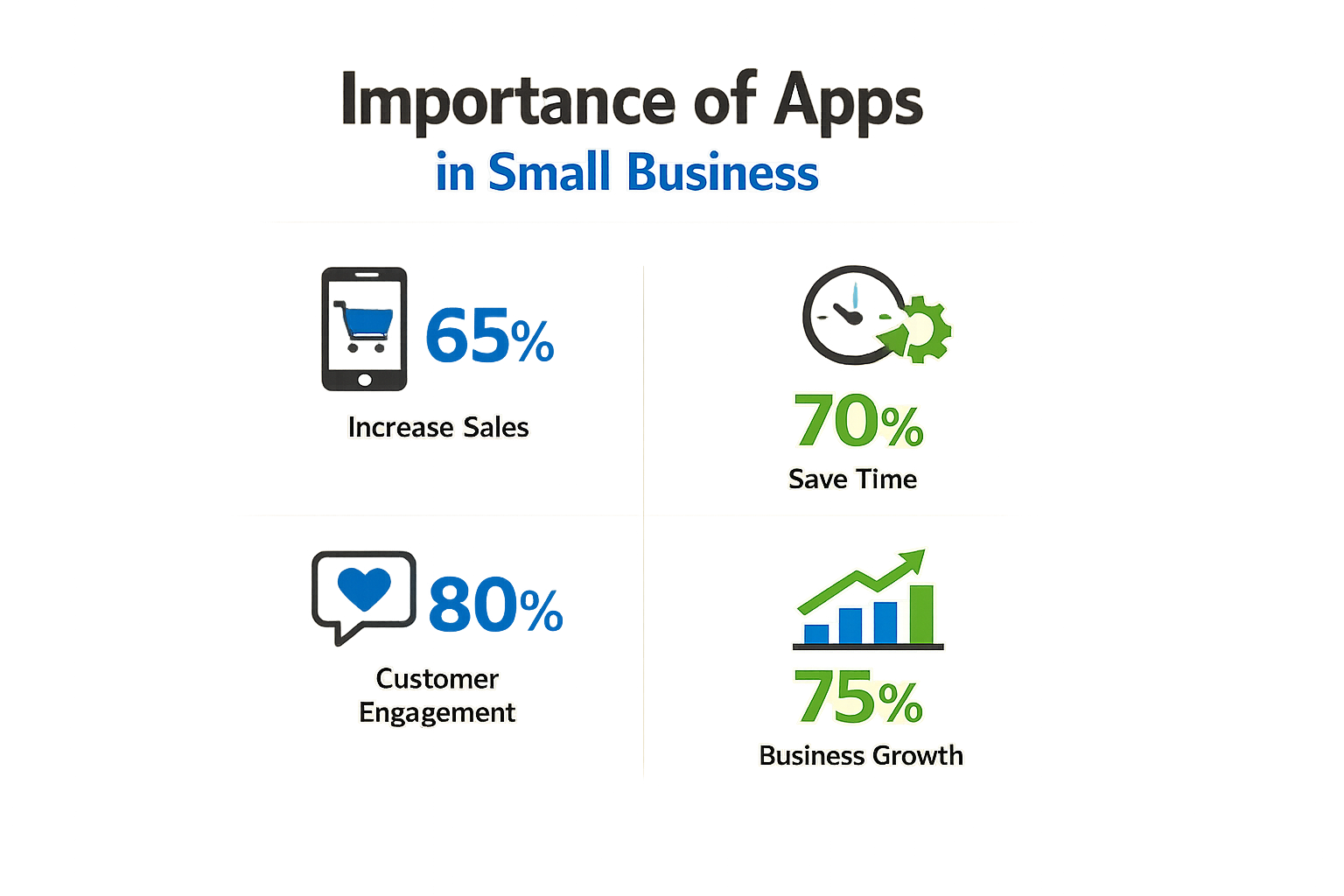
Small businesses face a simple calculus: automate repeatable work or hire more people. Apps let you scale operations without adding headcount. A well-scoped tool handles scheduling, inventory tracking, or customer communication faster than any manual process.
The risk is building the wrong thing. Market need kills more apps than bad code. A startup analysis found that 42 percent of failed ventures died from no market need — they built something nobody wanted to pay for. Before you write a single line, validate that real customers will use what you're building.
Why Apps Matter Now
Small businesses that ship internal tools gain efficiency. Those that ship customer-facing apps gain distribution. Both paths work if you start with a paying buyer in mind, not a feature list.
No-code platforms let you test assumptions fast. Spin up a landing page or clickable mockup to gauge interest before committing to full development. If nobody signs up for the waitlist, you saved six months.
Most small business app ideas fail the market-need test because founders skip validation. The ones that succeed start with a narrow problem and a customer who already tried three workarounds. I Have an App Idea: The Ultimate Simple Guide for Founders walks through the validation framework that separates real opportunities from expensive hobbies.
App Ideas for Small Business
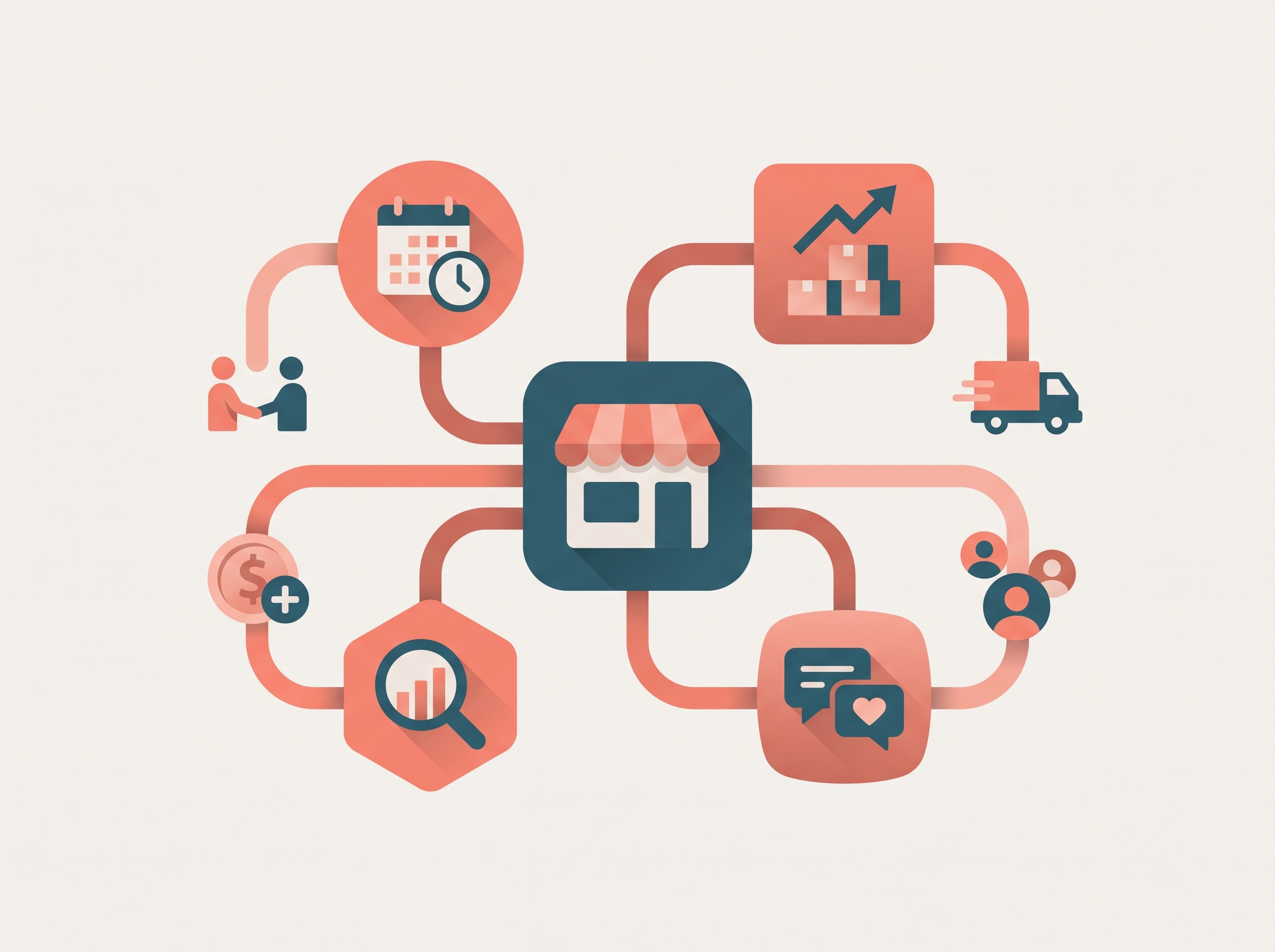
Small businesses need apps that solve real problems without burning cash on features nobody uses. The ideas below are practical, testable, and narrow enough to ship in weeks rather than quarters.
Customer-Facing Apps
Local Regulation AssistantA tool that answers specific questions about local zoning, tax codes, and compliance requirements. Small business owners waste hours digging through municipal websites; this app pulls the relevant paragraph and citation in seconds. Start with one city, validate demand, then expand.
Artisan Asset ExchangeA platform for local professionals to lend or rent specialized gear—photography equipment, power tools, catering supplies. The unit economics work when you take a small percentage of each transaction and keep the marketplace hyper-local to reduce logistics friction.
Gamified Budgeting & Savings AppsPersonal finance management turned into an engaging experience. Small businesses offering financial services can white-label this or build a vertical version for their customer base. The gamification layer increases retention without requiring complex AI.
Internal Operations Apps
AI-Driven Micro-Habit ManagerUses machine learning to analyze user phone usage and find optimal times for specific habits. For small businesses focused on productivity coaching or employee wellness, this is a lightweight MVP that delivers measurable behavior change.
AI Learning Companion AppsAdapt lessons and teaching methods to suit individual student needs. Valuable for educational small businesses, tutoring centers, or corporate training programs. The AI layer doesn't need to be sophisticated—basic adaptive quizzing and spaced repetition deliver most of the value.
If you're still at the napkin stage, start with I Have an App Idea: The Ultimate Simple Guide for Founders to map out scope before you write a line of code.
Choosing the Right Idea
Pick the idea where you already understand the customer's workflow. If you've never filed a local zoning variance, don't build the regulation assistant. If you've never rented gear to strangers, skip the asset exchange. The best first app is the one where you can write the feature list from memory because you've lived the problem.
Building a Successful App
Most small business apps fail before the first user logs in. The problem is not code — it's building the wrong thing for people who won't pay. A successful app starts with proof someone will hand over money, not with a developer.
Validate Before You Build
Sell the outcome manually first. If you think a scheduling app will save customers time, offer scheduling as a service for a month. Charge what the app would cost. If nobody pays, the app idea is wrong. If they pay and keep paying, you have signal.
This is faster and cheaper than any prototype. You learn what people actually need, not what they say they need in a survey.
Start With No-Code Tools
Use no-code tools to test assumptions by creating simple landing pages or mockups to gauge interest before full development. A landing page with a signup form and a Loom video explaining the app will tell you if the pitch works. If 100 visitors produce zero signups, rewrite the pitch or kill the idea.
Mockups in Figma or Framer cost nothing and show whether the workflow makes sense. Walk three real users through the mockup. If they get confused or bored, the design is wrong.
Build the Smallest Useful Version
Once you have paying interest, build the minimum feature set that delivers the outcome. For a habit tracker, that means one screen to log a habit and one screen to see streak history. No gamification, no social features, no dark mode. Ship it in two weeks.
App ideas for beginners include a Habit Tracker, Expense Tracker, and Daily Planner — these are ideal for learning or validating demand because the core loop is simple and the value is immediate.
If you're non-technical, vibe coding workflows let you describe features in plain language and generate working code. The failure mode is scope creep — resist adding features until users ask for them twice.
Measure One Thing
Pick the metric that proves the app works. For a scheduling app, it's repeat bookings. For a habit tracker, it's seven-day retention. Ignore vanity metrics like downloads or page views. If the core metric does not move, the app does not work.
The cheapest way to build a successful app is to spend three weeks proving nobody wants it, then stop.
Track the metric weekly. If it flatlines for a month, pivot or shut down. Most founders waste six months polishing an app nobody uses because they never defined success.
Blueprints for App Ideas
A blueprint is the step before code. Most small business apps fail because founders skip this part and jump straight to development. A blueprint forces you to define what the app does, who pays for it, and why they'll pay enough to cover your costs.
The Two-Part Test
Before you write a single line of spec, run the idea through two filters. First: does the app shift a real cost? If your target customer isn't already spending money or time on the problem, you're inventing demand. Second: can you name the buyer who signs the check? "Small business owners" is not specific enough. "Salon owners who manually text appointment reminders" is.
A buildable app idea needs both a real cost shift and a buyer who already pays for the problem. If either filter fails, the blueprint won't save you.
Build the Validation Layer First
Validation before coding saves your budget. A fake landing page with a waitlist form costs you a weekend and tells you whether anyone cares. If you can't get twenty email signups from a $100 ad spend, the full app won't fix that. This is the cheapest insurance you can buy.
Write the landing page copy as if the app already exists. Describe the outcome, not the features. "Stop losing appointments to no-shows" beats "AI-powered SMS reminder system." If you can't write compelling outcome copy, the blueprint isn't ready.
Map the Minimum Path
Your blueprint should define the smallest version that delivers the core outcome. Start by listing every feature you think the app needs, then cross out half of them. What remains is still too big. Cross out half again. The features that survive three rounds of cuts are your blueprint.
For each surviving feature, write one sentence: "This feature exists because without it, the user cannot [specific outcome]." If you can't finish that sentence with something concrete, the feature is decoration. Decoration ships later.
Step 1
Define the single job
Write one sentence: "This app helps [specific person] do [specific task] without [specific pain point]." If the sentence needs an "and," you're building two apps.
Step 2
List the must-have actions
What does the user do on day one? Write the three actions they take in order. Everything else is a nice-to-have.
Step 3
Sketch the data model
What does the app remember? List the nouns (customer, appointment, invoice) and their relationships. If you can't draw this on a napkin, the blueprint isn't clear enough.
If you need help structuring the technical blueprint, the PRD guide walks through the full document format that developers expect.
Common Challenges in App Development
Small businesses hit the same walls when building apps. Budget overruns, scope creep, and technical debt pile up fast. The real killer isn't any of those — it's building something nobody wants.
The Market-Need Problem
Most apps die from no market need. A study found that 42 percent of failed startups died because they built something nobody would pay for. You can ship a perfect product on time and under budget, and still fail if you guessed wrong about demand.
The fix is unglamorous: talk to potential buyers before you build. Ask what they'd pay, not what they think is cool. If you can't find ten people willing to pre-pay or commit to a pilot, you don't have a market yet.
Testing Assumptions Without Burning Cash
No-code tools let you test ideas with landing pages and mockups before committing to full development. Spin up a simple page describing the app, add a signup form, and run cheap ads to see if anyone bites. If the conversion rate is under 2 percent, your messaging is off or the idea isn't resonant.
Prototype the core workflow in Figma or a spreadsheet-to-app tool. Show it to five real users and watch them try to complete a task. If they can't figure it out in 30 seconds, your UX needs work. Better to learn that in week two than month six.
The cheapest way to fail is on paper — the most expensive is in production with paying customers.
Scope Creep and Feature Bloat
Every stakeholder has a pet feature. Sales wants integrations, support wants a knowledge base, the CEO wants AI. If you say yes to everything, you ship nothing. A clear PRD with ruthless prioritization keeps the build on rails.
Cut features that don't directly solve the core job-to-be-done. You can always add them in version two if users actually ask for them. Most won't.
Tips for Successful App Launch
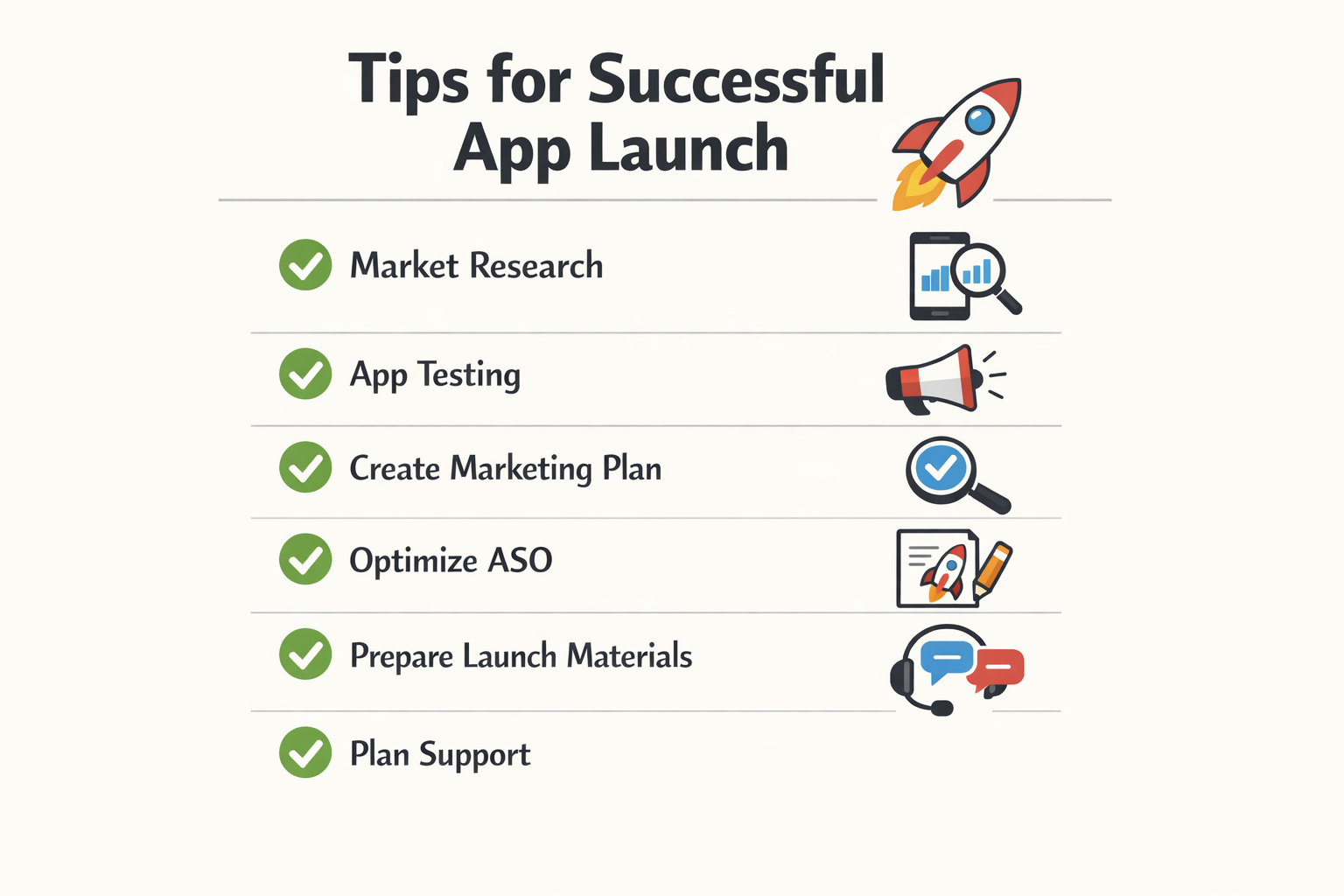
A clean launch beats a perfect product. Most small business apps fail not because the code is bad but because the operator skipped validation, picked the wrong first user, or burned budget on features nobody asked for.
Validate Before You Write Code
Validation before coding saves your budget. A fake landing page with a signup form tells you if anyone cares before you spend a dollar on development. If fifty people leave their email in a week, you have signal. If nobody clicks, you saved yourself three months of wasted work.
Before moving forward with any app concept, answer these questions: What problem exists? Who is willing to pay? Why is now the right time? If you can't write crisp answers to all three, delay the build.
Launch to a Narrow Audience First
Pick five users who will forgive bugs and give real feedback. A soft launch to friendly operators surfaces the problems that matter—broken workflows, confusing labels, missing edge cases—without the reputational cost of a public failure.
Give them direct access to you. A Slack channel or a shared phone number works. Fix what breaks, ignore what doesn't. After two weeks of live use, you'll know whether the core loop holds.
Keep the First Version Ruthlessly Simple
Ship one workflow that solves one problem. Every additional feature before launch doubles your surface area for failure and cuts your odds of finishing. I've seen operators add "nice to have" features in week eight that push launch to week sixteen, and by then the budget is gone and the opportunity has moved.
If a feature isn't load-bearing for the core use case, defer it to version two. A working app with three features beats a broken app with ten.
A working app with three features beats a broken app with ten.
Plan Your First Week of Support
The week after launch is when you learn whether the app actually works. Block your calendar. Expect questions, bug reports, and feature requests. Respond fast. Users forgive rough edges if they see you fixing things in real time.
Set up basic monitoring before launch—error logs, user activity tracking, and a way to push updates without a full redeploy. If you can't see what's breaking or fix it in under an hour, your launch will hurt.
For a deeper look at planning and validating your app concept, see I Have an App Idea: The Ultimate Simple Guide for Founders.
Case Studies of Successful Apps
Small businesses that build apps rarely publish their numbers. The ones that do share patterns worth noting: narrow scope, fast iteration, and direct connection to revenue.
AI Customer-Support Agent for Small Operations
One documented example is an AI customer-support agent built specifically for small businesses. The system learns from the company's own documents and past support tickets to generate accurate responses. Instead of training a generic chatbot, the app ingests internal knowledge bases and historical interactions, then surfaces context-aware answers.
The result: faster ticket resolution and lower overhead. Small teams can handle more inquiries without hiring additional support staff. The app doesn't replace human judgment—it handles repetitive questions and escalates edge cases.
AI-Driven Micro-Habit Manager
Another case involves an AI-driven micro-habit manager that uses machine learning to analyze user phone usage patterns. The app identifies optimal times for specific habits based on when users naturally pick up their devices. Instead of rigid reminders, it adapts scheduling to individual behavior.
This approach works because it removes friction. Users don't fight their routines—they augment them. The app observes, suggests, and adjusts. For small businesses selling productivity tools or wellness services, this model demonstrates how personalization can differentiate a crowded market.
The apps that succeed in small business environments solve one problem completely rather than ten problems partially.
What These Cases Share
Both examples focus on a single job: support automation or habit timing. Neither tries to be a platform. Both use existing data streams—support tickets or phone usage—to generate immediate utility. And both can be built with off-the-shelf AI tooling, not custom research labs.
If you're evaluating app ideas for small business, these cases suggest a blueprint: pick one workflow, feed it real data, and ship a narrow tool that works on day one.
Future Trends in App Development
Small businesses that watch where the tooling is headed get a six-month advantage over those who wait for consensus. The trends below are already live in production; you're choosing whether to adopt early or late, not whether they arrive.
AI-First Workflows
AI integration is no longer a feature—it's table stakes. Small business apps now embed GPT-style models for customer support triage, invoice categorization, and scheduling logic. The shift is from "AI as a bolt-on" to "AI as the default decision layer." If your app requires a human to read and route every input, you're competing with tools that don't.
The economic case is simple: a model costs fractions of a cent per call; a staffer costs dollars per task. For small businesses operating on tight margins, that gap funds the next hire.
No-Code Validation Before Full Build
No-code platforms have matured past toy demos. Teams now use them to test demand with real users before writing production code. You build a working prototype in a weekend, run it for 30 days, and decide whether to invest in custom development based on actual usage data—not projections.
The cheapest way to kill a bad idea is to ship it fast and watch nobody use it.
This mirrors the vibe coding workflow many solo founders use: iterate in public, measure real behavior, then commit resources only when the signal is clear. The no-code layer becomes your cheap validation sandbox.
Fintech and Embedded Payments
Small businesses are embedding payment rails directly into operational apps—not as a checkout page, but as a workflow primitive. A landscaping scheduler charges the card when the crew marks a job complete. A tutoring app bills per-session automatically. The app becomes the point of sale, and the business avoids reconciling external payment logs.
Fintech APIs (Stripe, Plaid, others) now offer small-business-grade compliance and onboarding. You don't need a banking license; you need an afternoon to wire up the SDK. The result: faster cash conversion and fewer manual billing errors.
Micro-SaaS and Niche Vertical Tools
The broad horizontal SaaS play is crowded. Small businesses are building (or buying) hyper-targeted tools for single industries—HVAC dispatch, pet grooming booking, mobile notary scheduling. These apps solve one workflow extremely well and ignore everything else.
The advantage: you compete on depth, not breadth. A general CRM has 200 features; your niche tool has 12, and all 12 map exactly to your users' daily routine. Adoption is faster, churn is lower, and you don't waste cycles on features nobody asked for.
Progressive Web Apps Over Native
Progressive web apps (PWAs) let you ship one codebase that works on iOS, Android, and desktop without app store approval loops. For small businesses, this cuts launch time and maintenance overhead in half. You update the web version; every device gets the new build instantly.
The tradeoff: PWAs can't access every native API (push notifications on iOS remain limited). But for most small business use cases—scheduling, invoicing, inventory—the web platform is sufficient, and the deployment simplicity is worth the constraint.
Conclusion
The market for new applications is wide open. Rapid technological shifts and evolving user needs create room for small businesses to launch tools that solve real problems. The twelve app ideas for small business covered in this guide—from appointment schedulers to inventory trackers—represent proven categories where demand already exists and execution matters more than novelty.
Start small. Pick one idea that aligns with a problem you see daily. Use no-code tools to test assumptions with simple landing pages or mockups before you commit to full development. Gauge interest with real users, not hypothetical personas. If the response is lukewarm, pivot or kill it fast.
I've watched dozens of solo founders burn months on features nobody asked for. The ones who shipped early prototypes and listened to feedback built products people actually paid for. Your first version will be incomplete—that's the point. Ship it, learn from it, and iterate based on what users do, not what they say.
If you're ready to move from idea to execution, check out I Have an App Idea: The Ultimate Simple Guide for Founders for a step-by-step framework that takes you from concept to launch without the usual noise.
The best app ideas for small business aren't the flashiest ones. They're the ones you can build this quarter and improve next quarter. Start now.