PRD Template: The Ultimate Guide to Simple Product Planning
Introduction
A product requirements document is the single artifact that defines what you're building, who it serves, and how you'll know it worked. A PRD template gives that artifact consistent structure. Without one, product specs drift between formats, critical details get buried in Slack threads, and engineers build features nobody asked for.
The template itself is simple: a reusable framework that captures purpose, features, and success metrics in the same order every time. Most teams waste weeks debating what belongs in a PRD. A good template settles that debate once and lets you focus on the actual product decisions.
I've watched founders skip the PRD step and jump straight into vibe coding workflows. It works for throwaway prototypes. It fails when you need a second engineer to understand what you meant three months ago. The template is the difference between a product that ships and a codebase that needs a rewrite.
This guide walks through what goes into a PRD template, how to build one that fits your workflow, and how to use it without turning product planning into a documentation exercise. The goal is a template you can fill out in under an hour and reference without rereading.
Discover how to create a PRD template that suits your needs with our comprehensive guide.
What is a PRD Template?

A PRD template is a structured framework that outlines a product's purpose, features, and requirements to align teams on development goals. It's the document that turns "we should build this" into a plan everyone can execute against. Without it, you get feature drift, scope creep, and engineers asking the same questions every standup.
The template itself is just scaffolding. It holds the sections you need to answer before writing code: what problem you're solving, who has it, how you'll measure success, and what you're explicitly not building. A good PRD template forces you to think through edge cases before they become production fires.
Why Product Teams Use PRD Templates
PRD templates exist because starting from a blank page wastes time. Every product decision needs the same foundational answers, so the template pre-loads those questions. You fill in your specifics; the structure keeps you honest about what you actually know versus what you're guessing.
Before mentioning new features in your PRD, clarify the specific user problem being solved and ground your answers in evidence from user research. Templates make this discipline repeatable. When your fifth feature request lands, you don't reinvent the format—you slot the new problem into the existing structure and see if it holds up.
Core Structure of a PRD Template
The core sections of a modern PRD template include context, problem, goals, non-goals, user stories, requirements, success metrics, and open questions. Context explains why now; problem defines what's broken; goals set the target state. Non-goals are just as critical—they're the features you're choosing not to build, which prevents scope inflation mid-sprint.
User stories translate abstract goals into concrete scenarios. Requirements list what the product must do; success metrics define how you'll know it worked. Open questions capture the unknowns you need to resolve before launch. If you're looking for a deeper breakdown of how PRDs fit into the broader planning process, see What Is a PRD? A Plain-English Guide for Non-Technical Founders.
The template doesn't write the PRD for you. It just ensures you don't skip the hard questions.
Components of a PRD Template
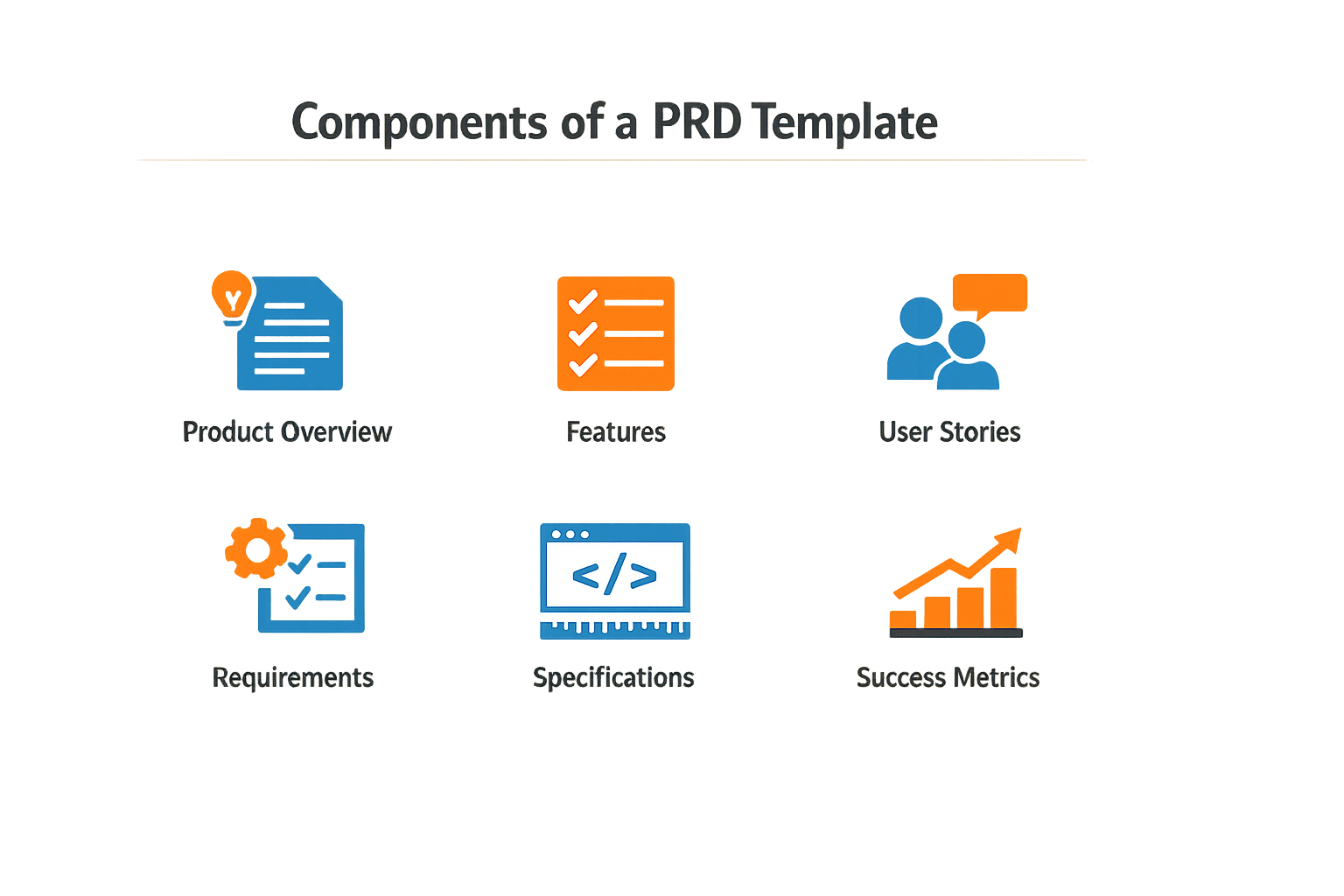
A PRD template breaks down into sections that force you to answer the questions engineers actually ask. Each component exists because someone once shipped something broken without it.
Problem Statement and Evidence
Start with the problem. Write what's broken, who it hurts, and how you know. Evidence means numbers, user quotes, or support tickets—not hunches. A problem statement without proof is just a feature request dressed up.
Goals and Success Metrics
Define what winning looks like. Use measurable goals: adoption rate, time saved, error reduction. Vague goals produce vague products. If you can't measure it, you can't defend the build time.
User Stories and Acceptance Criteria
User stories describe who does what and why. Acceptance criteria define done. Write stories in the format: "As [user type], I want [action] so that [outcome]." Then list the conditions that make each story shippable.
For more context on translating ideas into structured planning, see What Is a PRD? A Plain-English Guide for Non-Technical Founders.
Functional Requirements
List what the product must do. Be specific: "User can upload CSV files up to 10MB" beats "User can import data." Functional requirements are the contract between product and engineering.
Non-Functional Requirements
Cover performance, security, and scale. Response time limits, uptime targets, data retention rules. These determine architecture choices and cost.
| Requirement Type | Example | Why It Matters |
|---|---|---|
| Performance | Page load under 2 seconds | User retention |
| Security | Data encrypted at rest | Compliance |
| Scale | Support 10,000 concurrent users | Infrastructure sizing |
Technical Considerations and Constraints
Document existing systems, APIs, and dependencies. Note what you can't change: legacy databases, third-party integrations, regulatory requirements. Engineers need to know the walls before they draw the floor plan.
Scope Boundaries
Define what's out of scope. This section prevents feature creep. List the things you won't build in this version and why. Saying no is half the job.
Timeline and Milestones
Break the work into phases with dates. Include dependencies: "Feature B requires Feature A to ship first." Timelines without dependencies are fiction.
Open Questions and Risks
List what you don't know yet. Open questions need answers before development. Risks need mitigation plans. Pretending uncertainty doesn't exist just moves the surprise to later.
How to Create a PRD Template
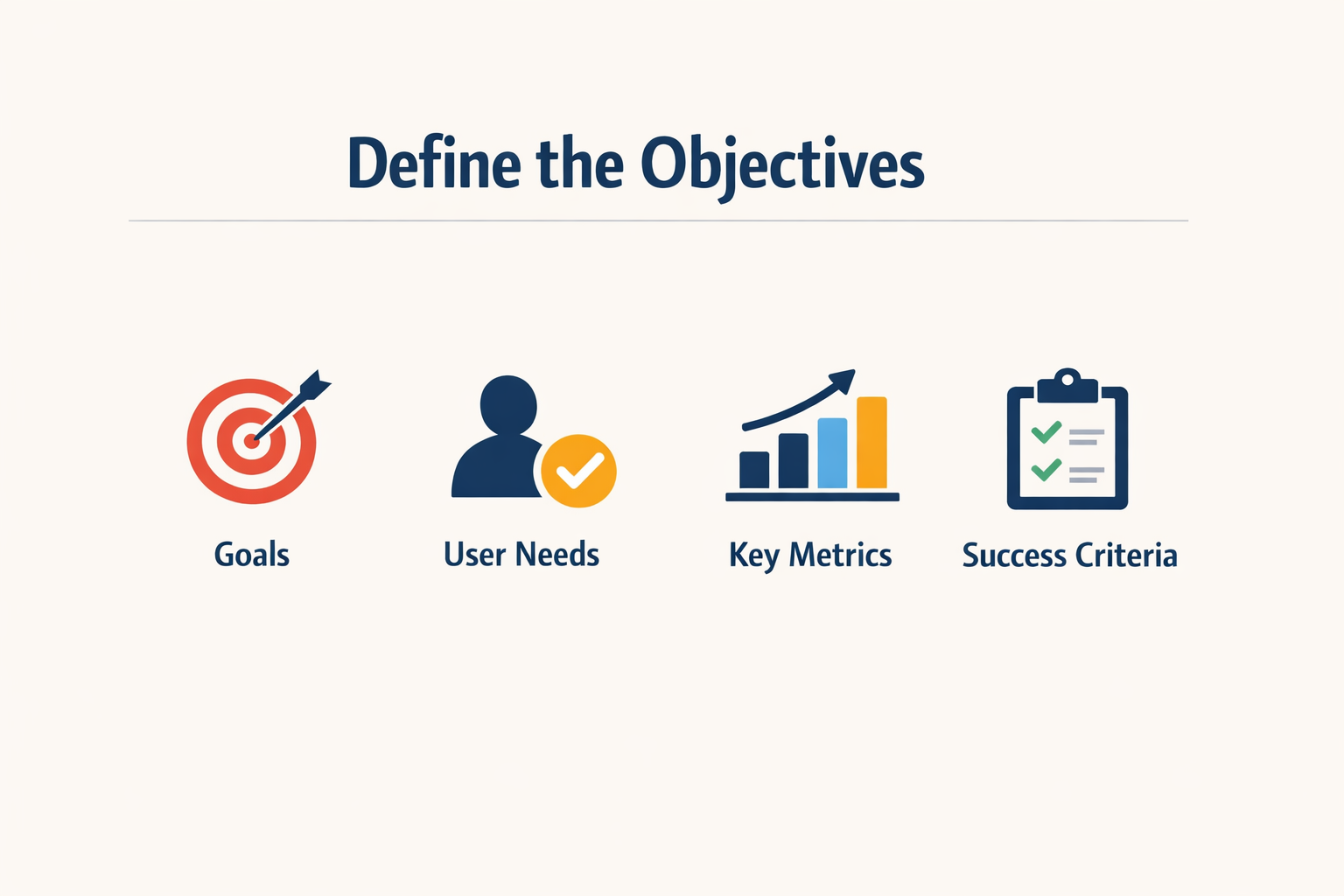
Building a PRD template is simpler than most people think. Start with a blank document and add sections in the order you'll actually fill them. Speed beats polish — a clear first draft in 30 minutes is more valuable than a beautifully formatted document delivered next Tuesday.
Start with Metadata
Your template should begin with metadata fields that provide immediate clarity. Include project name, core team members, project status, and last updated date at the top. These fields answer the first question anyone opening the document will have: what is this and who owns it.
Add a single-line project description right after the metadata. One sentence that explains what you're building and why it matters.
Step 1
Set up the header block
Create a metadata section at the very top with fields for project name, owner, status (draft/review/approved), and last updated date. Add a one-line project description immediately below. This header should fit on a single screen.
Step 2
Define the problem space
Add a Problem Statement section. Write 2-3 paragraphs describing what user pain you're solving and why it matters now. Include who experiences this problem and what they currently do instead.
Step 3
Build the requirements structure
Create sections for Goals, User Stories, and Acceptance Criteria. Goals should be 3-5 bullets stating what success looks like. User Stories follow the format "As a [role], I want [action] so that [benefit]." Acceptance Criteria must be testable — if you can't write a pass/fail test for it, rewrite it.
Add Scope Boundaries
The most useful section in any PRD template is Out of Scope. List what you're explicitly not building. Edge cases go here too — the weird scenarios you've thought about but won't handle in this version. Making exclusions explicit prevents scope creep and saves hours of meetings.
Step 4
Include technical constraints
Add a Constraints section covering technical limitations, dependencies on other systems, and timeline boundaries. If there's a hard deadline or a platform requirement, state it here.
Step 5
Add final checks
Create a Review Checklist at the end of your template. Include items like "acceptance criteria are testable," "edge cases are listed," and "out-of-scope items are explicit." This checklist ensures every PRD that uses this template meets minimum standards.
Keep It Editable
Save your template in a format your team actually uses. If everyone works in Notion, build it there. If you use Google Docs, start there. The best template is the one people will actually open and fill out.
For founders who want to move from planning to building, understanding what is a PRD helps connect documentation to execution.
Customizing Your PRD Template
No two products ship the same way. Your PRD template should bend to match your team's size, domain, and tolerance for process. A template that works for a three-person startup building a scheduling tool will choke a compliance-heavy fintech team.
Start with the standard components—objectives, scope, requirements, success metrics—then strip or expand based on what actually gets read. If your engineers ignore user stories, cut them. If your stakeholders demand wireframes in the doc itself, add an attachments section. The goal is a document people open, not one they route around.
Match Template Depth to Team Maturity
Early-stage teams need lighter PRDs. When you're sitting three feet from your developer, a two-page doc with bullet points and a sketch beats a formal specification. As the team grows past ten people, add structure: acceptance criteria, edge cases, dependencies. The template should scale with communication overhead, not aspirations.
Solo founders and small teams benefit from concise formats. A 20-page PRD becomes a document nobody reads. Capture decisions, not descriptions. Write enough to align the room, then stop.
Tailor Sections to Your Domain
Regulated industries need audit trails and compliance checkboxes. SaaS products need integration specs and API contracts. Consumer apps need user flows and onboarding sequences. Add domain-specific sections only when their absence creates risk.
For technical products, expand the architecture and data model sections. For user-facing features, add interaction design and accessibility requirements. For integrations, include authentication flows and rate limits. The template should make the hard questions obvious before code gets written.
Balance Clarity With Flexibility
A great PRD template fosters clarity, collaboration, and accountability. Use simple language and logical organization. Balance technical details with business goals so both engineers and stakeholders can parse the same document without translation.
Avoid rigid formats that force irrelevant fields. If a section doesn't apply, let people skip it. The template should guide thinking, not enforce bureaucracy. When someone asks "do I really need to fill this out," the answer should be obvious from context.
The best template is the one your team actually uses without complaining.
Iterate Based on What Gets Ignored
Watch which sections stay empty across multiple PRDs. If nobody fills out "assumptions," either make it required or delete it. If "out of scope" always gets skipped, your team might need that boundary more than they realize—or it's genuinely not useful.
Review your template every six months. Ask: what slowed us down, what got misunderstood, what never got read. Adjust accordingly. A PRD template is tooling, not doctrine.
For founders just starting to formalize product planning, understanding what a PRD actually is helps clarify which template elements matter most for your situation.
Using a PRD Template Effectively
A template is a starting point, not a finish line. The value comes from how you fill it, not how it looks. Most teams treat the PRD Template as a form to complete; effective teams treat it as a thinking tool that forces clarity before code.
Fill It Fast, Then Iterate
Speed beats polish. A clear, structured first draft in 30 minutes is more valuable than a beautifully formatted document delivered next Tuesday. Get the core problem, user story, and success metrics down first. Everything else can wait.
Don't write the PRD alone in a room for a week. Draft it quickly, share it with two people who will use it, and revise based on their questions. The questions you get in the first 24 hours are the ones you'll get from engineering later — answer them now.
Use It as a Handoff Contract
The PRD Template becomes effective when both sides treat it as a contract. Product defines what success looks like; engineering defines how long it takes and what's technically feasible. If engineering reads your PRD and has no questions, you either wrote it perfectly or left out the hard parts.
Schedule a 15-minute review with the lead engineer before you call it done. Their questions tell you what's missing. If they ask about edge cases you didn't consider, add them. If they propose a simpler solution, take it.
Keep It Alive During Build
Most PRDs die the day development starts. Effective teams update the PRD when scope changes, technical constraints appear, or user feedback shifts priorities. The template should be the single source of truth, not a historical artifact.
When a feature gets cut or a requirement changes, update the PRD immediately and notify the team. A stale PRD is worse than no PRD — it creates confusion about what you're actually building. For non-technical founders learning to work with AI tools and engineering teams, keeping the PRD current is the simplest way to stay aligned.
A PRD that doesn't change during development means either perfect foresight or nobody's reading it.
Measure Against the Template's Goals
After launch, compare what shipped against what the PRD promised. Did you hit the success metrics? Did the user story match reality? Did scope creep double the timeline? Use those answers to improve the next PRD.
The template works when it makes the next project easier. If you're rewriting the same sections from scratch every time, your template is missing structure. If you're deleting half the template every time, it's too bloated. Adjust based on what actually helped.
Common Mistakes to Avoid with PRD Templates
A poorly written PRD leads to scope creep, code rewrites, and missed launch dates. Most teams don't fail because their template is wrong—they fail because they use it wrong. The same template that ships a feature in six weeks can drag a project out for six months if you fill it with the wrong content.
Writing a Novel Instead of a Decision Log
Good PRDs are concise and capture decisions, not descriptions. A 20-page PRD is a document nobody reads. Engineers skip to the mocks. Stakeholders skim the first page and approve it without understanding the scope. You end up with a reference doc that references nothing useful.
Keep it tight. One page per major feature is a reasonable target. If you need more space, you probably haven't made enough decisions yet. Write what you decided, not what you considered. The template should guide decisions, not document your thought process.
Treating the Template as Scripture
Templates are starting points, not contracts. If a section doesn't apply to your feature, delete it. If you need a section the template doesn't have, add it. Teams that fill every field because the template says so end up with PRDs full of "N/A" and "TBD"—which is the same as having no PRD at all.
Customize the template to your workflow. If your team never looks at the "Success Metrics" section, stop writing it. If engineers always ask about error states and you never document them, add a section. The template should match how your team actually works, not how someone else's team works.
Skipping the Hard Decisions
The worst PRDs are the ones that defer every hard choice. "We'll figure out the edge cases during implementation." "Design will handle the empty states." "Engineering will decide on the API shape." If you're not making decisions in the PRD, you're just pushing the decision-making into Slack threads and standup meetings.
Every section in your PRD template should force a decision. What happens when the user has no data? What's the performance threshold? What's explicitly out of scope? If you can't answer these questions before you start building, you need to go back to the planning phase and make the calls.
A PRD that says "TBD" in three places isn't 90% done—it's 0% done.
Ignoring Your Audience
You're not writing for yourself. If your engineers need technical constraints and you give them user stories, they'll ignore the PRD. If your stakeholders need business context and you give them API specs, they'll approve it without reading. Match the content to the reader.
Most PRDs need two levels: a summary for stakeholders (problem, solution, success criteria) and details for builders (specs, edge cases, dependencies). If you're writing one document for both audiences, put the summary at the top and the details in sections they can skip. Don't make the CEO read your database schema.
Letting the PRD Drift
The PRD you write on Monday is not the PRD you're building on Friday. Requirements change. Scope shifts. Constraints appear. If you don't update the document, it becomes fiction. Then people stop reading it because it's never current.
Update the PRD when decisions change, not at the end of the project. Add a changelog section at the top. Date every revision. If the scope cuts a feature, delete it from the PRD immediately—don't leave it in with a strikethrough. The document should always reflect what you're actually building.
Who Should Use a PRD Template?
A PRD template is not just for product managers. Any role that touches product decisions benefits from a shared document that answers "what are we building and why?" The template creates a forcing function: write it down or don't build it.
Product Managers
Product managers own the PRD. Eight in ten now use AI in their daily workflow, which means the template needs to accommodate AI components, integrations, and cross-functional dependencies. A robust PRD template handles this complexity without turning into a 40-page spec document.
Solo Founders and Small Teams
Solo founders building their first product need a PRD template more than anyone. The template is the conversation you have with yourself before you write code. It stops you from building features nobody asked for. Small teams use the PRD to align without meetings — one document replaces three Slack threads.
If you're just starting out, What Is a PRD? A Plain-English Guide for Non-Technical Founders walks through the basics without jargon.
Engineering and Design Teams
Engineers use the PRD to understand scope before estimating work. Designers use it to know what problem they're solving before opening Figma. Both teams benefit from a template that separates requirements from implementation details — the PRD says what, not how.
Stakeholders and Cross-Functional Partners
Marketing, sales, and support teams read PRDs to prepare for launch. A good template gives them the context they need without forcing them to parse technical specifications. The template should answer: what changes for the user, when does it ship, and what do we tell customers?
Projects That Benefit Most
PRD templates work best for products with integrations, AI components, or multiple user types. Complexity is the forcing function. Simple features might not need a full PRD, but anything that touches more than one system or team does.
Examples of PRD Templates
Seeing a real PRD template in action clarifies what works. The structure matters less than whether your team can read it, fill it out, and ship something.
SSO Checkout Feature Template
One worked example covers an SSO checkout feature. The author lists the problem, writes two user stories, defines acceptance criteria, and flags one open question for the data team. That's the entire document. No ceremony, just the minimum needed to hand off to engineering.
The problem statement is concrete: users drop off at checkout because they don't want to create another account. The user stories tie directly to that friction. Acceptance criteria specify what "done" looks like — one-click login, no password fields, fallback to email if SSO fails. The open question asks the data team how they'll track conversion lift.
Problem-Statement-First Template
Another example leads with the problem: "Our users struggle to track project deadlines across multiple tools, leading to missed deliverables and frustration." That single sentence sets the frame for everything else in the doc. The solution follows naturally — build a unified deadline view.
This template skips elaborate user personas and focuses on the pain point. If your team already knows the user, you don't need to reintroduce them in every PRD. State the problem, propose the fix, define success.
Choosing a Starting Point
Both examples share a pattern: they answer "why are we building this" before "what are we building." Start with a template that matches your team's read-time budget. If your engineers skim docs, keep it to one page. If your stakeholders need more context, add a background section.
The best template is the one your team actually uses. Copy a working example, strip out what you don't need, and run it once. You'll know in the first sprint whether it's too heavy or too light.
For more on turning early ideas into shipped products, see I Have an App Idea: The Ultimate Simple Guide for Founders.
Conclusion
A PRD template is the source of truth for engineering, design, and product teams. It turns vague ideas into concrete specs that builders can actually use. Without one, you're shipping context in Slack threads and hoping nothing breaks.
The template itself matters less than the discipline of writing it. Start with the basics: problem statement, user stories, success metrics, scope boundaries. Add sections as your team needs them. Remove anything that collects dust. A PRD is a living document — update it as decisions are made during development, not after launch when everyone's forgotten why you built it that way.
If you're a solo founder or small team, keep it lean. Two pages that get read beat ten pages that get skipped. Focus on the decisions that hurt to reverse: data models, third-party dependencies, user flows that lock in assumptions. Everything else can flex.
The real test is whether someone can pick up your PRD six months later and understand what you built and why. If they can, you did it right. If they can't, you wrote documentation, not a product requirements document.
For founders starting from scratch, a solid PRD template bridges the gap between idea and execution. What Is a PRD? A Plain-English Guide for Non-Technical Founders walks through the fundamentals if you need a primer before building your own template.