
App Requirements for Lovable: The Ultimate Simple Guide
Introduction
Building with AI tools feels magical until you realize the builder only knows what you tell it. I've watched founders spend weeks iterating on apps that could have shipped in days if they'd written requirements first. The pattern repeats: vague prompt, plausible-looking output, subtle bugs everywhere, frustration, abandonment.
App Requirements for Lovable aren't a bureaucratic artifact. They're the contract between your vision and the code. Lovable reached significant growth by making the build process faster, but speed only matters if you're building the right thing. The architecture standardizes components to enable rapid development—which means your requirements need to fit that structure.
Most founders skip requirements because they think AI reads minds. It doesn't. You need to describe what the app does, who uses it, and how data flows. Not in PRD formality, but in enough detail that the builder can make decisions when you're not watching. What Is a PRD? A Plain-English Guide for Non-Technical Founders covers the spectrum from napkin sketch to full spec—this guide focuses on the Lovable-specific middle ground.
The sections ahead walk through gathering, structuring, and refining requirements so your builder ships working software on the first serious attempt. No theory. Just the checklist that separates shipped apps from abandoned prototypes.
Discover the essential app requirements for Lovable and how to guide your builder effectively.
Understanding App Requirements
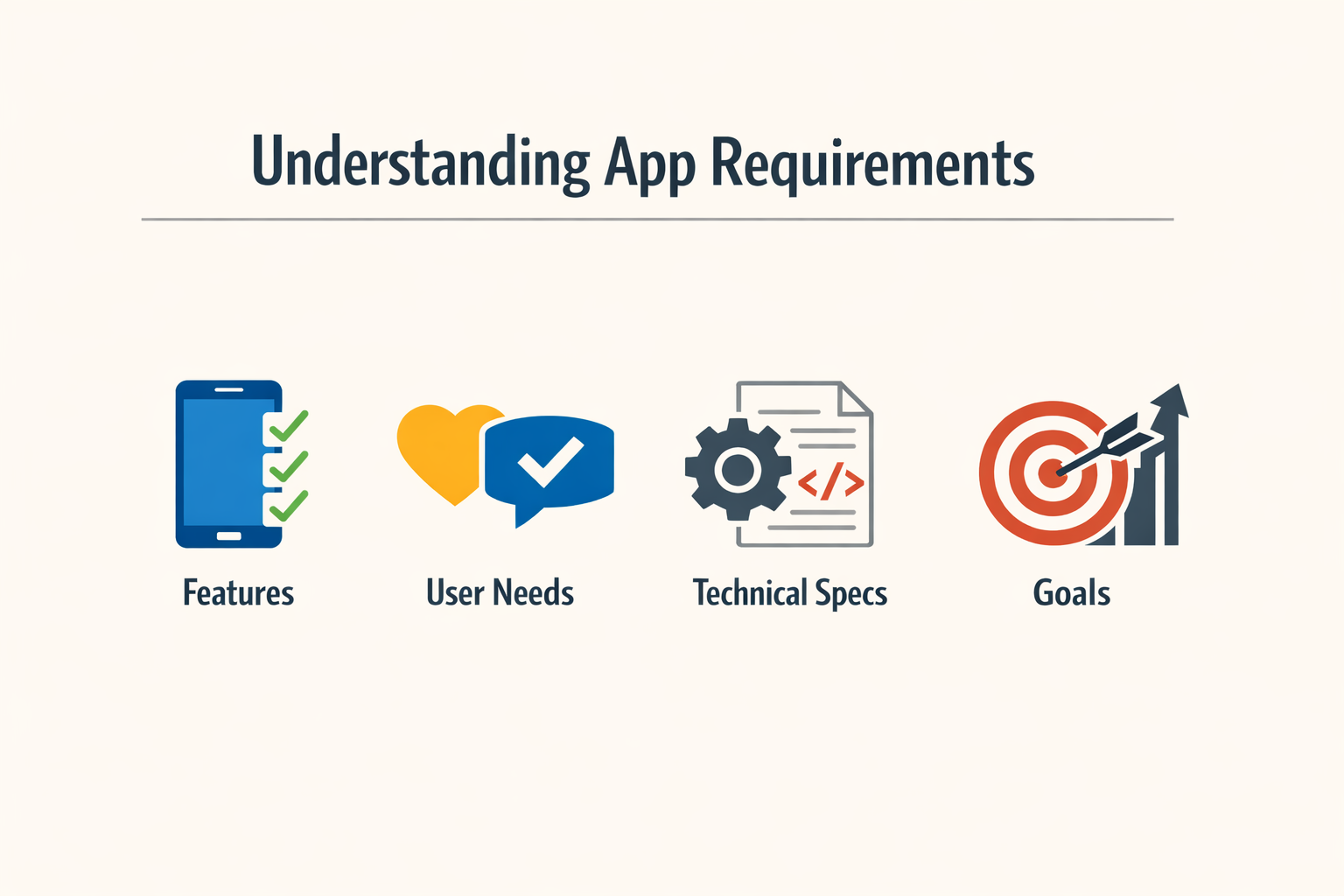
App requirements are the structured instructions you give a builder before it writes a line of code. They define what the app does, who uses it, and how it behaves. Without them, you're asking the builder to guess.
Lovable works fast because it assumes a rigid structure. That speed comes at a cost: it won't ask clarifying questions. A Lovable app spec is a short, structured brief that fills in the context Lovable won't ask for on its own, typically one page or less. You provide the shape; Lovable fills in the implementation.
Why Requirements Matter
Clear requirements prevent the builder from interpreting ambiguity in ways you didn't intend. Lovable's architecture standardizes components to move quickly, but that standardization means it can't improvise around vague instructions. If you say "user dashboard," it picks a default layout. If you want something specific, you specify it up front.
A practical starting point is a short product requirements document containing the target users, primary problem, core features, user journeys, business rules, and technical integrations. This gives the builder enough structure to make decisions that align with your intent. For more on translating ideas into structured plans, see What Is a PRD? A Plain-English Guide for Non-Technical Founders.
What Requirements Are Not
Requirements are not a feature wishlist. They're not marketing copy. They're operational instructions: "When a user clicks X, show Y." "Store Z in the database." "Restrict access to role A." The more concrete the instruction, the less the builder has to guess.
Requirements also aren't static. You'll iterate as you see what the builder produces. But the initial spec sets the baseline. Start with clarity; refine with testing.
Key Elements of App Requirements
Every spec that works has the same four parts: what it does, who uses it, how it looks, and what happens when something breaks. Miss one and the builder guesses. Guesses cost time.
Core Features
Core features are the minimum set that makes the app useful. For a personal journal app, that means user entries saved to a database and a simple, clean design. For an e-commerce MVP, it's product browsing, user registration, cart functionality, and checkout — advanced features wait until after launch.
List features as actions, not abstractions. "User can add a journal entry" beats "journaling capability." The builder needs verbs.
User Roles and Permissions
Define who does what. If your app has one user type, say so. If it has three, name them and list what each can see and change. A spec that says "admin" without defining admin powers leaves the builder picking defaults you may not want.
Permissions cascade into UI decisions. The builder won't ask whether admins see a delete button — it will assume based on what you wrote or didn't write.
UI and UX Expectations
Describe the interface in two sentences: layout style and interaction model. "Three-column dashboard, left nav, card-based content" tells the builder more than "modern and intuitive." If you want mobile-first or desktop-only, state it.
Include one reference if you have a strong visual preference. "Clean like Linear" or "dense like Airtable" sets direction without requiring mockups. The builder interprets; you refine in iteration.
Technical Constraints and Integrations
If the app must connect to an external API, name it. If it can't use certain libraries or must run offline, say so upfront. Constraints discovered mid-build cost more than constraints stated in the spec.
For Lovable specifically, mention database preferences (Supabase is default but not required) and any authentication requirements. The builder assumes reasonable defaults; override them explicitly when you need something different.
When writing requirements, think about the complete vibe-coding workflow — the spec is the first step, but iteration is where most apps take shape. A tight initial spec reduces the number of correction cycles.
Gathering Requirements for Lovable
Gathering requirements for Lovable is not a formal stakeholder dance. You sit down with the people who will use the thing—or you sit with yourself if you are the only stakeholder—and you extract the minimum viable picture of what the app must do. The output is a short artifact: target users, core problem, features that solve it, user journeys, business rules, technical integrations. That list is your starting point.
Lovable's intake is deliberately light. It does not force you through a 40-field wizard. That simplicity is a feature until it becomes a liability: the things you do not say out loud become the things the builder guesses at. If you skip the planning step and type "build me a task app," you will get a task app shaped by the model's priors, not yours. Better planning leads to better AI-generated results.
Start With a Short PRD
A practical starting point is a short product requirements document. It does not need to be formal. It needs to contain the target users, the primary problem, the core features, the user journeys, the business rules, and the technical integrations. Write it in plain language. Use bullet points. Keep it under two pages. This artifact is the contract between your intent and the builder's output.
If you are working solo, the PRD is a forcing function: it makes you decide what matters before you spend tokens on revisions. If you are working with a team, the PRD is the shared reference that prevents "I thought we agreed on X" arguments three builds later. Either way, the PRD is the cheapest insurance you can buy.
Engage Stakeholders Early
If you have stakeholders beyond yourself, talk to them before you write the PRD. Ask what they need the app to do. Ask what they do not need it to do. Ask what would make them stop using it. Write down the answers. Do not filter them yet. Filtering happens when you write the PRD, not during the conversation.
Stakeholder input is cheap at this stage and expensive after the first build. If you skip this step, you will discover missing requirements when someone says "wait, it doesn't do Y?" after you have already built Z. That discovery costs time and credibility. Better to surface it now.
Document What You Will Not Build
Requirements include boundaries. Write down what the app will not do in version one. This is not pessimism; it is scope control. If you do not document the out-of-scope list, every stakeholder will assume their pet feature is in. When it is not, they will feel surprised. Surprise erodes trust.
The out-of-scope list also protects you from yourself. When you are three prompts deep and tempted to add "just one more thing," the list reminds you that you already decided against it. Discipline at the requirements stage prevents scope creep at the build stage.
For a structured approach to turning early ideas into buildable specs, see What Is a PRD? A Plain-English Guide for Non-Technical Founders.
App Requirements for Lovable
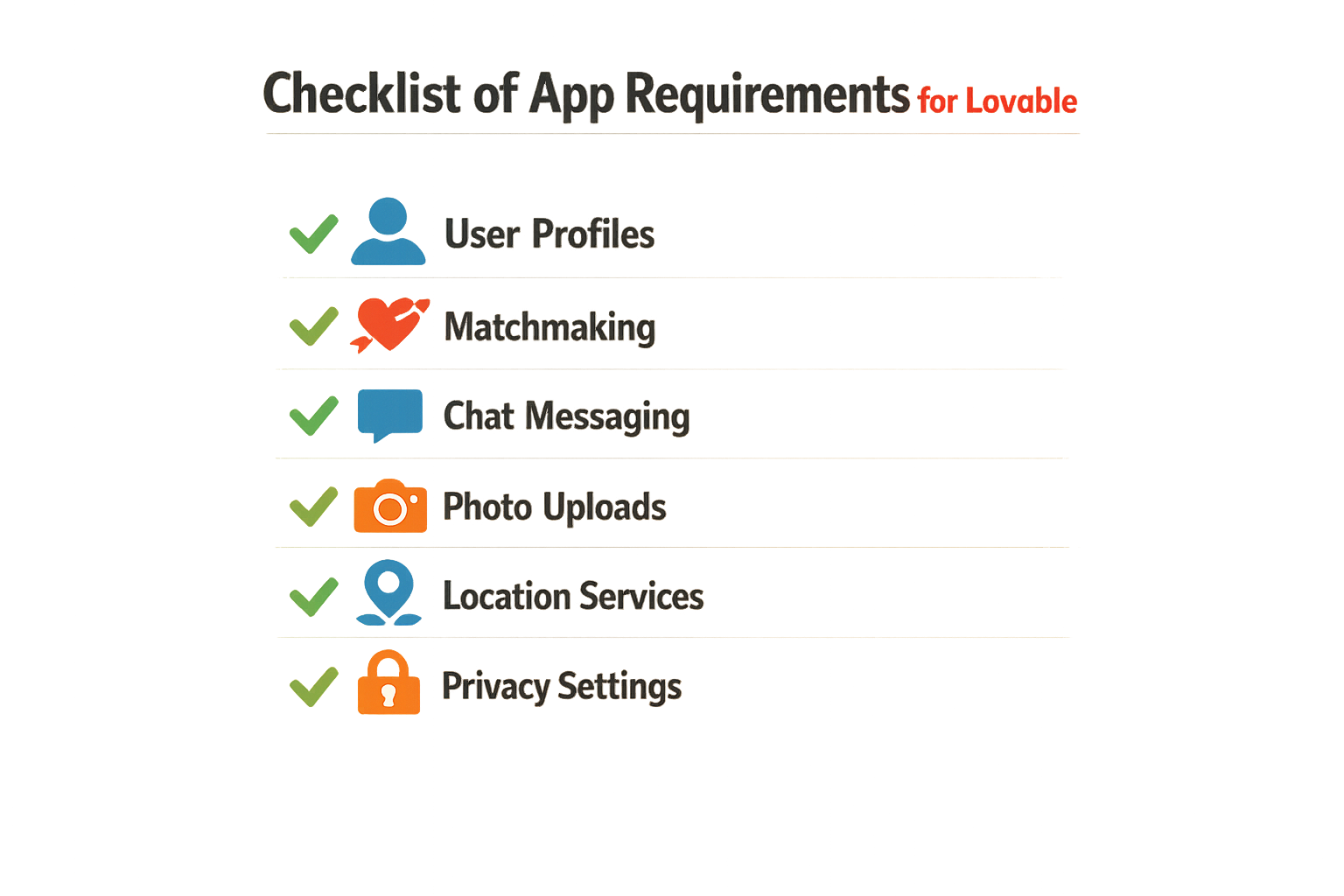
A Lovable app spec is a short, structured brief that fills in the context Lovable won't ask for on its own. One page or less. The builder generates UI and app code from your chat descriptions, then connects backend capabilities — but it can't read your mind about business logic, edge cases, or the workflow you're actually trying to replace.
What Lovable Needs to Know
The architecture is rigid by design. Standardized components, fixed patterns, speed over flexibility. That rigidity is what makes rapid development possible, but it means your spec must be explicit about three things: what the user sees, what the user does, and what happens when they do it.
Start with the screen. Name each view. List the data fields visible on that view. Then describe the actions — buttons, forms, filters — and the state changes those actions trigger. If a user clicks "Submit," does the form clear? Does a new row appear? Does the app route to a different screen? Write it down.
Core Elements to Specify
Your spec should answer:
- User roles and permissions — Who sees what? Can guests view data, or is everything gated behind login?
- Data model — What objects exist? What fields does each object have? How do objects relate to each other?
- Actions and workflows — What can a user do on each screen? What validation rules apply? What happens on success or failure?
- Edge cases — What happens when the list is empty? When a required field is missing? When two users edit the same record?
Lovable's standardized structure handles the rendering and routing. You handle the product decisions. If you want a dashboard that shows recent activity, specify which activity, sorted how, filtered by what. The builder won't guess.
Step 1
Define the data model first
List every object type your app tracks. For each object, list its fields and data types. Then draw the relationships — does a Project have many Tasks? Does a User belong to one Team? Write it as a bullet list or a simple table. This becomes your schema.
Step 2
Map the user journey
Describe the sequence of screens a user moves through to complete one task. Use numbered steps. "User lands on dashboard. User clicks 'New Project.' Form appears with fields X, Y, Z. User submits. App shows confirmation and routes to project detail view." One journey per core workflow.
Step 3
Specify validation and error states
For each form or action, list what makes it invalid. "Email field required and must contain @. Password must be at least 8 characters. If submission fails, show error message below the form and do not clear user input." Lovable won't infer these rules.
If you're coming from a spreadsheet, the columns are your fields and the sheet name is your object type. If you're replacing a manual process, the steps in that process are your workflows. Either way, turn spreadsheet into app thinking applies — translate the structure you already have into explicit data and actions.
What You Can Leave Out
You don't need to specify:
- Visual styling beyond "clean" or "minimal" — Lovable's component library handles that
- Database implementation details — the builder chooses the persistence layer
- Responsive breakpoints or mobile-specific layouts — the framework is already responsive
Focus on logic, not aesthetics. The builder optimizes for speed, and that means a lot of decisions are already made. Your job is to define what the app does, not how it renders.
Best Practices for Writing Requirements
Writing requirements for an AI builder is different from writing for a human dev team. Humans ask clarifying questions. Lovable does not. Your first draft is what it builds from, so clarity beats cleverness every time.
Plan Before You Prompt
Sketch screens. Map user journeys. Write a short PRD. Better planning leads to better AI-generated results. If you walk into Lovable with "build me a CRM," you will get something generic. If you walk in with three wireframes and a bullet list of who does what, you will get something closer to what you actually need.
Write for Someone Who Takes Everything Literally
Lovable interprets instructions at face value. "Users can edit their profile" is vague. "Users can edit their email, display name, and profile photo; changes save on blur or when they click Save" is concrete. The second version tells the builder what fields exist, what triggers the save, and what the UI flow looks like.
Avoid ambiguous terms like "intuitive," "clean," or "modern." Describe the behavior you want. If you want a modal, say modal. If you want inline editing, say inline editing. If you want validation on submit, say validation on submit.
Break Requirements Into Layers
Start with core flows. Get login, the main user action, and one happy path working. Then add edge cases, permissions, and polish. Trying to specify everything up front creates a wall of text that is hard to debug when something goes wrong.
For each feature, define:
- What the user sees
- What action they take
- What happens next
- What happens if it fails
Step 1
Specify the happy path first
Describe the ideal user flow with no errors, no edge cases, no branching. Get that working before you add "what if the email is invalid" or "what if they are offline."
Step 2
Add one constraint at a time
Once the happy path works, layer in validation, permissions, and error states one at a time. Each addition is a new prompt. This keeps the builder focused and makes it easier to isolate what broke.
Define Security and Roles Early
If your app has users, define who can do what before you build features. "Admins can delete posts, regular users cannot" is a requirement, not an afterthought. For production projects, review security settings, define user roles and permissions, and prepare automated tests including unit and integration tests.
Use Examples and Reference Designs
If you want a specific interaction pattern, link to an example or describe it in detail. "Like Notion's slash command menu" is clearer than "a command palette." Screenshots and annotated wireframes eliminate guesswork.
For more on structuring your initial idea into something buildable, see What Is a PRD? A Plain-English Guide for Non-Technical Founders.
Common Mistakes to Avoid
Most requirements fail before the first prompt. The builder does what you say, not what you mean. If you leave gaps, Lovable fills them with defaults that match nobody's use case.
Assuming Context the Builder Doesn't Have
You know your domain. The builder doesn't. Writing "add standard e-commerce checkout" assumes a shared definition of standard. Lovable's intake is deliberately light to avoid overwhelming users, which means that the things not explicitly stated can lead to unexpected results. Spell out payment methods, shipping options, tax handling, and confirmation flow. If you skip the details, you get a generic flow that works for nobody.
Validating After Building
Your biggest risk is not building, it's building the wrong thing. Validate before you prompt. Talk to three users before writing a single requirement. Ask what they do now, not what they wish existed. Watch them work. The gap between their current process and your imagined solution is where requirements live. Building first and validating later means rewriting requirements with a half-finished app in the way.
Writing Novels Instead of Specs
Long requirements don't mean clear requirements. A three-page narrative about user personas and market positioning tells the builder nothing about what button does what. Write the shortest sentence that removes ambiguity. "User clicks Save and sees a confirmation message" beats a paragraph about delightful user experiences. If you need more than two sentences to describe one interaction, split it into smaller pieces.
Mixing Features and Outcomes
Requirements describe what the app does, not what you hope happens after launch. "Increase user engagement" is an outcome. "Show unread message count on the inbox icon" is a requirement. The builder can't code engagement. It can code a red badge with a number. Focus on the observable behavior, not the business result. For more on translating business goals into buildable specs, see What Is a PRD? A Plain-English Guide for Non-Technical Founders.
Skipping Edge Cases Until They Break
The happy path is 20% of the work. The other 80% is what happens when the user does something you didn't expect. What if they upload a 50MB file? What if they leave a required field blank? What if they hit Submit twice? Write requirements for the failure states before the builder generates code. Retrofitting error handling into finished features takes longer than specifying it upfront.
The edge case you skip in requirements becomes the bug that ships to production.
Iterating on Requirements
Requirements don't freeze after the first draft. You'll change them as the builder shows you what it actually built. The first render often clarifies what you thought you wanted versus what you actually need.
The trick is working in small batches. Making 2-3 changes at a time produces better results and uses fewer credits than dumping twenty revisions into one prompt. You see what landed, what broke, and what needs a second pass.
Why Iteration Beats Perfection
No PRD survives contact with the builder unchanged. You'll spot edge cases you missed, UI flows that feel wrong on screen, or integrations that need more context. That's normal. The goal isn't a perfect spec upfront — it's a spec good enough to start, then tight loops to refine it.
Small changes also keep the builder's context window clean. When you iterate incrementally, the AI can track what changed and why. Big rewrites confuse the model and waste tokens on re-processing stable parts of the app.
Practical Iteration Workflow
Start with your short product requirements document: target users, primary problem, core features, user journeys, business rules, and technical integrations. Feed that to the builder. Review the first output.
Then adjust one section at a time. If the login flow is wrong, fix just that. If the data model needs a new field, add it in isolation. Test, observe, repeat. Each cycle sharpens both the app and your understanding of what the builder needs to hear.
For more on structuring those initial requirements, see What Is a PRD? A Plain-English Guide for Non-Technical Founders.
The best requirements emerge from watching the builder fail small, then telling it exactly what to fix.
Keep a running log of what you changed and why. When you finalize requirements later, that log becomes your changelog and a guide for onboarding anyone else who touches the project.
Finalizing Requirements
Finalization means you have five concrete things written down: core loop, roles, rules, data objects, integrations. If any of these is still a vague notion or a "we'll figure it out later" placeholder, you are not done.
The checklist is short because Lovable does not need a 40-page PRD. You need clarity on what the app does, who does it, what they cannot do, what data moves through the system, and what external services you plug into. Write each of these as a paragraph or a bullet list. If you cannot explain the core loop in three sentences, simplify the loop.
Pre-Launch Checklist
Before you hand requirements to the builder — or before you consider them final if you are the builder — run a quick sanity check. Test the app on an actual phone. Buttons should be easy to tap. Forms should not scroll off the screen. Navigation should be obvious. The main workflow should complete in under two minutes. If any of these fail, the requirements missed a constraint that matters in the real world.
Finalization is not a ceremony. It is the moment you can walk away from the document and the builder can start without asking you what you meant. If questions remain, the requirements are not final. For more on turning requirements into a working prototype, see Vibe Coding for Beginners: The Ultimate Easy Weekend Guide.
Conclusion
Clear requirements separate builders who ship from those who rewrite. Lovable's rigid architecture rewards specificity — when you name the component, describe the interaction, and declare the edge case, the AI produces working code on the first pass. Vague requirements trigger vague output, which triggers rewrites, which burn your weekend.
The fastest path forward is the boring one: write down what you see in your head, organize it by screen and user action, then feed it to the builder one coherent chunk at a time. Skip the poetry. Skip the vision statements. Lovable doesn't need inspiration; it needs instructions.
I've watched solo founders build production apps in three weekends by treating requirements like assembly instructions — not creative briefs. The ones who succeed keep a running doc, update it after every session, and treat "what changed" as seriously as "what's next." That discipline compounds.
If you're starting from zero, What Is a PRD? A Plain-English Guide for Non-Technical Founders walks through the document structure that keeps requirements from drifting. For ongoing builds, treat your requirements doc as the single source of truth — the thing you update before you prompt, not after.
The platform's growth proves the model works. When requirements are tight, AI builders deliver. When they're loose, you debug. Your job is to make the choice explicit before you start typing.