Is Vibe Coding Bad? When It Works and When It Fails
Top takeaways
- Vibe coding uses natural language to generate code through AI agents rather than traditional structured methodologies
- The approach works well for rapid prototyping and early-stage projects but struggles with complex, multi-file systems
- Success depends on matching the tool's strengths to your project phase—not on whether vibe coding is inherently good or bad
- Most failures come from skipping review workflows and treating generated code as production-ready
- Understanding when to use vibe coding versus structured planning determines whether it accelerates or derails your project
Introduction
Vibe coding means describing what you want in plain language and letting an AI agent write the code. Tools like v0 turn your ideas into web apps by translating natural language into modern frontend code. Windsurf's Cascade offers both chat mode for questions and code mode for direct modifications. Cursor provides similar capabilities with planning agents that handle multi-file tasks.
I've shipped prototypes in hours using vibe coding that would have taken days with traditional workflows. I've also watched projects collapse when I treated those prototypes as production code without proper review.
The question isn't whether vibe coding is bad—it's whether you're using it for tasks it handles well. Vibe coding excels at exploration and iteration. It fails when you need architectural decisions, cross-system integration, or code that survives contact with real users. The approach works when you match the tool to the problem. It breaks when you assume the AI understands context it was never given.
Most developers encounter vibe coding through one of three paths: prototyping a new feature, learning unfamiliar frameworks, or trying to ship faster as a solo founder. Each path has different success criteria. A prototype that validates an idea in two hours is a win even if the code is disposable. Production code that breaks under load because you skipped the type checker is a loss even if it shipped fast.
The rest of this article maps when vibe coding works and when it doesn't. You'll see the specific failure modes I've hit, the workflows that prevented them, and the decision points where choosing vibe coding over structured planning made sense or didn't.
Problem Statement
Vibe coding promises fast iteration and low friction. You describe what you want, the AI writes code, and you ship. The reality is messier. Most vibe coding failures come from three sources: no review layer, no test coverage, and no spec to anchor the work.
The Integration Trap
AI code generators produce working snippets in isolation. The problem surfaces when you integrate those snippets into a real codebase. A function that looks clean on its own can break existing assumptions, skip edge cases, or introduce silent regressions. Without a review workflow, you're deploying code you didn't write and haven't read.
The v0 API and similar platforms let you generate entire components from natural language. That speed is useful for prototypes. It becomes a liability in production when the generated code touches authentication, payment flows, or data validation. The model doesn't know your edge cases. If you don't specify them, they don't exist in the output.
The Testing Gap
Vibe coding optimizes for "does it run" over "does it work correctly." A chat interface can produce a React component that renders without errors. It won't write the tests that prove the component handles null states, async failures, or unexpected user input. That gap compounds over time. Each new feature assumes the previous one works. When something breaks three layers deep, you're debugging code you never validated.
The fastest way to ship is also the fastest way to accumulate technical debt — unless you gate every generation with a review step.
Cursor's workflow includes a review diff and encourages running existing checks: tests, type checkers, linting. That step is optional. Most users skip it when moving fast. The result is a codebase that compiles but doesn't behave predictably under load or edge conditions.
The Spec Problem
Vibe coding works best when you know exactly what you're building. That requires a written spec — even a lightweight one. Without it, you're iterating in conversation with the model, adjusting the prompt until the output looks right. "Looks right" is not the same as "meets requirements." When the requirements live only in your head, the model can't validate against them.
This is where PRD workflows become critical. A short requirements document gives the AI — and you — a shared reference. It doesn't eliminate iteration, but it anchors the work to a defined goal. Vibe coding without a spec is exploratory coding. That's fine for discovery. It's a risk in production.
When Criticism Is Valid
Vibe coding earns criticism when teams treat it as a replacement for engineering discipline. The tool generates code. It doesn't design systems, plan migrations, or evaluate tradeoffs. If you use it to skip those steps, the output will reflect that. The code will work in the happy path and fail everywhere else.
The failure mode is predictable: fast initial progress, then a wall when the generated code can't handle the complexity the project actually requires. At that point, you're rewriting or you're stuck. The time saved up front gets spent debugging later, with interest.
Solution Steps
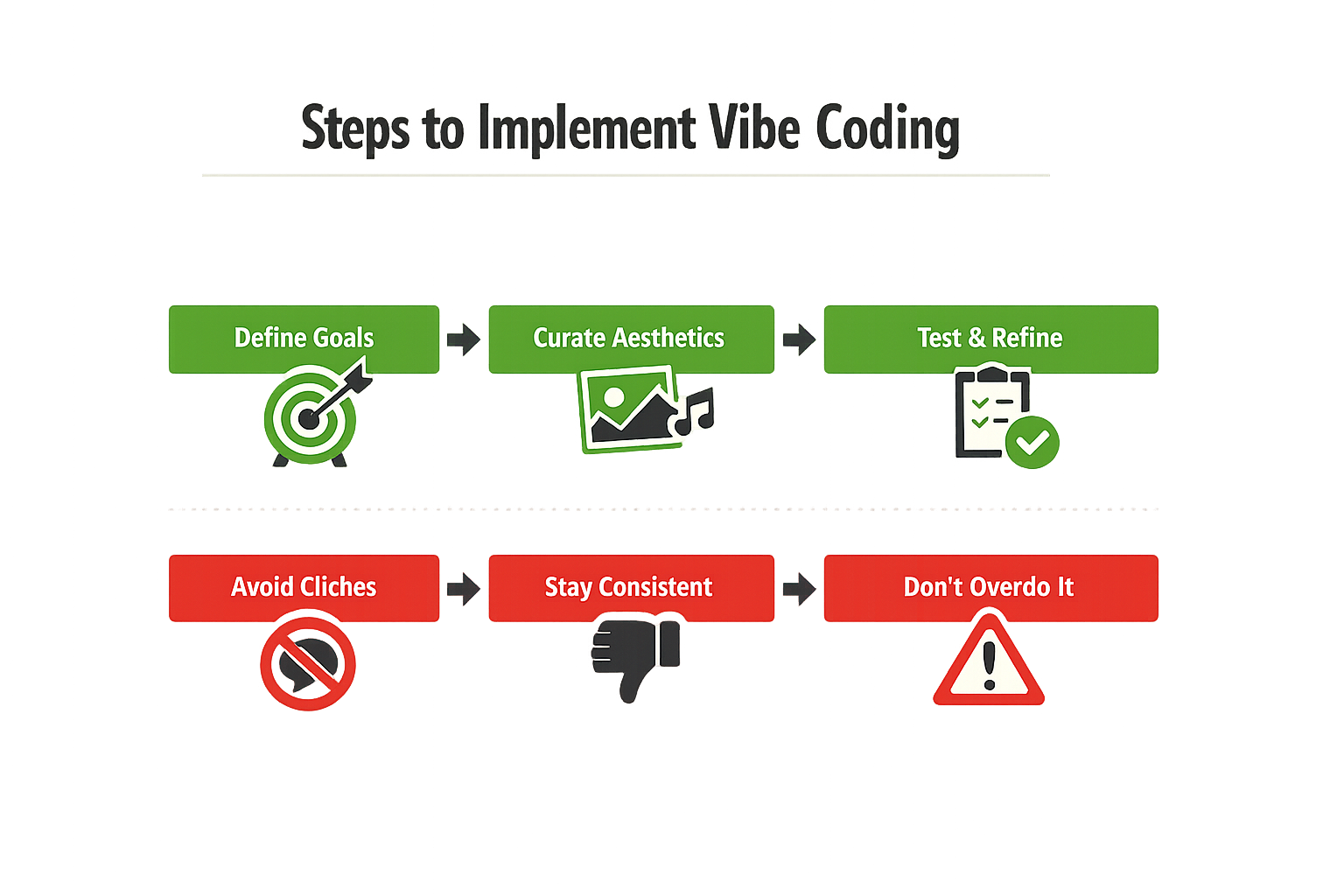
Vibe coding works when you put guardrails around it. The steps below turn intuitive prompting into a repeatable workflow that ships clean code.
Step 1: Define scope before you prompt
Step 1
Set boundaries upfront
Write down what you're building in three sentences. One feature, one file, one behavior change. If you can't describe it that tightly, your prompt will drift and the agent will fill gaps with guesses.
I've watched solo founders burn two days because they started with "build a dashboard" instead of "add a table showing the last 50 transactions, sorted by date, with pagination." The tighter the boundary, the less the agent invents.
Step 2: Review every change before you merge
Step 2
Treat AI output like junior dev work
Read the diff. Line by line. AI-generated code can look correct but contain subtle errors—missing edge cases, silent failures, or security gaps that only surface in production.
Maintain high standards for all code. Agents follow patterns they see, so bad merges compound. One sloppy auth check becomes the template for the next three features.
Step 3: Break large changes into reviewable chunks
When an agent generates 300 lines across six files, you can't hold the logic in your head. Split the work. One prompt for the data model, another for the API route, a third for the UI component. Smaller diffs catch more bugs.
If the change is too large to review comfortably, you've already lost control of the codebase.
This is where vibe coding workflows separate shipping founders from stalled ones. Sequential, reviewable commits beat one giant "make it work" merge every time.
Step 4: Self-review before asking for peer review
Run the feature. Click through the edge cases. Try to break it. Engineers who skip self-review waste reviewer time and ship more bugs. This applies double when the code came from a prompt—you're the only one who knows what you asked for.
Step 5: Use frameworks responsibly
Agents pull in libraries to solve problems fast. That's fine. But developers must verify that the framework fits the need and that the configuration is sound. Misconfigured auth middleware or a default-permissive CORS policy won't announce itself until an auditor finds it.
Tips and Tricks
Vibe coding works best when you treat it as a tool with limits, not a replacement for planning. These tactics keep you productive without accumulating invisible debt.
Break Changes Into Reviewable Chunks
Large AI-generated diffs are where bugs hide. If a change touches more than three files or adds over 200 lines, you're guessing, not reviewing. Break the prompt into smaller pieces. One feature per commit. One commit per review session.
Smaller diffs surface logic errors faster. They also make rollback trivial when something breaks in production.
Validate Early With Throwaway Prototypes
Use vibe coding to test ideas before you write specs. Generate a feedback form. Mock up three versions of a feature. Show them to users. Throw away the code.
Early validation prevents failures. You learn what users actually want before you commit engineering resources to the wrong solution. The prototype dies; the insight survives.
Know When to Stop Prompting and Start Coding
Experienced developers use vibe coding for speed, then switch to manual edits when the AI starts guessing. If you're on your fourth reprompt for the same bug, open the file. Fix it by hand. Move on.
Flexibility means choosing when to code and when to prompt — not pretending the prompt will always win.
The tool is fast until it isn't. Your job is recognizing the crossover point before you waste an hour in a chat loop.
Set a Quality Bar and Enforce It
AI-generated code can look correct but be subtly wrong. It follows patterns, compiles, passes tests you wrote — and still ships the wrong behavior. Your standards for what gets merged should be the same whether the code was written by hand or by an agent.
Run the feature. Click every button. Check the edge cases. If it feels wrong, it probably is. Vibe coding is fast; shipping broken code is faster. One of those speeds matters.
Use the Right Tool for the Task
Not all vibe coding tools are equivalent. Some excel at prototypes. Others handle production refactors. Best Vibe Coding Tools in 2026 (Compared) walks through the tradeoffs — pick the one that matches your workflow, not the one with the best demo.
Matching tool to task keeps you in flow. Mismatching it turns every session into a fight with the interface.
Conclusion
Vibe coding isn't bad — it's a tool with a sharp edge. When you use it for rapid prototyping, early validation, or tasks where the spec is genuinely fuzzy, it delivers speed you can't get any other way. When you skip the review step or push AI-generated code into production without checks, you pay for that speed in bugs, drift, and rework.
I've shipped features in hours that would have taken days with a traditional workflow. I've also watched vibe-coded modules fail silently in staging because I didn't run the type checker. The difference wasn't the tool — it was whether I treated the output as a draft or as done.
The pattern that works: describe what you want, let the AI generate the scaffold, then review the diff and run your existing checks. Tests, linters, type checkers — whatever your project already uses. That review loop is the difference between vibe coding as a force multiplier and vibe coding as technical debt on a timer.
If you're building alone or moving fast on a new idea, vibe coding tools give you leverage you didn't have before. If you're working in a regulated domain or maintaining a production system with users who depend on uptime, you need guardrails — and vibe coding still works, but only inside a disciplined workflow.
Vibe coding works when you know what you're building and why. It fails when you treat the AI as a substitute for thinking through the problem. Use it to go faster on the parts you understand; use traditional planning on the parts you don't.
This article explores if vibe coding is bad, detailing when it works effectively and when it leads to failures.