
Telemedicine App Development: Compliance and Features That Matter
Top takeaways
- Telemedicine app development combines remote healthcare delivery with mobile technology to improve access and convenience
- Successful apps require careful attention to compliance frameworks, user experience design, and technical architecture
- Modern AI-powered development tools can accelerate the build process while maintaining quality standards
- Key features include appointment scheduling, virtual consultations, and secure patient data handling
- Understanding both regulatory requirements and user needs is essential before writing the first line of code
Introduction
Telemedicine apps deliver healthcare services remotely. They close the gap between patients who need care and providers who can deliver it, without requiring physical proximity. The category includes everything from simple appointment schedulers to full diagnostic platforms with video consultation, prescription management, and electronic health records integration.
Building one means navigating two parallel tracks: compliance and features. The compliance track is non-negotiable — HIPAA, state telehealth laws, and data protection regulations set hard boundaries. The features track determines whether anyone actually uses what you build. I've seen teams nail the technical implementation but ship an app that solves no real problem, and I've seen others build something users love that can't legally operate.
The stakes are higher than typical SaaS. A bug in a project management tool costs productivity. A bug in a telemedicine app can delay treatment or expose protected health information. That reality shapes every decision from architecture design to deployment strategy. You need a clear picture of what you're building and why before you start.
Modern development platforms have changed the build economics. Tools like Bolt can generate working prototypes for mobile apps including health-related applications, letting you validate core workflows before committing to a full build cycle. That speed matters when you're testing whether a feature set actually meets user needs or just looks good in a PRD.
The next sections walk through the specific challenges, the step-by-step solution path, and the operational details that separate a working prototype from a production-ready telemedicine platform.
Problem Statement
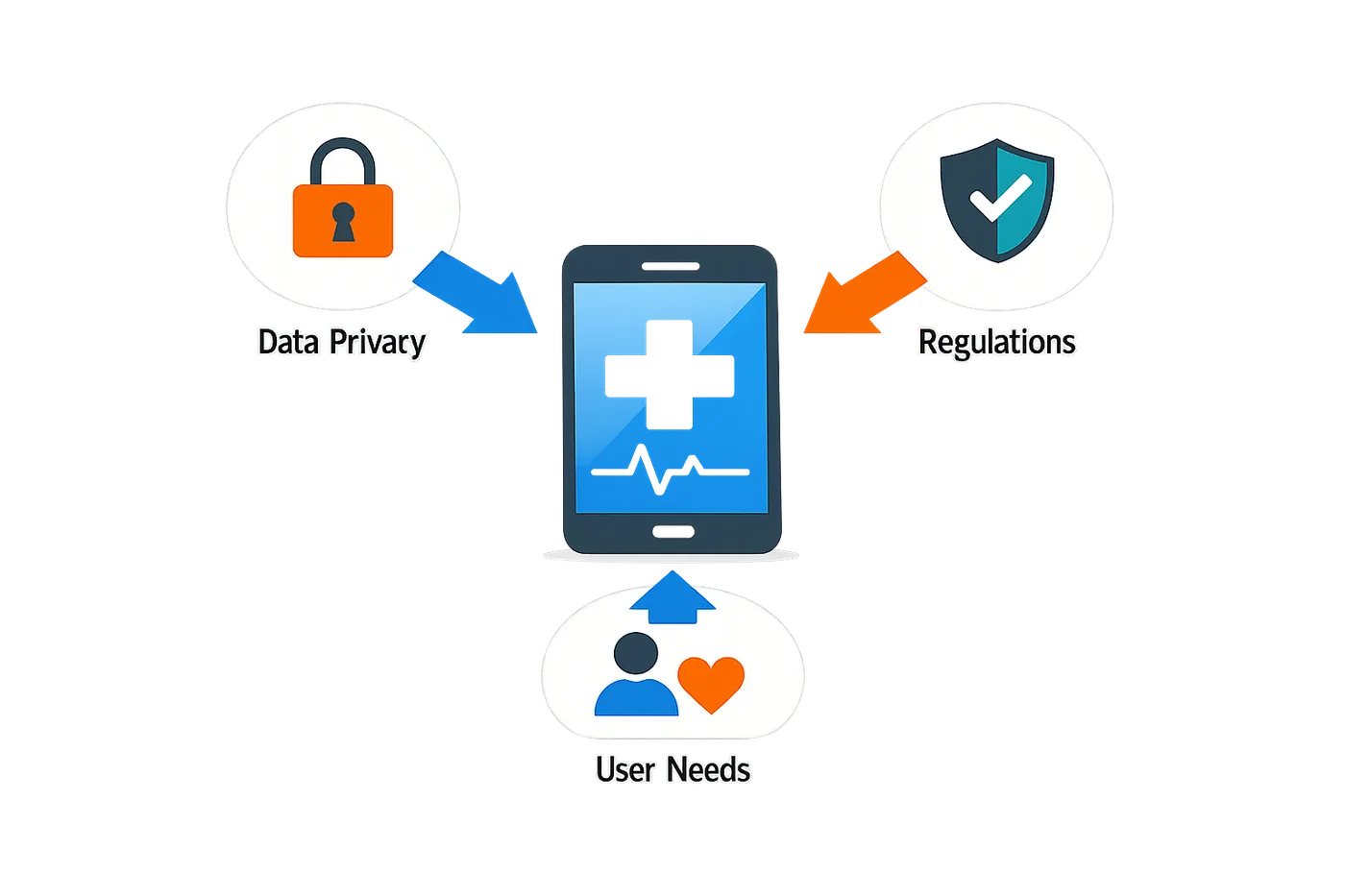
Building a telemedicine app means navigating two failure modes simultaneously: the app must meet regulatory compliance standards while delivering a user experience smooth enough that patients and providers actually use it. Most teams underestimate one or both.
Security Gaps in Authentication and Access
The first category of problems lives in authentication and authorization. Telemedicine apps handle protected health information, which means every endpoint must enforce proper access control. Many development teams ship apps with unauthenticated and abusable endpoints — functions anyone can trigger without permission, upload routes that accept arbitrary files, or message-sending features with no rate limits. These aren't edge cases. They're the default state of a hastily-built app.
Access control failures compound the risk. Users who can view or modify data that isn't theirs represent a direct HIPAA violation. Server code that bypasses database-level permission rules creates a second attack surface. When you're moving fast, it's easy to write a query that pulls all patient records instead of filtering by the authenticated user's scope.
Signal Accuracy and Missing Data
The second category involves data integrity and decision-making under uncertainty. Telemedicine apps rely on multiple signals — device type, location, session history, biometric checks — to assess risk and determine whether to allow an action. The challenge is ensuring the accuracy of each signal and having a strategy for handling missing or low-confidence data.
What happens when a patient's GPS signal is unavailable? When a provider's session token arrives without the expected device fingerprint? Most apps either fail open (allow the request, accept the risk) or fail closed (block the request, frustrate the user). Neither is correct. The right answer is a scoring model that weights available signals, assigns a risk tier, and maps that tier to a proportional response: allow, challenge with a CAPTCHA, require step-up MFA, or block outright.
For a detailed look at structuring decision logic across uncertain inputs, see our guide on the Engineering Design Process: From Requirements to Architecture.
User Experience Under Compliance Constraints
Compliance requirements create friction. Multi-factor authentication, session timeouts, and access logging all slow users down. The problem is deciding where that friction is acceptable and where it drives abandonment. A generic error message — "Authentication failed" — protects against user enumeration attacks but leaves legitimate users confused. After several retries, they leave.
The criticality of the application determines the trade-off. For a telemedicine app handling sensitive diagnoses or prescriptions, you redirect failed logins to a support page and return a generic message every time. For a wellness app with lower-risk data, you might provide more specific feedback. There's no universal answer, but there is a universal mistake: failing to make the decision explicitly and then discovering your error rate in production.
The cheapest way to handle a compliance failure is to design the system so the failure can't happen in the first place.
Solution Steps for Telemedicine App Development
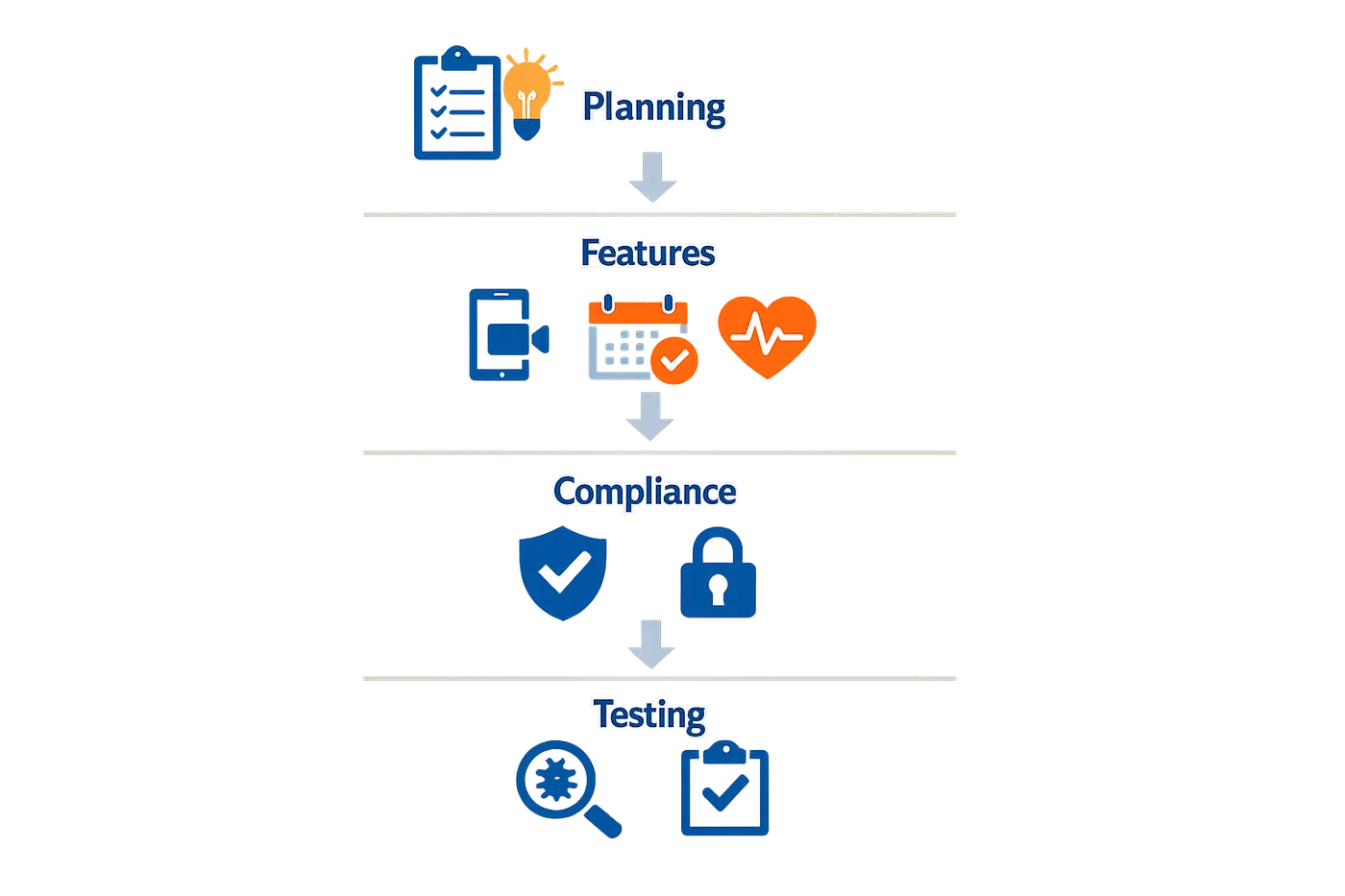
Building a telemedicine app that meets compliance standards and delivers a functional user experience requires a structured approach. The steps below outline the core development process from initial planning through deployment.
Step 1: Define Core Requirements and Compliance Scope
Step 1
Establish requirements and regulatory boundaries
Start by cataloging what your app must do and which regulations apply. Document patient data flows, identify HIPAA-applicable components, and list required security controls. This inventory drives every downstream decision — architecture, vendor selection, and testing scope all trace back to this baseline.
Skip the temptation to build everything at once. Ship an MVP that handles one workflow end-to-end, then iterate. Focusing on product-market fit early lets you validate assumptions before committing to a full feature set.
Step 2: Choose Your Development Framework
Use established web development frameworks for session management and authentication rather than rolling your own. Frameworks like Next.js or ASP.NET ship with tested security primitives and receive regular patches for known vulnerabilities. Always deploy the latest stable version to close known gaps before they reach production.
For a structured overview of translating requirements into a working architecture, see Engineering Design Process: From Requirements to Architecture.
Step 3: Implement Authentication and Session Controls
Authentication logic must handle multiple signals: device fingerprint, IP reputation, session age, and user behavior. Define which signals refresh during an active session and at what intervals. Build a scoring model — rule-based or ML-driven — that converts raw signals into risk tiers, then map each tier to an action: allow, challenge with MFA, or revoke the session.
Step 2
Design your risk-scoring pipeline
Decide where the risk engine runs (edge, API gateway, or central service) and set a latency budget. Propagate decisions consistently across web, mobile, and API clients. Plan how you will mutate or revoke tokens mid-session when risk escalates, and synchronize state across concurrent devices.
Generic error messages improve security but hurt user experience. For critical applications, redirect failed login attempts to a support page rather than leaving users guessing. Balance security posture against the friction legitimate users will tolerate.
Step 4: Build and Test Incrementally
Step 3
Outline, review, build step-by-step
Switch to a planning mode before writing code. Outline the approach, review it for gaps, then build one feature at a time. This reduces the surface area for defects and makes rollback straightforward when something breaks.
Test on real devices early. A login form that works in desktop Chrome may fail silently on mobile Safari. Catch platform-specific issues before they reach users by running smoke tests across browsers and form factors during each sprint.
Step 5: Monitor and Iterate Post-Deployment
Once live, enable project monitoring to detect runtime issues automatically. Monitoring tools can post alerts when they detect anomalies, giving you the option to fix or ignore each issue. Schedule regular reviews of session logs, authentication failures, and API error rates to spot patterns that indicate a security or UX problem.
Plan for incremental feature releases. Telemedicine apps evolve as regulations change and user needs shift. A modular architecture lets you swap components without rewriting the entire stack.
Tips and Tricks for Successful Telemedicine App Development
Building a telemedicine app that works is one thing. Building one that survives first contact with real users is another. I've shipped prototypes that looked perfect in desktop preview, then watched them fall apart the moment someone opened the link on their phone. The gap between "it works on my machine" and "patients can actually use this" is where most telemedicine projects stall.
Test Before You Ship
Before publishing, spend a few moments testing your app. A quick check now saves a round of confused messages from the first person you send the link to. Try the interactive parts — click every button, fill every form, toggle every filter. Most people will open your link on their phone, so switch to mobile view and test there too. If something is off, document exactly what is wrong and where: "In the appointment scheduler, clicking the morning slots shows no available times. It should show the 9 AM and 10 AM slots."
Mobile-First Is Not Optional
Most users will access your telemedicine app on their phones. Optimize for mobile use from the start — check the mobile view, verify that touch targets are large enough, and ensure all features function correctly on small screens. A provider dashboard that works beautifully on desktop but requires horizontal scrolling on mobile is a dashboard that won't get used. Test on actual devices, not just browser emulators. The difference matters.
Build Security In, Not On
Security scans help identify common issues, but they cannot guarantee complete security. For apps handling sensitive data or critical functionality, consider an additional professional security review. Ensure access control and authorization are properly implemented to prevent unauthorized data access. Check that users cannot view or change data that is not theirs, and verify that server code does not bypass the rules your database enforces. Review unauthenticated endpoints — functions and routes that anyone can trigger without permission are attack surfaces waiting to be exploited.
| Security Check | What It Catches | When To Run |
|---|---|---|
| Quick scan | Common misconfigurations, exposed secrets | After every major feature |
| Deep scan | App-specific logic flaws, authorization gaps | Before each release |
| Professional review | Context-specific risks, compliance gaps | Before handling real patient data |
Use Real-Time Feedback
Implementing real-time feedback mechanisms provides users with visual progress indicators and enhances the overall user experience. When a patient uploads medical records or a provider submits a prescription, show them what is happening. A spinner is better than nothing. A progress bar with stages is better than a spinner. A live status message that says "Encrypting file" then "Uploading to secure storage" then "Verifying integrity" is best. Users trust what they can see.
For a structured approach to designing these feedback loops, see the Engineering Design Process: From Requirements to Architecture guide.
Plan Before You Build
When a feature gets complicated, switch to plan mode and ask your build tool to outline an approach first. Review the plan, adjust it, then build step by step. This prevents the cascading rewrites that happen when you discover halfway through implementation that your data model cannot support the feature you are building. A five-minute planning pause saves an hour of rework.
The cheapest bug fix is the one you catch before a patient sees it.
Conclusion
Telemedicine app development sits at the intersection of healthcare delivery, regulatory compliance, and software engineering. The requirements are real: HIPAA compliance is non-negotiable, state licensing boundaries define where your app can operate, and patients expect the same security they'd get in a physical clinic. The features matter too—video consults, prescription routing, appointment scheduling—but none of them ship if your compliance framework collapses under audit.
I've built products where the first version felt fast and the second version felt impossible. The difference was usually scope creep dressed up as feature requests. In telemedicine, that same dynamic plays out with compliance: one jurisdiction's rules feel manageable until you're supporting twelve states and three payer integrations. The trick is to build the compliance scaffolding early—audit logs, consent workflows, access controls—so adding a new state is configuration, not architecture.
The steps covered earlier—defining your scope, mapping compliance requirements, selecting a tech stack, implementing core features, hardening security, and planning your rollout—form a checklist, not a waterfall. You'll iterate. But each iteration should leave your compliance posture stronger, not weaker. If you're uncertain where your architecture needs reinforcement, the Engineering Design Process: From Requirements to Architecture framework offers a structured way to validate that your compliance requirements translate into defensible system design.
Telemedicine app development rewards disciplined execution. Ship a narrow feature set that works in one jurisdiction, prove the compliance model, then expand. The alternative—building for every use case on day one—produces vaporware or a compliance disaster. Start small, document everything, and let your audit trail guide your growth.